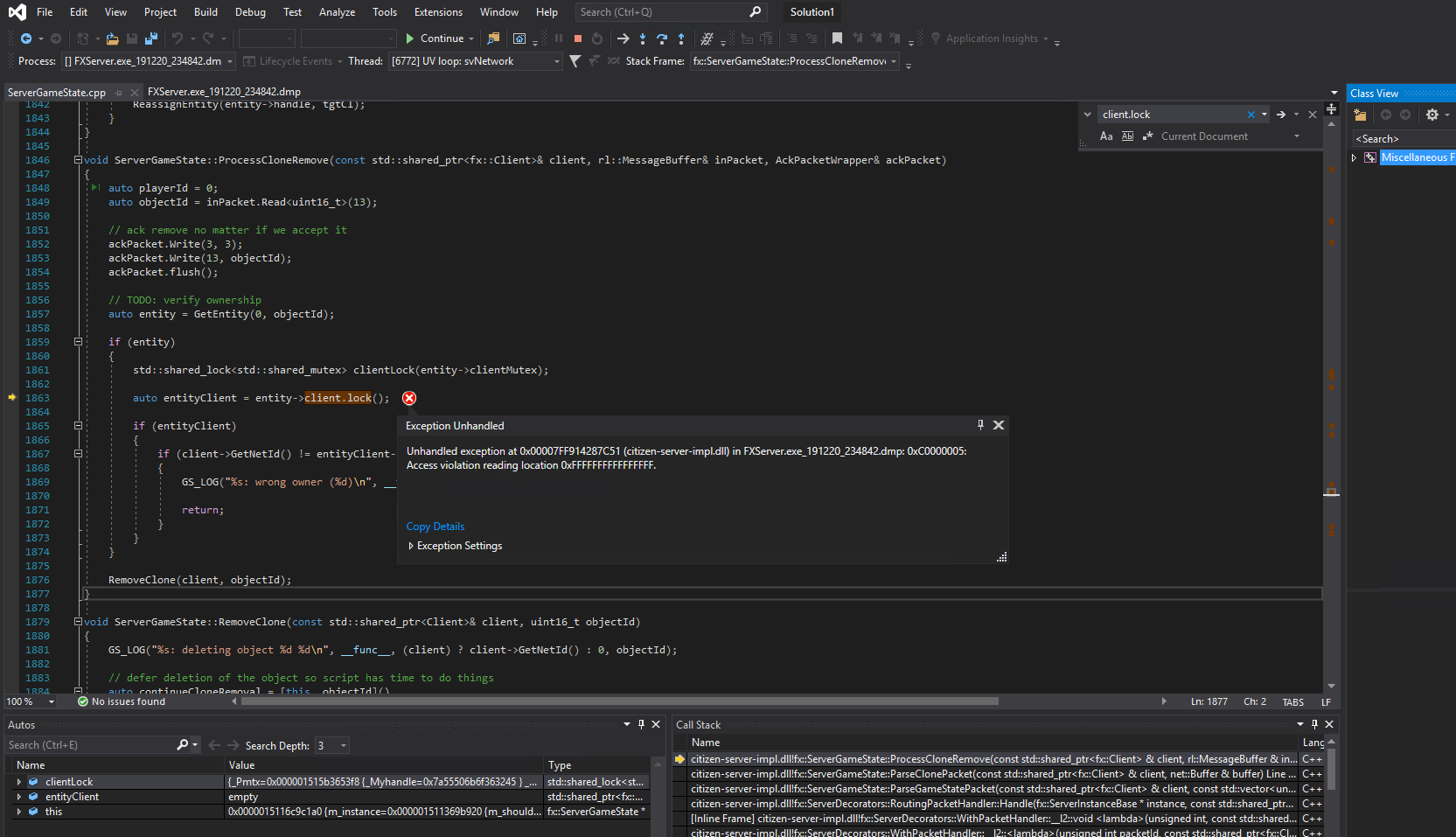
Alright so I am trying to figure out the cause to my server crashing. I have attempted to review many mini dumps form my server and came to the conclusion that I needed to read a full dump so I studied up on Procdump and started to look into reading/viewing the full crash dump but when I open it in Visual Studios 2019 I get a problem finding citizen-server-impl.pdb Does anyone know how I can obtain this file and or generate the file? I really am here trying to resolve the issues in my server and ive been trying to study up and learn how I can pin point the cause of the issues. If anyone know how I can obtain this file or any guides that are helpful when it comes to server crash dump please let me know!
UPDATE: I have came to the conclusion that the link on the docs wont get updated with the symbols SO I downloaded and built the server files from the fivem github page and I followed all the steps to generate a visual studios project file just so I can generate the pdb file so I can debug the full crash dump I got form procdump.
When I open code/build/server/windows/CitizenMP.sln I get errors which I cannot start debugging.
Cannot include “itab.h”
So i downloaded udis86 which has the file needed in it and placed it into the vendor folder. but now I am getting this error
Severity Code Description Project File Line Suppression State
Error C1083 Cannot open include file: ‘itab.h’: No such file or directory udis86 D:\Downloads\fivem\vendor\udis86\libudis86\types.h 131
itab.h is in the same directory as types.h which is why I am unsure why im having a hard time getting this to work. If anyone has a solution to this please let me know
what? it’s still the valid link, it still gets updated, it isn’t meant to be opened in a browser however, you should add it as a symbol server in VS ._.