IF YOU DO NOT FILL THIS OUT, YOUR TOPIC WILL BE UNLISTED AND CLOSED
To receive support, please fill out the following template, and remove this top text.
Environment questions
GTA V version: Latest
Up to date: 10/24/24
Legit or Pirate copy: Legit
Purchased where - Steam/Rockstar Launcher/Epic: Steam
Windows version: Windows 11
Did you try to delete content_index.xml and try again? Yes
System specifications: RTX 4060, intel core i5-12400f
CitizenFX crash zip file (‘Save information’ on a crash):
CfxCrashDump_2024_10_25_00_11_11.zip (1.6 MB)
logs/CitizenFX_log files: ??
.dmp files/report IDs: ??
Important parts
What is the issue you’re having?
Whenever I try to play a server it will repeat downloading 'ox_inventory", Ive tried to clear cache, log out and in to steam, verify game files, nothing works.
Error screenshot (if any):
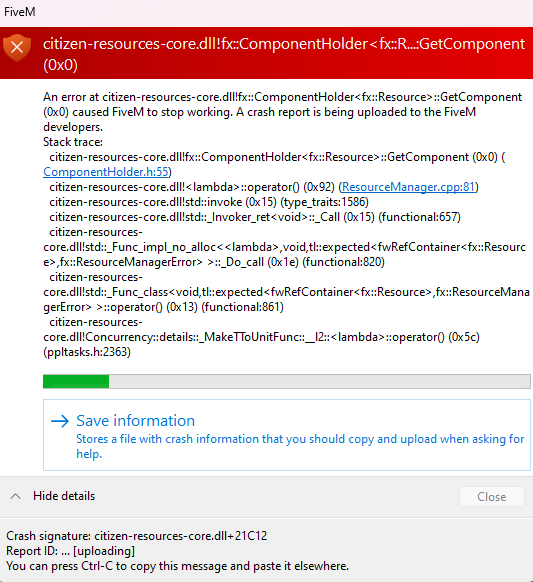
What did you do to get this issue?
Try loading into a server
What server did you get this issue on? Be specific and name some, ‘all of them’ by itself isn’t useful!
Vivid RP 2.0
Any help would be amazing, ty!
