GTA V version? latest Up to date? yes Legit or Pirate copy? legit copy Steam/CD/Social Club? steam/social Windows version? 10 - up to date Did you try to delete caches.xml and try again? yes Error screenshot (if any) none System specifications 2060 Graphics card, 8500 chip What did you do to get this issue? logged in to try to play, no sound at all. ambient or otherwise. What server did you get this issue on?roleplay.co.uk CitizenFX.log file .dmp files/report IDs
If an issue with starting: GTA V folder screenshot GTA V/update/x64/dlcpacks screenshot Filepath to FiveM folder FiveM client folder screenshot Which antivirus/firewall software are you using? Did you try to disable/uninstall your Anti-virus?
Also add what you already tried so far.
all of the usual, changed all settings to try different ones. deleted cache, restarted client a few times. checked all drivers are up to date. All sound works on all games except fivem. Even tried proper GTA and sound works there also. it is just when i load into fivem i get no sound.
I have speakers in my monitor and also usb headphones and a mic and a stereo mic (3.5mm) tried different combinations of all of them and found nothing to get any sound.
Got an occasional crash and error log when i changed from one type of audio device to the other however. Legacy crash hash - steak snake ack apparently.
I hope this helps and thank you all for your support.
Hello, this is a friendly reminder because this is your first time creating a topic (or it has been a while since your last topic) in this category.
Please note that most of the support is provided by the Cfx.re community on a voluntary basis. We ask you to be patient; there is no guarantee we have a solution to your problem(s). To avoid unnecessary/duplicate topics, please browse the forums before creating a topic.
To improve your chances of your issue(s) being solved, please provide as much information as possible about the issue(s) you are having. Also —whenever possible— please use the template given to you when creating a topic.
ive managed to work out it was due to USB headphones that i got no sound. I have since changed to a set of 3.5mm headphones but now i have sound (very quietly) and no voip. my mic and speakers work with other games but not this one.
no webcam installed. windows boost etc all cranked up to full volume. its not a case of the mic being quiet, its not there at all. how do i disable all of the other outputs?
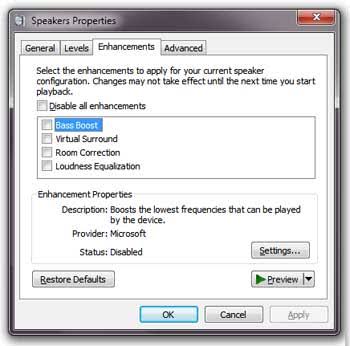
sorry i mean the mic is there, its brand new fresh out of the box. ive added as many enhancements as it allows me in win 10. its not exactly the same as your screenshot but i realise which menu you mean. i can see the blue bar (mic detection) stuttering so it seems to be detecting fine. i just dont know why fivem wont work with it.