**RDR2 version?**Full Game
**Up to date?**Yes
**Legit or Pirate copy?**Legit
Steam/Epic Games/Social Club? Social Club
**Windows version?**Windows 11
**Did you try to delete caches.xml and try again?**No?
**Error screenshot (if any)**N/A
System specifications
|Processor|13th Gen Intel(R) Core™ i5-13500HX 2.50 GHz|
|Installed RAM|16.0 GB (15.7 GB usable)|
|System type|64-bit operating system, x64-based processor|
GPU Nvidia RTX 4050
**What did you do to get this issue?**Turn the game on
**What server did you get this issue on?**Bandera
Latest CitizenFX_log fileN/A
.dmp files/report IDsN/A
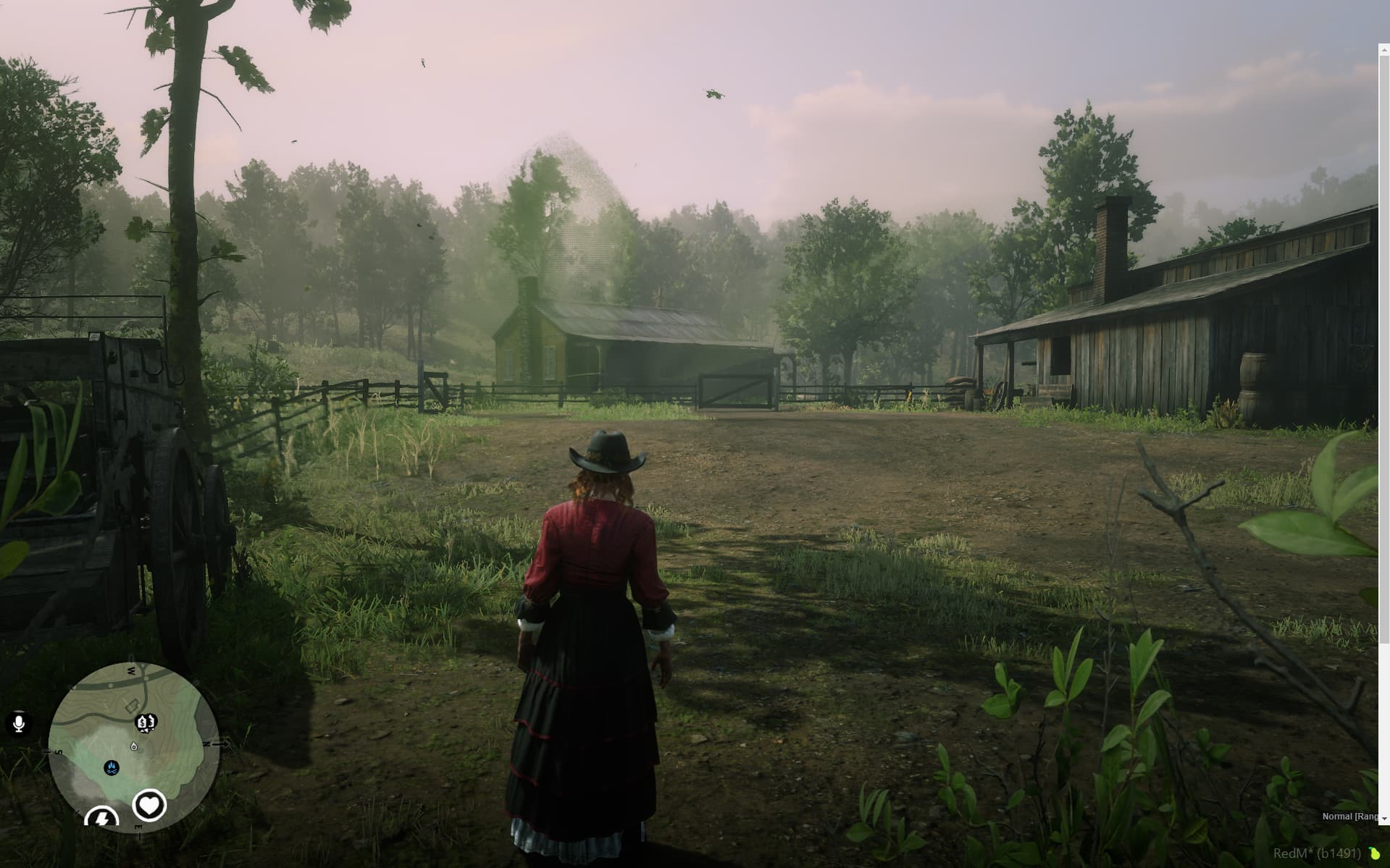
Also add what you already tried so far.
I selected the RedM option to force size to my native resolution 1920x1200 (tried without doing it also).
I tried all variations of resolutions and full screen/windowed.
All it does is make everything look exactly the same but in a smaller window.
Very difficult to play with needs being pushed into a lower part of the window that I cannot access, the scroll bar stays on the right side but can not be moved.
Thanks for any help y’all can give me!
