[PAID] Modern Crafting Script
Modern Crafting
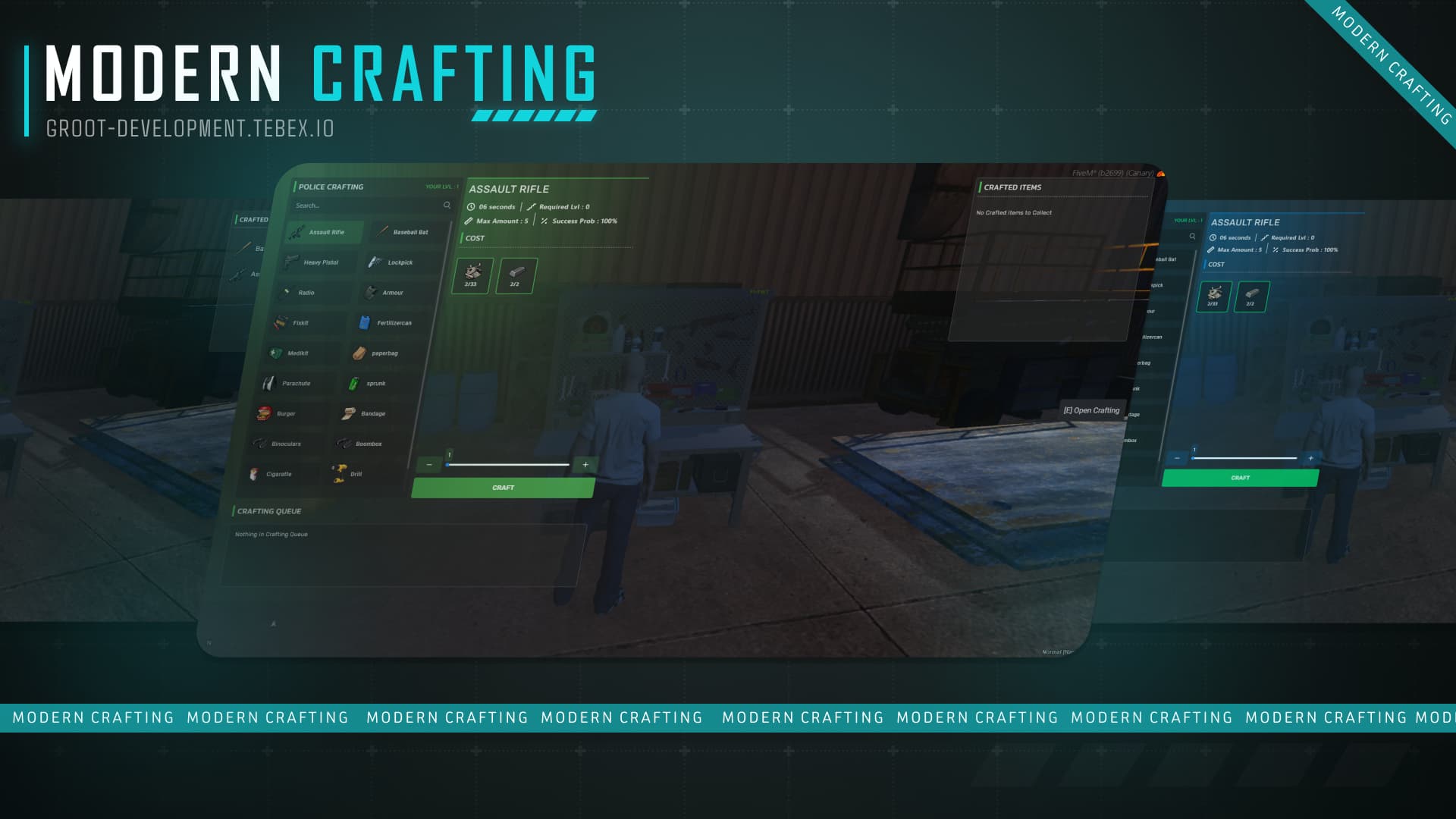
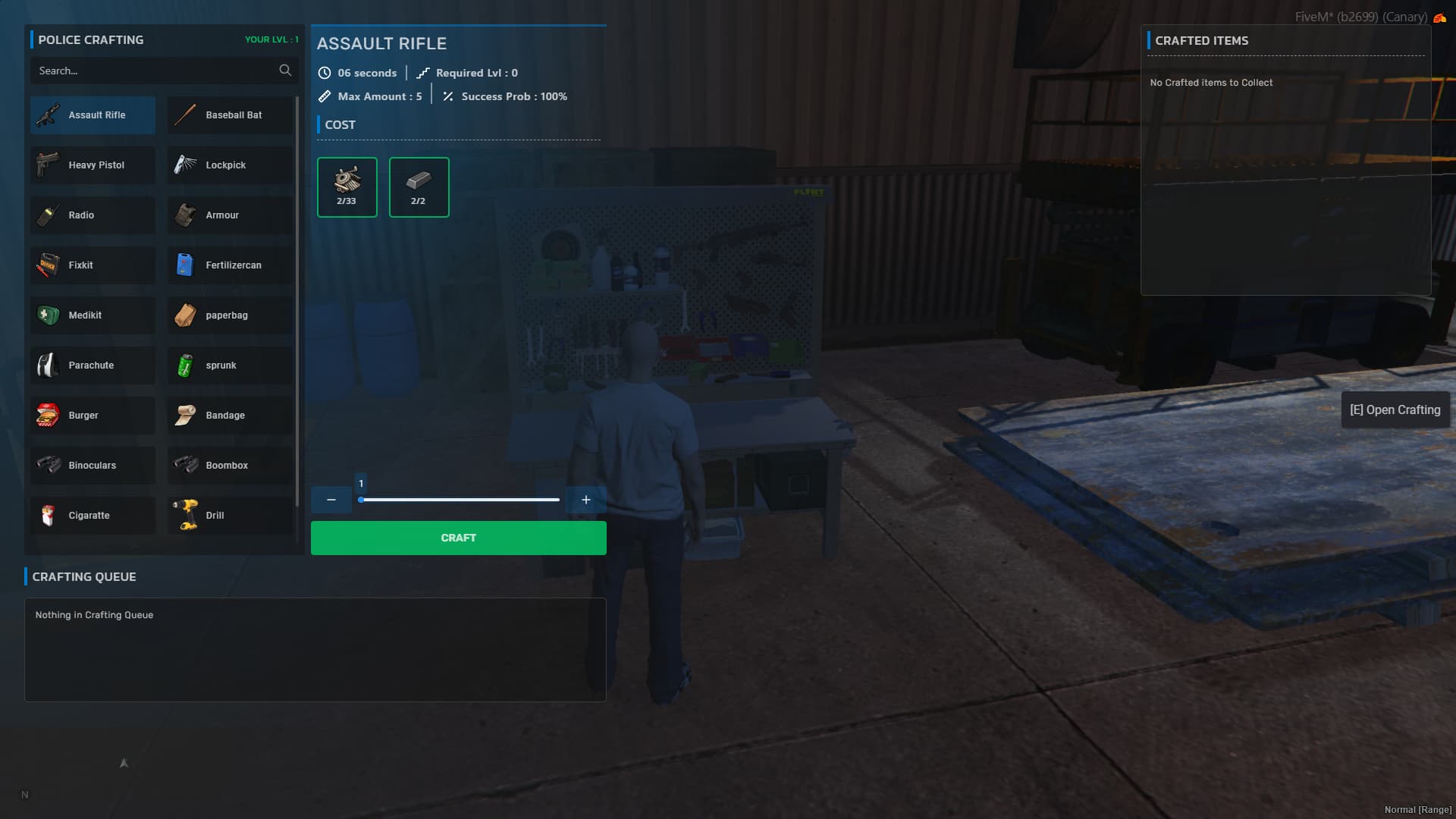
This is a modern crafting system offering features you won’t find elsewhere. You can customize each crafting station with its own theme, and the system supports both single and multiple crafting options simultaneously. It also includes exports for developers, along with an admin command (/setlevel) to set player crafting levels. With this script, you can make your server more immersive and engaging
 Docs - https://grootdev.gitbook.io/groot-development/assets/g-crafting
 Preview - https://youtu.be/qpRFoObCU0A?si=DUyrlgu6y90D1y9d
Installation Video - https://youtu.be/xwnoCOWrlho?si=27jLWYCb9xsZaAxx
Supported Frameworks: ESX, QBCore, QBox, Custom
Supported Inventories: ox_inventory | qb_inventory | qs-inventory | core_inventory (or set up your inventory via bridge file or contact us)
Purchase here
 Escrow - https://groot-development.tebex.io/package/6537318
 Unlocked - https://groot-development.tebex.io/package/6537323
Features
- Set unique themes for each crafting station with multiple pre-configured or custom themes.
- Access the crafting menu via target or TextUI options.
- Icon images are automatically sourced from your inventory.
- Enable or disable Discord logs for crafted items.
- Developer exports for seamless integration.
- Admins can set player levels using a slash command.
- Configure single or multiple item crafting, with options in the config to enable or disable.
- Prevent crafting while players are dead or in a vehicle.
- Queue Cancellation: Automatically cancel the crafting queue if a player moves too far from the station, with configurable distance settings.
- Supports multiple notification types, including custom notifications.
- Create crafting stations for EMS, Police, gangs, mechanics, and more.
- Cancel queued crafts.
- Success rate configuration.
- Easy-to-translate menu.
- Allowing you to optionally configure additional items to be received along with crafted item. (update: v1.2.0)
Dependencies
- oxmysql
- Server Artifacts version must be 5181 or higher
- Game build must be 2189 or higher.
Screenshots
 Check out our other scripts
|
|
| Code is accessible |
No |
| Subscription-based |
No |
| Lines (approximately) |
1900+ |
| Requirements |
ESX or QBcore or QBox |
| Support |
Yes |
3 Likes
 Update v1.1.0
- Added
disable property for item visibility:
disable = true: Items will only be visible once the player reaches the required level.disable = false: Items will be visible by default, regardless of the player’s level, but crafting still requires the necessary ingredients.
For more info, check our documentation - Docs
Preview - YouTube
Target: Idle - 0.00ms ; when the menu is open - 0.01ms (Tested)
TextUI: Idle - 0.00ms; when a user approaches near crafting station - 0.001ms; when the menu is opened - peaks at 0.003ms,then stabilizes back to 0.001ms after opening.
g-crafting | Update v1.2.0
- Added a new feature allowing you to optionally configure additional items to be received along with crafted item.
- Added a new option allowing you to specify whether a particular ingredient should be removed from your inventory or not.
- Fixed UI refresh issue
Modified files
config.lua- UI components
server.lua
Preview Video - https://youtu.be/VtPkFw_SkDM?si=wzGNW6UmOWqehd6m
Configuration
g-crafting | Update v1.2.1
- Fixed the initialization level issue.
g-crafting | Update v1.3.6
- Players can now only collect crafted items if they have enough inventory space.
Modified files
- client.lua
- server.lua
- UI component
g-crafting | Update v1.4.7
-
Added: Weapon serial number is now included in the craft item Discord log.
(Note: This only works with qb-inventory and ox-inventory.
If you’re using a different inventory system, you can update it manually in
g-crafting/bridge/inventory/server.lua inside the function
G.GetWeaponSerial(...).)
Modified files
- server.lua
- sv_edit.lua
- bridge inventory server file
g-crafting | Update v1.4.8
- Fixed: Issue where gang members could not access the crafting menu.
Note: If both a gang and a job are configured for a crafting station (e.g., “vagos” as a gang and “police” as a job), the menu will open if the player matches either the gang or the job.
For example, if your character is in the “vagos” gang but has the “unemployed” job, or is a “police” officer with no gang, they will still be able to access the menu — since one of the conditions is satisfied.
Modified files
- client.lua
- bridge/core/client - files
g-crafting | Update v1.5.8
+ Added compatibility for qs-inventory and core_inventory
Modified files