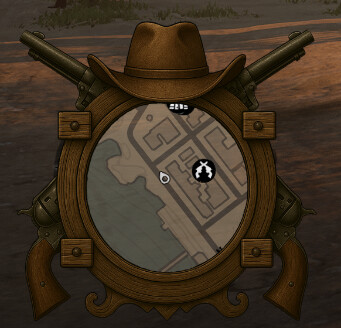
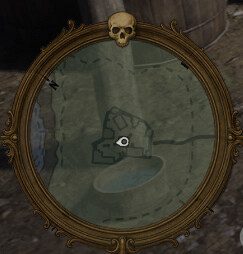
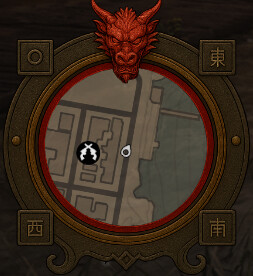
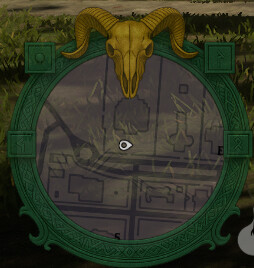
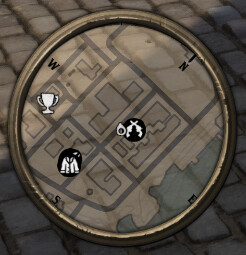
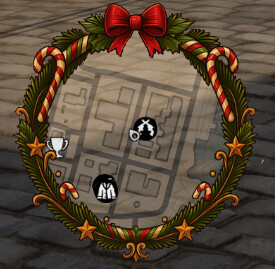
Map Overlay [VORP]

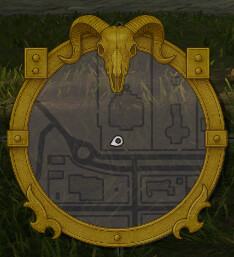
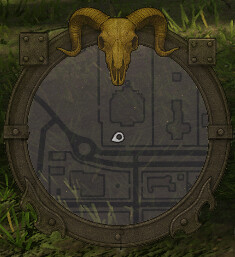
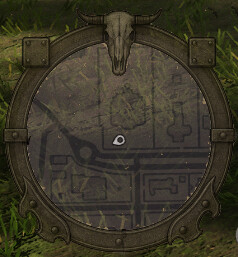
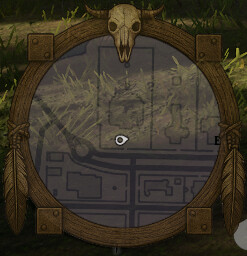
Chichen Map Overlay
Style meets immersion.

TEBEX: [2.99€]<—
DISCORD HERE <—
PREVIEW Youtube

Give to your server a visual upgrade with the Chichen Map Overlay – a crafted HUD that enhances your minimap with a custom Red Dead-inspired frame, perfect for immersive roleplay environments.

This lightweight script adds a custom overlay to the player’s minimap and automatically hides itself when menus or interfaces are opened, keeping things clean and immersive at all times.

:small_orange_diamond: Stylish Red Dead look
:small_orange_diamond: You can replace the overlay with any custom image you like
:small_orange_diamond: Automatically hides during menus or map view
:small_orange_diamond: Easy to install and compatible with most HUDs
:small_orange_diamond: Lightweight and performance-friendly

Sometimes, the smallest details make the biggest difference.
Make your world feel more alive with Chichen Map Overlay.

Things to know:

  • The script works with 1920x1080 and 2560x1440 resolutions,

  • /map Command to toggle the overlay via client

  • /mapstyle [1-8] Command to switch between different styles via client
    (the style will be saved so if the player or the server restarts, the user will maintain it)

EXAMPLE MAP OVERLAY:


Installation

  • Paste chichen_map_overlay into your resources folder

  • Add ensure chichen_map_overlay to your server.cfg

  • Change the overlay image if you want replacing the style content files in the “ui” folder

  • You can modify size and position settings in the “index.html” file

Code is accessible No
Subscription-based No
Lines (approximately) 30
Requirements VORP
Support Yes
1 Like

Update

Now the "default " style supports 2560x1440 resolution The script will autoadjust on the user settings resolution

INSTALLATION

Replace styles/default and ui folders

On next updates we will be updating every single style to also autoadjust

Update

  • "Emerald " style now is also supported with 2560x1440 resolution
  • Fixed size of the "Default " style

INSTALLATION

Replace all files

Update

  • ALL the styles are now supported by 2560x1440 and 1920x1080 resolution

  • Cleaner images without the “Dirt layer”

  • Readjusted the overlay size

INSTALLATION

Replace all files

Update

  • 2 NEW STYLES available

Drake and Cowboy

INSTALLATION

Add drake and cowboy folders to style folder

Update

  • FIX for the overlay showing while loading screens,

Now the overlay will only show when the player press TAB for the first time, so it will not show during loading screens or character selection

NOTE: If the player press TAB during loading screens the overlay could appear

INSTALLATION

Replace client.lua

Can players choose which one they want while in game? Or is it set for only one in config? Maybe could add a simple command like maphud then have it numbered 1-10 a just have the number correspond with what is what in config. So gives players a little more free in game own style experience?
2 Likes

What he said above please.

Would be great for the player to be able to choose themselves, or even have the option to disable/re-enable it themselves with a command.

1 Like

It’s a nice idea to be honest, we will work soon on it! Thanks for your suggestions guys

1 Like

That would be so cool. Tag me when you can get that updated an I’ll be on it like blue bonnet. Great work otherwise.

1 Like

Update

  • Added the /map command to toggle the overlay via client so each player can choose if they want to use it or not

INSTALLATION

Replace client.lua

1 Like

Update

  • Added the /mapstyle [1-8] command to switch between the 8 styles.

The style will be saved even if the player quits or the server restart

INSTALLATION

Replace all files

We implemented both commands in the last update.

/map to toggle

/mapstyle [1-8] to switch between styles

Hope you like it ^^