Welcome to LUX CAD!
Here at LUX we have purposely built a CAD for the communities that centre their RP around the interactions and the scenarios. Our team of 6 members are all avid players of GTA RP with years of experience and we pride ourselves on being genuinely motivated, open and responsive with our community, who help us make LUX even better everyday. We believe that the best sessions happen with diverse and interactive civilian RP, and that a CAD system should help feed and support these roles just as much as it does the LEO, SAFR and Dispatchers.
The CAD should follow the story, not limit it, and be a fun and integrated element of the RP, and not a secondary system taking you temporarily out of the action. Therefore, LUX remains working in the background, surfacing only when needed, giving the right detail at the right moment, all while creating hooks that pull players deeper into the RP, and stepping aside when the scene is unfolding.
Every feature is designed to empower the roles it relates to, giving something for the Civilians to hide, the LEO to investigate, the SAFR to verify or the Dispatch to manage. If it isn’t streamlined and useful, it isn’t implemented. With a dedicated civilian portal, SAFR, LEO and Dispatch terminals, integrated radio, bodycam streaming and in-game tablet, all running on a modern infrastructure and a UI that is pleasing on the eyes, LUX is a genuine launchpad that keeps the stories flowing, the scenes escalating and the action coming. With the entire CAD being a web application, it is built to be as easily transposable as possible to FiveM’s successor for GTA VI, requiring merely a postal map with road names to be useable again.

TL;DR 
LUX is a CAD built for communities whose RP lives in the interactions — deep where it matters, but quick to use and easy on the eyes, with Civilians, LEO, SAFR and Dispatch each properly looked after, and almost everything reshapeable from the admin panel without touching a line of code. Join the LUX Discord, open a request, and a member of our team will have you set up within a couple of hours. Fourteen days free with no card details, then $20/month before regional tax — no tiers, no per-seat pricing, no limits.
The Civilian Features 
Character Profiles: easy, in-depth and yet streamlined character creation, with a fully automated in-game mugshot capture system, medical history & ID, previous criminal records and much more. All your information renders onto hi-res, life-like documents, fully customisable by server owners and admins.

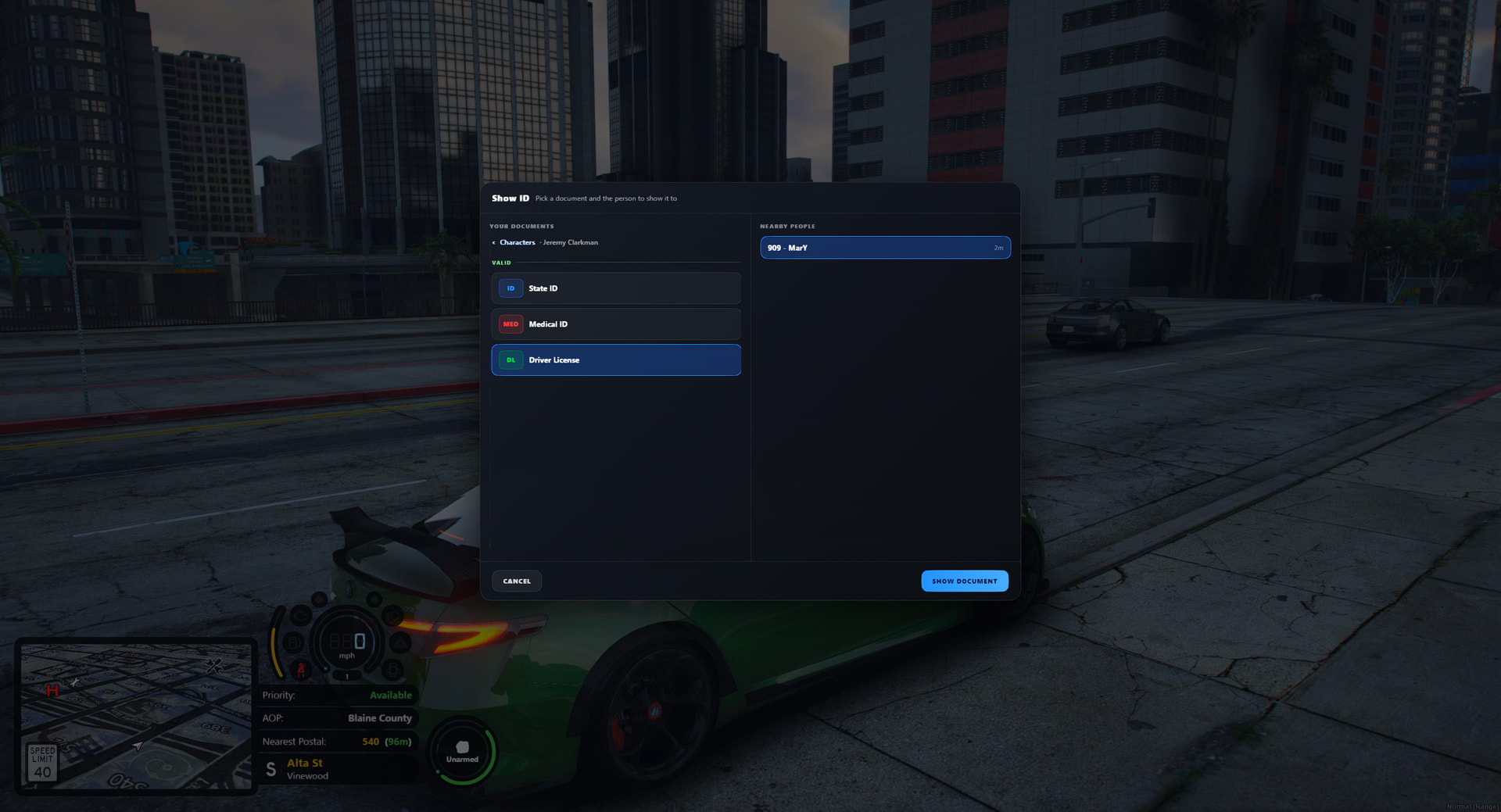
Vehicles & Licenses: Quick vehicle registration with an auto-fill option, driver’s license (motorcycle, CDL and more…), CCWs and hunting licenses and the ability to create forged paperwork that LEO may or may not catch. All documents are showable in game via a /showid command.

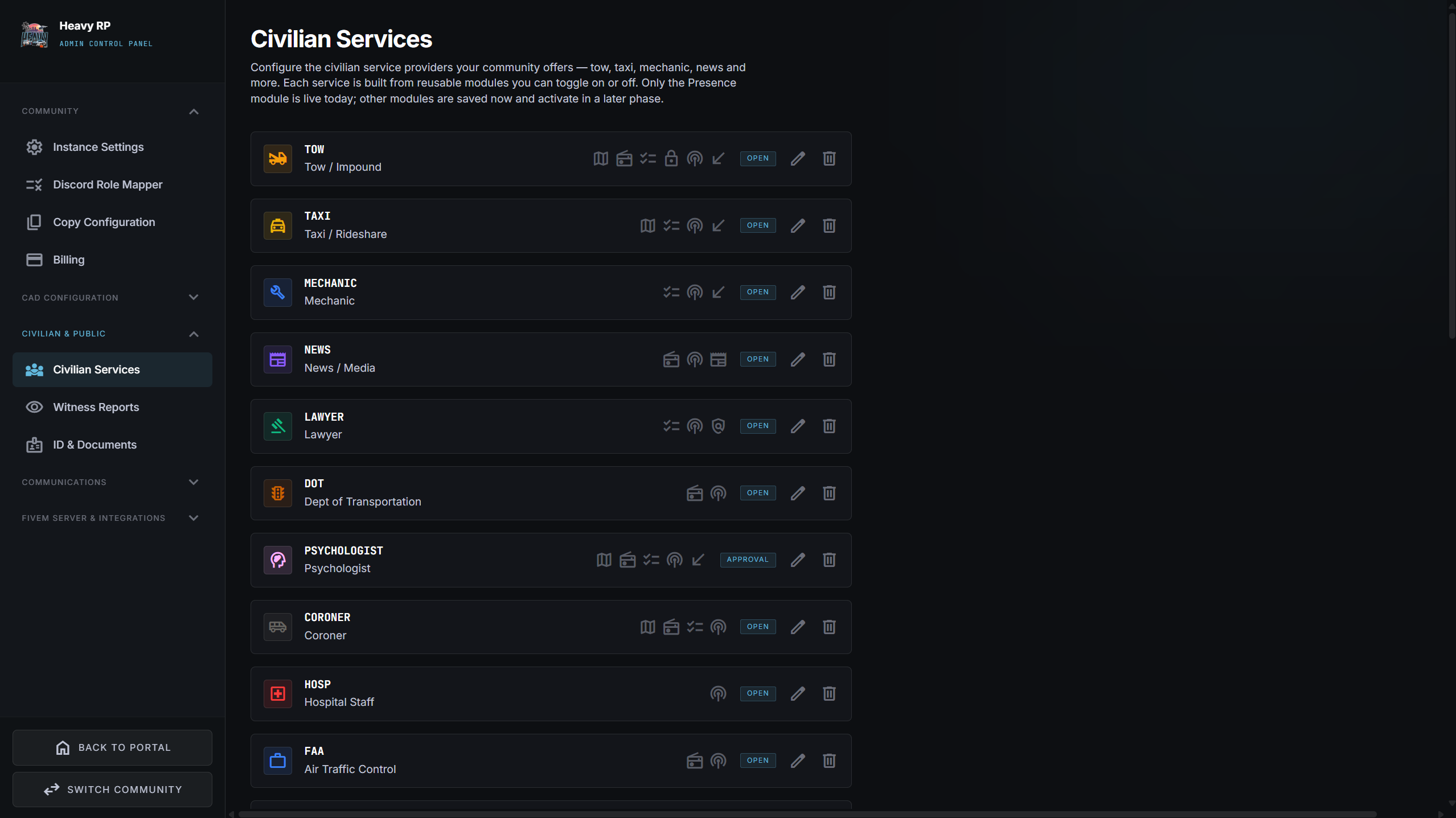
Civilian Services: An exhaustive list of civilian services such as tow, news reporting, taxi driver, mechanic and many more, along with the tools for admins and owners to quickly and easily set up and add their own custom services to the mix as well. If your community has a need for a service not shipped with LUX, you can create it in less than 5 minutes using modular building blocks in the admin settings, no scripting or coding required. This ensures a tailored workflow, for the player requesting and the player giving the service.

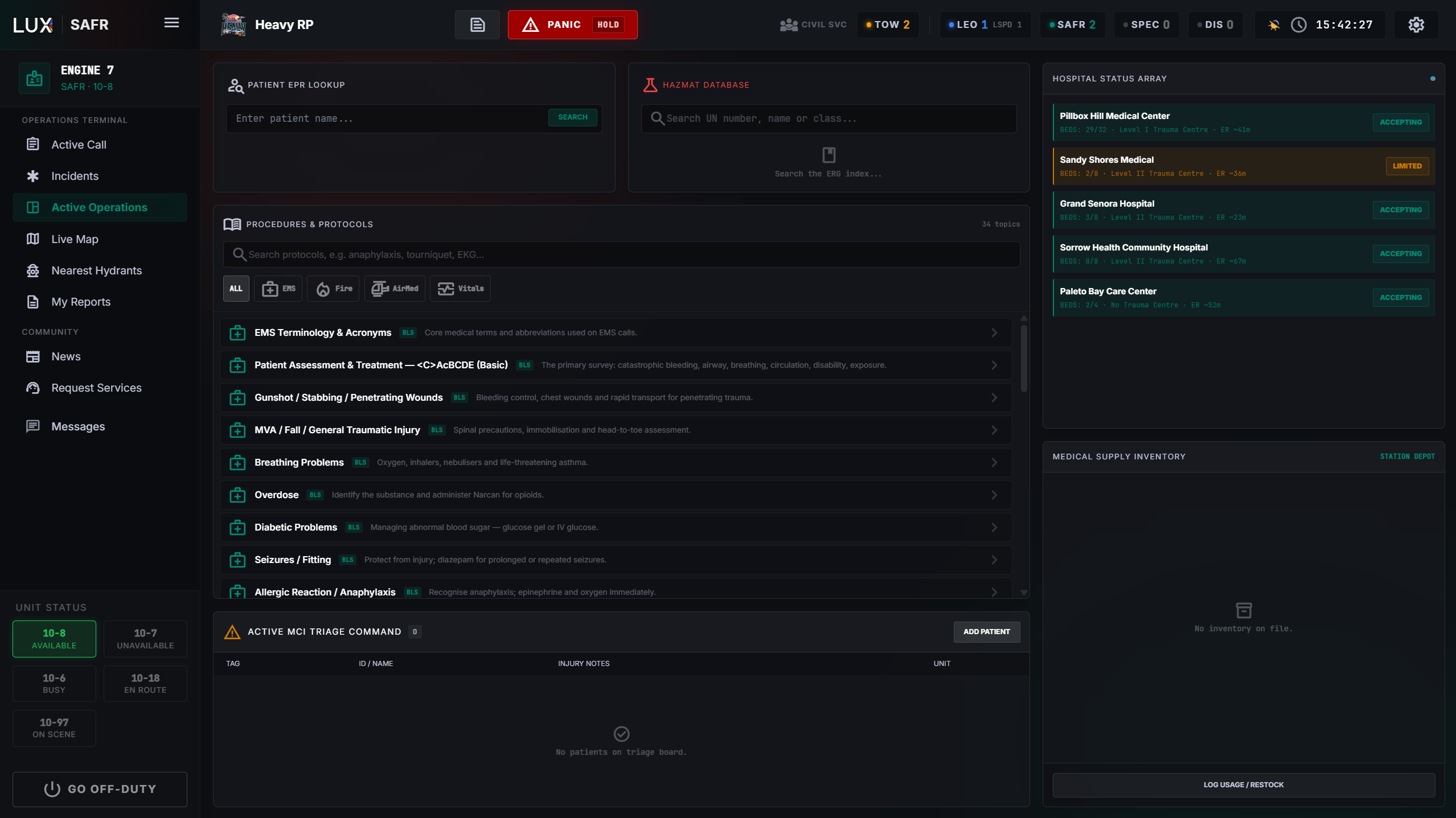
The SAFR Terminal 
EPR Patient Look-Up: Pull up a civilian’s full medical file, with their blood type, allergies, DNR, emergency contact and more, all set up by the civilian beforehand.
MCI Triage Board: Add patients, track assigned units and their status without needing to wait for an incident to be opened beforehand for those life or death scenarios.
Medical Inventory: Track medical supply stock and get flagged when inventory is low, updates live with usage and control restocking from the CAD. All synchronised between units, all managed in one place.
Hospitals & Routing: A list of all existing medical facilities around the state, with the possibilities to add custom ones for admins, that route a unit via their GPS to the selected facility with just one click. The CAD simulates bed occupancy and availability for each hospital, requiring re-routing on the fly for the ambulance drivers.
Fire Hydrant Map: Dedicated live map for SAFR, showing all closest fire hydrants all around the state, with the closest one to an ongoing fire being highlighted to aid rapid response.
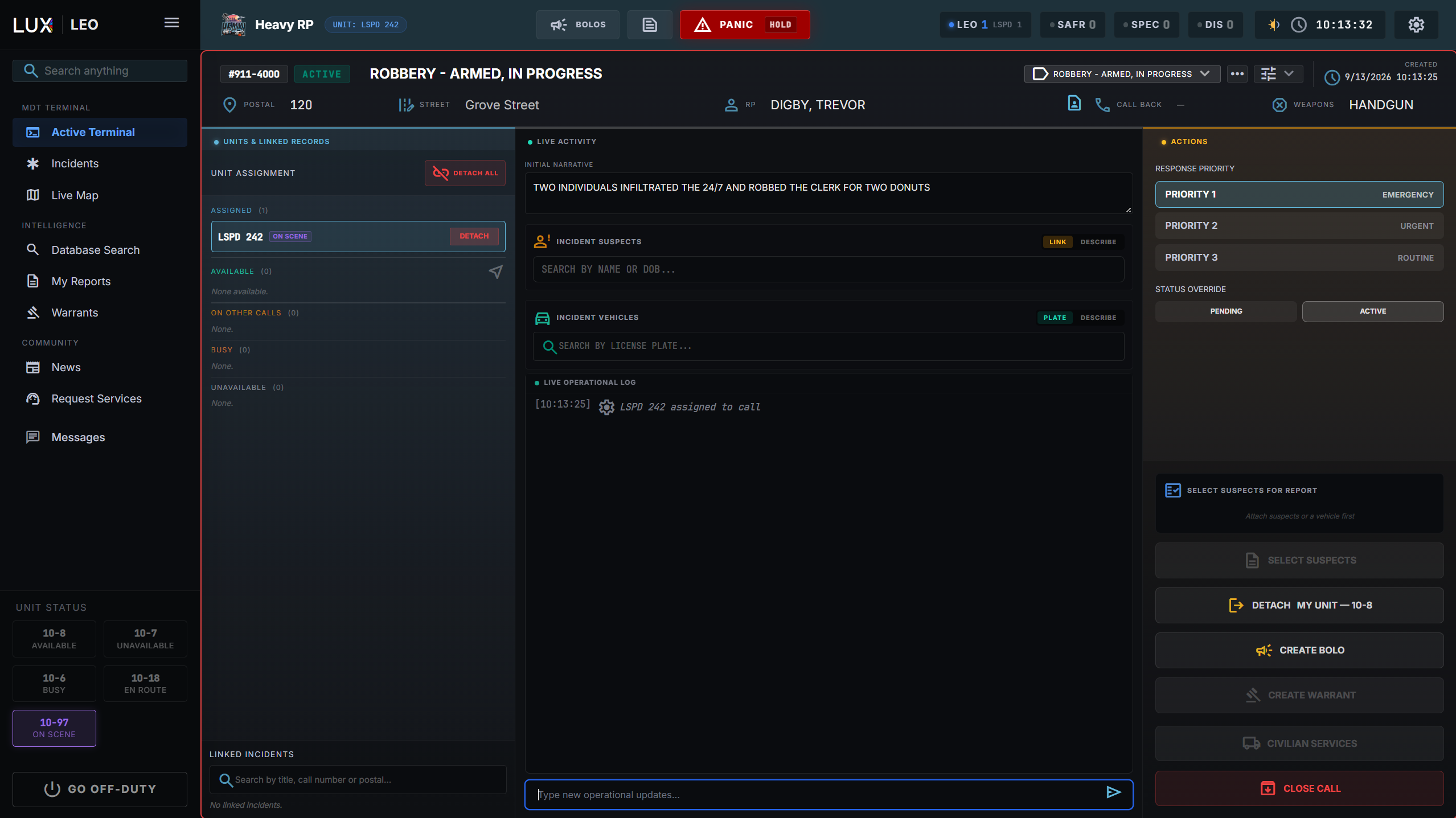
The Law Enforcement MDT 
Active Terminal: Create a call/incident with the click of a button, manage and modify the call you are assigned to, attach suspects, vehicles, link prior incidents, create reports and warrants and much more… Your callsign is always visible and changeable and a panic button always close by for those sudden turning points in a scene.

Complete Database Search: Any civilian’s information, vehicles, documents and past records & warrants on one screen, all clickable and accessible directly for closer inspection.

Incidents & Reports: Written and issued by the responding officer in the MDT directly, with addition of charges, connected suspects, narratives and pictures from the scene, all compiled and stored for you.

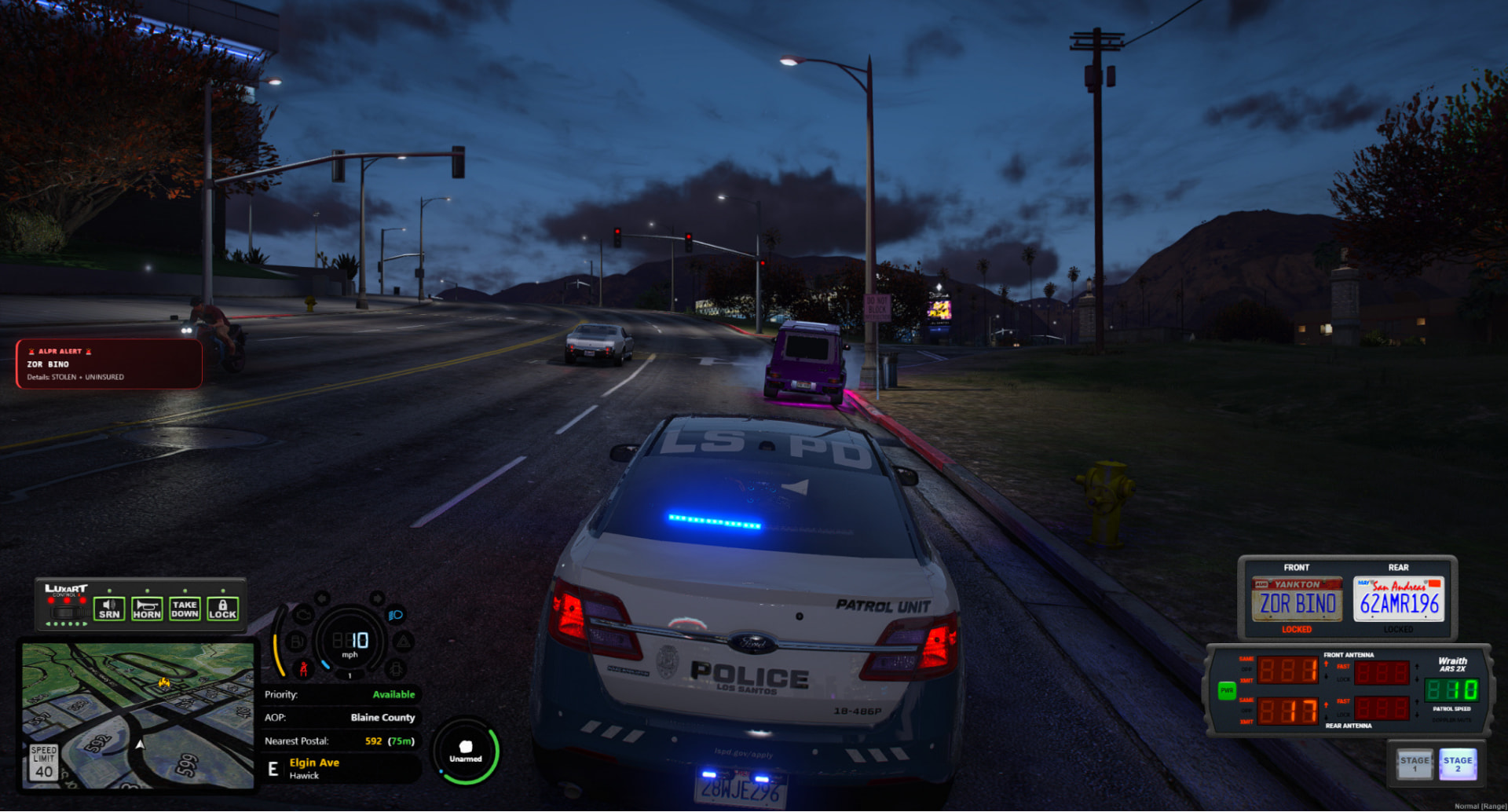
Wraith ARS 2X ALPR: Integrated with LUX straight out of the box with locked plates being automatically attached to an initiated traffic stop. This feature also synchronises with LUX to also flag BOLOs, stolen vehicles, expired registration and insurance.
The Dispatch Command Centre 
The Live Map: Map of the entire state with toggleable Roxwood & Cayo Perico extensions, all with homogenised postals and road names, allowing at last for easy navigation and RP in these areas. All active units appear on the map with their positions updating in real time. Two collapsible side panels, one displaying the active calls list, the other the active units list, all visible without leaving the console. You can double click to jump to a unit or call’s position, click, hold and drag to relocate a call on the map or double click a postal to create a call at that location with the necessary information coming pre-filled.
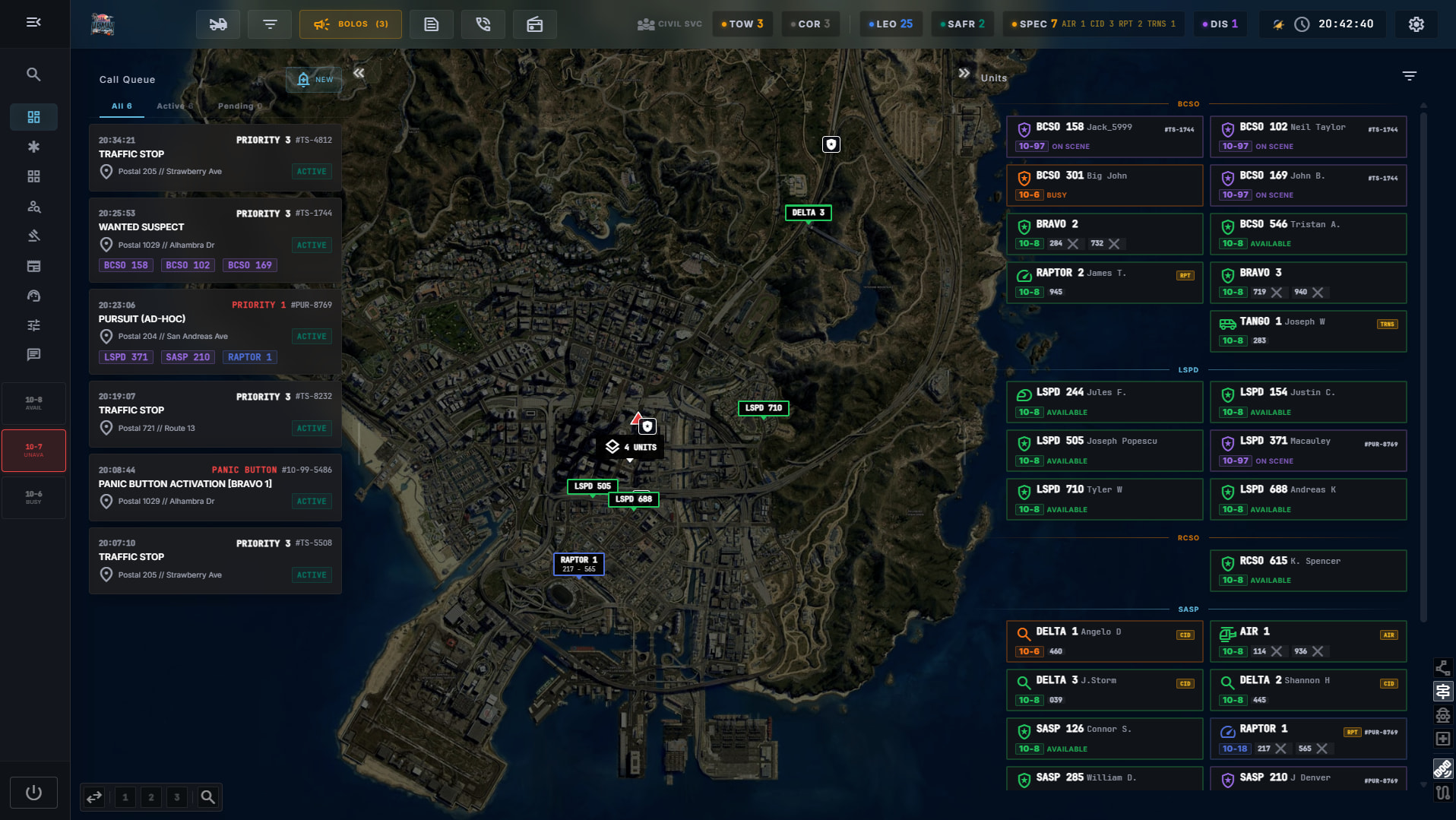
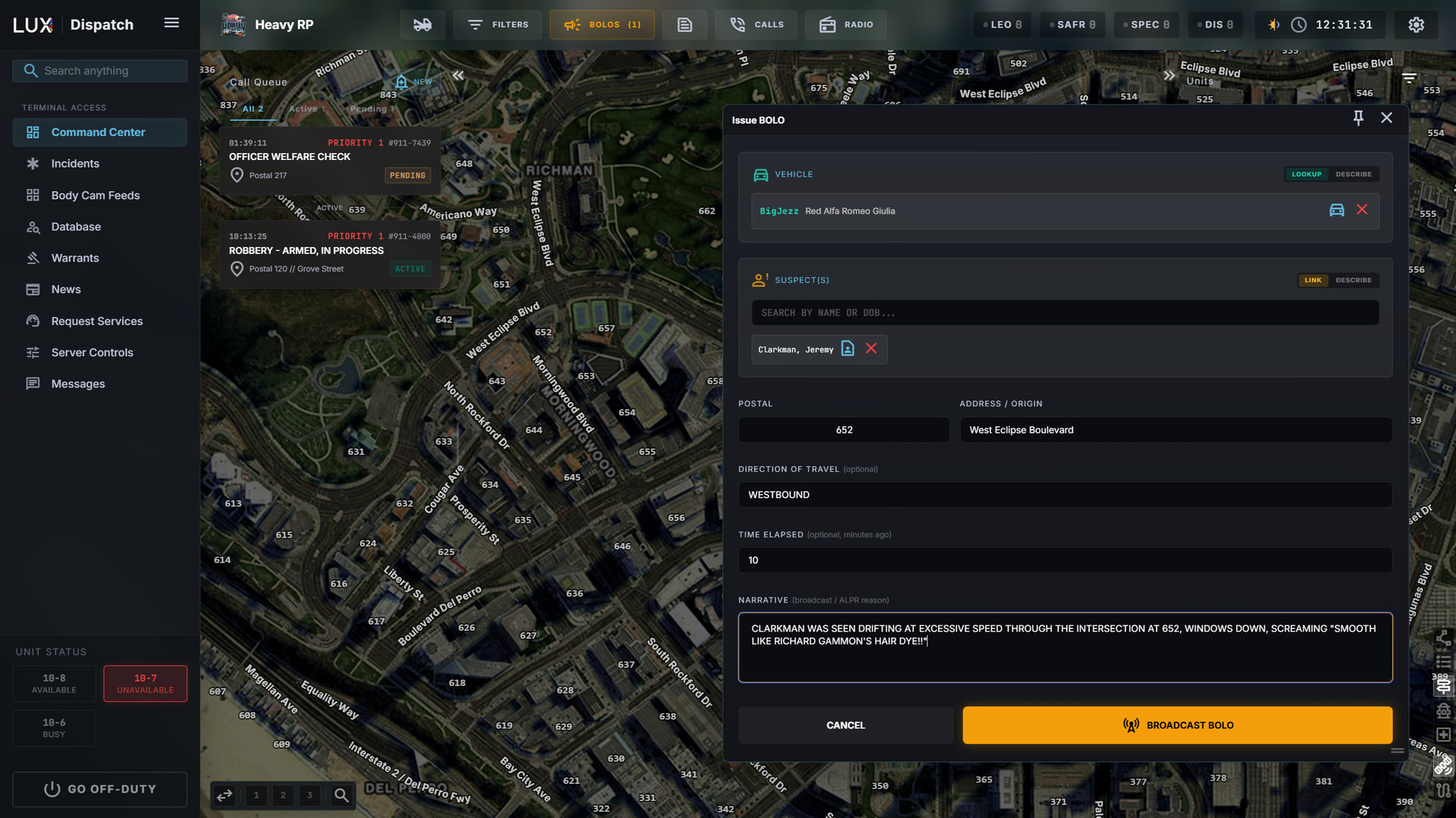
Live Coordination: Click any call or assigned unit to highlight all the relevant moving parts, along with a dashed line drawn between the call and the units en route, giving the whole assignment at a glance. Pursuits start with a single click, and every attached unit receives a dynamic route on their own minimap, tracking the primary unit as they move, giving following units a genuine chance to intercept rather than trail. BOLOs sync straight from the dispatch console to the Wraith ALPR of all on-duty units with the hit arriving on the reader itself with the relevant information.

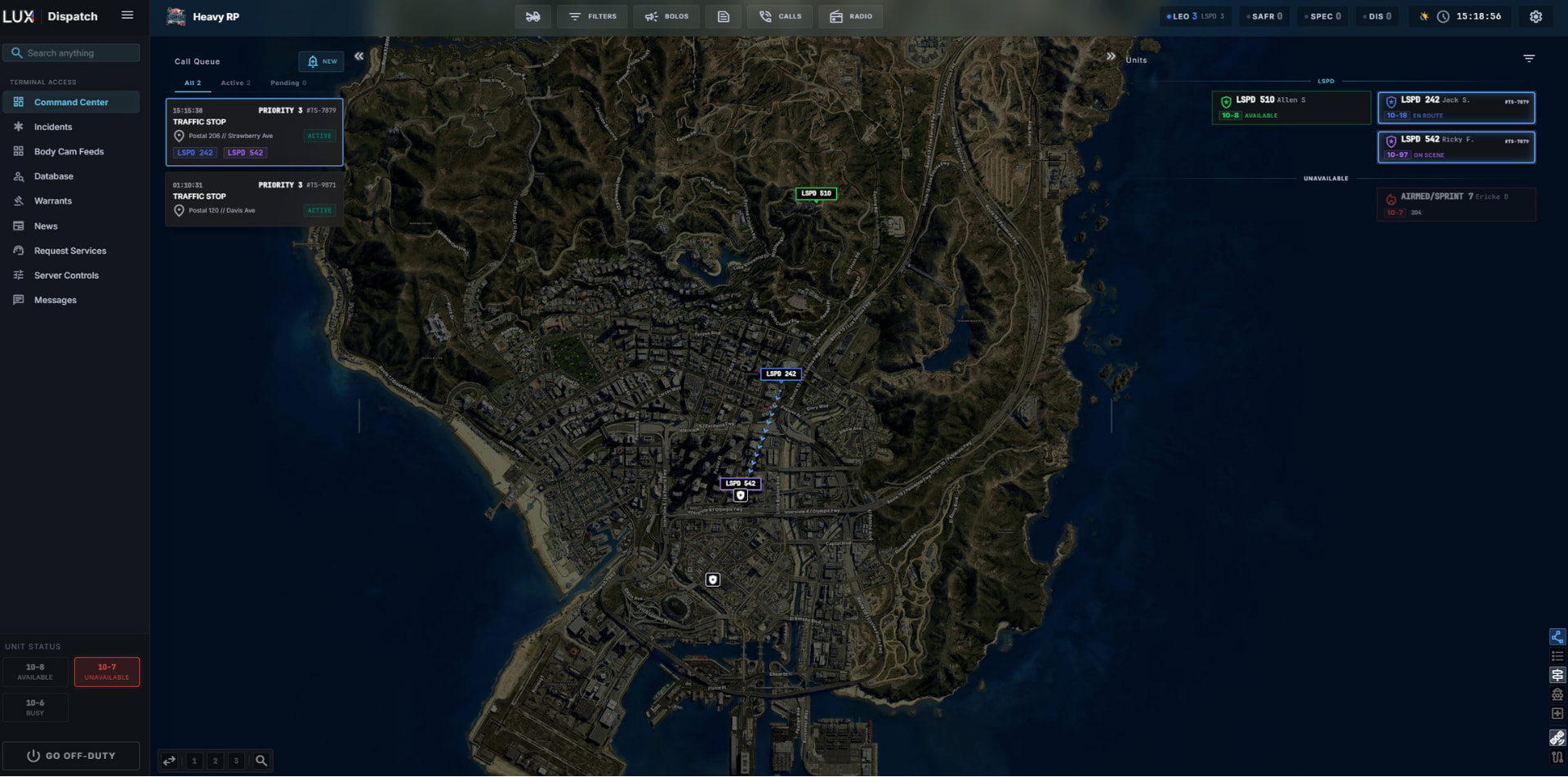

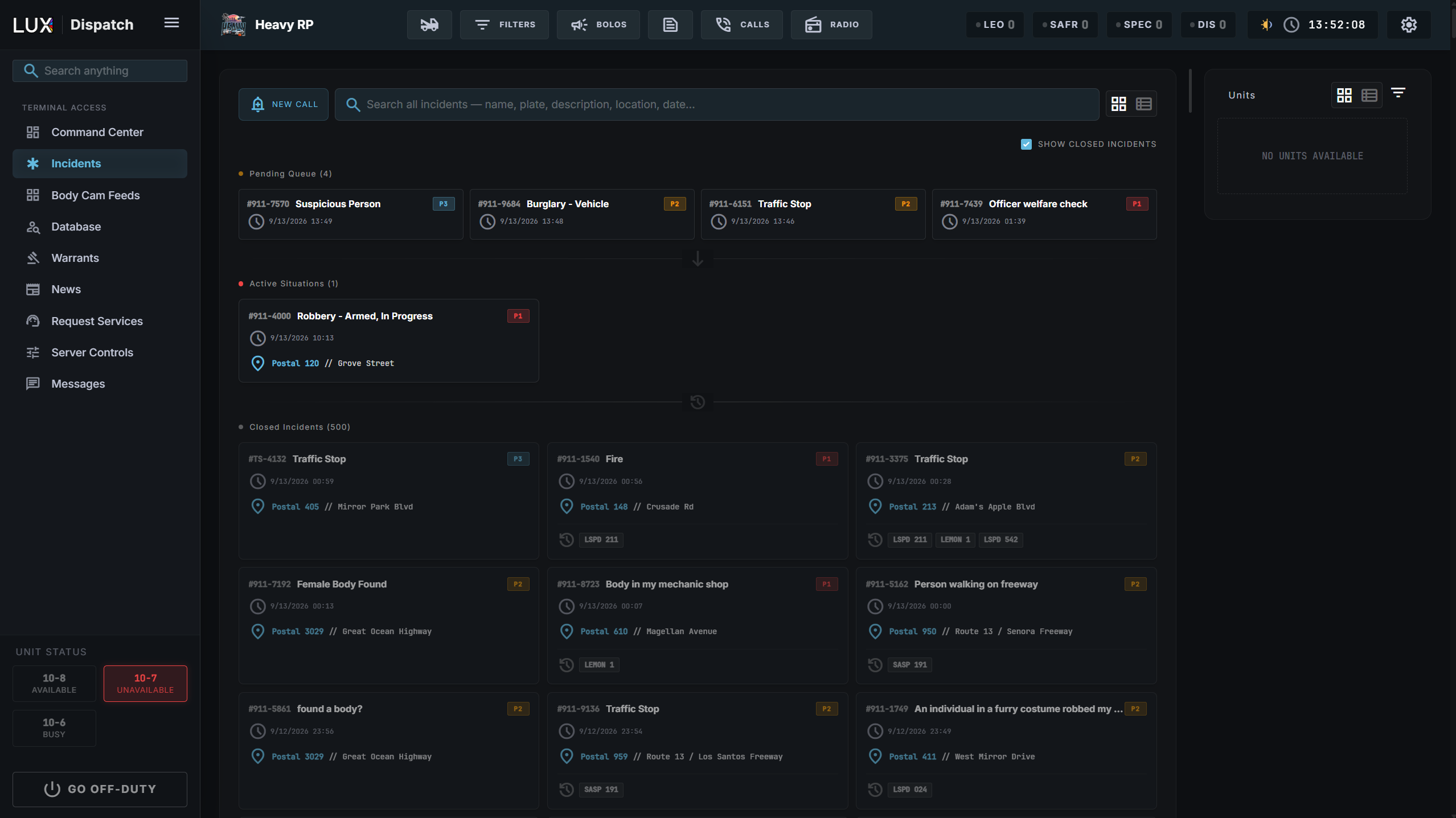
Incidents Manager: View all active, pending or previously closed calls from one page, as well as creating a new call. Any traffic stops or calls generated in-game by units also appear here, perfectly synced.
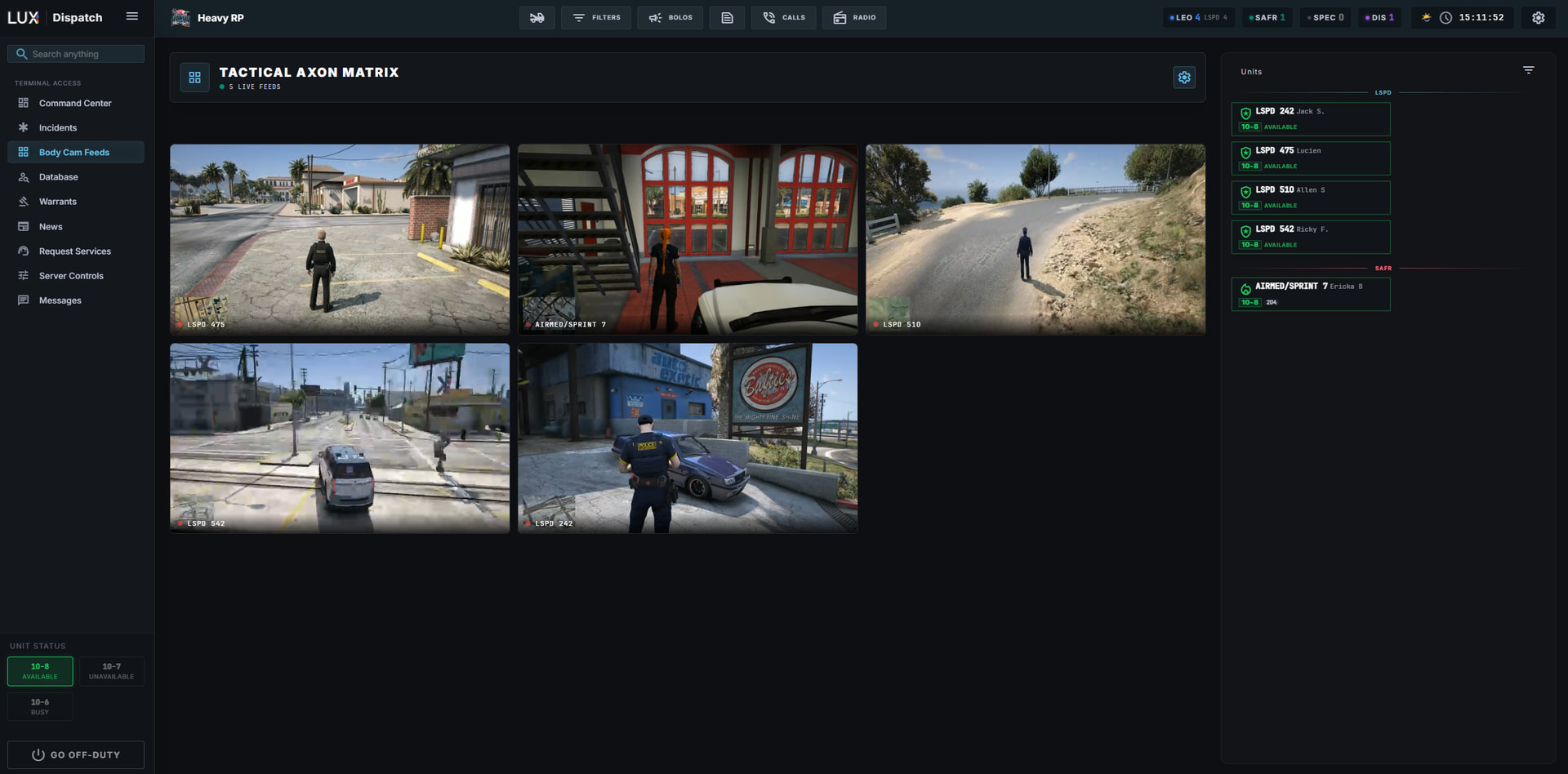
Bodycam Feeds: Dispatchers can see live bodycam feeds of all on-duty units at all times and may select particular units’ bodycams to be their own separate floating window. Bodycam feeds are fully optimised to have close to no impact on performance for active LEO.
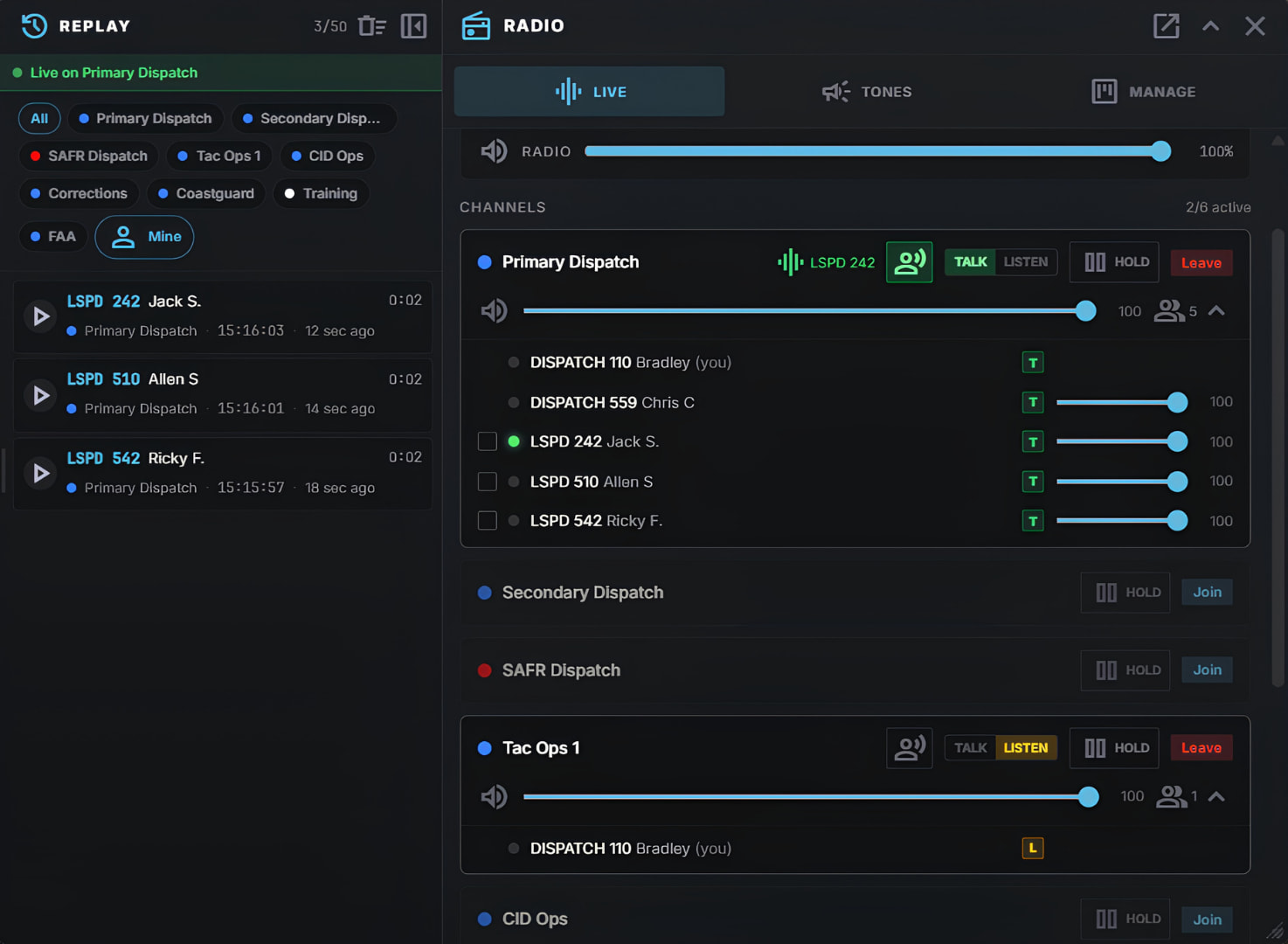
Integrated Radio System: The CAD comes with its own radio with actual separate voice channels with customisable names and numbers. Channels each have their own volume mixer, can be set to listen only, can have channel holds placed on them in case of a pursuit and come with an integrated tone board. Dispatchers and units can communicate at all times, keying up with the LUX PTT key that is rebindable in FiveM. If a transmission is missed, LUX Radio can play back the last 50 communications to ensure no detail is lost and reduce radio traffic.
Admin Settings & Stream Deck 
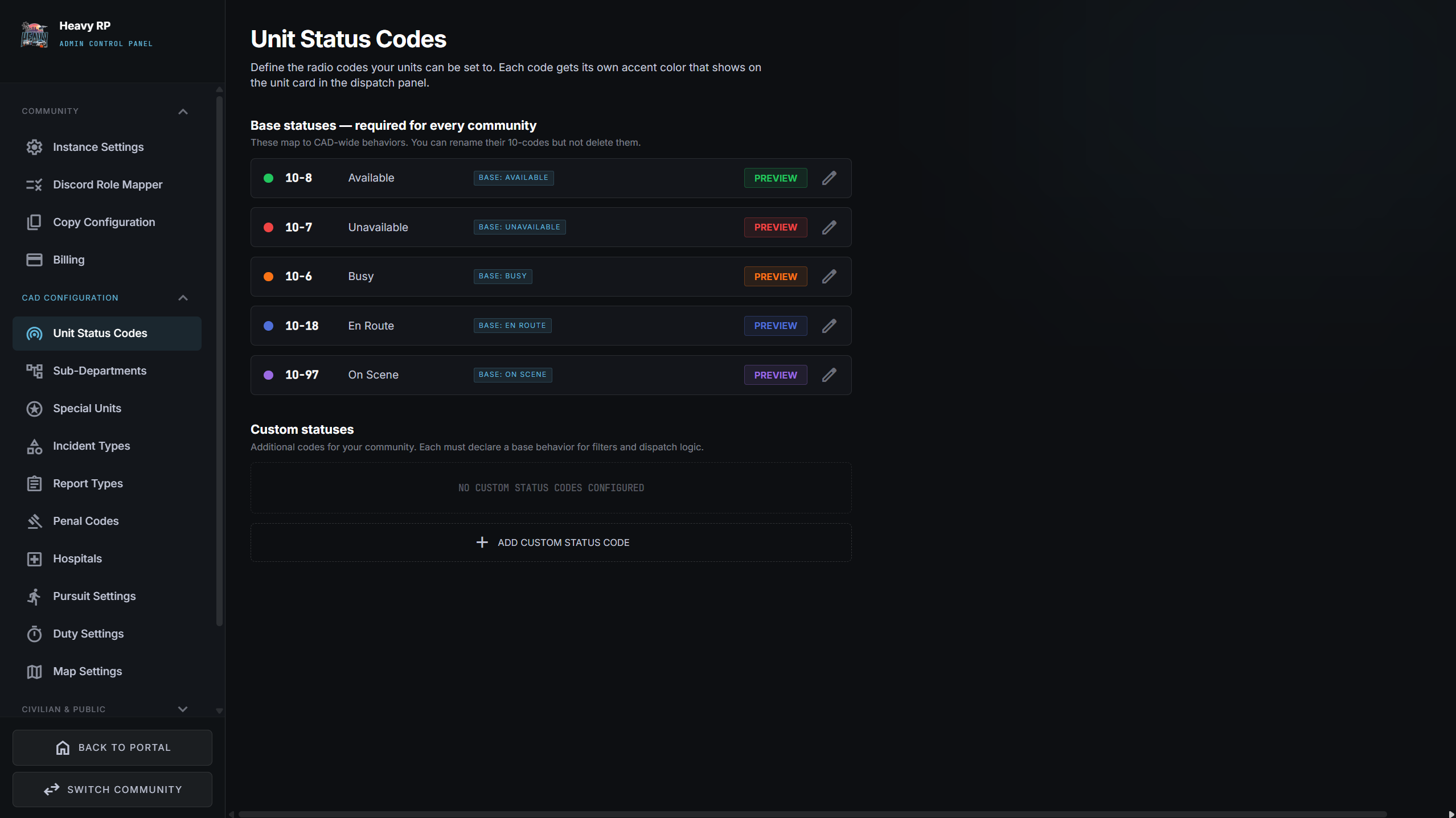
Admins and server owners can customise, control and tailor how their community’s installation of LUX looks, feels, interacts and adapts to their specific needs. Be it adding departments, changing 10 codes, adding custom penal codes, moderating certain civilian services or their function, perfecting the look of a civilian’s documentation and much more, you can personalise LUX to your heart’s content. This is also where you can access your FiveM server’s LUX community keys, Discord role mapping and subscription.
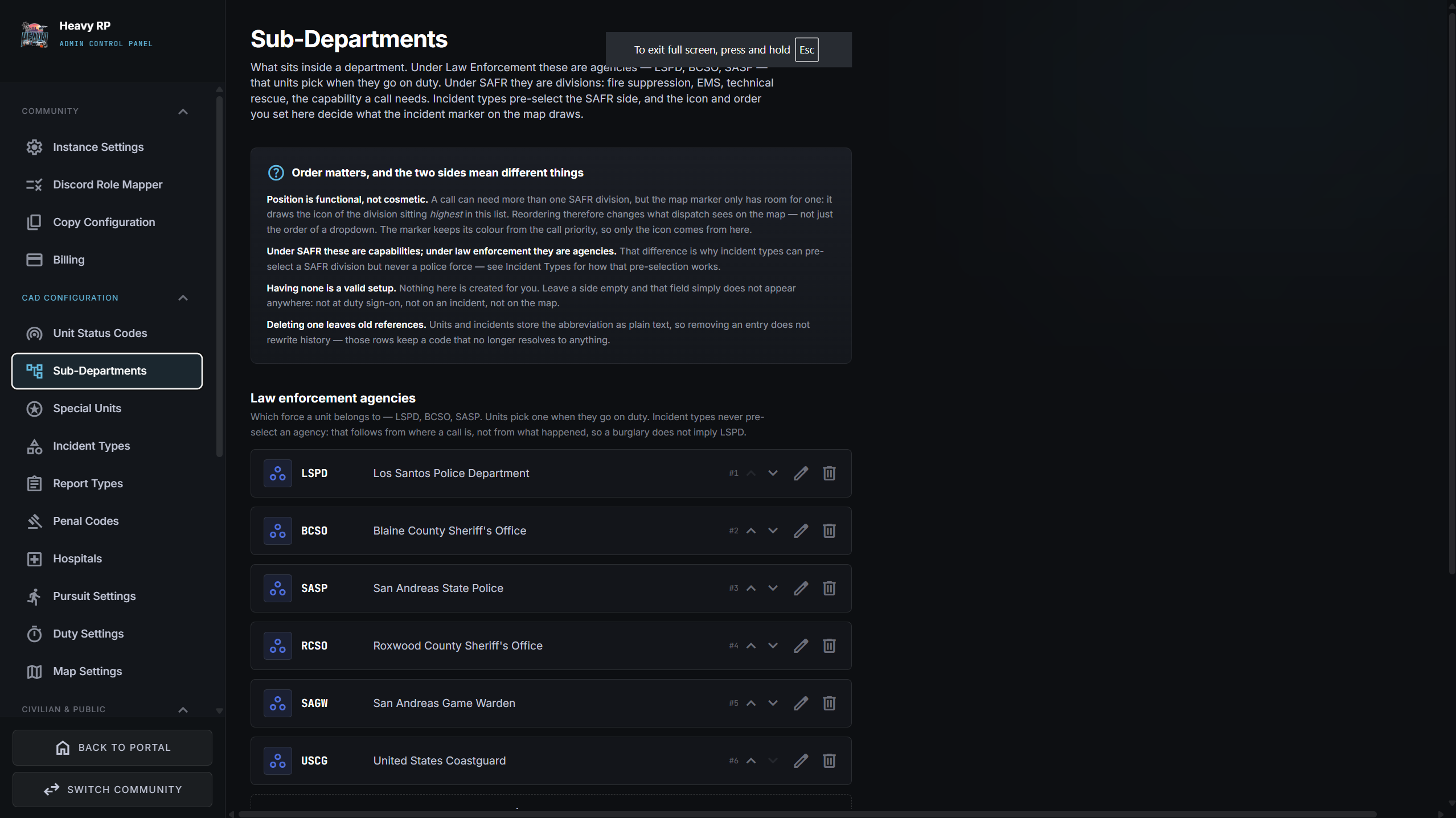
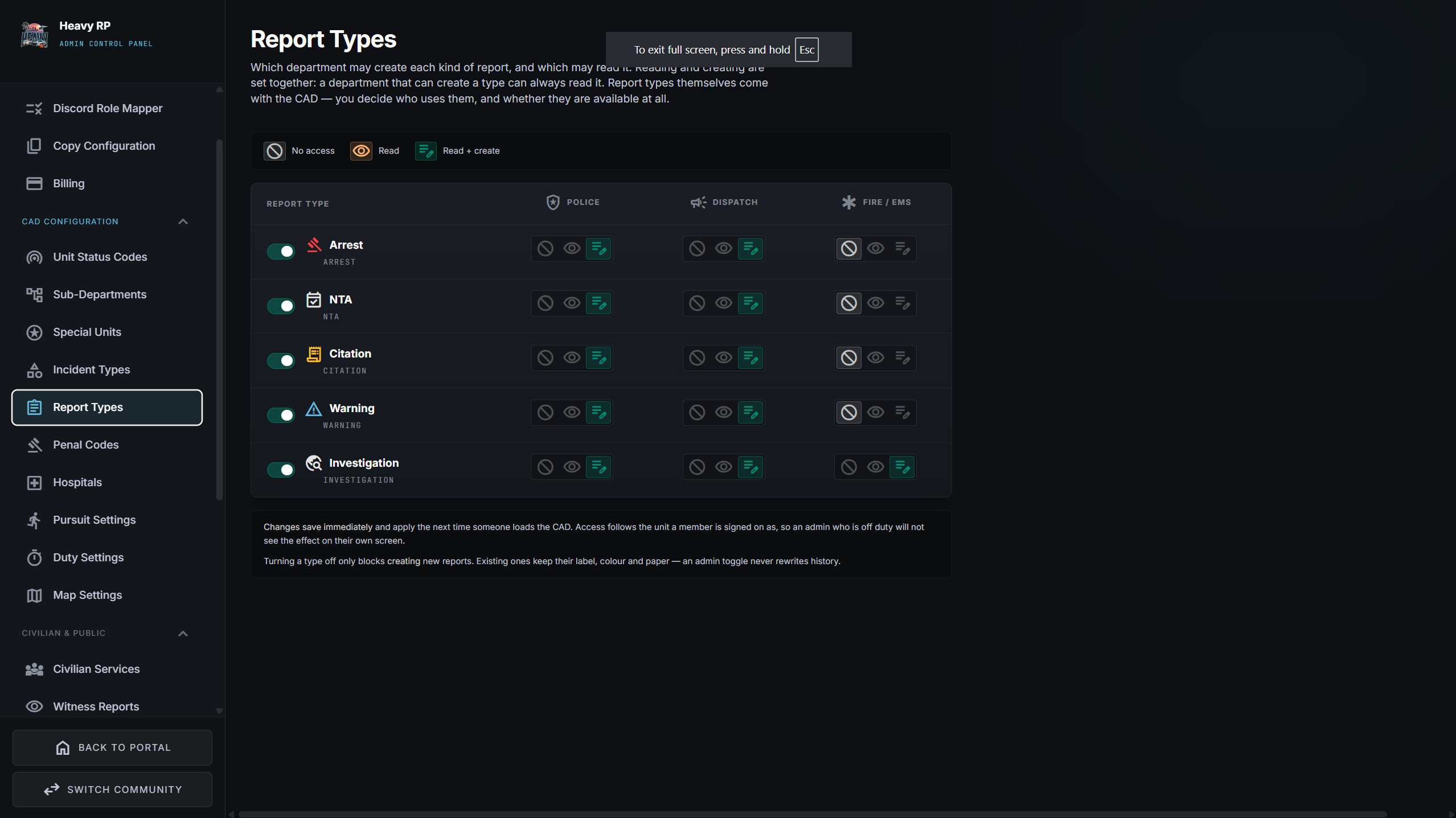
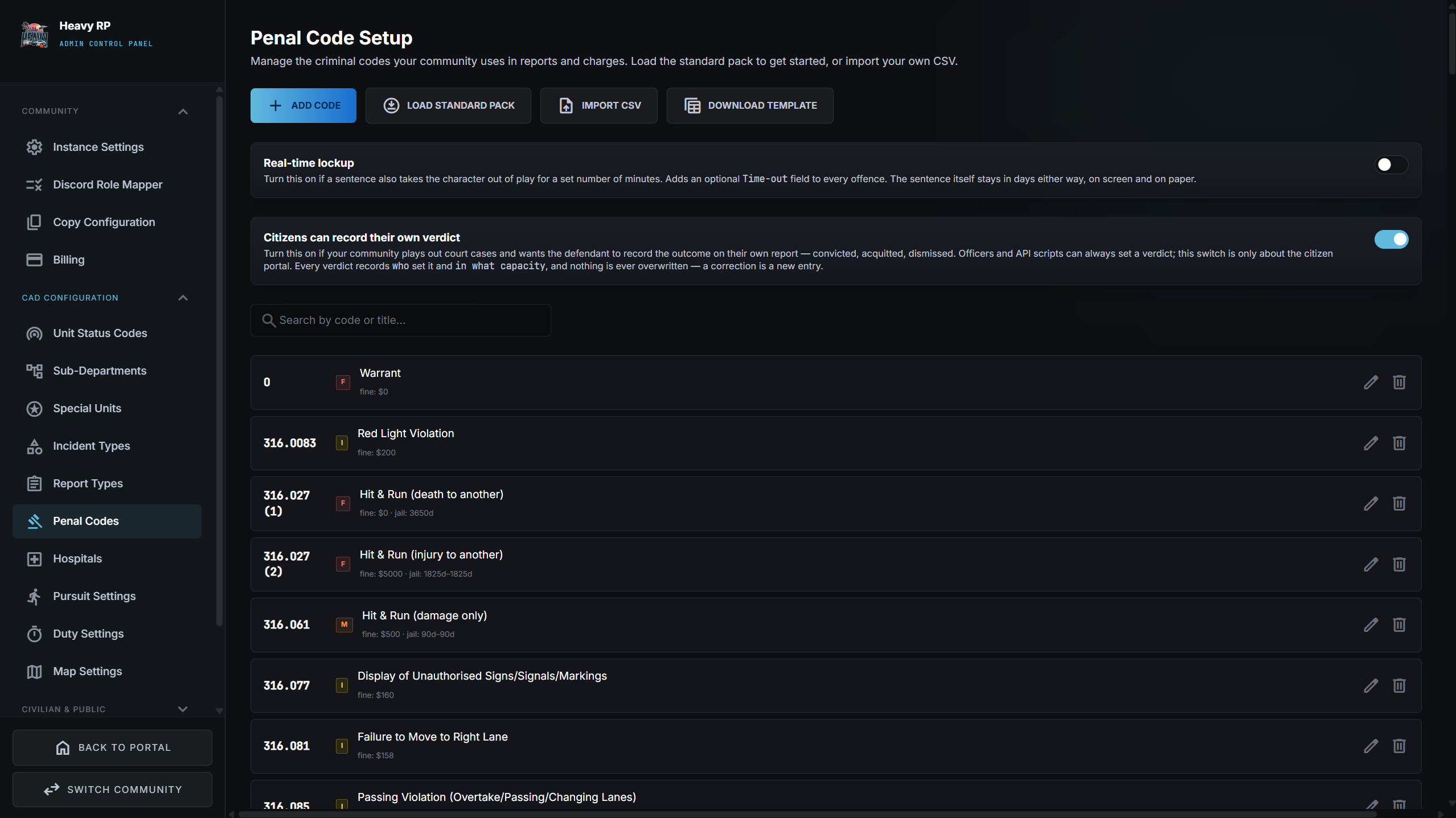

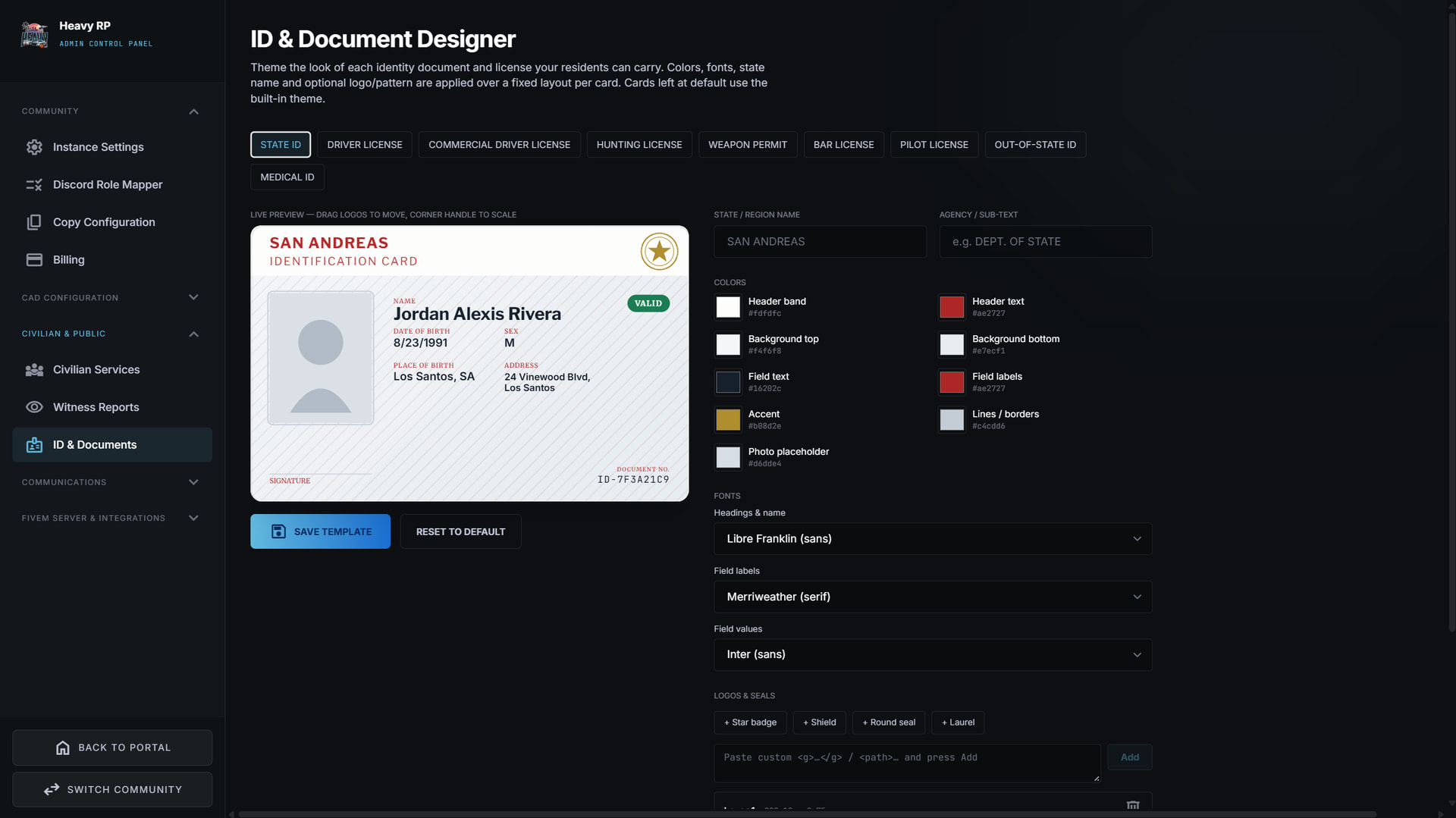
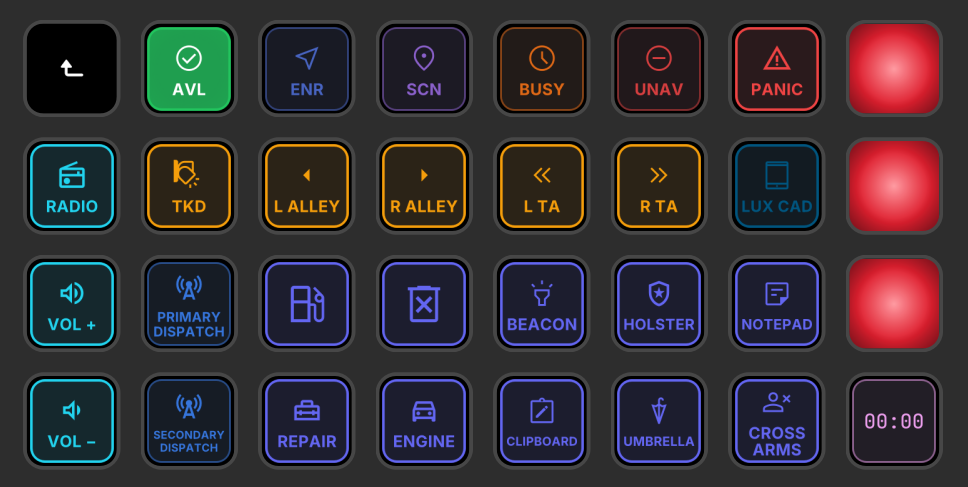
LUX also ships with a large number of API keys that can be used for a plethora of scripts and tools that can enhance your roleplay even further, giving you real control, connectivity and integration to build on. There is also a free Stream Deck plugin, hand designed by the team, that works seamlessly with the CAD for on-duty officers and paramedics.
Setup 
To get access to LUX, you can join our Discord linked at the bottom of this post. After reading and accepting the rules, you can navigate to the #request-lux channel and open a request. A member of our team will get back to you within an hour or two and give you your role to access your LUX tenant. You get two tenants, one for a development server, one for a live server, you can deploy either one or both, completely up to you and your needs.
From there, all setup and connection to LUX CAD happens through Discord. Map your existing roles to departments (Civilian, LEO, SAFR and Dispatch) and those roles act as your permission system. Anyone without the LEO role won’t be able to access the LEO section of CAD, go on-duty etc… This ensures there is no user list to maintain, no passwords or account creation necessary and anyone who leaves or is removed from a community automatically and immediately loses access to the CAD instance for your server.
LUX is a hosted service and not a downloadable script, but there are server files to be downloaded and added to your FiveM resources folder for you to get the full experience. These files simply ensure your FiveM server communicates and synchronises with the web application for things such as the GPS routing, the in-game tablet, the BOLO/ALPR responses etc… These files, despite not being encrypted, do not however give you access to the CAD’s actual source code. You can then proceed to customising LUX to best fit your server, using the settings described in the previous section and much more in the administration side of the CAD and get straight into enjoying LUX!
If you have any issues setting up, you can take a look at the documentation on our website or simply open a ticket in the LUX Discord in the #private_tickets channel. Our team will get back to you quickly and be happy to answer any questions or help you through any troubleshooting if needed.
Pricing 
Payment with LUX is not complicated: each server gets a 14-day free trial period, no need to fill in any bank details beforehand, during which you get full access to LUX and have time to get a feel for it. If you decide by the end of the fourteen days that it is not the CAD for you, you have nothing further to do, your access will simply stop at the end of the trial period.
If, like many other communities already have, you fall in love with LUX’s ergonomics, versatility and balance between simplicity and roundedness, you can subscribe to our monthly payment plan. LUX costs merely $20/month before regional tax. There are no tiers or additional fees and you get access to ALL the features described above with no limitations on number of players, agencies, usage time etc… A single figure per month, no surprises. We pride ourselves on that.
To Sum Up 
You’ll feel at home if you’ve always wanted a CAD that makes every role in the RP sphere feel fully rounded and your goal is building a FiveM server that people actually want to log into where the interactions take centre stage. LUX is not designed to be procedural, ultra-realistic or a glorified spreadsheet. It is a CAD built for the players by the players, who know what motivates us to spend our Saturday nights on an RP server. If this sounds like your type of community, we would love to have you! Join the LUX Discord server and request your access today, and a member of our team will actually be present to support and guide you while you get things set up. We look forward to seeing you there and thank you for choosing LUX!
Useful Links 
Our Discord: LUX CAD
Our Website: https://lux-cad.com
