1.42
Up to date
Legitimate Copy
Social Club Version
Windows 10
Already tried to delete caches.xml and reset
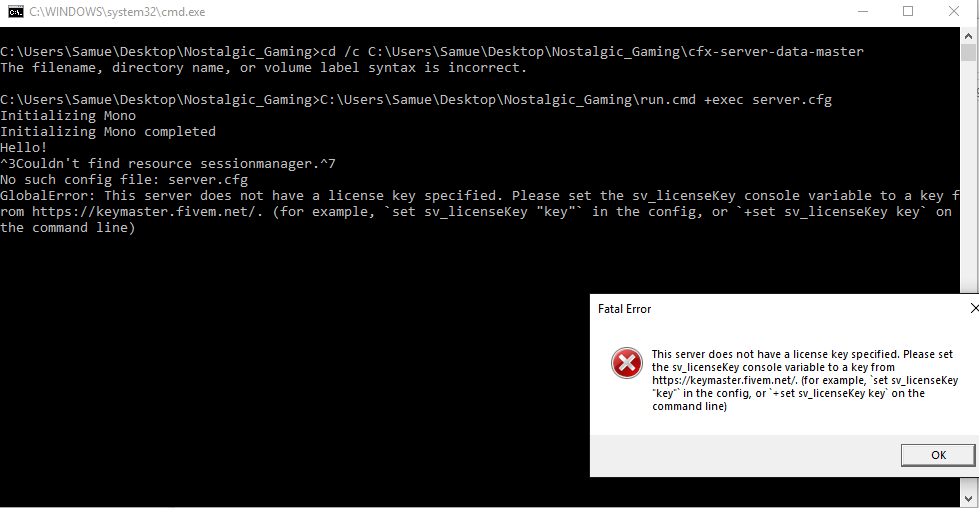
ERROR MESSAGE:
Tried running FiveM server, this issue popped up after putting key into cfg file
Tried with speech marks, tried inputting command into console.
Havoc
2
You’re not executing the command from the server-data directory. Look at the first comma d you entered, it failed.
It’s pointed to the ‘cfx-server-data-master’ folder though 
? Does it need to be renamed to ‘server-data’ ?
Havoc
4
It’s probably because the switch “/c” doesn’t exist. If you want to switch drives (which it looks like you don’t) then you would use the “/d” switch.
In your case just use the cd C:/Users/UserName/serer-data command
Im having the same problem right now, And can not find anywhere in the server.cfg to put the key in somebody please help.
read the wiki it tells you were to put the key. also please make your own topic if this one did not help you.