Overview
This crash category receives little structured attention despite being one of the most common FiveM crash types.
Crash identifiers:
-
lemon-jig-oxygen -
double-fifteen-lima -
nineteen-pizza-cola
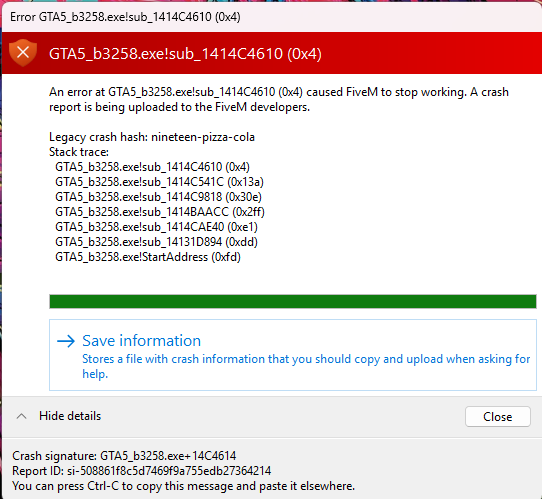
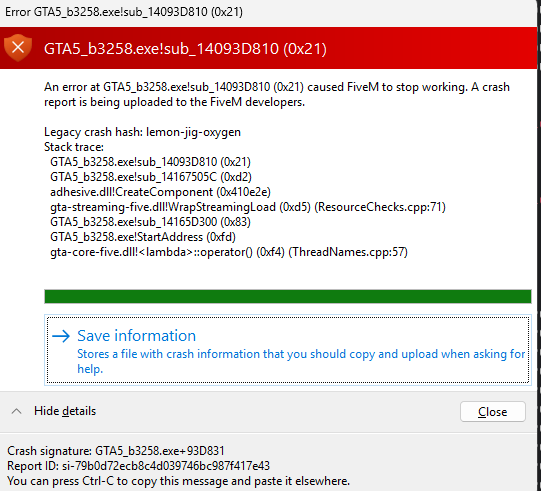
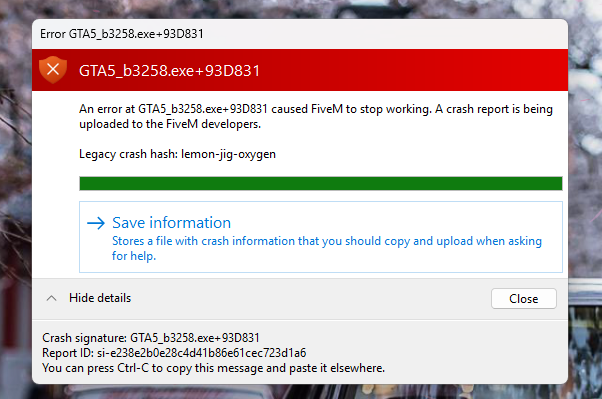

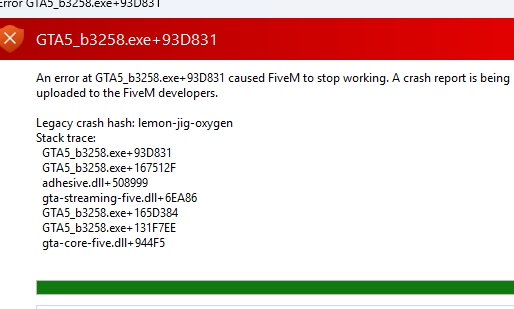
These represent the same underlying crash across different game builds. This is confirmed for at least three builds, and likely overlaps with additional crash codes pointing to the same internal failure.
This issue has existed for years.
Case Studies
User 1
-
Crash occurred on both local and production servers.
-
I connected to his server and experienced the same crash.
-
This eliminates server misconfiguration and isolated client corruption.
Isolation process:
-
User crashes.
-
We isolate the specific
.ymap(MLO spawning ymap). -
We remove the associated
.ytyp. -
Crash stops immediately.
Further testing:
-
I sent unencrypted versions of the interior files.
-
User replaced encrypted versions with unencrypted ones.
-
Client displayed bottom-left spinner:
Downloading assets. -
No crash occurred.
Important clarification:
The crash was not fixed by re-downloading encrypted assets.
It was fixed because:
-
The client successfully streamed and cached the unencrypted assets.
-
Once the
.ymapsuccessfully loaded and cached its dependencies, -
Reintroducing encrypted assets did not reproduce the crash.
This suggests:
-
The
.ymapinitially failed to load. -
After successful streaming of unencrypted versions, the required data became cached.
-
Once cached, the encrypted versions no longer triggered the crash because the streaming path was no longer failing at first load.
User 2
-
Crash traced to
customname_occlusion.ymap. -
File was not encrypted.
-
Verified byte-for-byte identical to raw version.
-
Removing the file stopped the crash in that location.
This confirms encryption is not a required condition for this crash category.
User 3
-
Crash caused by a custom
.ymap. -
Removing
sf_prop_sf_apple_01bfrom the ymap resolved the crash.
Clarification:
The prop itself did not inherently cause the crash.
The .ymap failed to load successfully.
Removing the prop altered the ymap structure enough that it no longer triggered the failure path.
Pattern Analysis
Common factors across cases:
-
Crash is triggered during
.ymapstreaming. -
Removing
.ytypor altering.ymapcontents prevents the crash. -
Occurs with both encrypted and non-encrypted
.ymapfiles. -
Once a
.ymapsuccessfully streams and caches its dependencies, the crash may stop occurring.
Key observation:
This is not random prop corruption.
This is not simple file damage.
This is not strictly encryption-related.
The consistent factor is:
Failure during initial .ymap load / streaming validation.
Encryption may influence how streaming is handled internally, but it is not the root condition, as shown by the occlusion ymap case.
Technical Direction
Based on debugging traces in RAGE:
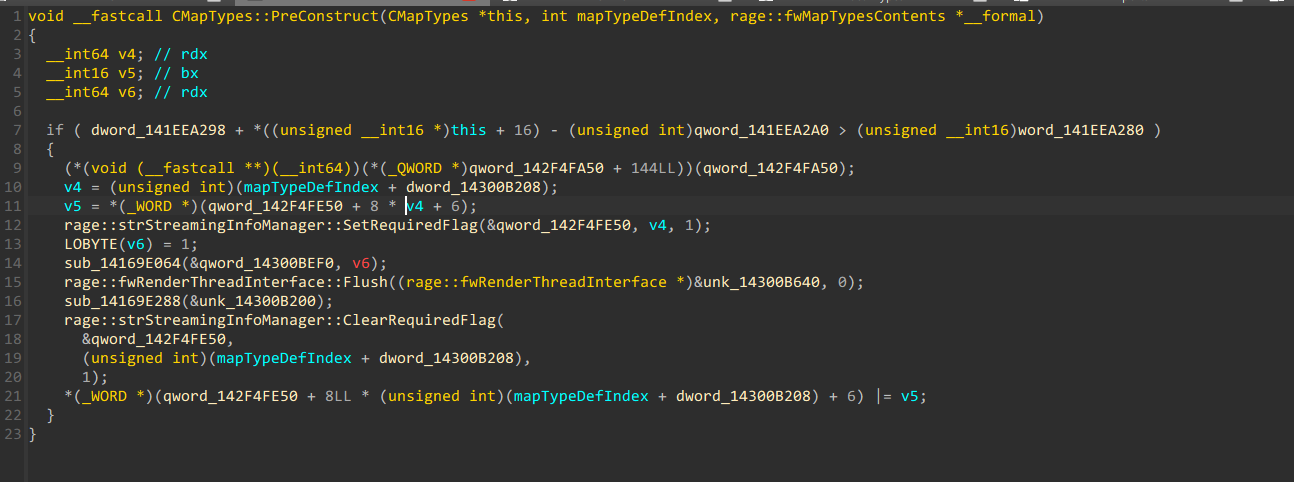
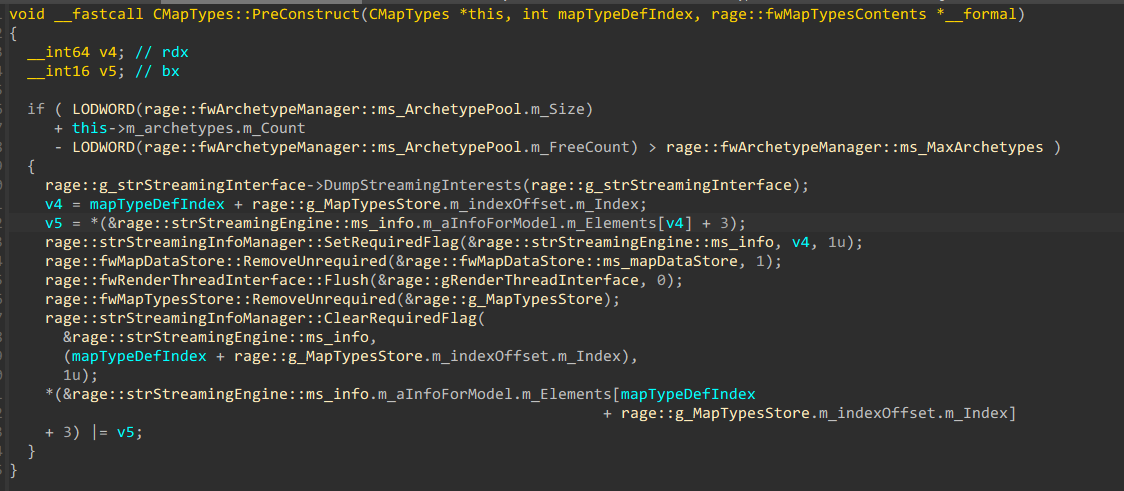

The crash occurs inside map streaming/validation code paths during .ymap load.
This strongly suggests:
-
Streaming state failure
-
Dependency resolution failure
-
Archetype validation failure
-
Cache state inconsistency during first load
Not:
-
Incorrect bounding boxes alone
-
Server misconfiguration
-
Client instability
-
Specific GTA props by themselves
Working Hypothesis
This crash category represents:
Inability of the engine to correctly stream or validate a .ymap during initial load under certain conditions.
Once a valid streaming state is achieved and assets are cached, the crash may not reoccur — even if encrypted versions are restored.
This indicates a failure during first-load streaming resolution rather than permanent file invalidity.
Request for Structured Reports
If you experienced:
-
lemon-jig-oxygen
-
double-fifteen-lima
-
nineteen-pizza-cola
Please document:
-
Which
.ymapcaused it -
Whether encryption was involved
-
Whether removing
.ytypchanged behavior -
Whether replacing with unencrypted versions allowed successful caching
-
Whether the crash occurred on first load only
The more structured data collected, the easier it becomes to isolate the exact streaming failure condition.
The objective is stable .ymap streaming and elimination of unpredictable crashes that are not caused by file corruption or user error.