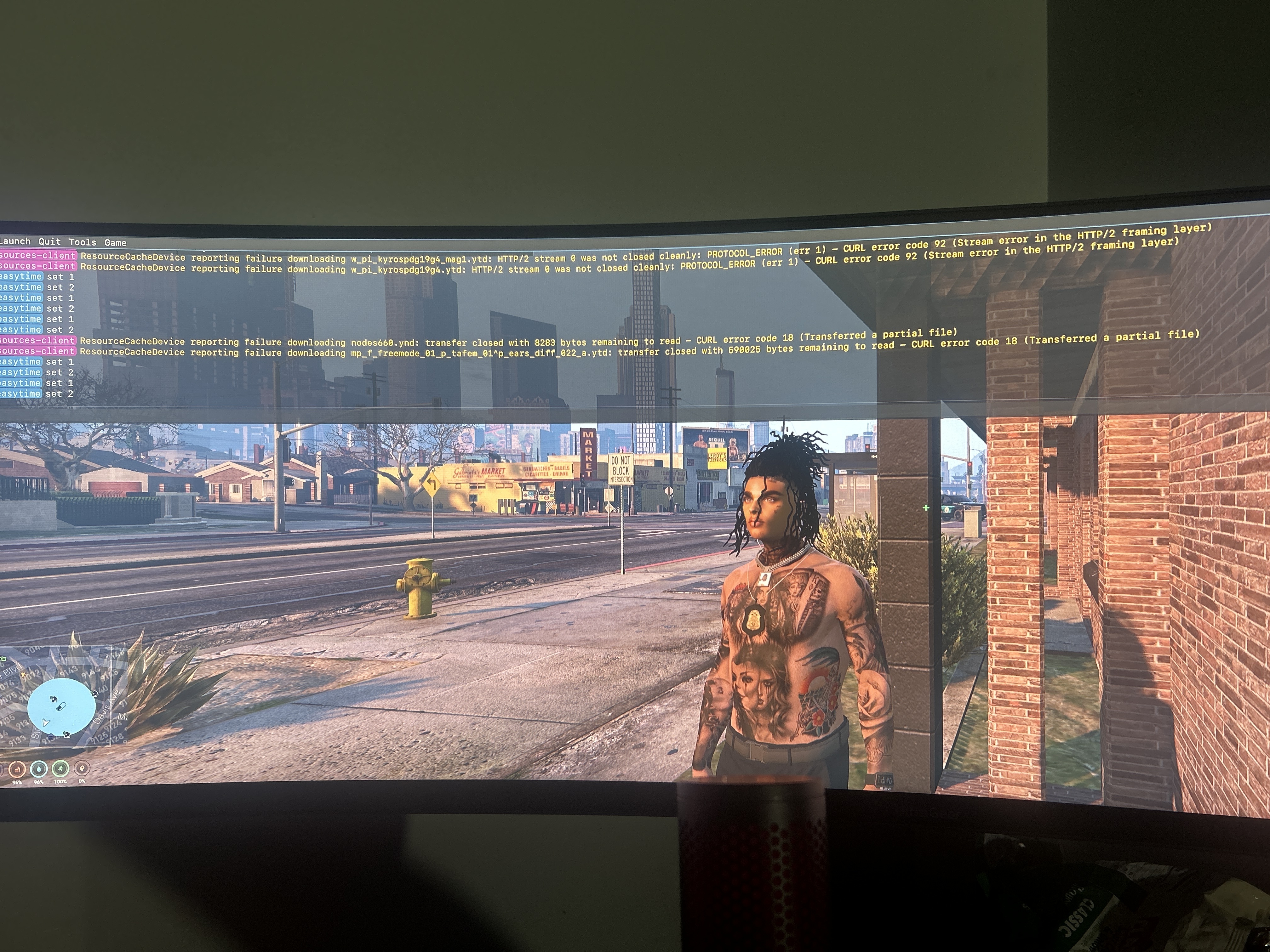
A server owner cleared the cache of its server recently. Now when I load into the server building textures don’t load properly, other players are invisible, my character is invisible, addon cars don’t load, and I fall through the map randomly.
In the console it’s saying errors like script error when loading a vehicle.
What have you tried already to fix the issue?
Deleting and redownloading fivem and gta 5. Also factory reset my pc.
Hello, this is a friendly reminder because this is your first time creating a topic (or it has been a while since your last topic) in this category.
Please note that most of the support is provided by the Cfx.re community on a voluntary basis. We ask you to be patient; there is no guarantee we have a solution to your problem(s). To avoid unnecessary/duplicate topics, please browse the forums before creating a topic.
To improve your chances of your issue(s) being solved, please provide as much information as possible about the issue(s) you are having. Also —whenever possible— please use the template given to you when creating a topic.
Well, simple. Unoptimized assets are loaded on the server which causes streaming issues… Remove them and server will run like a charm. This aint a FiveM issue but asset issue so you have to talk to original asset creators and insist that they optimize their stuff (which they wont do cuz they had no idea how to make assets optimized for a videogame).
It’s it possible I could bypass downloading the assets or download them a different way when flying into the server. I’m not the server owner so I can’t remove them.
In theory, get a better PC that can handle FiveM running with overextended budget. In practice, you should report that to the server owner, alert the owner and if the owner is a solid dude, he will go and optimize it or remove said assets (trust me, most servers owners have no idea what they are doing so nothing is going to happen).
When I was support dev for a server, the owner hated me cuz a gang came with their MLO and clothes, I refused to add it cuz it was unoptimized garbage and everyone was super mad… We rarely had tickets open in regards to crashes or issues such as you have.
So what you can try is go into your FiveM settings when in game and crank up that extended texture budget limit to the max and restart game. This can cause unexpected crashes if your PC is weak.