
CodeM xCamera is a premium Polaroid camera system for FiveM. Take photos with a physical camera prop, apply filters and overlays, choose frame colors, hold the developed polaroid in your hand, flip it over, show it to nearby players, hang it on walls in custom wooden frames, pin it onto cork photo boards with drag-and-drop layout, or collect it in a physical photo album with page turning. 8 filters, 6 frame colors, 5 upload providers, and every photo is a unique inventory item with real image data.
Capture Your Moments
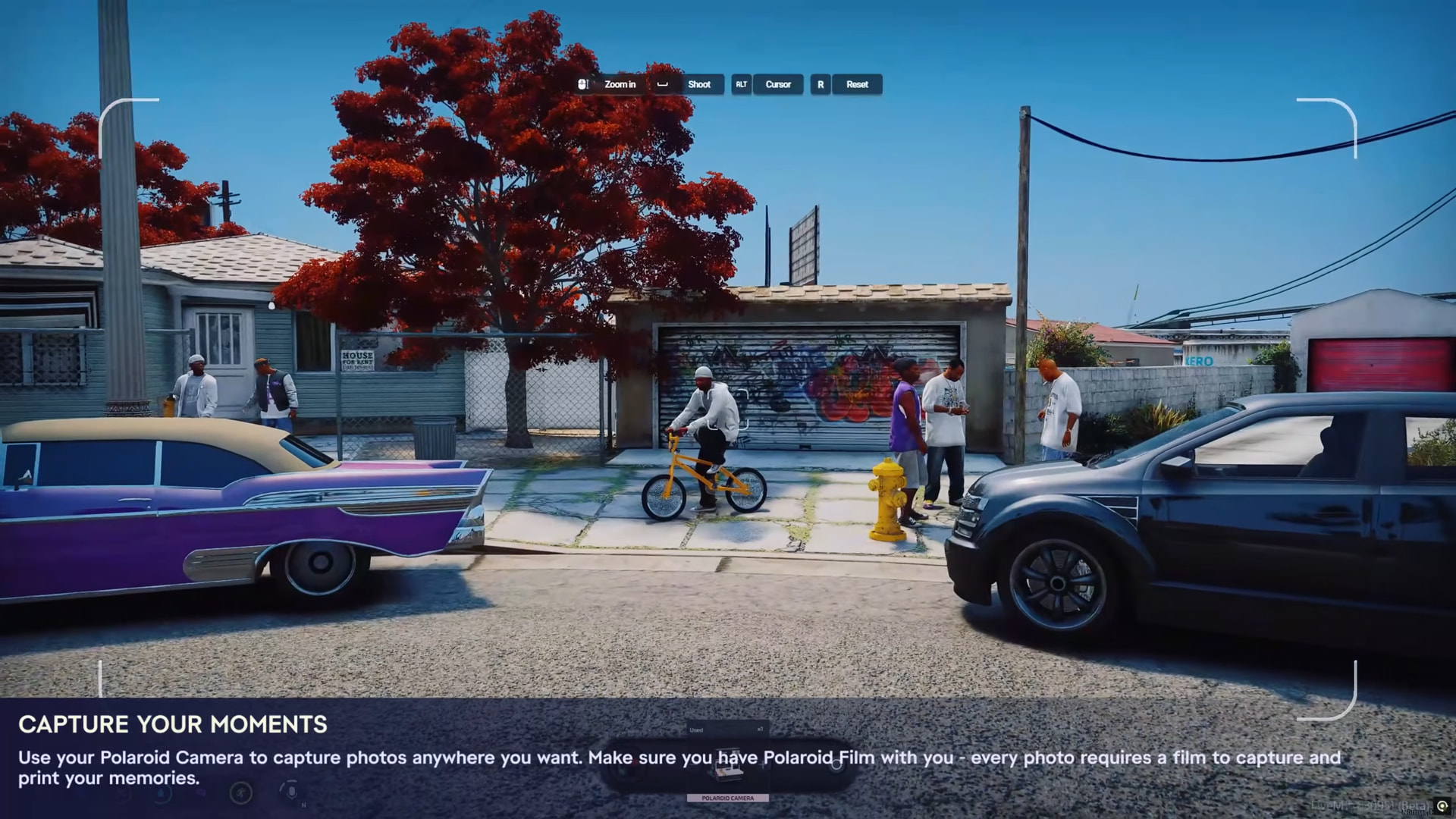
Use your Polaroid Camera to capture photos anywhere you want. Full-screen viewfinder with focus corners, zoom, shoot button, ALT for cursor, R for reset. Every photo requires a Polaroid Film item - one film consumed per shot. The “POLAROID CAMERA” item label appears at the bottom. Capture the scene, then personalize it before saving.
Personalize Your Polaroid

After taking a shot, the photo appears as a floating polaroid card with your captured image. Choose from 8 CSS filters: Normal, Vintage, Sepia, Noir, Warm (and more by scrolling). Switch between the Filter and Frame tabs to pick your frame color - White, Black, Orange, Blue, Green, Red. Add a custom title on the front (“Back In The Days”) with photographer name and street location as watermark. Delete, Retake, or Save. The camera body shows “CodeM Studio - Polaroid Camera” branding at the top.
Keep Your Memories With You
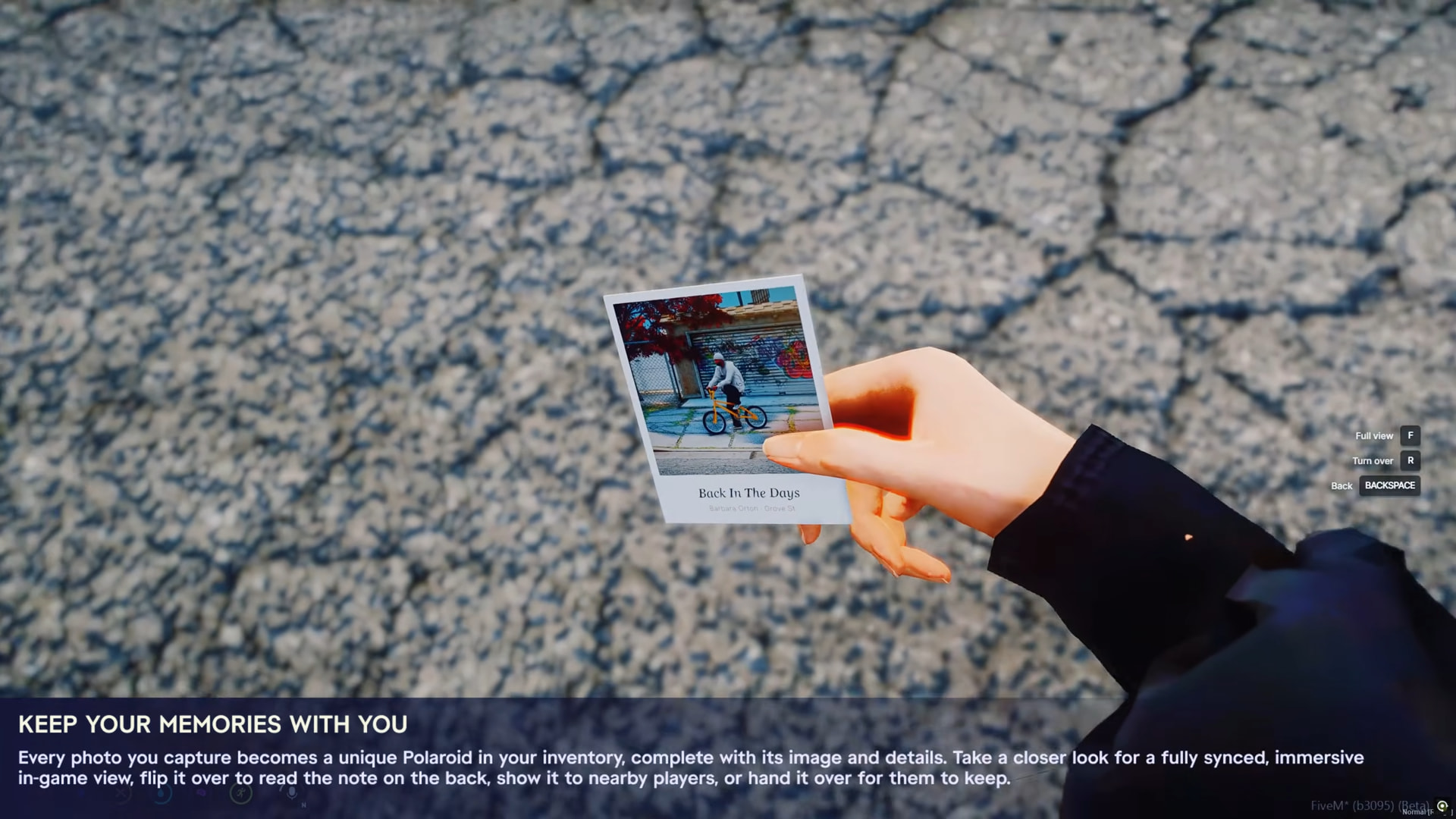
Every photo you capture becomes a unique Polaroid in your inventory, complete with its image and details. The physical polaroid card (codem_polaroid prop) renders the real captured image on the front face. Title “Back In The Days” with “Barbara Orton - Grove St” watermark visible on the card. Controls: Full view [F] for a large panel, Turn over [R] to flip and read the back, Back [BACKSPACE] to put away. Show it to nearby players (8m) or hand it over to them (3m).
Create Your Own Memory Board
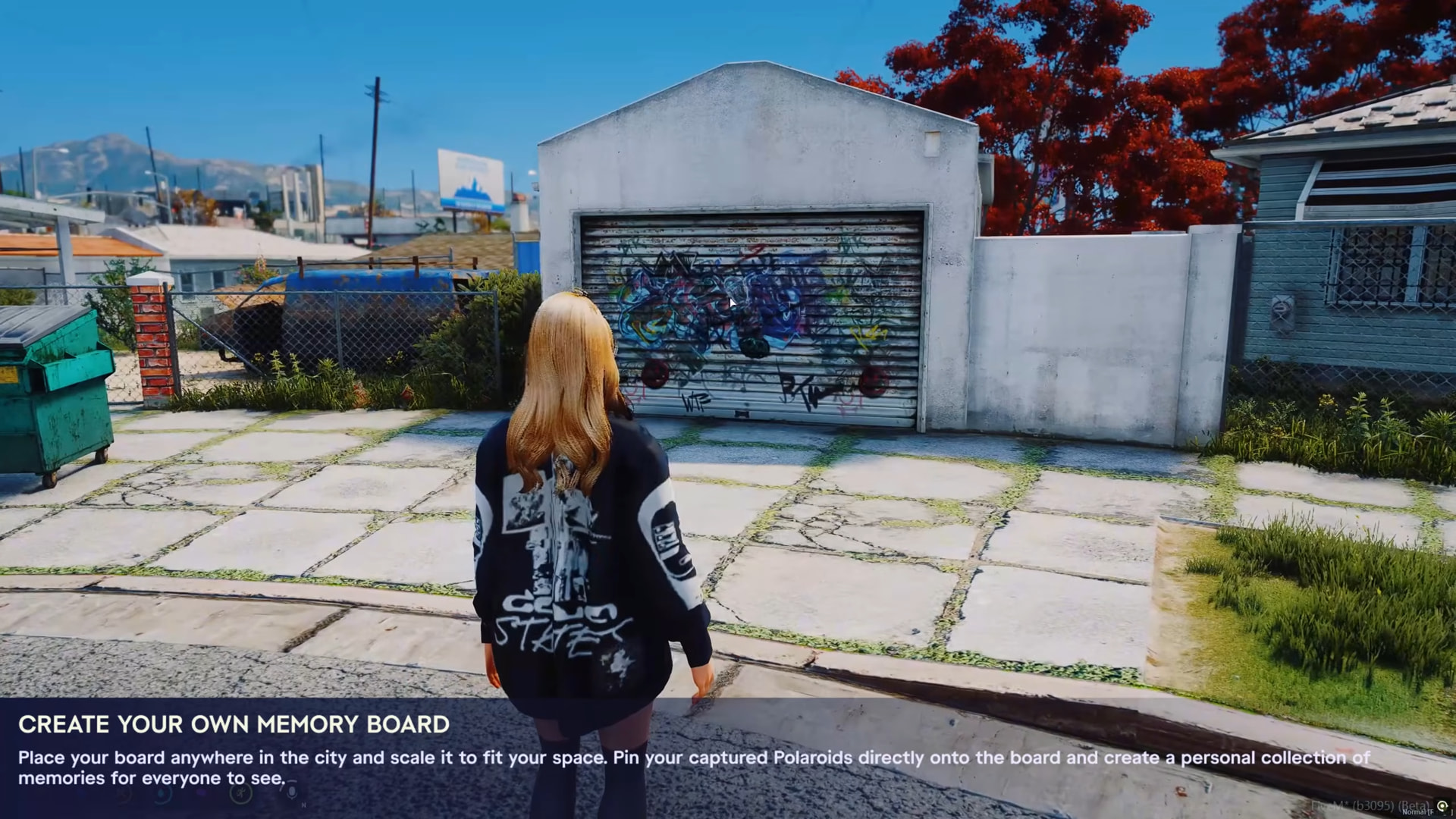
Place your board anywhere in the city and scale it to fit your space. Pin your captured Polaroids directly onto the board and create a personal collection of memories for everyone to see. Use the photo_board item to enter placement mode with wall-snap, rotation, and height controls.

The board editor opens in full view - a cork board mounted on the wall with your inventory photos fanned out at the bottom. Drag photos onto the board, position them freely, rotate with the pink pin. “Back In The Days” and “Hommies” pinned with tilted angles and red frame borders. ENTER to save, ESC to cancel. The layout persists in the database for all players to see.
Build Your Own Photo Album
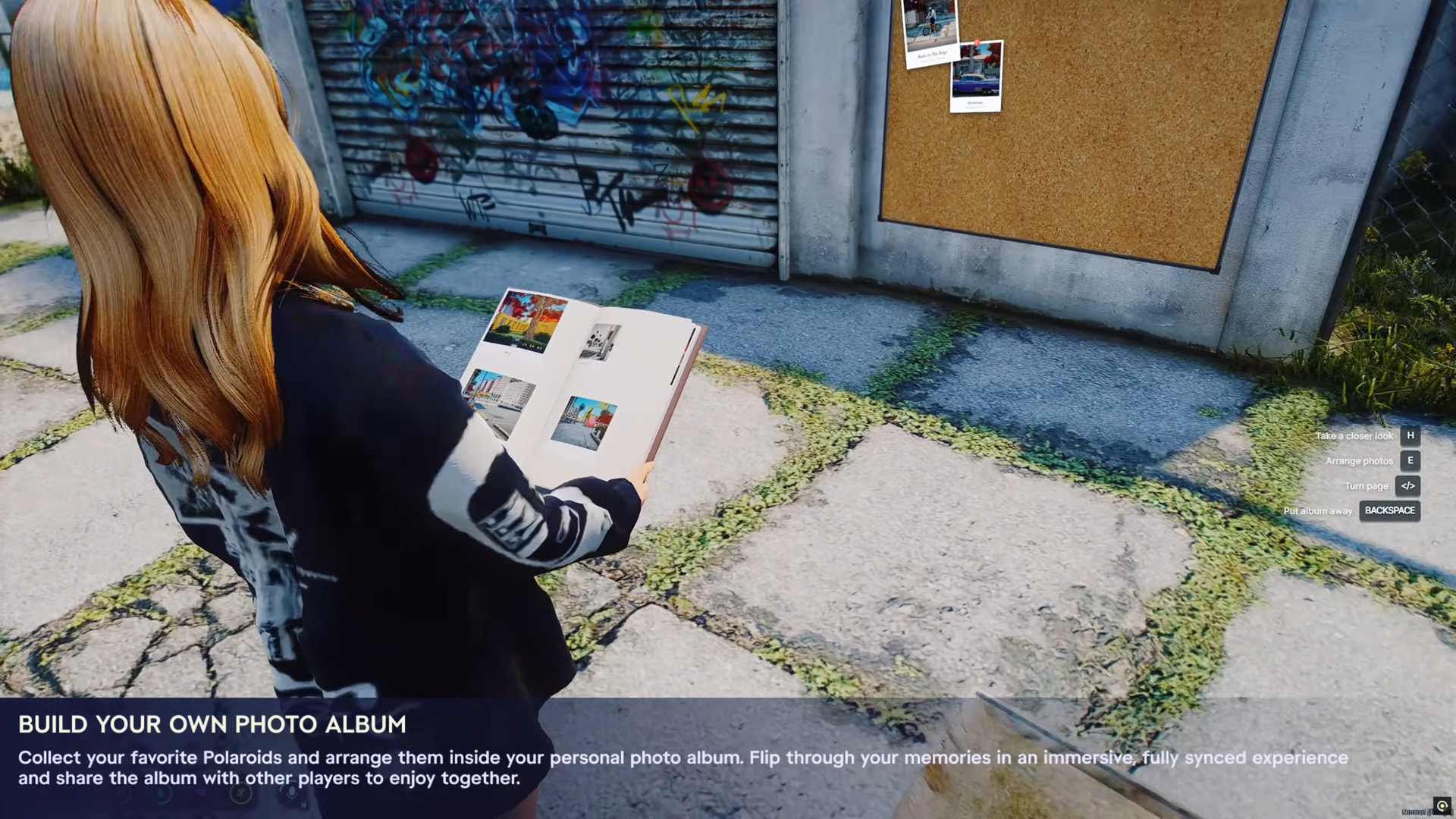
Collect your favorite Polaroids and arrange them inside your personal photo album. The album is a physical prop held in both hands - visible to other players with a cork board on the wall behind. Key hints on the right: Take a closer look [H], Arrange photos [E], Turn page [</>], Put album away [BACKSPACE]. Flip through your memories in an immersive, fully synced experience.
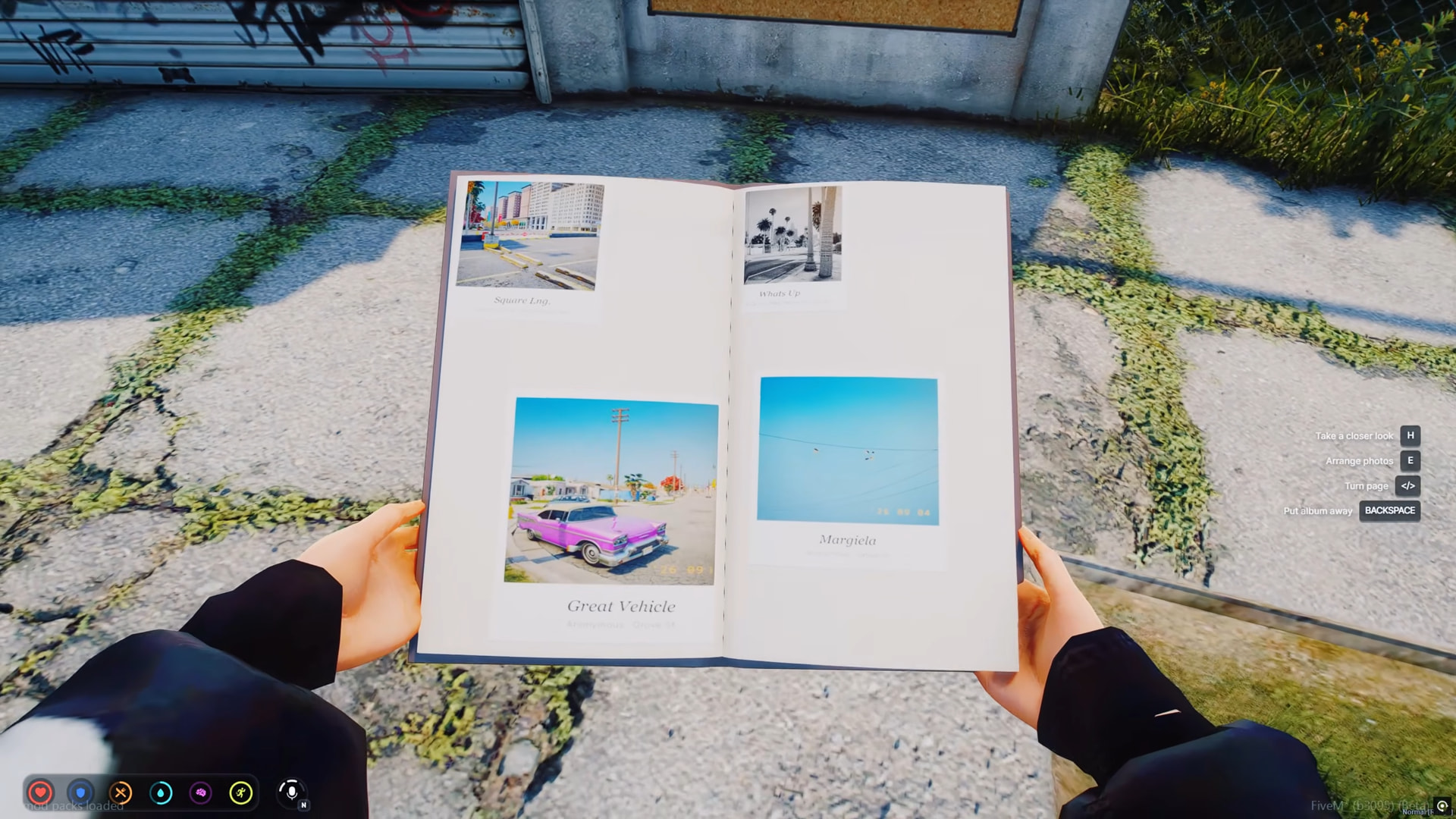
First-person view of the open album. Two pages visible with 4 photos placed freely - “Square Lng.”, “What’s Cr…”, “Great Vehicle” (pink classic car with date stamp), and “Margiela” (blue sky with birds). Each photo sits on the page as a polaroid card with title underneath. Page turning with arrow keys and page-turn sound effects. Photos render directly into the prop’s page textures via DUI.
 Technical Details
| Frameworks | QBCore, QBox, ESX (via codem-lib) |
| Database | oxmysql - 3 tables (AutoMigrate) |
| Dependencies | codem-lib |
| Upload | Self-hosted (free), Discord (free), Fivemanage, NoCloud, Custom API |
| Filters | 8 CSS filters + 3 overlays (grain, light leak, vignette) |
| Frames | 6 colors with gradient support |
| Inventory | Auto-detected (ox_inventory dynamic photo icon supported) |
| Theme | 9 color presets or any hex |
| Props | codem_polaroid (photo card), codem_frame (wooden frame), album |
| Escrow-ignored | config/.lua, modules/.lua, items/*.lua |
More Features
- 5 inventory items: polaroid_camera, polaroid_paper, polaroid, polaroid_album, photo_board
- Wall frames with custom wooden frame prop, wall-snap, walk-to animation, day/night lighting
- Photo boards resizable 0.5x - 2x with server-validated limits
- Albums hold up to 24 photos (6 per page, 4 pages)
- Frame shop NPC - bring photos, get them framed for wall hanging
- Watermarks: date, street name, photographer signature (each toggleable)
- Anti-spam cooldown (2000ms default)
- Server-side upload providers never expose secrets to clients
- Copy-paste item definitions for ox_inventory, qb-core, and ESX included
Showcase

Get It Now
Documentation
Need support ? Join CodeM’s Discord
| Code is accessible | Yes & No (Open Source Inclueded) |
| Subscription-based | No |
| Lines (approximately) | 3500 - 4000 |
| Requirements | ESX-QBox-QBCore |
| Support | Yes |