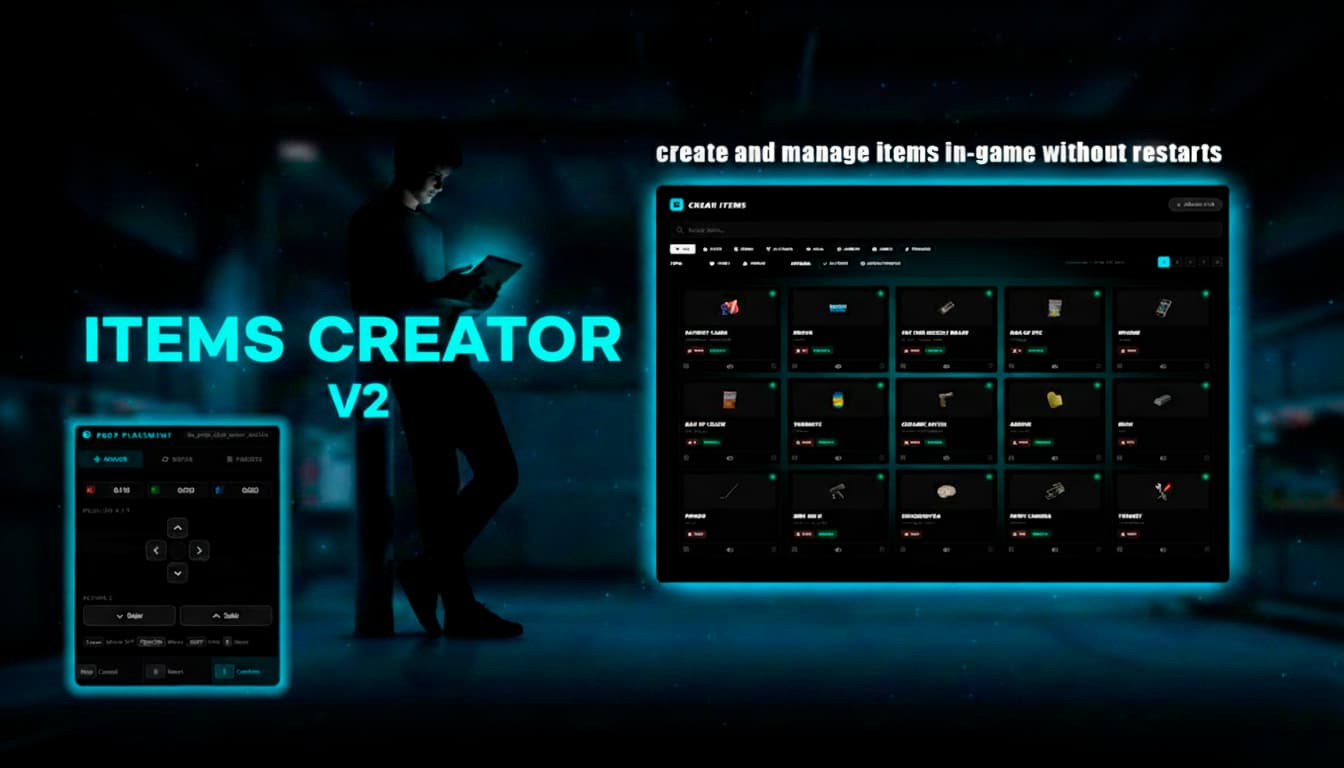
Stop editing Lua files every time you need a new item.
Ryders Items v2 is the ultimate in-game item creator and manager for QBCore and QBox. Create, edit, delete and manage every single item on your server. No code. No restarts. No headaches.
 | BUY HERE
 | DISCORD
 | VIDEO
 Core Features
- QBCore-ready — full integration with QBShared.Items, usable items and inventory sync
- Multi-inventory support
- Zero restarts — every item you create or edit is live instantly across all players
- 4-step creation wizard — guided flow: Info → Options → Functions → Review
- Full admin tablet — search, filter, paginate, give, toggle and delete items in-game
- Auto-migration — imports all your existing QBShared.Items on first boot, zero manual work

 Advanced Item Functions
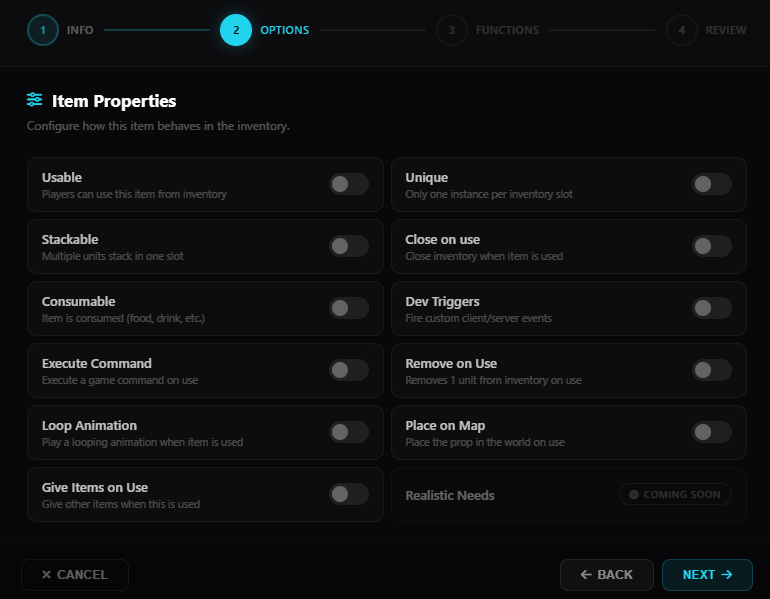
Every item has a full set of toggleable options — no scripting required:
- Usable — players can use this item from inventory
- Unique — only one instance per inventory slot
- Stackable — multiple units stack in one slot
- Close on Use — close inventory when item is used
- Consumable — item is consumed on use (food, drink, etc.)
- Dev Triggers — fire custom client and server events on use
- Execute Command — run any game command when item is used
- Remove on Use — removes 1 unit from inventory on use
- Loop Animation — play a looping animation when item is used
- Place on Map — place the prop in the world on use
- Give Items on Use — give other items when this is used
- Realistic Needs — (coming soon)
 Built-in Consumable System
- Food → Hunger | Drink → Thirst | Alcohol → Thirst + motion blur
- Multiple effects per item — stack hunger, thirst, stress and more in a single consumable
- Require a specific item in inventory before the consumable can be used
- Progress bars with animations and attached props
- Configurable use time, animation and prop model per item

 3D Prop Placement
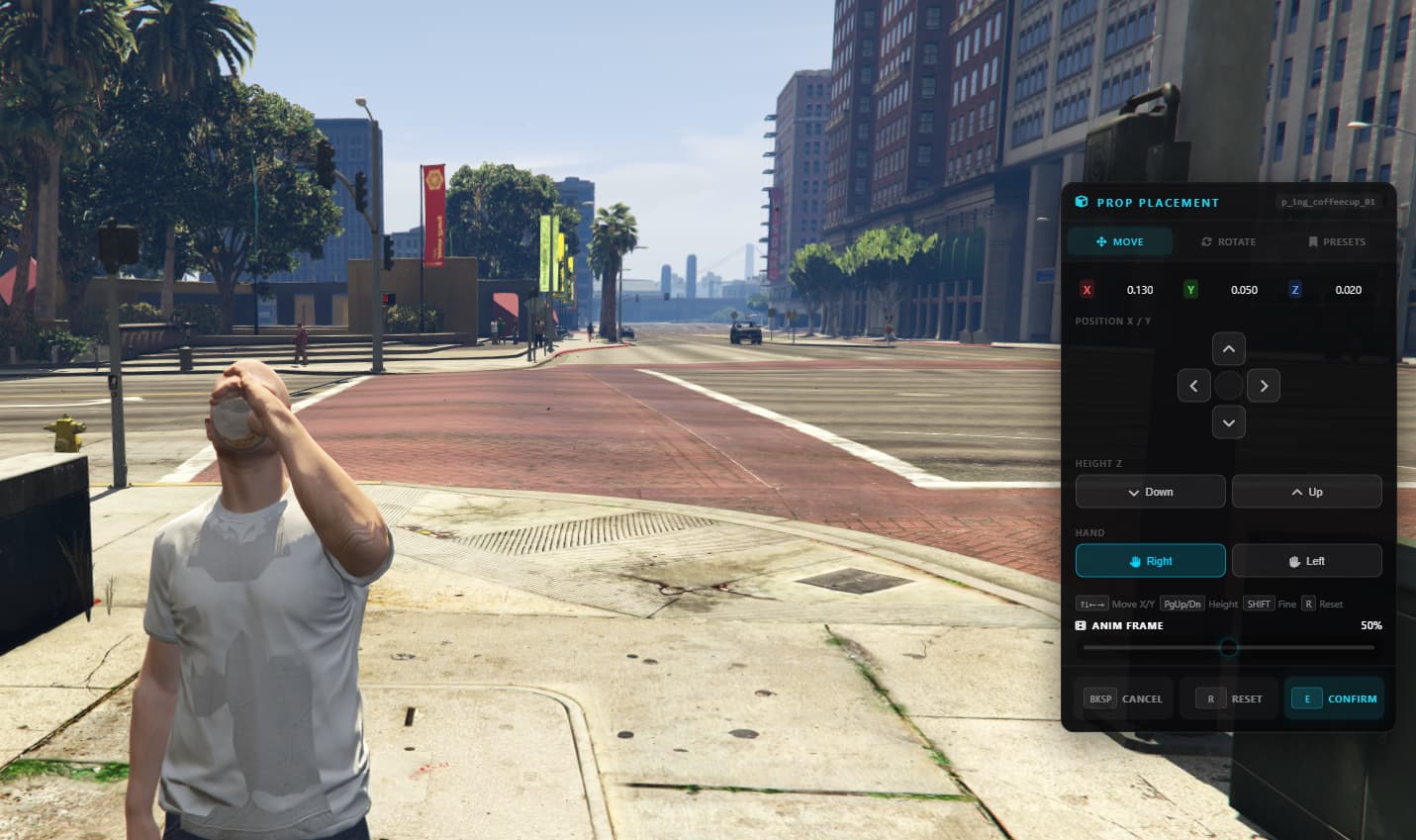
- Real-time prop preview attached to the player’s hand
- Switch prop between left and right hand directly from the placement panel
- Animation frame scrubber — drag to preview the exact pose before saving
- Move and rotate on all axes with keyboard or UI controls
- Fine-tune with SHIFT for precision adjustments
- Save and load presets — reuse positions across multiple items
 Place on Map
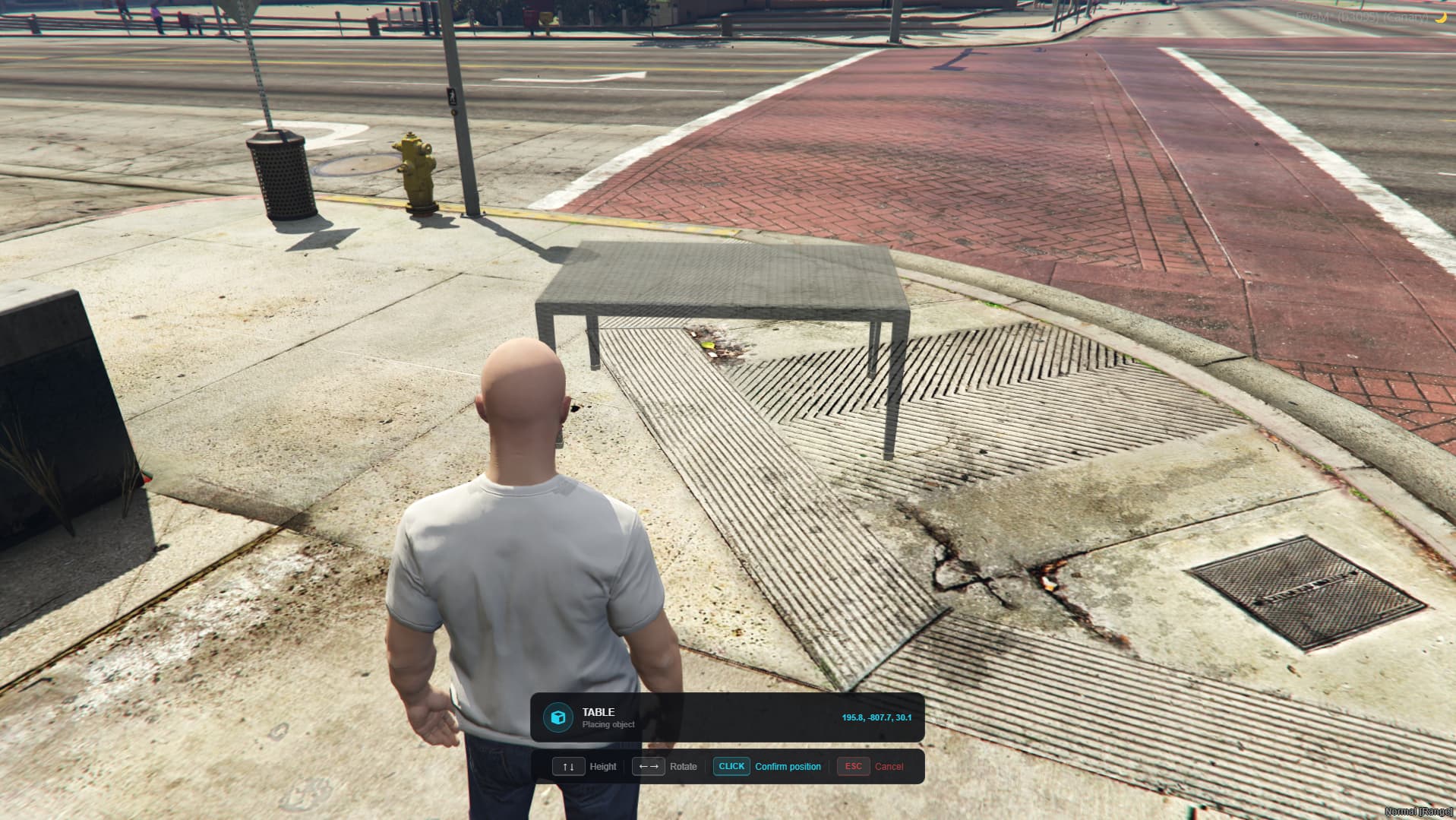
- Toggle per item — when enabled, using the item places the prop in the world
- Point anywhere with the camera to position the prop on the ground
- No extra config needed — just enable and use
 Loop Animation
- Dedicated item type that plays a looping animation on the player while active
- Configurable animation dict:anim per item
- Supports an attached prop in hand with full position and rotation control
- Smooth blending on start and stop
Advanced Item Functions
- Dev Triggers — fire custom client and server events on use
- Execute Command — run any game command when item is used
- Give Items on Use — deliver other items automatically (loot boxes, crafting, rewards)
- Custom Animations — set any animation dict:anim per item, or set
0to use no animation at all - Custom Props — assign any prop model and position it with the in-game placement menu
Mostrar imagen
 Fully Configurable from config.lua
- The entire tablet is driven by config.lua — every field, option, toggle and category you see in the UI is defined there
- Want to add a new item property? Add one line to the config and it instantly appears in the wizard
- Add new filter categories, consumable types, toggle options or input fields — no HTML, no JS, just config
- The UI builds itself from your config — customize everything without touching the source code
 Discord Logging
- Item created, edited, deleted
- Items given to players
- Status changes (enabled/disabled)
- Color-coded embeds with player name, item details and timestamp
 Permissions
-
Granular per-action permission control — configured in
config.lua, no code changes needed -
Three independent permission levels, each accepting ace groups and/or license whitelist:
Action What it controls open Who can open the admin tablet edit Who can create and edit items delete Who can delete items -
Each action independently accepts
groups(e.g."admin","superadmin") andlicensesfor extra security -
Example: give all admins access to open and edit, but restrict delete to superadmins only — out of the box default
 Performance
- 0.00ms idle — zero tick usage
- 0.00ms on admin usage or sync
- Loads once on resource start, no continuous overhead
| Code is accessible | No |
| Subscription-based | No |
| Lines (approximately) | 3500 |
| Requirements | QB OR QBOX |
| Support | Yes |