To receive support, please fill out the following template, and remove this top text.
**GTA V version?**last
**Up to date?**today
**Legit or Pirate copy?**legit
**Steam/CD/Social Club?**steam
**Windows version?**10
**Did you try to delete caches.xml and try again?**yes
**Error screenshot (if any)**Screenshot by Lightshot
System specificationsScreenshot by Lightshot
**What did you do to get this issue?**I tried Installing GTA again, and FiveM, I checked all the GTA files by Steamapp tried to disable the Windows firewall
**What server did you get this issue on?**None Because I can not even enter a server
CitizenFX.log filenot have
.dmp files/report IDsnot have
If an issue with starting:
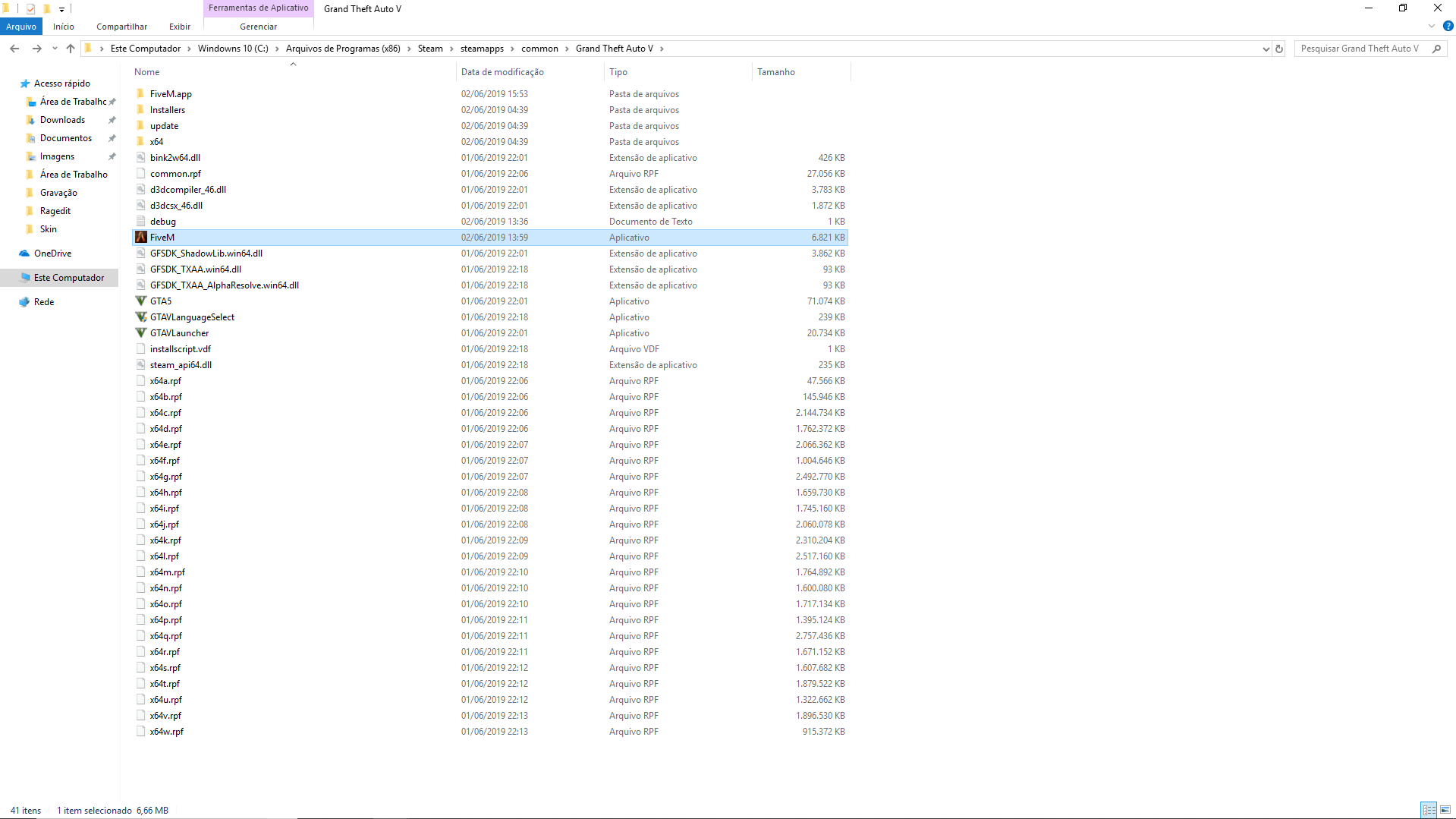
GTA V folder screenshotScreenshot by Lightshot
GTA V/update/x64/dlcpacks screenshotScreenshot by Lightshot
Filepath to FiveM folderScreenshot by Lightshot
FiveM client folder screenshot
**Did you try to disable/uninstall your Anti-virus?**Screenshot by Lightshot
Also add what you already tried so far.
I tried to install FiveM Directly in the folder of GTA V, On the Desktop and Document, As admin, Restart the Computer and I deleted the game and FiveM and Other videos that taught to solve the problem but it generated another problem with the name Error 7 returning to zero.
