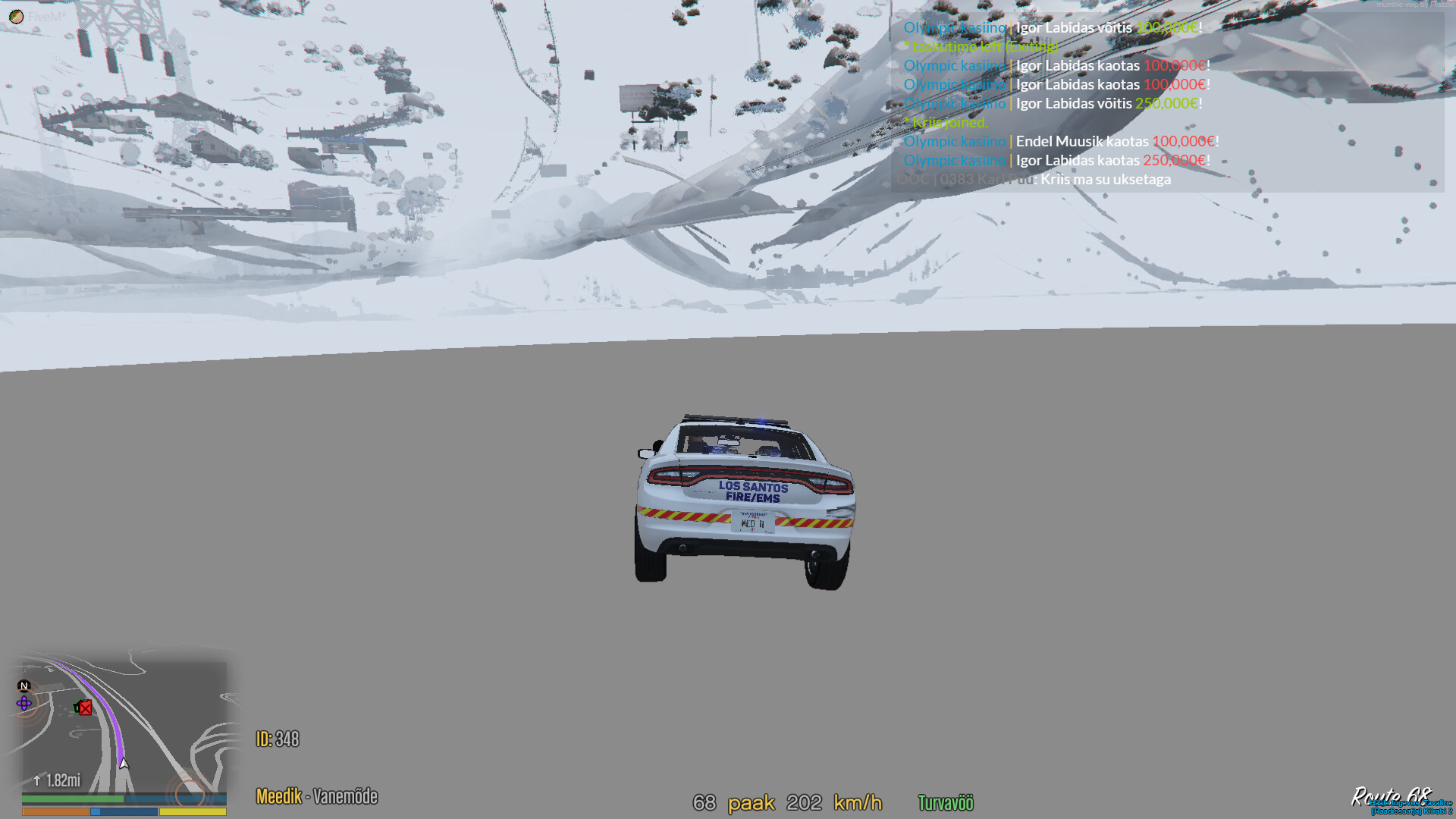
GTA V version? 1.0.2189.0 Up to date? Yes Legit or Pirate copy? Legit Steam/CD/Social Club? Social club Windows version? Windows 10 Did you try to delete caches.xml and try again? yes have tried it many times Error screenshot (if any) no error screenshots System specifications
I5 6400
Rx570 4gb
16gb ddr4 2133 mhz ram
What did you do to get this issue? I just drove around the city with the speed limit and fell though the ground What server did you get this issue on? Gcci rp CitizenFX crash zip file couldnt find it[CitizenFX.ini|attachment][CitizenFX.ini|attachment] CitizenFX.log file(upload://kyZh5RvTX1TVHX8qkTIMQx5rFRN.ini) (45 Bytes) .dmp files/report IDsddb74d08-44f0-499d-8fc7-77c6c2ba2233.dmp (7.4 MB)
I have tried clearing the caches, reinstalling gta and fivem, lowering the settings and changing the directx version. Nothing has helped
Hello, this is a friendly reminder because this is your first time creating a topic (or it has been a while since your last topic) in this category.
Please note that most of the support is provided by the Cfx.re community on a voluntary basis. We ask you to be patient; there is no guarantee we have a solution to your problem(s). To avoid unnecessary/duplicate topics, please browse the forums before creating a topic.
To improve your chances of your issue(s) being solved, please provide as much information as possible about the issue(s) you are having. Also —whenever possible— please use the template given to you when creating a topic.
This is usually render issues with client side or due to heavy load of vehicles and assets on server side
which causes render issues to client.
I had same with my server just reduced the vehicles and assets it got fixed and cleared the server cache.