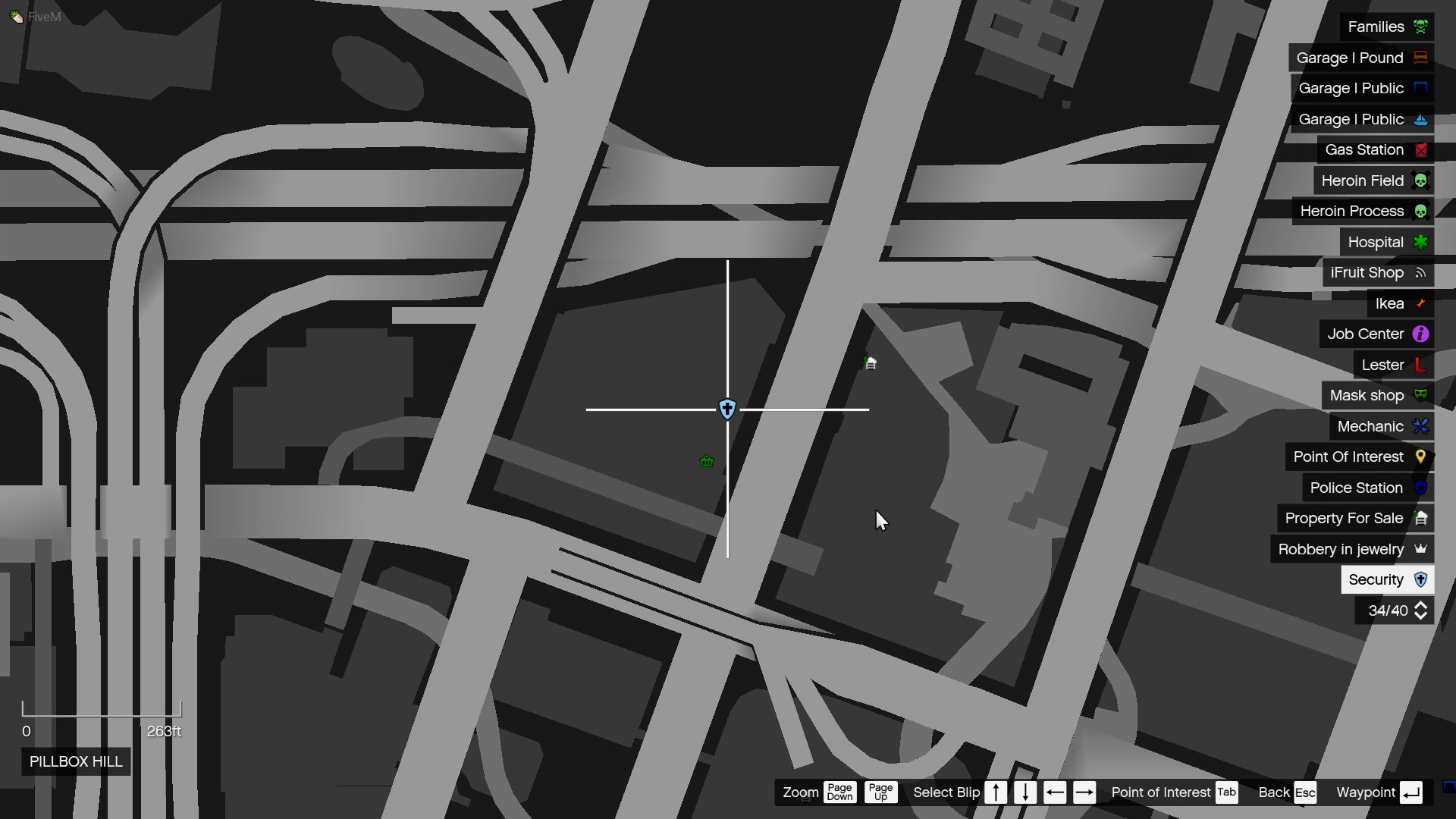
Hello i want to remove this shop blip from my custom job but i dont know how because its from esx_supermarket.
1 Like
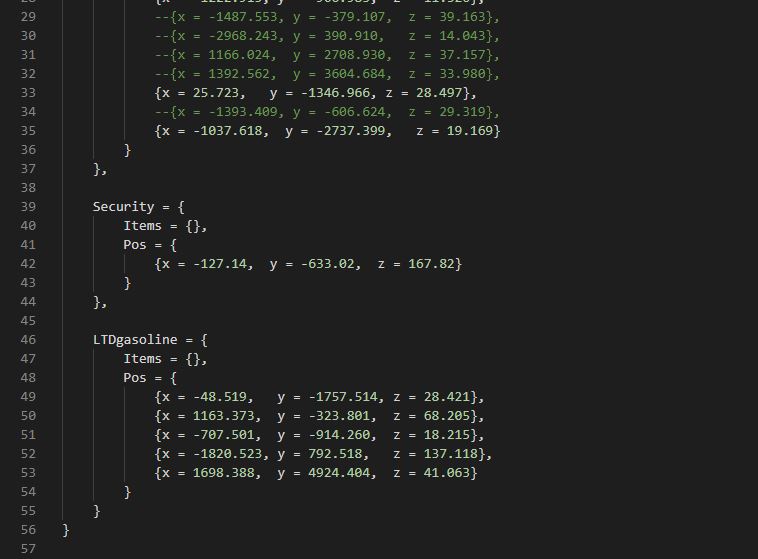
Remove all from line 39 to 44.
But i want the shop to be there but i dont want to see it on the map.
Find the part of code that draws the blip and remove. It will be client side.
I only want to delete the Security “Blip” not all shop blips
Then you are going to have to code an if statement then add to the security code you have.
Security = {
Blip =false
Rest of your code
}
Then find the part I mentioned above and an if statement.
If blip == false then
Else
The existing code to draw the blip
End
Something along that nature.
1 Like
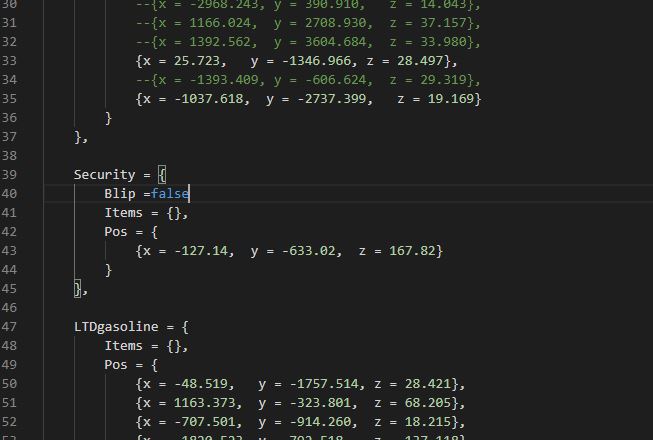
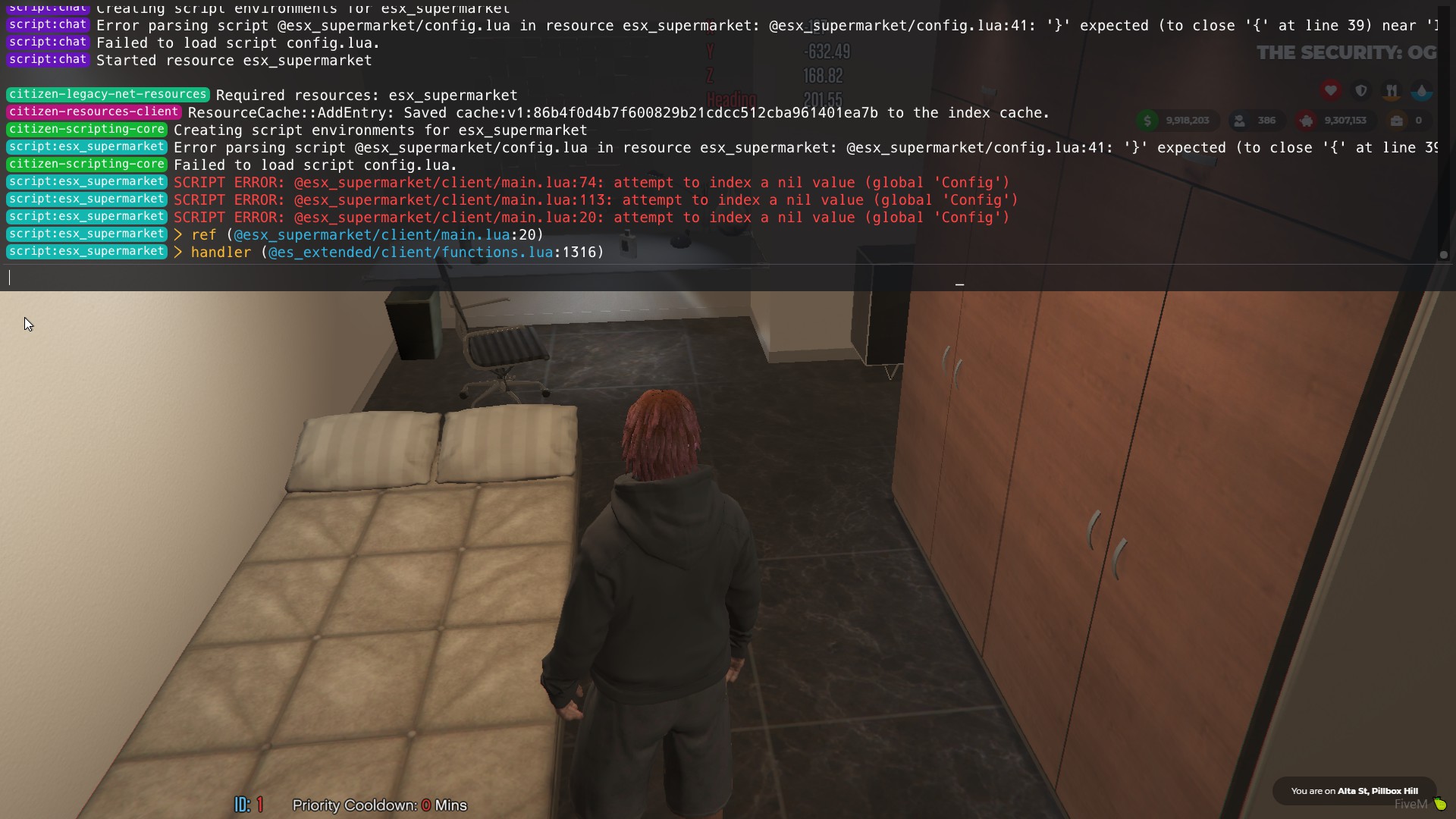
you need a , after false and again will need to set your if statements correctly where the blips are being drawn in the client file.
This topic was automatically closed 30 days after the last reply. New replies are no longer allowed.