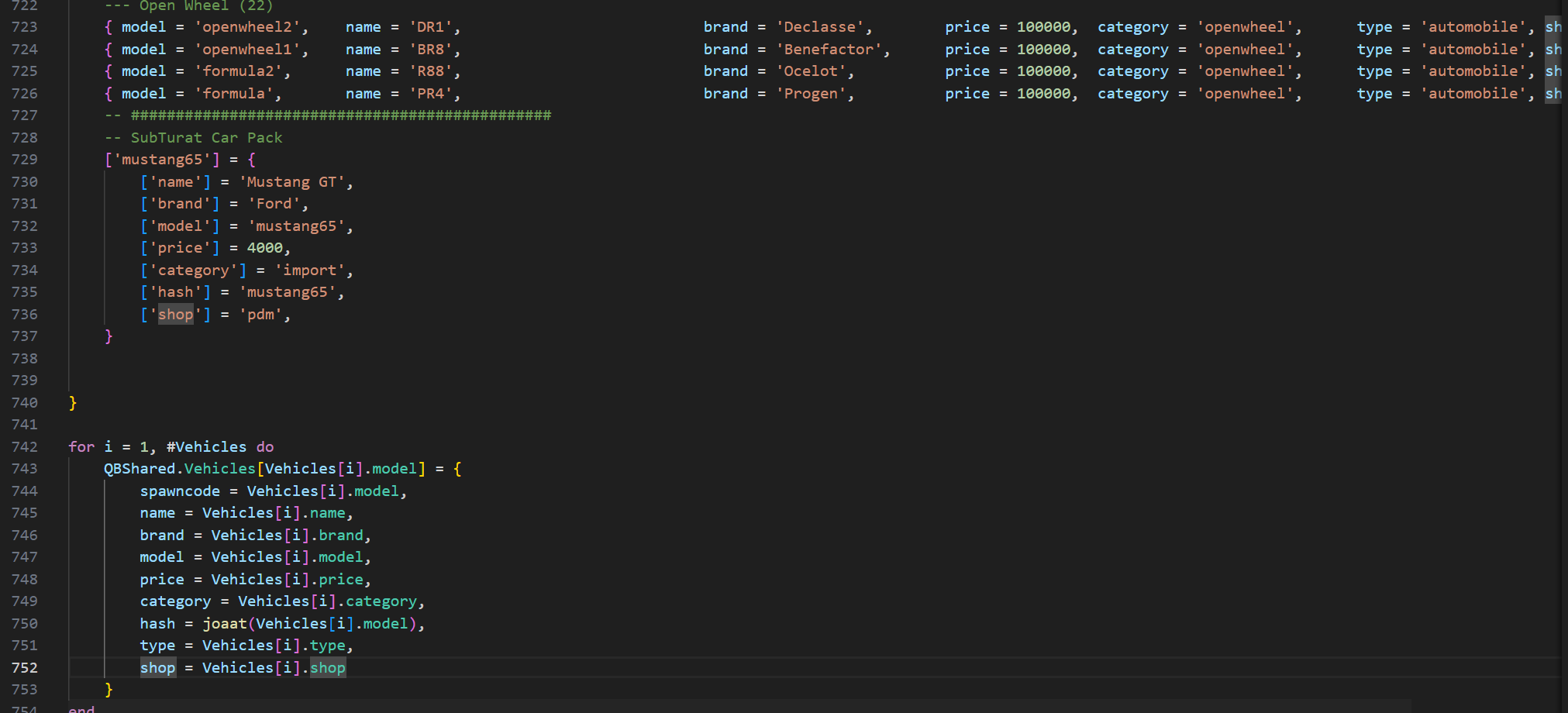
I’ve recently created a new fresh QBCore server (hosted locally) and I’ve added a custom vehicle resource from 5Mods (the 1965 Mustang GT). I followed up a YT tutorial video and did 100% everything like shown but I have a problem while trying to save the car into the garage (says it cannot be saved), or when I try to spawn it from the admin menu (it’s not there), or when I try to add it on sale to the vehicle shop (doesn’t show up in the list). I can only spawn the vehicle and drive it around, basically being only a “one-time use” sort of vehicle.
So there’s only one car added and here’s how the vehicles.lua looks like for me, am I missing something?
Sounds like the server is manually adding them instead of using the proper native to get the data they need and using GetVehicleClass to sort them into groups
I found a fix by myslef.
It seems that with the latest versions of QB-CORE the vehicles.lua change the format as can be seen in the ss provided by me at the beginning of this thread.
The solution was to change the way custom cars were added to the new format and it’s 100% working.