Full Showcase Video

A physical notepad writing system for FiveM, and it’s completely free. Protected by Cfx.Re Asset Escrow.
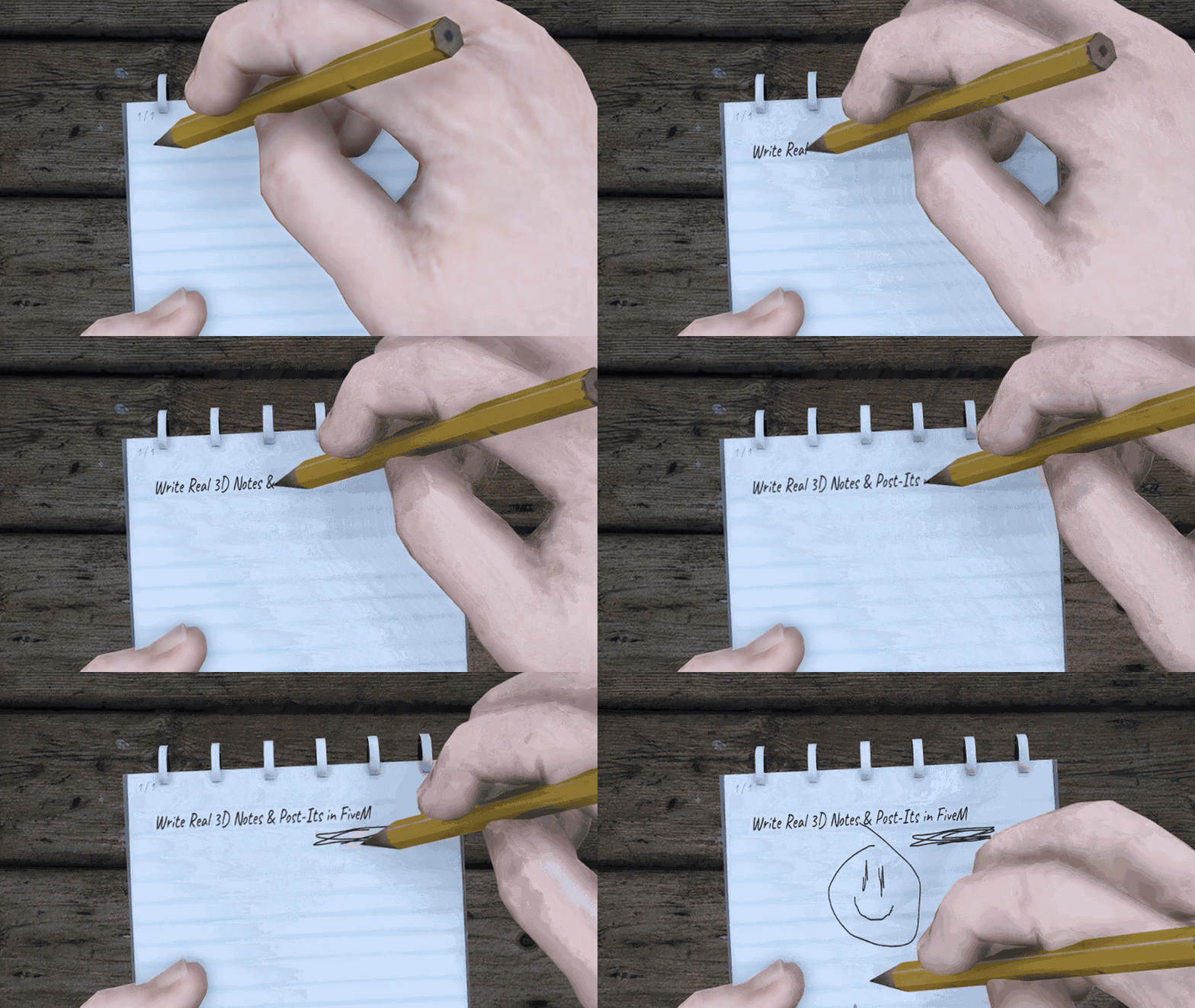
Players hold a real notepad or a post-it note and write on it in real time. Typed text renders as animated cursive, stroke by stroke, and the pen hand follows every stroke through full arm animations synced to everyone. The character actually writes and everyone sees it happen.
The page lives on the notepad or post-it note prop texture itself via DUI, not an overlay, so it reads as real paper in the world. Write while you walk, set notes down for everyone nearby to see, pick them back up to keep editing, and stick post-it notes on walls, tables or even vehicles and moving objects. There’s a freehand mode too, draw ink straight onto the page with no limits.
Complete with English and Finnish locales and full server-side configurability.
Support and questions → NX Creative
Get it free → NX Creative — Immersive FiveM Experiences
Documentation → Write
Features
Gameplay
- Notepad item: use it from ox_inventory to start writing in hand.
- True in-world surface: the page renders on the notepad prop via DUI, not overlay NUI.
- Hand IK: the right arm follows the pen tip every frame. The character actually writes.
- Typed handwriting: typed characters animate as cursive, stroke by stroke.
- Freehand mode: draw ink directly on the paper with a cursor raycast.
- Continue later: the same notepad reopens its saved document in edit mode.
- World placement: set a written notepad on a surface. Everyone nearby sees it.
- Pick up to edit: anyone can pick a placed notepad back up and keep writing.
- Post-it notes: stackable. Write a short message. Place it on walls or tables.
User Interface
- DUI-on-prop rendering through nx-3d. The texture lives on the real prop.
- Custom handwriting renderer: every glyph draws as an animated cursive stroke.
- Canvas freehand layer: the cursor raycast maps the screen to the paper.
- Transparent page snapshot: the preview composites onto the prop, so the prop reads as the paper.
Configuration
- Locale system: English and Finnish included. Add your own.
- Inventory toggle: register the notepad, pen, and post-it items automatically.
- Server limits: content size, stroke count, chars per page, page count, rate limits.
- Keybinds: remap mode toggle, save, freehand click, and placement controls.
- Post-it behavior: configurable stack size and pickup-vs-remove mode.
Support and questions → NX Creative
Get it free → NX Creative — Immersive FiveM Experiences
Documentation → Write
Release Information
| Code is accessible | No |
| Subscription-based | No |
| Lines (approximately) | 9 600 |
| Requirements | oxmysql, ox_lib, ox_inventory (recommended), ox_target (recommended) |
| Support | Yes |


