There are already quite some ‘weapon-carry’ scripts available, but I often found them to be either, buggy, lacking in features or badly optimized. So I created a version of my own.
Features
Tested on the esx-framework, but should also work on qb-core and with ox-inventory.
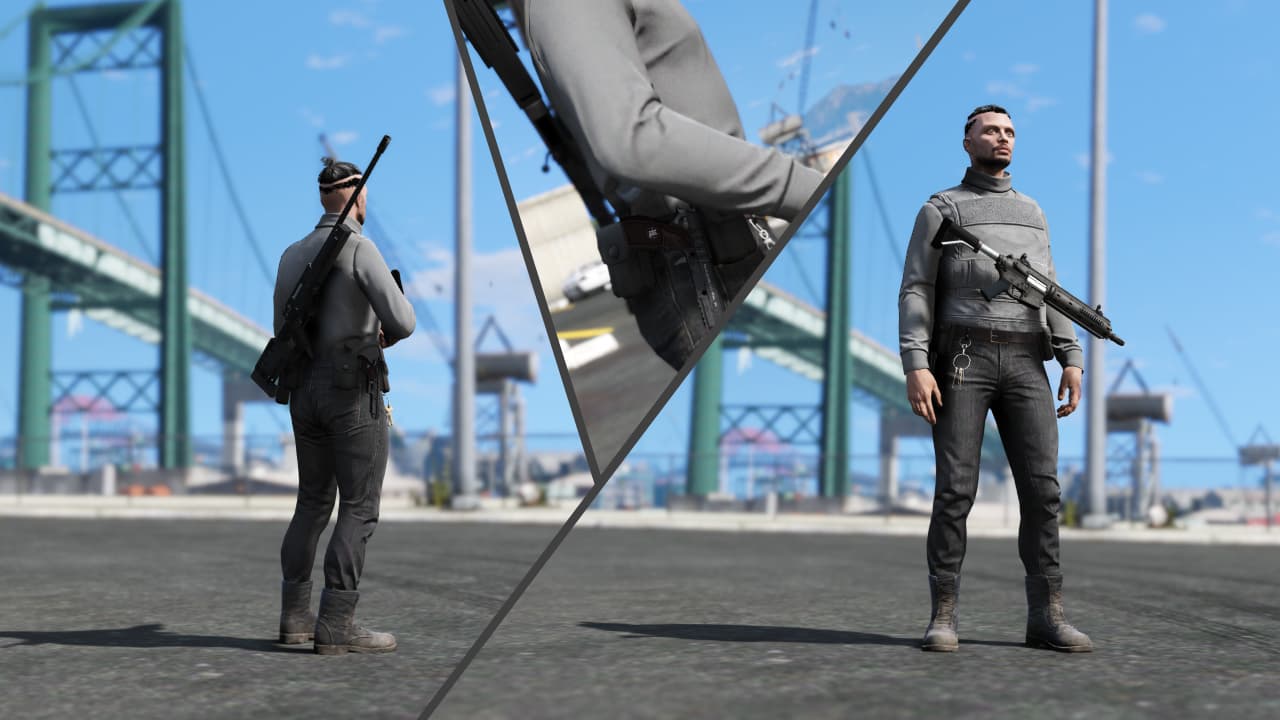
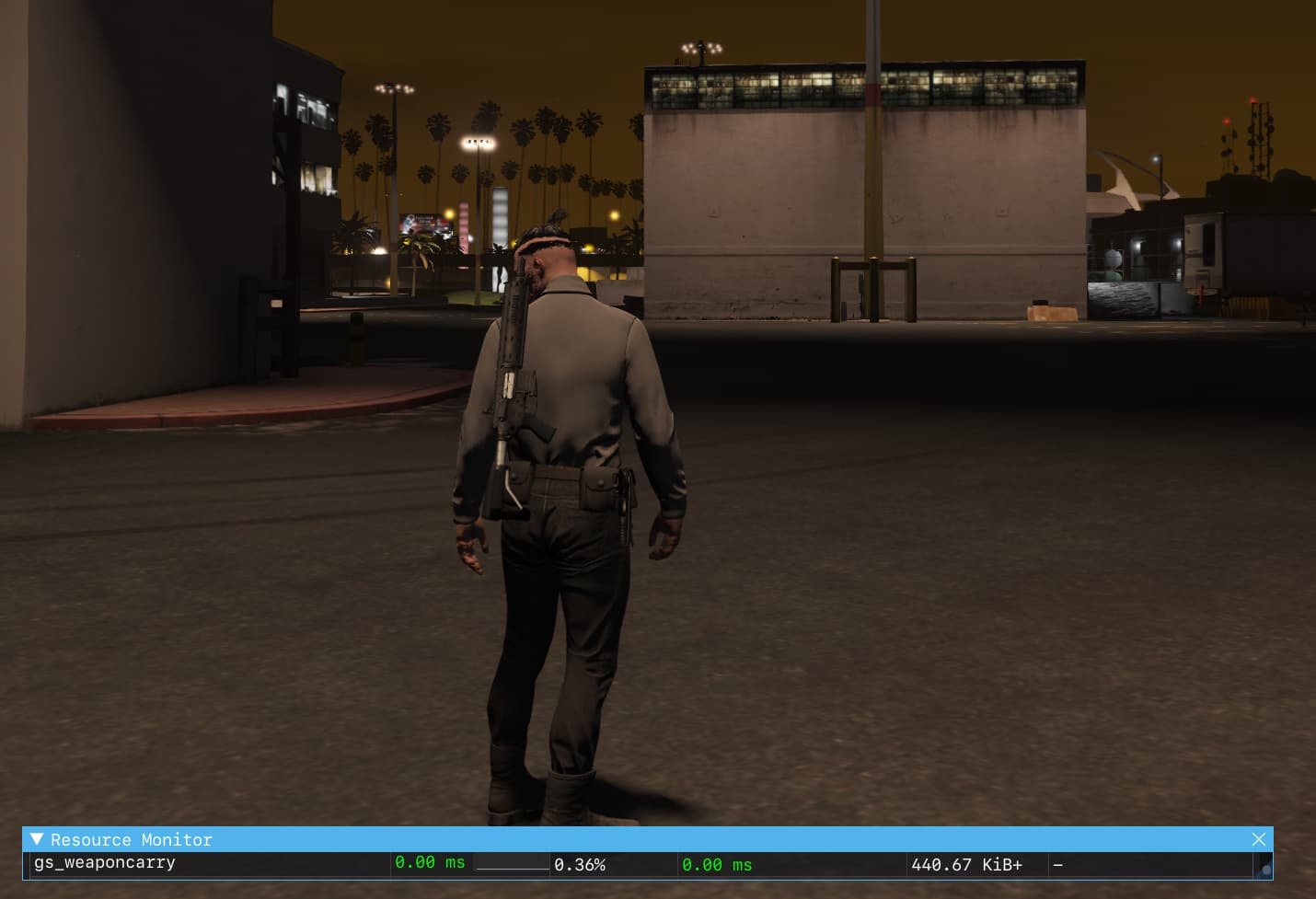
Configure the weapons that should be displayed on a players body, if the player has the weapon in his loadout/inventory.
The weapons are attached to a configured position and ped-bone.
A debug-mode enables a command which can be used to easily determine the right weapon positions (see the end of the preview video).
It is also possible to add clothes-dependend positions, as of now this feature only works with skinchanger.
The spawned weapon props are tracked on the server, which deletes the attached props on a player disconnect.
Found a fix for it, if you use ox_inventory you have to change something in the code, I think the author accidentally has a spelling error (You used a point instead of a double point in the export) in line 114 (Line 111-123, cl_main.lua):
function DoesPlayerHaveWeapon(itemName)
    -- Handle the case if ox_inventory is used
    if (GetResourceState('ox_inventory') == 'started') then
        return exports.ox_inventory:GetItemCount(itemName) > 0
    end

    -- Handle the case if es_extended or qb-core is used
    if (GetResourceState('es_extended') == 'started' or GetResourceState('qb-core') == 'started') then
        return HasPedGotWeapon(PlayerPedId(), GetHashKey(itemName), false)
    end

    return false
end
How can you turn the weapon like that because I’ve already tried it but only have the numpad things that only work against what L-SHIFT + NUMPAD 8 doesn’t work like that
I tested it with illenium-appearance and it works perfectly
I have to say that with women, no matter whether they are turned or not, nothing is taken over, the weapons always remain straight up on the body
If anyone wants to put it on the mouse wheel, you can use it here
if IsControlPressed(0, 241) then
                yrp = yrp + rotationIncrement
                RespawnProp(propName, propBone)
            elseif IsControlPressed(0, 242) then
                yrp = yrp - rotationIncrement
                RespawnProp(propName, propBone)
            end

            if IsControlPressed(0, 111) then
                -- NUMPAD 8
                yp = yp + positionIncrement
                RespawnProp(propName, propBone)
            end

            if IsControlPressed(0, 110) then
                -- NUMPAD 5
                yp = yp - positionIncrement
                RespawnProp(propName, propBone)
            end

            if IsControlPressed(0, 117) then
                -- NUMPAD 7
                xp = xp - positionIncrement
                RespawnProp(propName, propBone)
            end

            if IsControlPressed(0, 118) then
                -- NUMPAD 9
                xp = xp + positionIncrement
                RespawnProp(propName, propBone)
            end

            if IsControlPressed(0, 108) then
                -- NUMPAD 4
                zp = zp + positionIncrement
                RespawnProp(propName, propBone)
            end

            if IsControlPressed(0, 109) then
                -- NUMPAD 6
                zp = zp - positionIncrement
                RespawnProp(propName, propBone)
            end
Seems like that is an issue related to the ped-bone. The weapons are attached to the specified bone in the configuration, called Bone, where the coordinates you are adding, are coordinates with respect to the position of that bone.
By default, the /weaponprop_spawn command used bone index 24818 (Ped Bones), are you using the same bone in the configuration for the specified weapon?
You can also print the output of line 149 in cl_main.lua: local bone = GetPedBoneIndex(ped, weaponData.Bone), the variable ‘bone’ should print a value >0 if I am not mistaken. So if it is printing out 0 or -1 the bone is probably not defined correctly and the weapon is just attached to the center of the player.
I think I found the issue, I just pushed a commit to the Github Repository. Can you check if this update fixes your problem? Make sure to save your changes to the keybinds before updating the resource .
 Check out our other resources on gamzkystore.com or in our Discord
 Preview video: Youtube |
  Download: Github Repository

 .
.