[FREE] vsFPS  [Standalone]
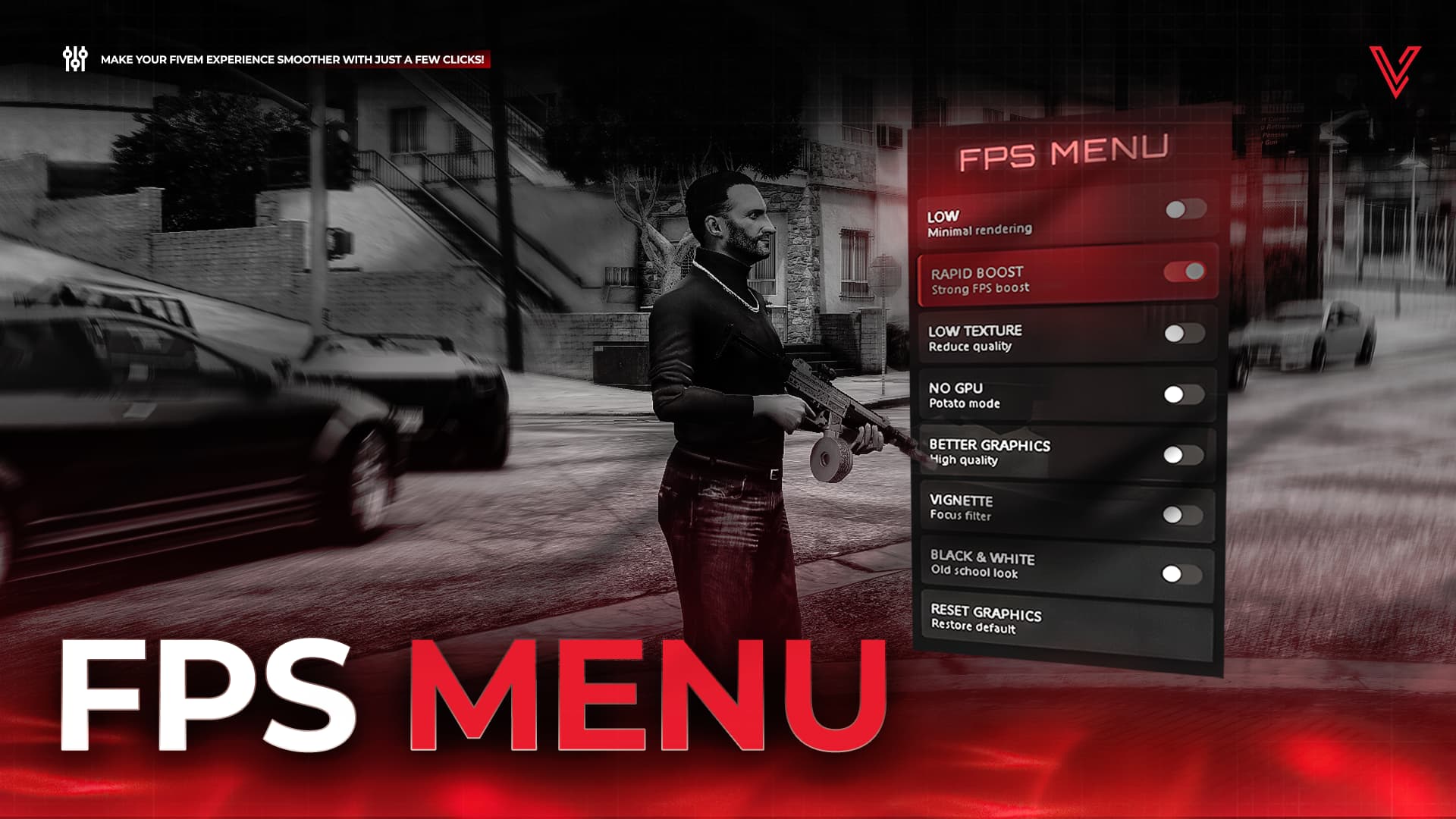
 vsFPS – The Ultimate Performance Boost System for FiveM
Give your players instant, customizable FPS improvements with a clean and powerful optimization menu!
 What is vsFPS?
vsFPS is a lightweight, user-friendly performance optimization tool for FiveM.
It provides multiple FPS boost modes players can toggle instantly using a simple command.
Perfect for low-end players, RP servers, competitive environments, or anyone who wants smoother gameplay.
Showcase
 Features
 Easy Access
• Open the FPS menu with the command: /fps
• Customizable menu position (center / right-side placement)
Multiple Performance Modes
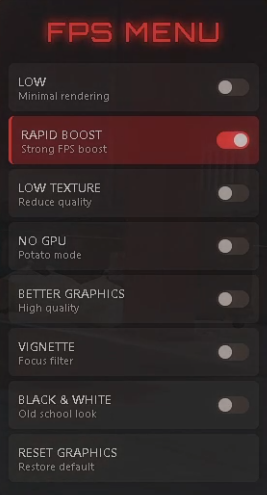
• LOW – minimal rendering
• RAPID BOOST – strong FPS boost
• LOW TEXTURE – reduces texture quality
• NO GPU – “potato mode” for extremely low-end PCs
• BETTER GRAPHICS – improves visuals for high-end players
• VIGNETTE – focus effect
• BLACK & WHITE – old-school filter
• RESET – restore default graphics
All modes can be enabled/disabled individually in the config.
 Perfect For
• RP Servers
• Drift / Racing Servers
• Gang / Crime Servers
• Competitive Servers
• Servers with many low-end players
• Servers wanting a clean, fast-access performance tool
Give your players the ultimate FPS boost with vsFPS!
→ Simple. Clean. Powerful. Fully Configurable.
Config
Config = {}

-- ============================================
-- GENERAL SETTINGS
-- ============================================

-- Command to open the FPS menu
Config.Command = "fps"

-- Enable/Disable sounds
Config.EnableSounds = true

-- Language (EN = English, DE = German)
Config.Language = "EN"

-- Menu position
-- Use "center" for vertical centering, or a number in pixels from top
-- Use "right" for right alignment, or a number in pixels from left
Config.MenuPosition = {
    top = "center",  -- "center" for vertical centering, or number in pixels
    right = 40       -- Distance from right (when using right alignment)
}

-- ============================================
-- ENABLE/DISABLE OPTIONS
-- ============================================

-- Enable or disable specific FPS modes in the menu
Config.Options = {
    low = true,        -- LOW mode
    rapid = true,      -- RAPID BOOST mode
    lowtex = true,     -- LOW TEXTURE mode
    nogpu = true,      -- NO GPU mode
    better = true,     -- BETTER GRAPHICS mode
    vignette = true,   -- VIGNETTE mode
    bw = true,         -- BLACK & WHITE mode
    reset = true,      -- RESET GRAPHICS (should always be true)
}

-- ============================================
-- LANGUAGE SETTINGS
-- ============================================

Config.Locale = {
    ["EN"] = {
        -- Menu Title
        menuTitle = "FPS MENU",

        -- Options
        optionLow = "LOW",
        optionLowDesc = "Minimal rendering",

        optionRapid = "RAPID BOOST",
        optionRapidDesc = "Strong FPS boost",

        optionLowTex = "LOW TEXTURE",
        optionLowTexDesc = "Reduce quality",

        optionNoGpu = "NO GPU",
        optionNoGpuDesc = "Potato mode",

        optionBetter = "BETTER GRAPHICS",
        optionBetterDesc = "High quality",

        optionVignette = "VIGNETTE",
        optionVignetteDesc = "Focus filter",

        optionBw = "BLACK & WHITE",
        optionBwDesc = "Old school look",

        optionReset = "RESET GRAPHICS",
        optionResetDesc = "Restore default",
    },

    ["DE"] = {
        -- Menu Title
        menuTitle = "FPS MENÜ",

        -- Options
        optionLow = "NIEDRIG",
        optionLowDesc = "Minimales Rendering",

        optionRapid = "SCHNELLER BOOST",
        optionRapidDesc = "Starker FPS-Boost",

        optionLowTex = "NIEDRIGE TEXTUREN",
        optionLowTexDesc = "Qualität reduzieren",

        optionNoGpu = "KEINE GPU",
        optionNoGpuDesc = "Kartoffel-Modus",

        optionBetter = "BESSERE GRAFIKEN",
        optionBetterDesc = "Hohe Qualität",

        optionVignette = "VIGNETTE",
        optionVignetteDesc = "Fokus-Filter",

        optionBw = "SCHWARZ & WEISS",
        optionBwDesc = "Old-School Look",

        optionReset = "GRAFIKEN ZURÜCKSETZEN",
        optionResetDesc = "Standard wiederherstellen",
    }
}

-- Get translation function
function Config.GetTranslation(key)
    local lang = Config.Locale[Config.Language] or Config.Locale["EN"]
    return lang[key] or key
end
Optimization
- IDLE: 0.00ms
- Running: 0.00ms
Further Information
SHOP: vsFPS
This resource is using the FiveM Asset Escrow system
| Code is accessible | No |
| Subscription-based | No |
| Lines (approximately) | 1300 |
| Requirements | - |
| Support | Yes |