Automated Asset Capture Engine for FiveM (Clothing, Vehicles & Objects)
Hey everyone,
I’ve been working on a way to automate asset thumbnails for my own projects because doing it manually was a massive headache. I ended up building a standalone “Capture Engine” that handles the entire pipeline from clothing and appearance overlays to vehicles and world props and I’m releasing it for free for anyone who needs a solid workflow.
It’s built to be framework-independent and focuses on performance, especially when dealing with massive libraries.
 How it works
-
Isolation: It teleports the entity to a dedicated void with auto-lighting and dynamically sized green screens (separated for peds, vehicles, and objects). No world shadows or interference.
-
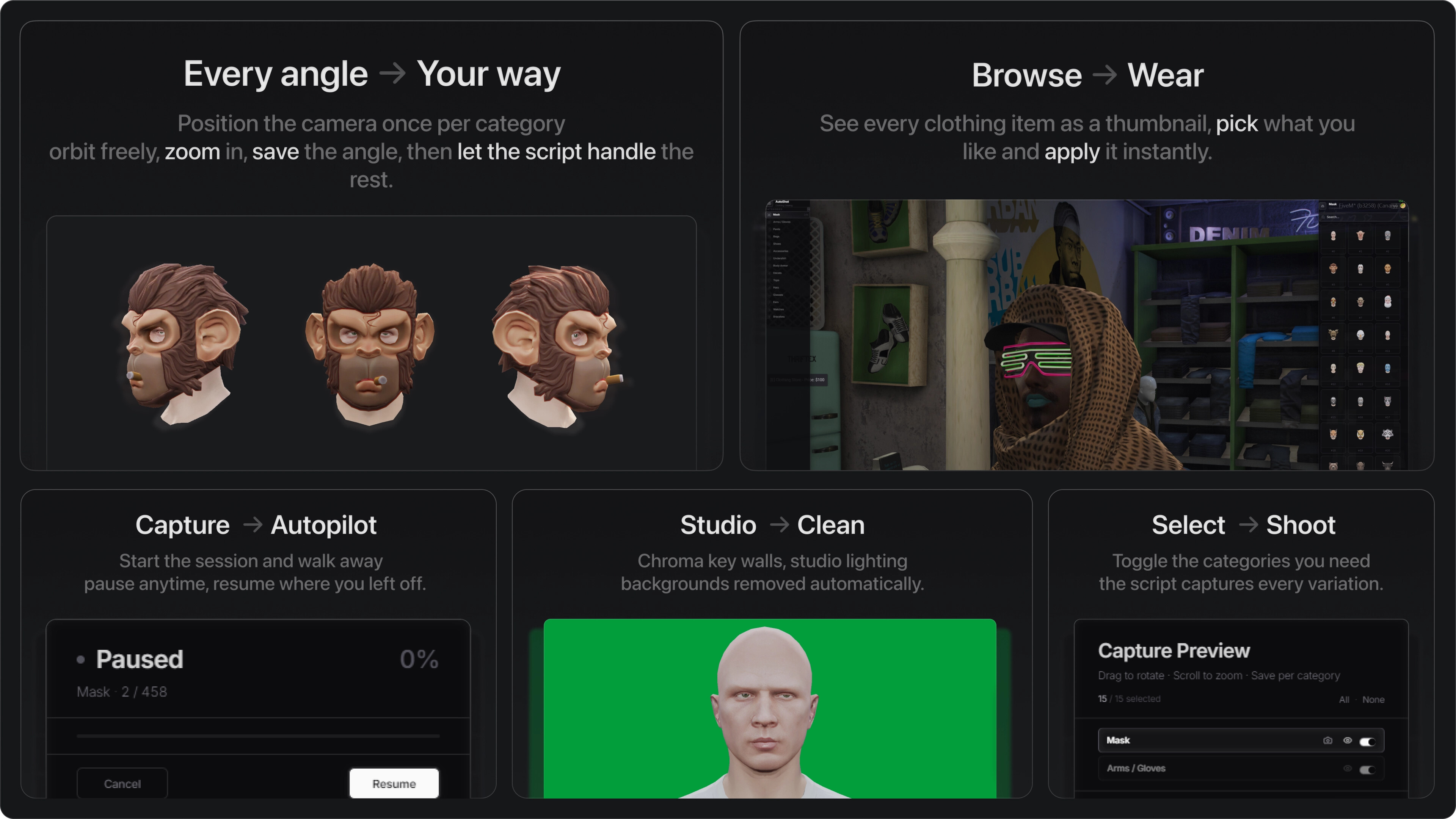
Smart Sequencing: It cycles through every drawable/texture, 12 appearance overlay categories, vehicle classes, and world props. I added a Texture Streaming Guard so it won’t take a photo until the asset is 100% loaded.
-
Advanced Orbit Camera: Completely redesigned camera with roll, height, and FOV controls. Features 18 expanded camera presets where you can save specific angles per category, and the engine will apply them automatically.
-
Chroma Key (Server-side) & Head-Hide: Instead of heavy native dependencies like Sharp or Canvas, it uses a custom algorithm with
pngjsto handle transparency on the server. We also added a Head-Hide sphere for ultra-clean body-only captures. -
HTTP API (Port 3959): Serves your shots via a REST API with CORS enabled. Fetch manifests and images directly into your NUI/React apps without Lua proxying. Includes new exports like
getVehiclePhotoURL()andgetObjectPhotoURL().
 Technical Specs
-
Stability: Includes a batching system with garbage collection to prevent crashes during 2000+ item sessions.
-
Standalone: Works on QBCore, ESX, QBox, or whatever custom framework you’re using.
-
Tabbed UI & Workflow: Features a virtualized UI with 4 category tabs, a built-in Vehicle Color Picker, and a Re-capture mode. Also includes quick commands (
/shotcar,/shotprop) for instant captures without opening the full UI.
I built this to be a reliable tool for the community. Feel free to check the source or open a PR if you have ideas to improve it.
 Project Links
GitHub (Source): https://github.com/uz-scripts/uz_AutoShot
Download (Website): https://uz-scripts.com/scripts/uz-autoshot
Documentation: https://uz-scripts.com/docs/free/uz-autoshot
| Feature | Details |
|---|---|
| Code | Open Source (GitHub) |
| Requirements | screenshot-basic |
| Support | GitHub Issues / Docs |
More from uz-scripts
We focus on high-performance, technical tools for FiveM.
Explore our full collection of resources at uz-scripts.com.
Screenshots
Sample Outputs