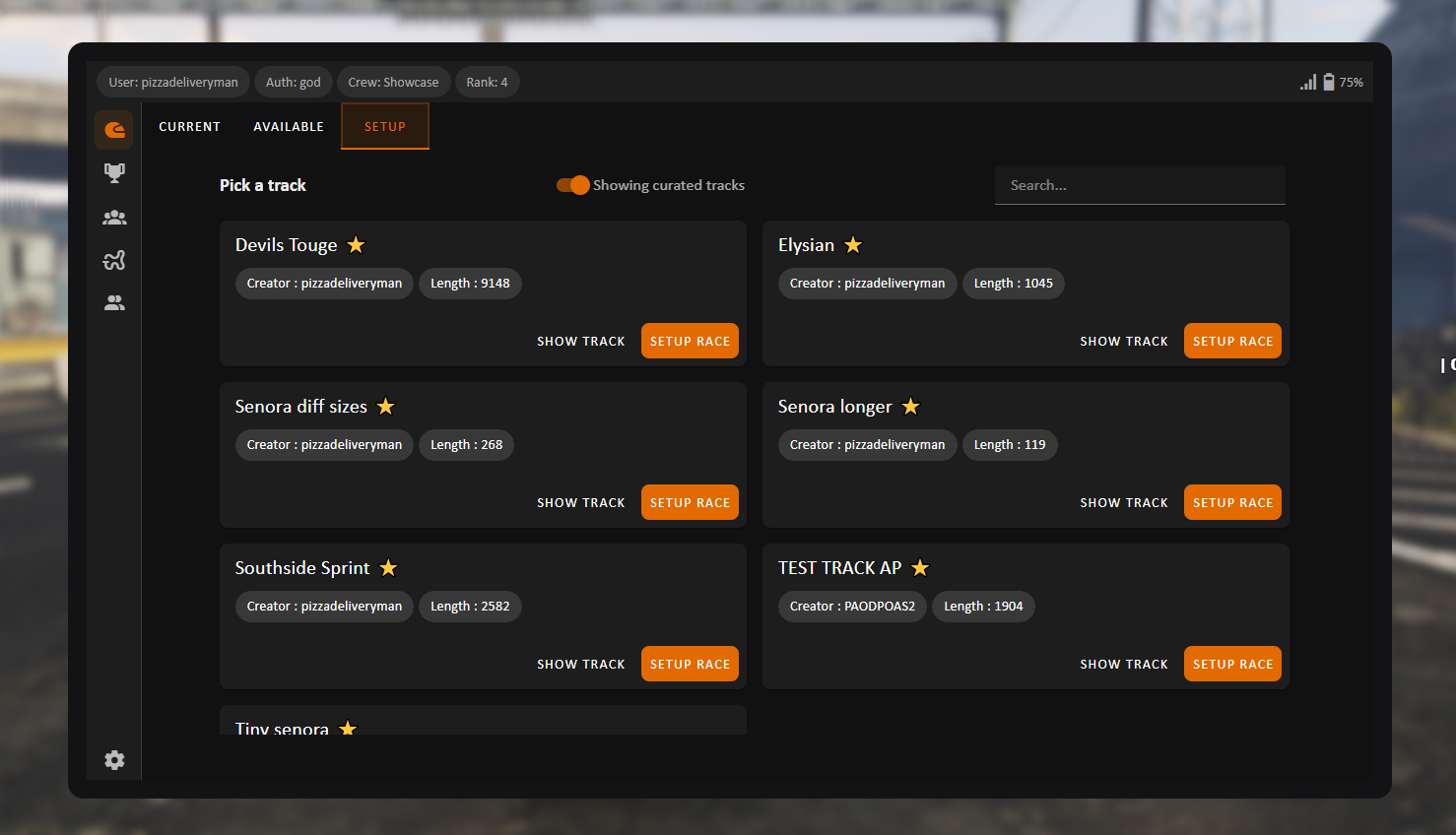
If anyone is using Ox Core and want to help out with adding support for it you can find the core swap stuff in functions.lua in both server and client side. ESX hasn’t been tried on our side (as we don’t run an ESX test server), so if there’s issues please help us fix it.
There’s been way to many changes to this script since my last post on cfx forums, so here are the latest highlights. If you want more info, the Readme has been rewritten and updated to list features and showcase stuff.
Added support to swap Core.
Added ESX support
Added default tracks in default_tracks.sql (Can be imported even if you have existing tracks)
Added option to do forced first person races
Added curation options so you can curate and un-curate tracks in the tracks menu (new auth option in Config)
Reworked the Racing HUD look
Added split-times to HUD
Added 5 new exports for joining, leaving and setting up races, and for fetching tracks and available races (see Readme for more info)
Added “show track” button in My Tracks and Available Races tab so you can preview tracks from there
Notifications show up in the Tablet if it’s open
Added option to change the custom primary color with Config.PrimaryUiColor
Added DrawText checkpoint pillars with customization. Can be toggled off with Config.UseDrawTextWaypoint and
modified in Config.DrawTextSetup
Can’t really help you debug (and this forum isn’t the best place for it either) since I didn’t make the ESX conversions. But maybe the conversion is done wrong. Please check the money side of the functions.lua on server side. Maybe you can find some error with how it was made
Weird. There’s no ESX specific parts about the code that would check the length of your input. Have you accidentally removed Config.MaxRacerNameLength or Config.MinRacerNameLength from the config?
What does the server print out say, please provide screenshot of server log.
Very well done and a super underrated racing resource.
Honestly, I’ve yet to see a free/paid resource that can do better than this. My players were extremely happy when we replaced our old qb-lapraces with this. Significant improvement in performance/usability.
Looking forward to whatever you guys add and would recommend this as an update for anyone from their current racing app and to support Coffee if you can.
Hellooo, Just wanted to share how I added the Racing GPS item to ox_inventory in case anyone needs it. Here’s the snippet I used in my ox_inventory/data/items.lua:
['racing_gps'] = {
    label = 'Racing GPS',
    weight = 500,
    stack = false,
    close = true,
    description = 'Wroom wroom.',
    client = {
        image = 'racing_gps.png',
        usetime = 3500,
        export = 'cw-racingapp.openRacingApp' -- This is the export that opens the app
    }
}
Make sure you have the image racing_gps.png in your inventory images folder, and that the export cw-racingapp.openRacingApp is properly defined in your cw-racingapp resource.
Note: If you’re adding this item along with others, don’t forget to add a comma at the end of each item except the last one, otherwise you’ll run into errors.
Firstly, amazing script!!! Hella good job.
Only one thing - I’m running into an issue trying to create the initial god user account. I’ve tried it through the tablet, it just does nothing. I tried the command, and it seems it doesn’t even show up as an option in my server. Is there something I’m missing? Everything loads up and works fine with no console errors or anything.