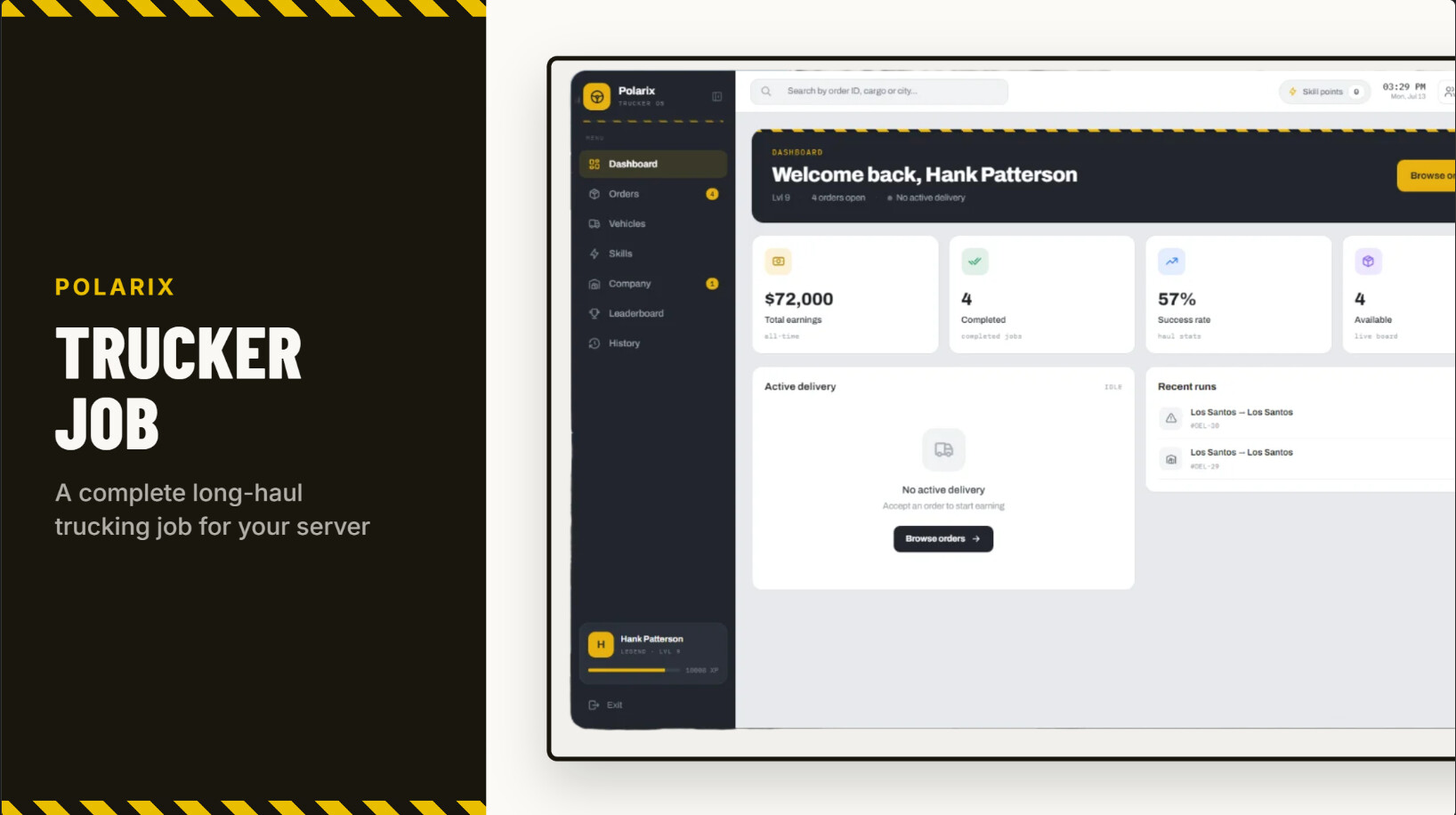
[FREE] Polarix Truckerjob


The Truckerjob here is my first ever free release, as i usually just contribute to projects/servers. I would appreciate it if you give me a star on github! :star:

→ GITHUB LINK ←

List of Features

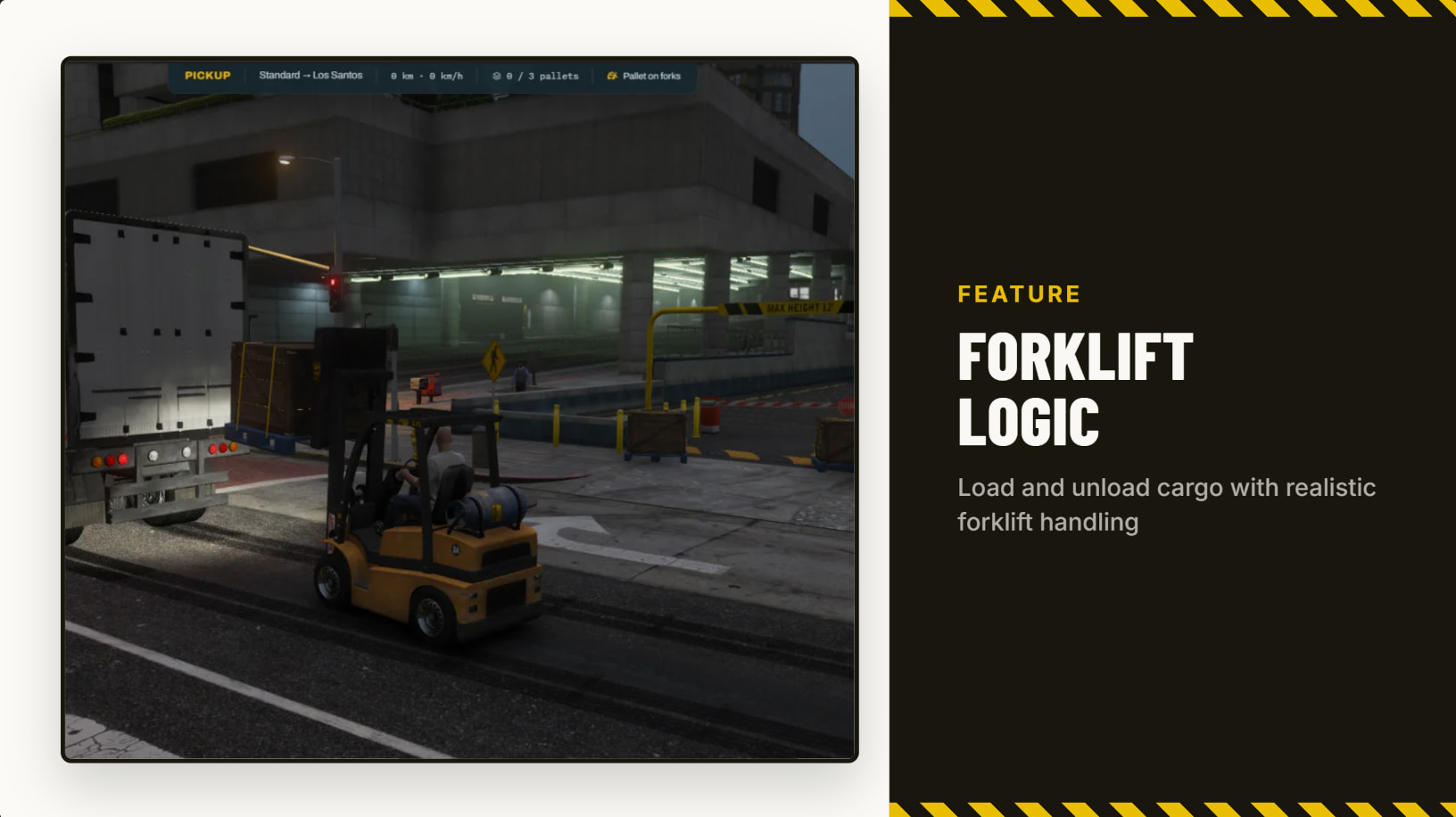
  • Real deliveries — drive to a pickup zone, load pallets with a forklift, haul to drop-off. Fragile and live cargo take damage if you drive recklessly or crash, cutting into your payout.

  • Skill tree — three branches (Hauling, Economy, Endurance) with perks that reduce cargo damage, cut fuel costs, boost payouts and XP, and unlock hazmat/long-haul routes.

  • Vehicles & trailers — buy trucks and trailers with capacity limits; trailer type determines how many pallets fit. No truck or trailer of your own? Rent a bundle on the spot.

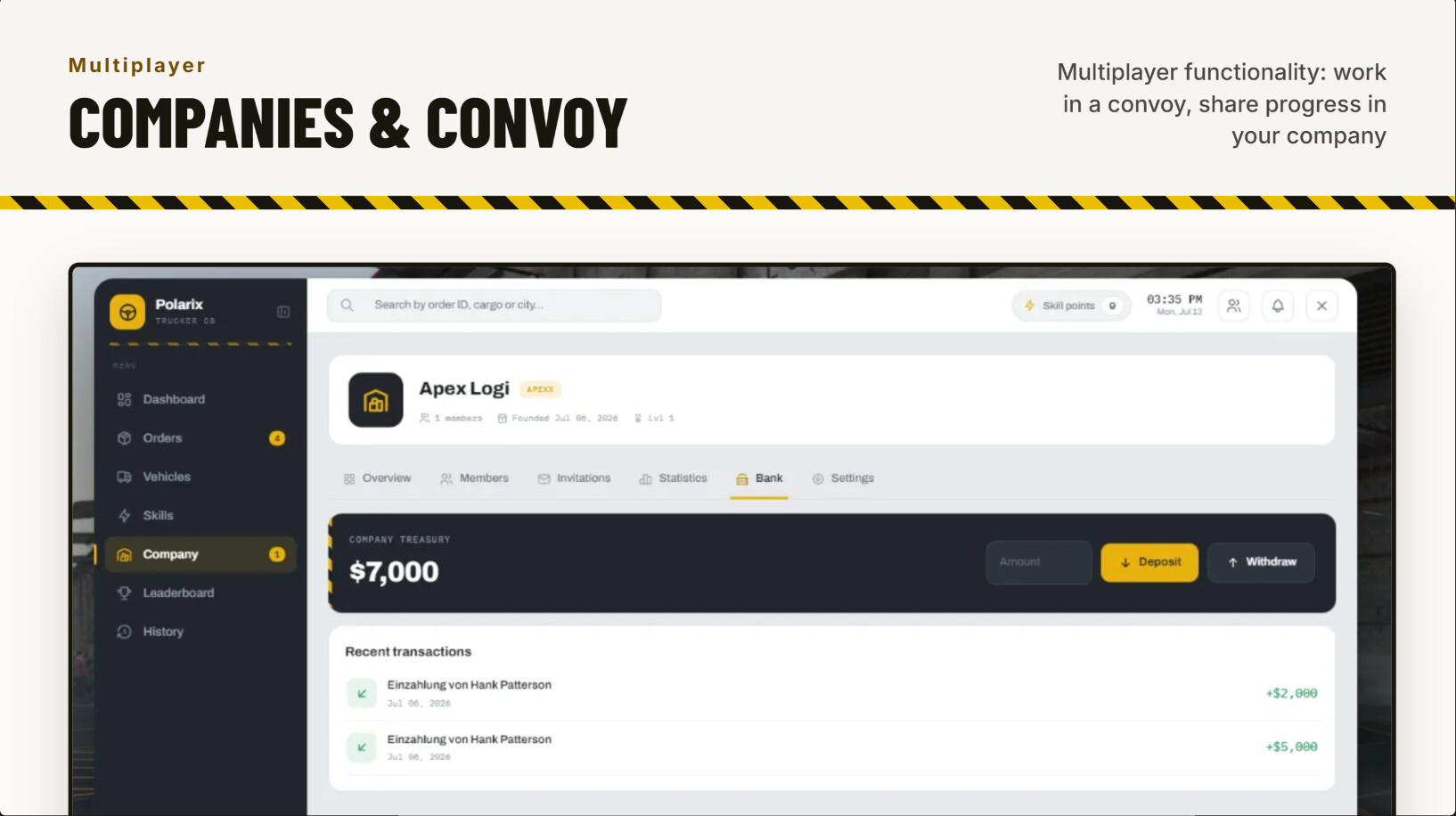
  • Companies — form a trucking company with a shared bank, member roles, invitations, and stats.

  • Party convoys — team up with up to 5 players, split loading duty across a shared pallet pool, and earn a group reward bonus.

  • Admin mission editor — build and edit delivery routes in-game with a live preview of pickup/drop-off. Changes go live instantly, no resource restart needed.

  • Multi-language — dashboard and notifications support multiple languages out of the box, easily expandable.

  • Polished dashboard — for orders, skills, fleet, and company management.

  • Props included — invincible rescaled native props made by StraussMoewe

Requirements

big shoutouts to StraussMoewe for quickly making fitting props and to claude design for making me look like i actually know design.

would love to get some feedback, either directly here or in the github issues.
8 Likes

Thanks for the script.

I had to tweak a few things—specifically, the trailer would register as “unhooked” the moment I tried to get back in after loading the pallets, and sometimes the pallets would despawn.

Since it’s open source, though, fixing that was pretty straightforward.

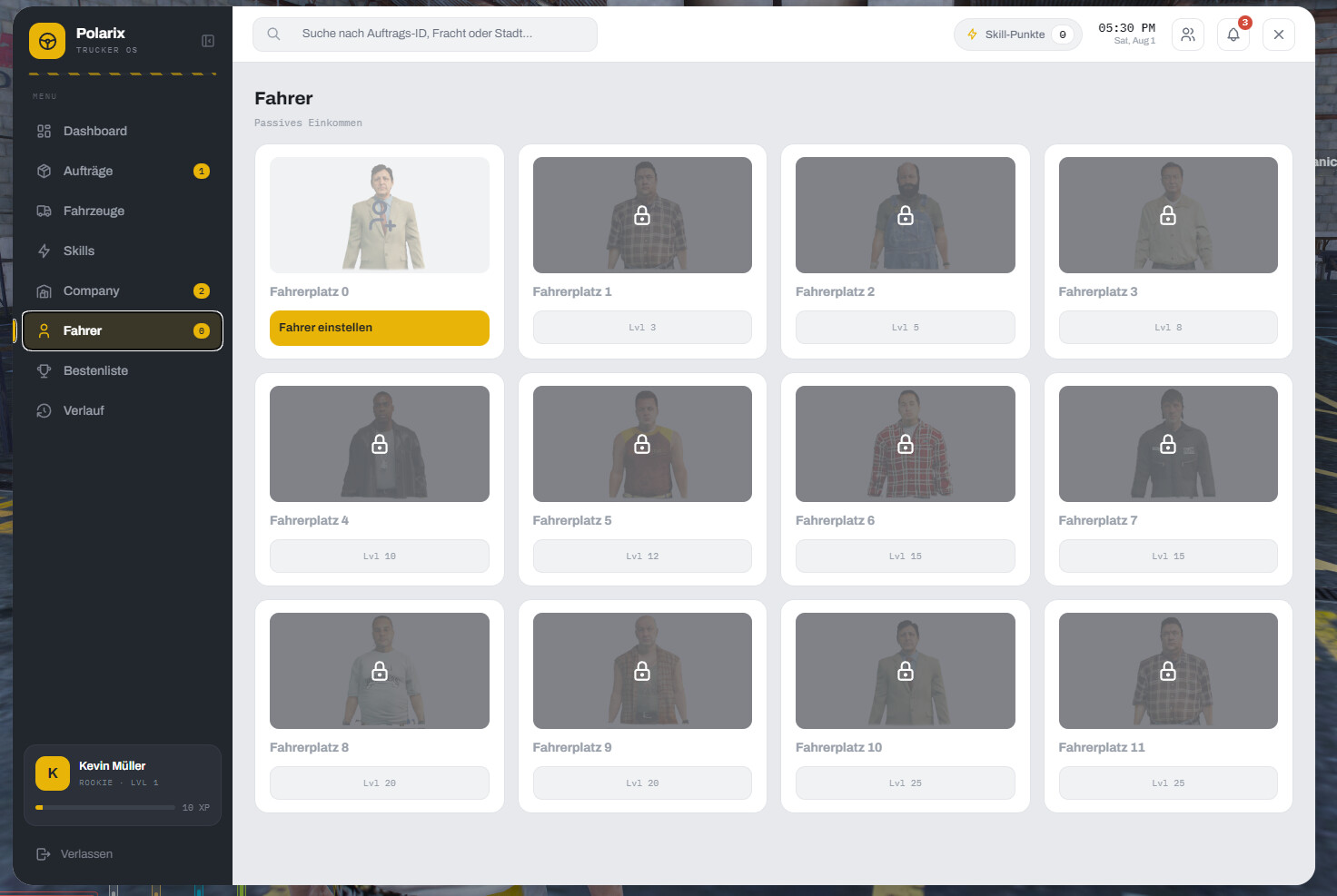
I also added a feature where you can hire drivers to drive for you (like in Trucker Sim).

Anyway, thanks again for the script; I’m looking forward to seeing what else you come up with.

2 Likes

Problem 1 (Pallets despawning): If we move too far away after spawning the pallets, they disappear.

Problem 2 (Mission failed bug): After loading the pallets into the truck, I put the forklift back inside the truck. This immediately failed the mission with the message “trailer detached”.

Fix for Problem 1: Pallets despawn / Job aborts when walking away

File: client/modules/cargo.lua

  1. Line 7 – Extend struct:
ForkliftPallet = { entity = nil, groundRefZ = nil }
  1. Line ~142 (in AttachPalletToForklift) – Store ground reference on pickup:
ForkliftPallet.groundRefZ = GetEntityCoords(prop).z

Fork is down → pallet sits on ground → save that Z as reference.

  1. In client/modules/forklift.lua – Check 5 (loading ramp) to pure math:
-- OLD (Raycast / GetGroundZFor_3DCoord):
-- local hit, hitPos = GetShapeTestResult(ray)
-- if hit and hitPos.z ...

-- NEW (lift relative to pickup point only):
local palletZ = GetEntityCoords(pallet).z
local groundRef = ForkliftPallet.groundRefZ
if palletZ and groundRef and (palletZ < groundRef + 0.3) then
    -- Pallet NOT lifted high enough → false
end

No ground natives needed (GetGroundZFor_3DCoord was nil, raycast returned boolean). Pallet no longer falsely detected as “not on ground” → no despawn/job abort when walking away.


Fix for Problem 2: “trailer detached” when parking forklift inside truck

File: client/modules/forklift.lua – Function Forklift.Stow() (~line 215)

  1. Remove / increase distance check to trailer center:
-- OLD:
local dist = #(GetEntityCoords(dock.entity) - GetEntityCoords(trailer))
if dist > 10.0 then
    Framework.Notify(Locale("notify.bring_forklift_closer_trailer"), "error")
    return
end

-- NEW: remove entirely (forklift parks INSIDE trailer, distance > 10 is expected)
  1. Auto-exit before despawn (add if missing):
local ped = PlayerPedId()
if GetVehiclePedIsIn(ped, false) == dock.entity then
    SetVehicleDoorsLocked(dock.entity, 0)
    TaskLeaveVehicle(ped, dock.entity, 0)
    local tries = 0
    while GetVehiclePedIsIn(ped, false) == dock.entity and tries < 60 do
        Wait(50); tries = tries + 1
    end
    if GetVehiclePedIsIn(ped, false) == dock.entity then
        SetPedOutOfVehicle(ped, dock.entity, 0)
    end
end
  1. Wait(1500) AFTER exit, THEN DeleteEntity:
Wait(1500)
DeleteEntity(dock.entity)
  1. Remove progress bar on stow (lines ~238–246):
-- REMOVE ENTIRELY:
-- local ok = lib.progressCircle({ duration = 3000, ... })
-- if not ok then return end
-- → Code continues directly to auto-exit

Summary for the other dev

Problem File Change
Pallets despawn / job abort cargo.lua Store groundRefZ on pickup (lines 7, 142)
forklift.lua Check 5: Raycast → Math palletZ < groundRefZ + 0.3
“trailer detached” on park forklift.lua (Stow) Remove distance check >10.0; add auto-exit + Wait(1500) before DeleteEntity; remove progress bar

Only 2 files, ~10 lines changed total.

Stopping resource polarix_truckerjob

[ c-scripting-core] Creating script environments for polarix_truckerjob
[resources:polarix_tr] Warning: could not find file html/index.html (defined in fxmanifest.lua:45)
How to fix?

I can’t seem to do it. Thanks anyway.

I’m just finishing up a few fixes on my version, then I’ll take another look at the original and send the fixed version.

1 Like

Thanks so much for all the feedback and helping to fix bugs. I will take a closer look at this in the next few days and will make sure to update the release version on GitHub, i´ll report back here when that happened! Next on the line is a tow trucking job, but thats still in the works :smile:

1 Like

Hey there! In the README file of this project you will find install instructions, you´ll either have to download the release version, which already comes with a build ui - or you can build the ui yourself if you have npm installed locally.

If you want to build it yourself, cd into the web directory and run npm i and npm run build in your terminal. After that, you will have an “html” folder appear, which is needed for the ui to be rendered ingame.

So, @Gigi_Momo-5fba83,

since the creator (derPolarix) has already mentioned that he’ll be incorporating the fix, I’ll leave the uploading to him. :grinning_face_with_smiling_eyes:

I did try over the last few days to get everything working the way it was in my version, but for some reason, it just won’t work anymore.

However, I’ve made quite a bit of progress with my own version. I think I’ll upload a short video of the design in a bit—just in case anyone’s interested. :joy:

1 Like

Hello again everyone,

i was on holiday for the last weeks and therefore hardly had time to address the issues mentioned by all of you. But I finally got working on all of your feedback and have now released v1.1.0 for the Truckerjob.

Make sure to install or update the newest version which you will find on GitHub! Or just read along the changelog if youre curious :slight_smile:

Thanks again for all the feedback!

2 Likes

how to translate the tablet?

Hey there!

The tablet or more specificly the entire UI uses the same locales/<LANGUAGE>.json files for translations as the rest of the script. Make sure to set your desired language in the config/shared.lua.

Are there any parts of the tablet you find to be missing a translation entry?

I am in French

In that case, I will add a french translation soon :smile:

But you can also add your own one by copy and pasting the en.json file in the locales/ folder, renaming it fr.json and filling out the right side of the key-value pairs by replacing the english sentences with french ones. An AI of your choice will help you get it over with quick, and you mostly just review the quality of translation given by the AI. Now you can set the config setting to fr and everything will be translated.

I was also wondering if it would be feasible to implement a cooldown upon delivery creation to prevent farming or spamming the same mission (e.g. a 30-to-60-minute delay). Additionally, how is the truck meant to be stored or despawned?

@Junior I think that’s possible. I modified my setup so that the job only reappears in the menu once the pallets have been delivered. For parking, I also added a button in the vehicle tab that allows you to park the vehicle.

I will include such functionality in the next release, which also features multiple new translations.

1 Like

You’re great!

1 Like

As promised, I have now released v1.2.0 for the Truckerjob.

It includes the latest requested features, including support for several new languages out of the box, parking the vehicle and trailer and a cooldown on missions which can be configured via the admin view.

Make sure to install or update the newest version which you will find on GitHub! Or just read along the changelog if youre curious :slight_smile: