[FREE & OPEN-SOURCE] [STANDALONE] Assets/Map Conflict Tool

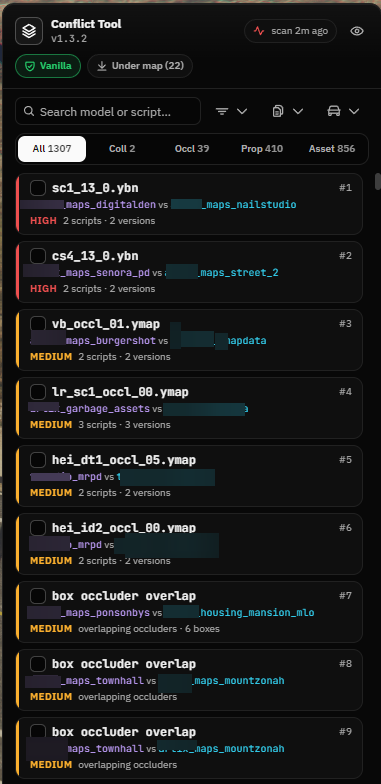
In-game map conflict scanner and resolver for FiveM. It scans every started resource for conflicting .ymap, .ytyp, .ybn, .ydr, .ydd, .ytd and .yft files, shows each conflict in the world, and resolves them with keep, move, remove or edit decisions. Standalone, no framework required.

Features (As of 01/09/2026 [dd/mm/yyyy])

Full Server Scan

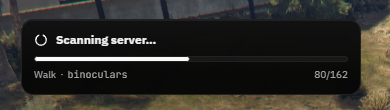
Lists all started resources, reads their folders, and hashes and parses every map file. RSC7 parsing of ymap, ytyp and ybn runs on the server.

Conflict types

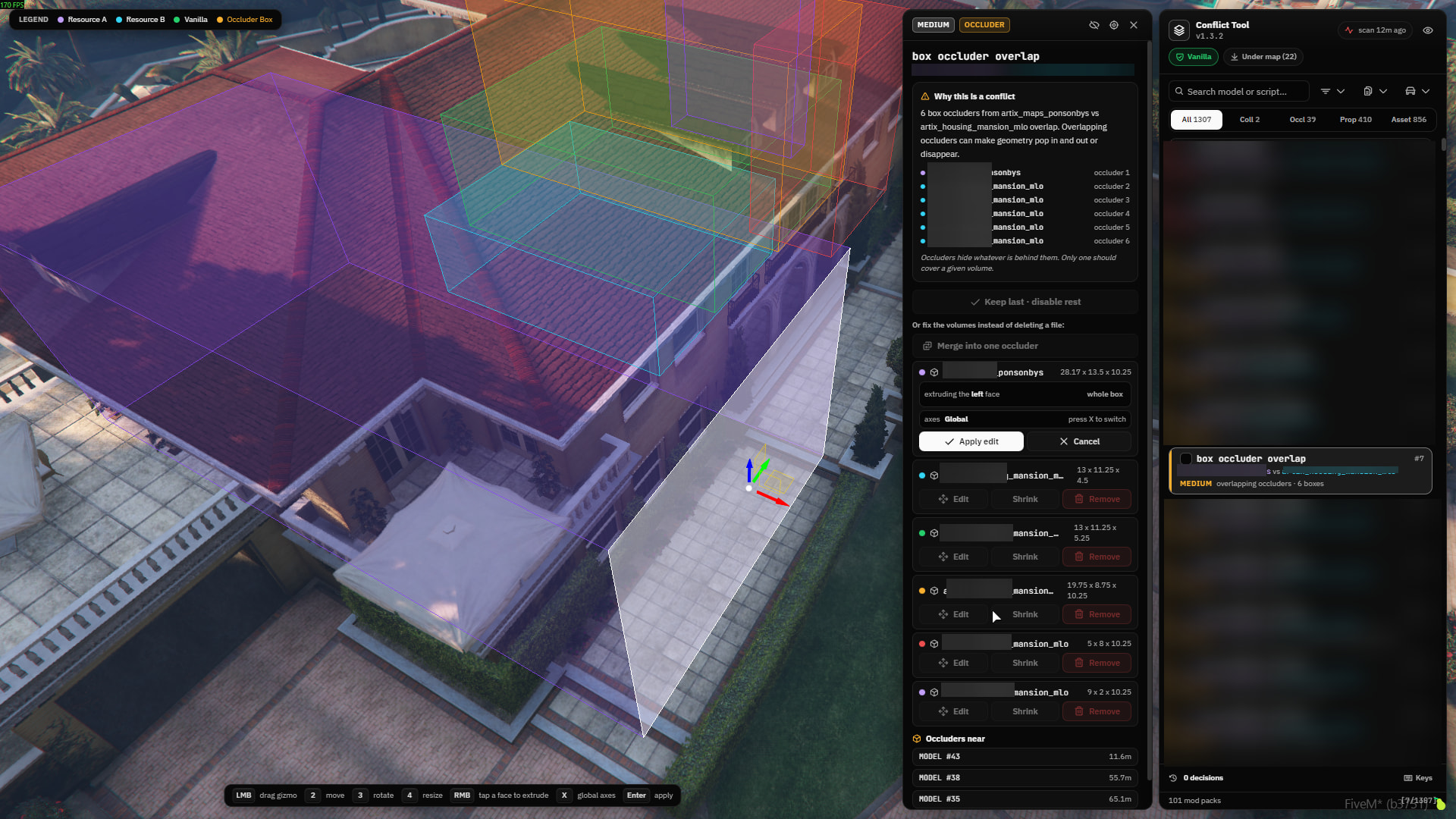
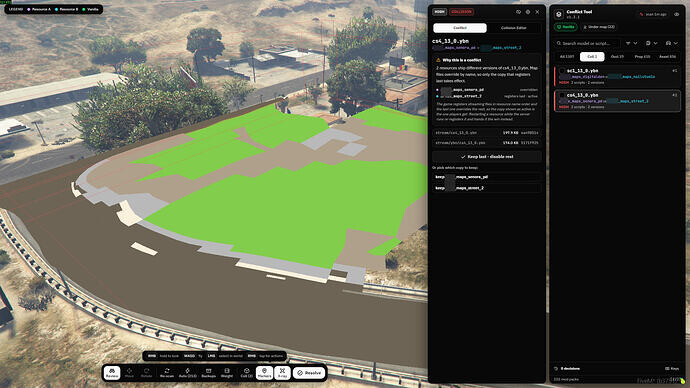
Duplicate files across resources, props removed, moved or re-modelled between versions of a ymap, double placements of the same prop, overlapping box occluders, duplicate collision files, and archetypes defined more than once across ytyp files. Duplicate files carry badges for vanilla overrides, LOD distance disagreements and stale LOD data.

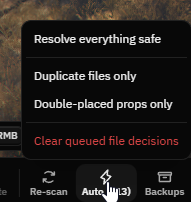
Auto resolve

Queues the safe fixes in one click, such as identical duplicate copies and double-placed props.

image

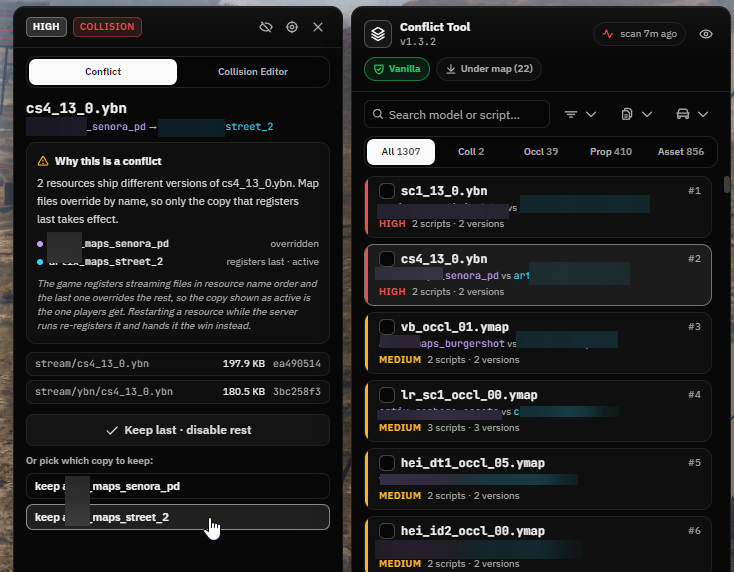
Manual resolve

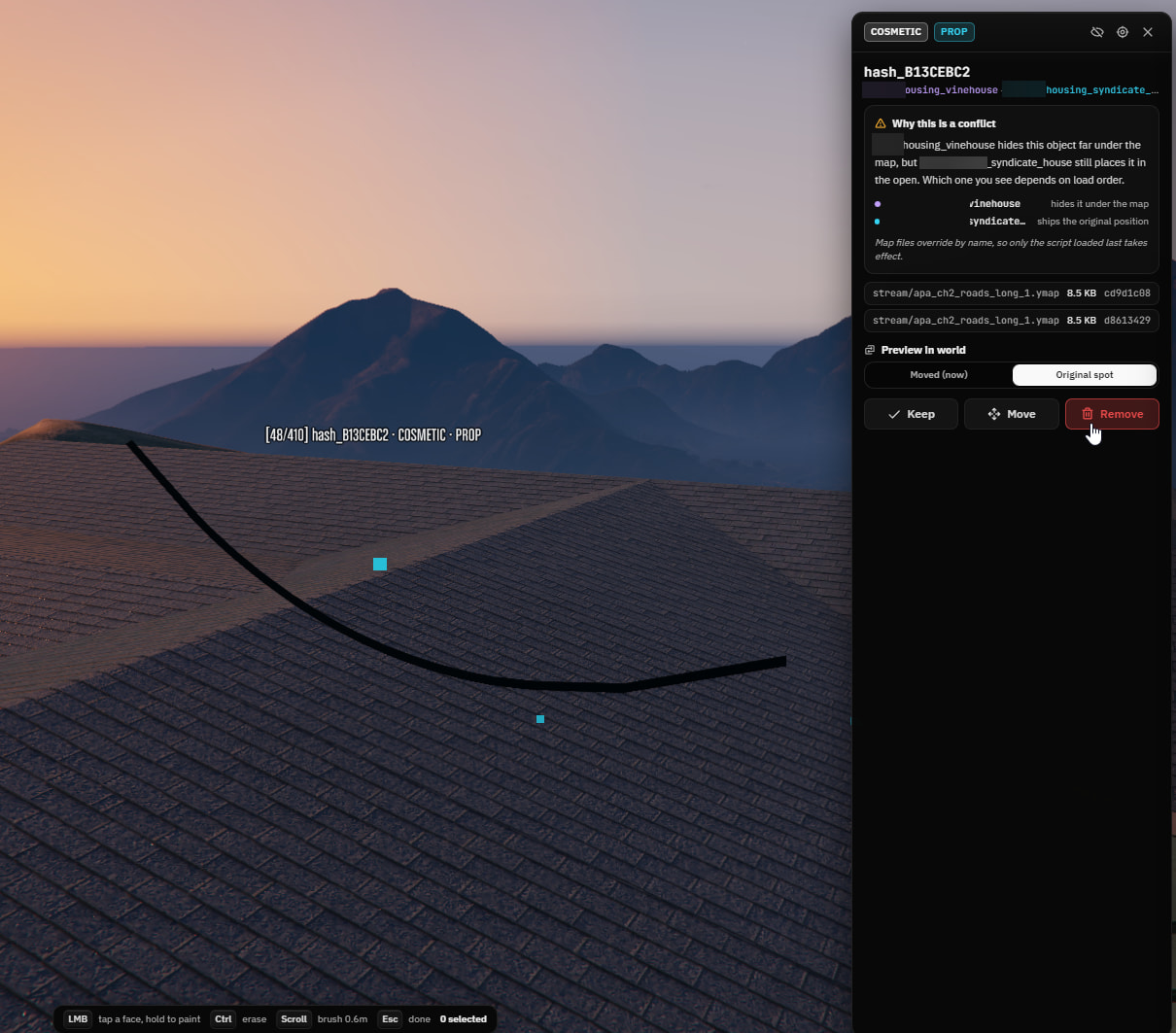
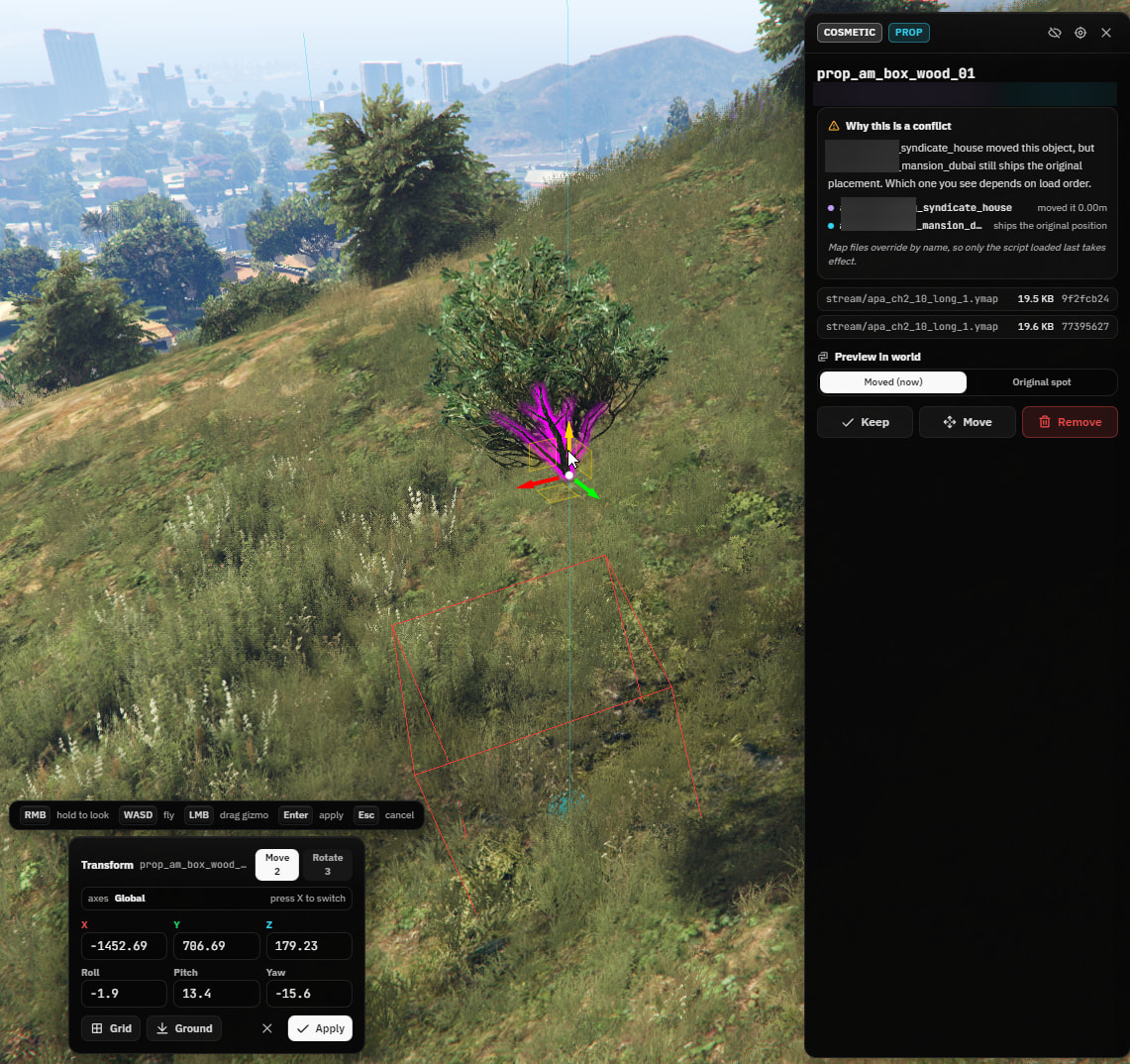
Keep, move or remove each conflict, with in-world preview of both sides.

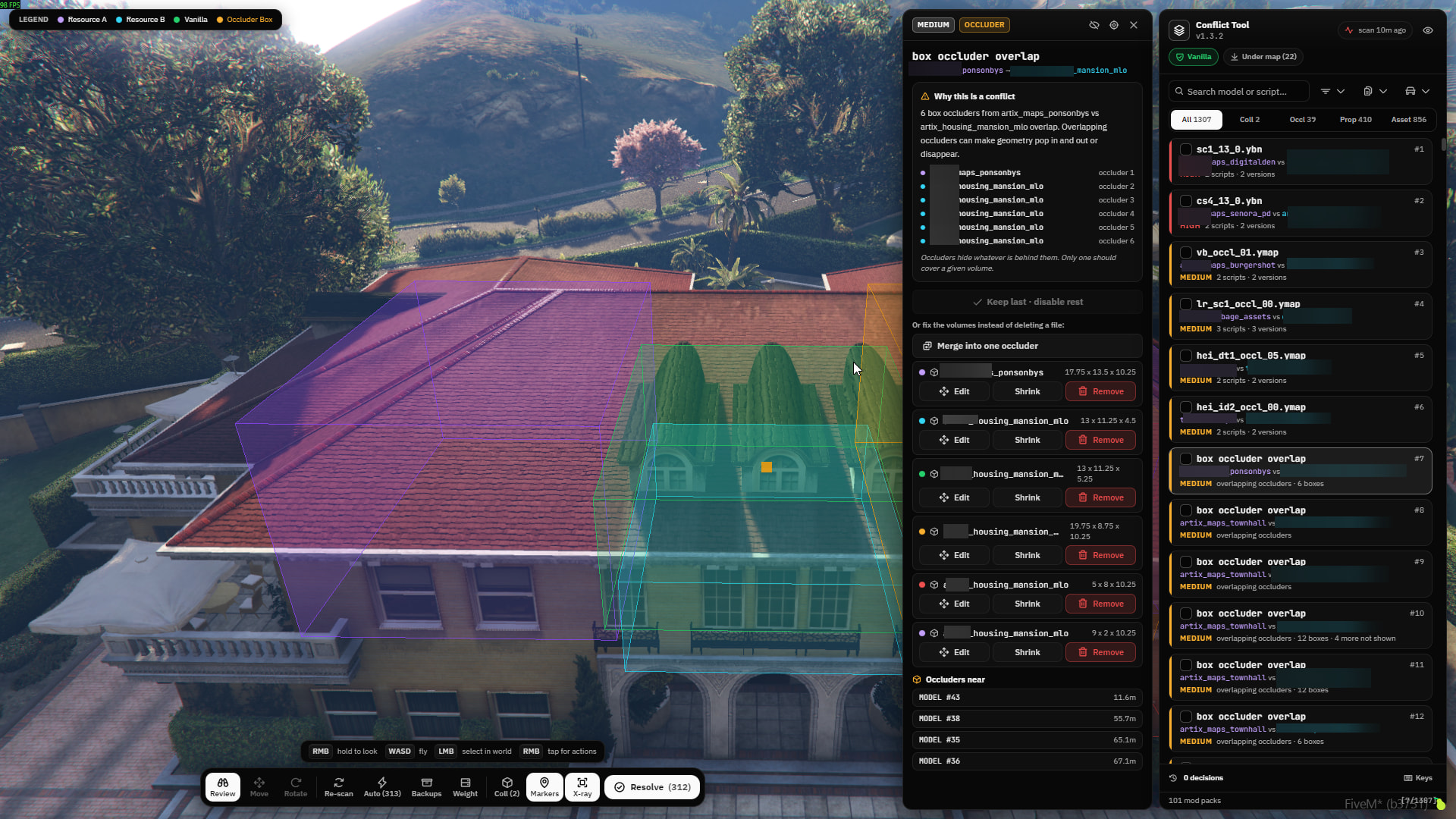
Occluder tools

Shrink one box until the overlap clears, remove a single box, or merge a whole cluster into one volume. The merge checks how much empty space the result would swallow and refuses when it would hide geometry it should not.

In-game occluder editor

Move, rotate and resize a box occluder with the gizmo, or right click one face to extrude just that side. The wireframe follows the gizmo live and the edit is written straight into the ymap.

In-game collision editor

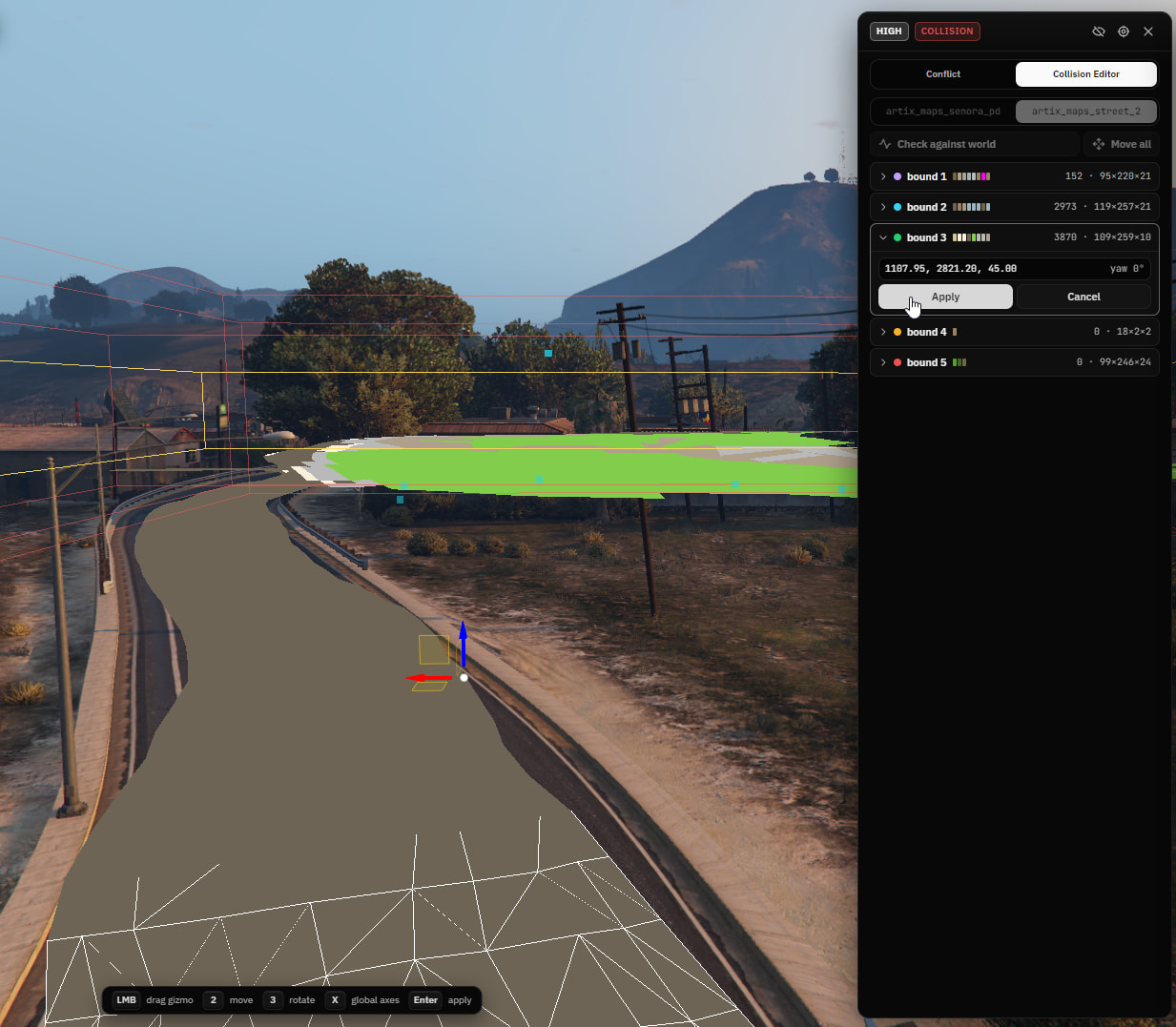
Move and rotate a collision bound with the gizmo, or move a whole .ybn as one, with the red mesh following the drag live. Composite bounds get move and rotate, a single bound with no composite wrapper gets move.


Collision surfaces

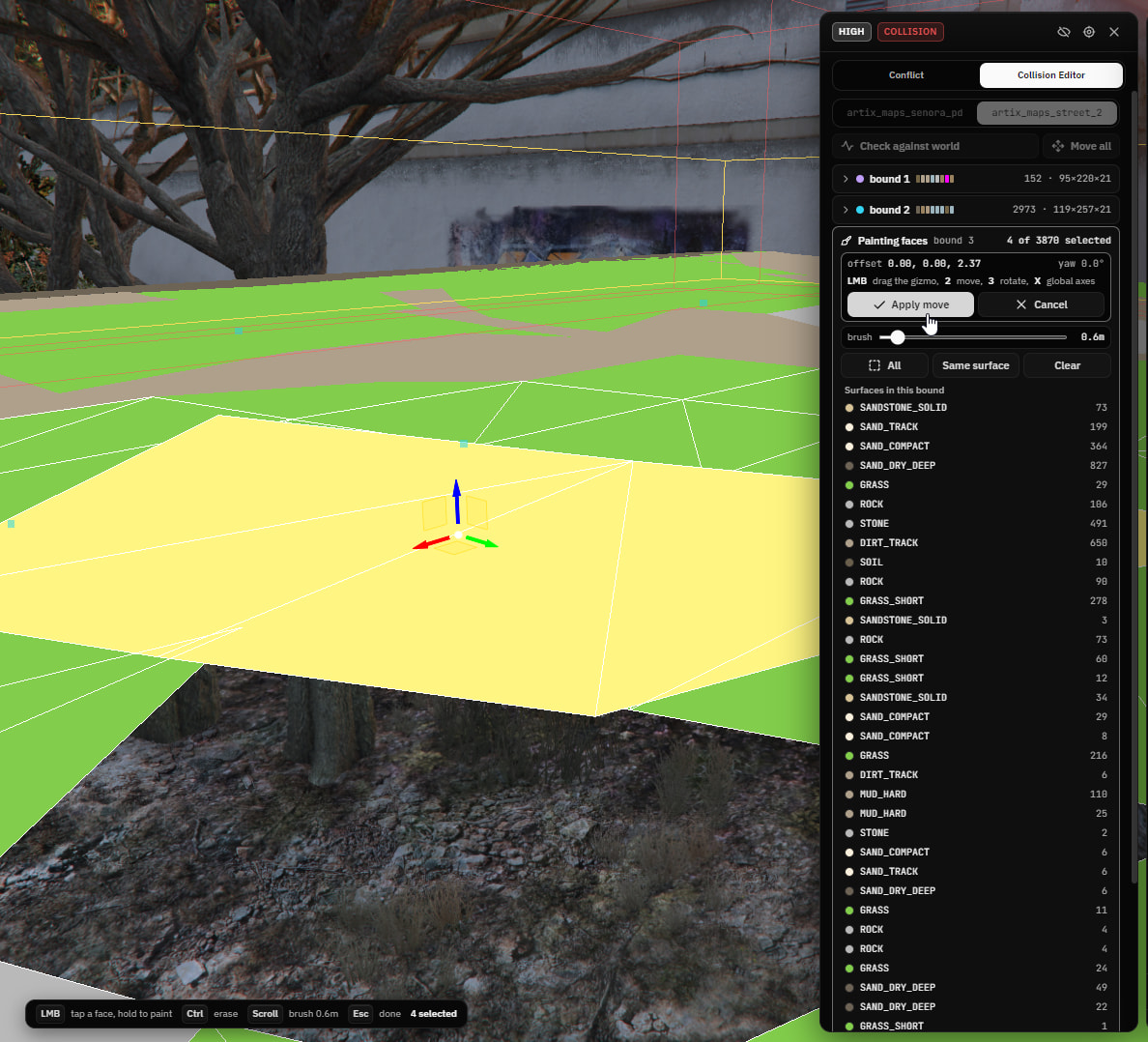
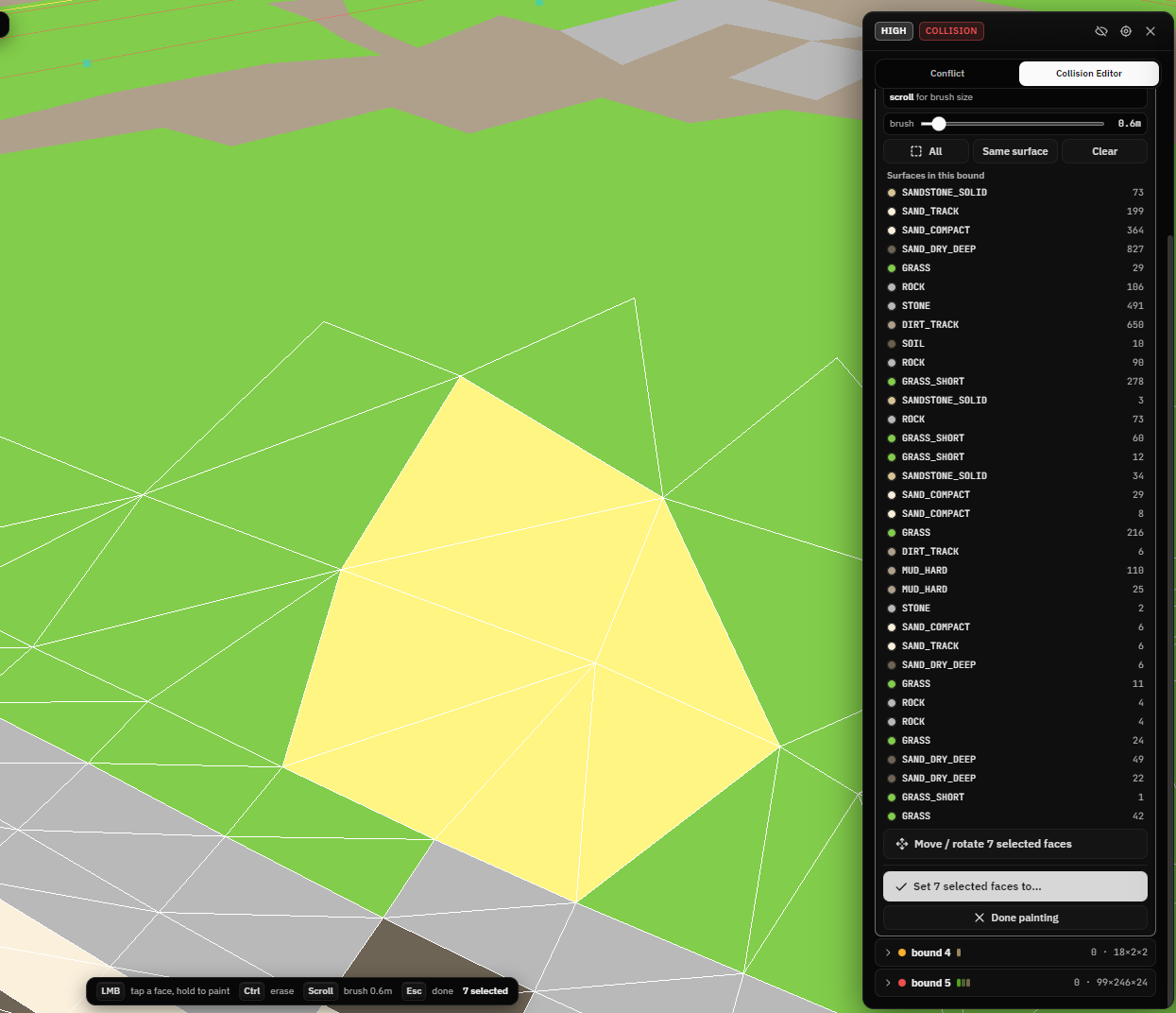
Read every material slot in a bound and set its surface from the full GTA V list, plus the sixteen collision flags such as see through, shoot through, walkable path and no navmesh.

In-place file edits

Props that can’t be removed while in runtime are buried inside the ymap, and occluder changes rewrite only the fields that changed, so the resource keeps loading from its original file.

World markers

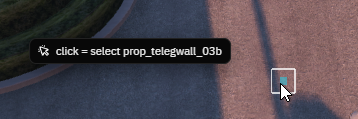
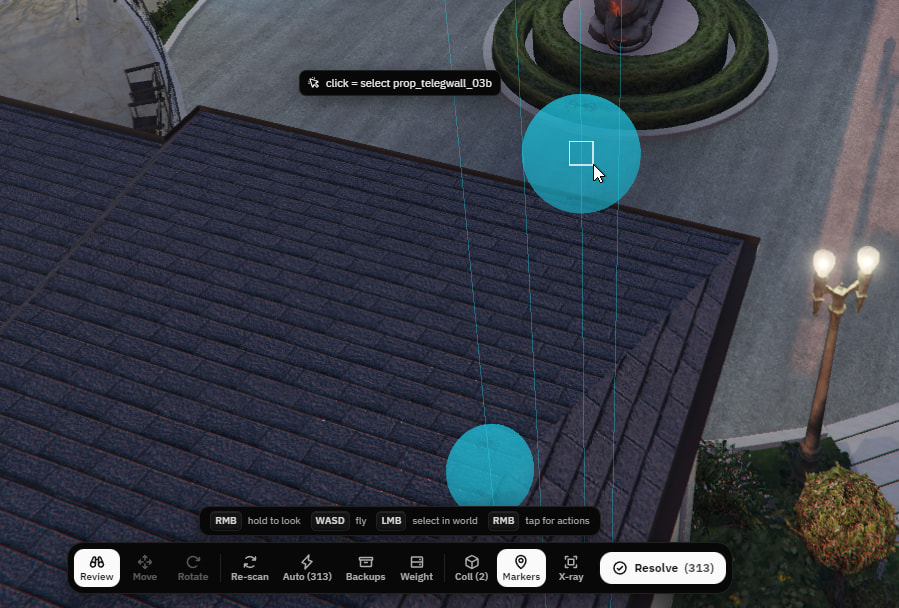
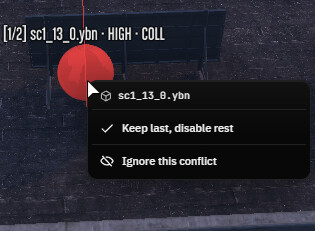
Every conflict is marked with a color-coded beam, occluder clusters get one beam per box, and selecting one in the list flies the camera to it.

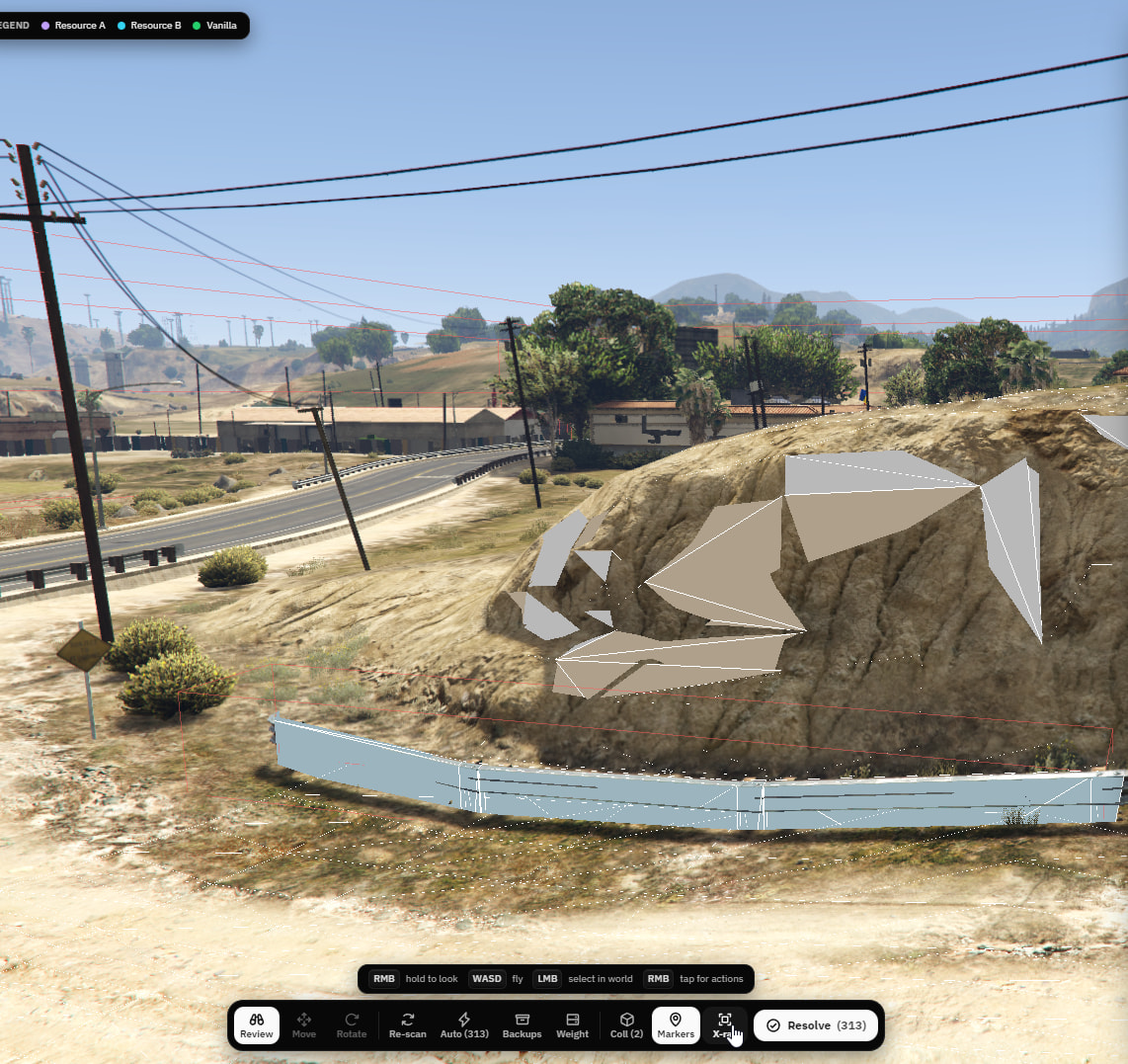
X-Ray On:


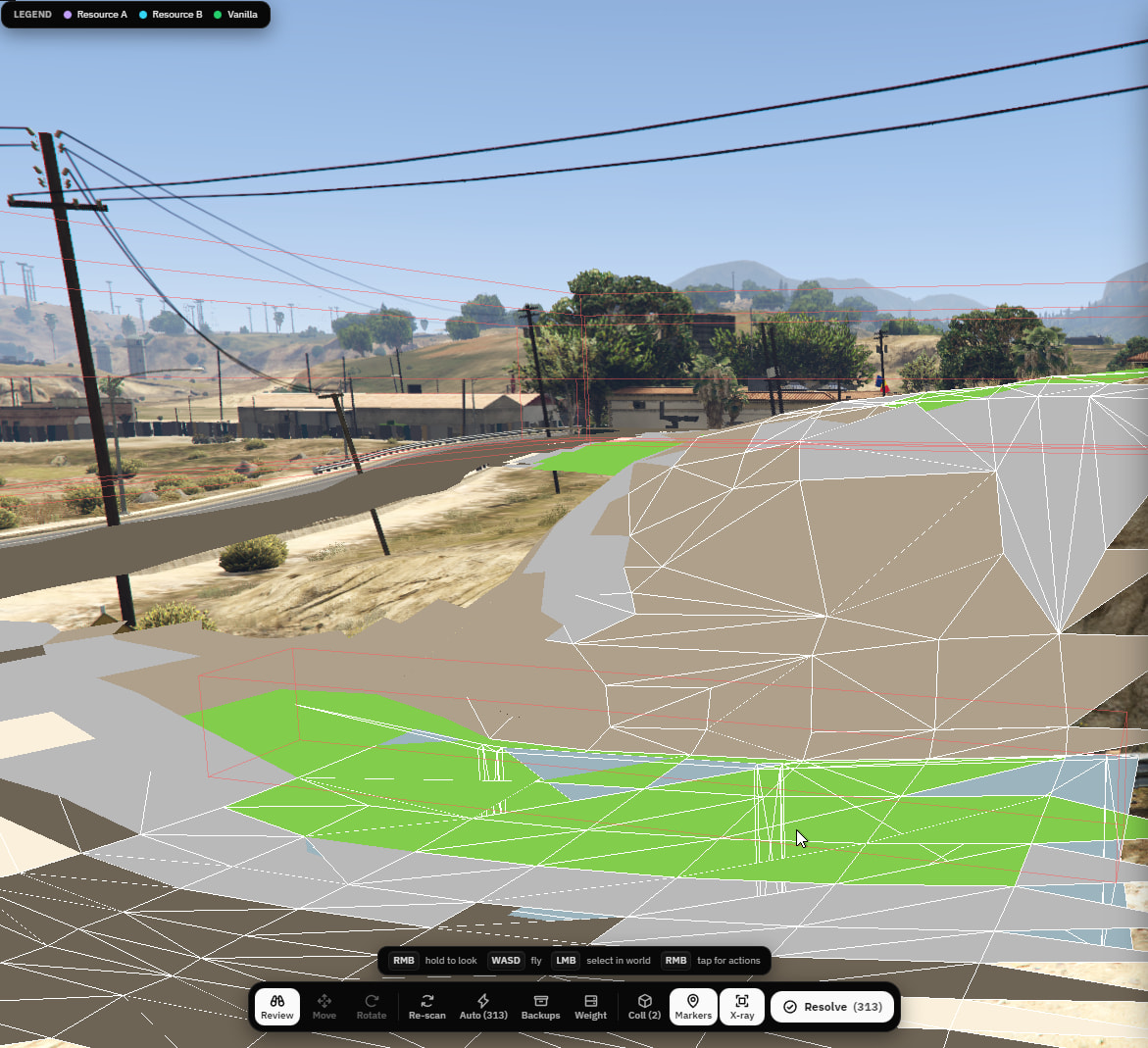
X-Ray Off:

World action menu

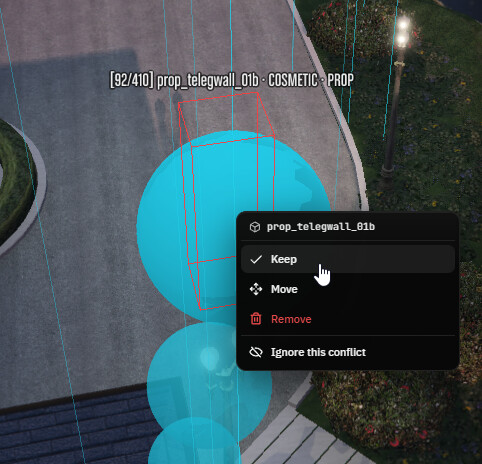
Right click a marker or an occluder box for the actions that apply to it, without going back to the list.


Filters

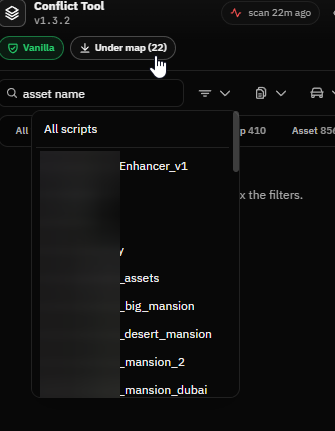
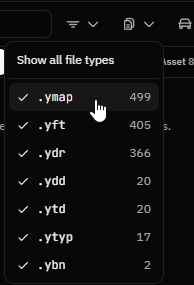
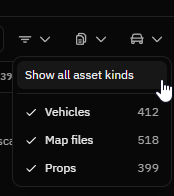
Narrow the list by resource, by file type, or by asset kind, so vehicle, ped and weapon packs can be hidden while working on the map.


In-game editing

Move and rotate objects with the native gizmo, with local or global axes, grid snap, snap to ground and numeric transform inputs.

X-ray

Draws markers, meshes and boxes through walls and terrain.

Off:


On:

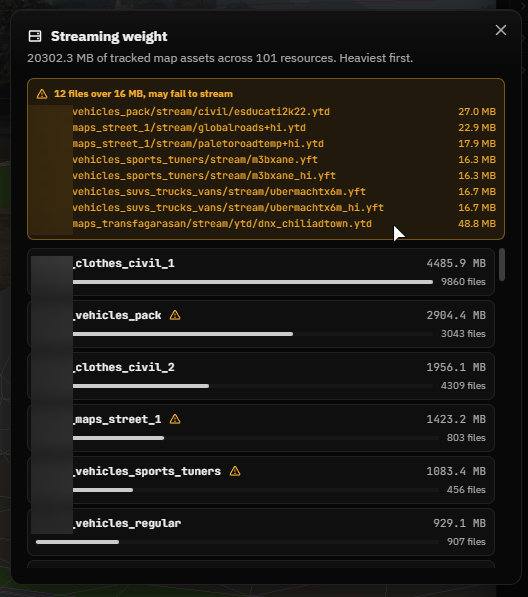
Streaming weight

Per-resource map asset size ranking, with a warning for files over 16 MB that may fail to stream.

Undo and restore

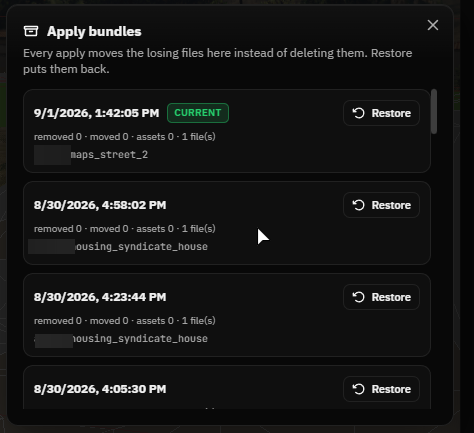
Decisions can be undone with Ctrl+Z, and Apply copies every touched file into timestamped backup bundles that can be restored with sha1 verification.

Remappable keys

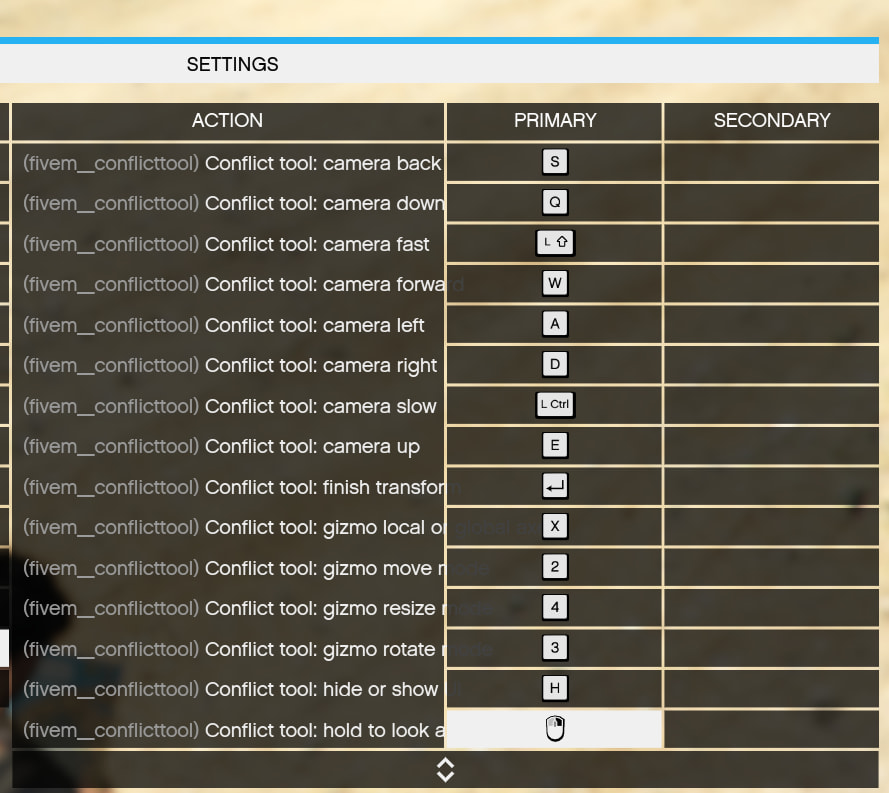
Every bind is a FiveM key mapping and can be changed.

Github Repo: GitHub - kkMihai/fivem_conflicttool: In-game map conflict scanner and resolver for FiveM · GitHub

Download: Releases · kkMihai/fivem_conflicttool · GitHub

  • Releases have most of the non important files for the average user stripped and frontend is already build and doesn’t include the frontend src since there is no need.

License: fivem_conflicttool/LICENSE at main · kkMihai/fivem_conflicttool · GitHub

21 Likes

No way! I can now fix all my maps in my map monolithic resource? NO WAY?!

Any signs of it breaking maps n stuff after using auto-resolve?

1 Like

Personally i recommend doing stuff manually since you have more control, but so far i had no one report issues with the auto-resolve so good luck and thanks for using it :grinning_cat_with_smiling_eyes: :grinning_cat_with_smiling_eyes: more updates coming soon, i m just a bit busy now

1 Like

Unfortunately, this program does not resolve conflicts between YBN, YDR, YDD, and YFT at all, it doesn’t allow for resolution through “merges.” Instead, it asks you to keep or delete a particular version, which ultimately does nothing to help ensure compatibility between multiple mappings.

That doesn’t change the fact that, in every other respect, he does the job as required, but let’s just say that when it comes to the most important part, he doesn’t know how to do it.

good jobs

1 Like

hello, that is something to be implement as someone else requested it, working on it

1 Like

will be tricky, but we believe in you. i am more than happy to test anything before you push to prod if you need, lmk. discord @mosinkernel

1 Like

new version released

what’s new:

  1. Merge conflicting YMAP props and LOD lights.
  2. Merge YBN collision bounds.
  3. Merge YDD drawables.
  4. Merge YDR models and shaders.
  5. Merge compatible YFT drawable models.
  6. Choose the exact resource and file used as merge base.
  7. Keep selected YBN exact, or combine all collision bounds.
  8. Majority-vote and union merge modes.
  9. Edit any readable YBN inside a stream folder.
  10. Edit streamed YMAP occluders without requiring a conflict.
  11. Select and remove collision faces.
  12. Edit a queued merged YBN before resolving.
  13. Filter between conflicts, editable files, or both.
  14. Fixed YBN files getting stuck on “Reading collision bounds.”
  15. Fixed invalid JSON errors from YBN matrix flags.
  16. Fixed same-resource conflicts not resolving correctly.
  17. Clear stale merge previews when switching files.
  18. Reject unsafe YFT merges when skeletons are incompatible.
  19. Merge changes use backups and existing Resolve flow.

Release v1.4.0 · kkMihai/fivem_conflicttool · GitHub

3 Likes

thanks for the interest but dw :cat_with_wry_smile:

Is it possible to remove some trees, especially the trees that are blocking the area? They are overlapping the road, and I would like to have them removed because they are conflicting with the MLO.

1 Like

rn no, if you mean custom ymap then atm it’s not possible since there is no way to tell that but can add to be able to modify any streammed prop, it’s on the todo list :white_check_mark:

doesnt seem to work on molo or fiv3dev galaxy ive been trying for 5 hours

1 Like

great tool , can you add a copy button for the file or export button for the scan list.

Thank you.

1 Like

i appreciate it <3, could you be more specific about your request please?

if it’s escrowed it won’t work

I’m baffled by the level of work done right there, that’s really impressive !

1 Like

I can’t seem to get it to work. I’ve installed according to the instructions, and while I get the prompt for the /conflicttool command, nothing happens when I type it in. I don’t get any warnings or logged events and I definitely have the correct permissions.

I’m using server artifacts version 35245 and gamebuild 3407

could you try on a bare bones server (you can use any template) with the same artifacts version and gamebuild?

v1.5.0 Released: Release v1.5.0 · kkMihai/fivem_conflicttool · GitHub

I’d love to give this script a go to solve some issues with mapping we have, but I’m wondering if the actions are reservable? in-case there’s a mistake made when merging or something goes awry I can revert everything back to when I used the tool, or does that require a manual backup of the servers map folder to my local machine
it has local backups, you can check the ReadMe in the repo :upside_down_face:
if you are still not sure you can make backups manually too