Loading Screen Creator 
Building a loading screen for your server usually means writing HTML and CSS by hand, wiring the progress bar to FiveM’s loadProgress event, and testing it over and over until the timing feels right.
It works, but it takes an afternoon the first time and it is still tedious every time after that.
This tool does it for you, and gives you back a complete FiveM resource you can drop straight into your server.
+135 users already made their own!
 Use it here (free): https://app.theorb.tech/loading-screen-creator
 Discord: The Orb
 Showcase: https://www.youtube.com/watch?v=FHpIJW6HAWg
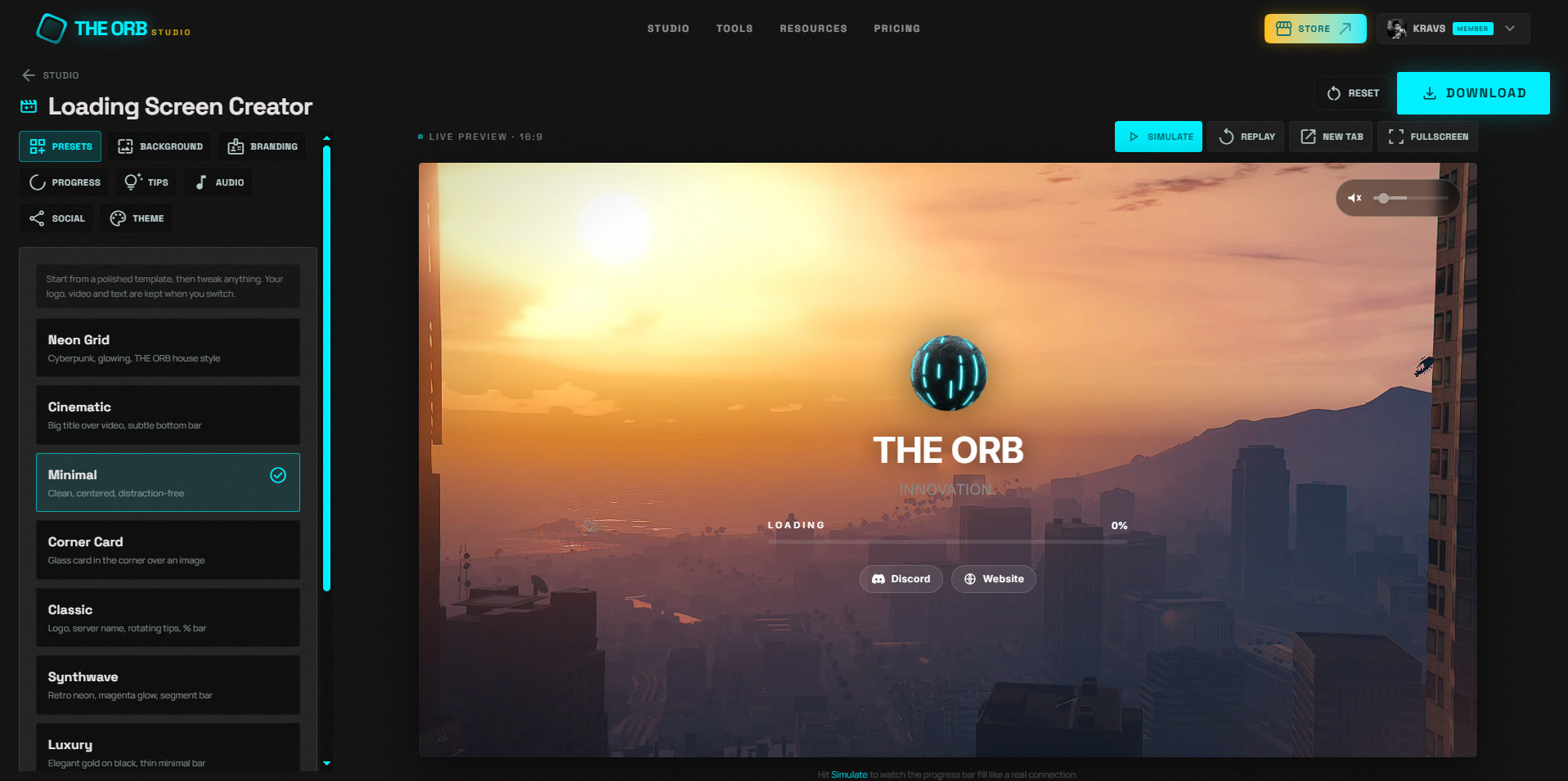
What you get 
When you hit export, you download a complete, ready to use FiveM resource:
fxmanifest.luaindex.html,style.css,script.js- Your assets (background video or image, logo, music)
Drop the folder into resources/, add it to your server config, and it runs. Nothing is escrowed and nothing is obfuscated. The exported code is plain HTML, CSS and JavaScript, so you can keep editing it by hand afterwards if you want to.
What you can build 
Background
Video, image, gradient or solid color. Adjustable darkening overlay and blur so your text stays readable over busy footage.
Branding
Your server name, subtitle, logo, and accent color across the whole screen.
Progress bar
Five styles, all wired to FiveM’s real loadProgress event, so the bar reflects actual loading and not a fake animation.

Rotating tips
Add your own tips or rules that cycle while players load in.
Music
Upload your own track, set the volume, and it fades out when loading finishes.
Social links
Discord and website buttons, hidden automatically if you leave them empty.
Presets
Ten ready made starting points if you would rather tweak something than start from a blank screen.
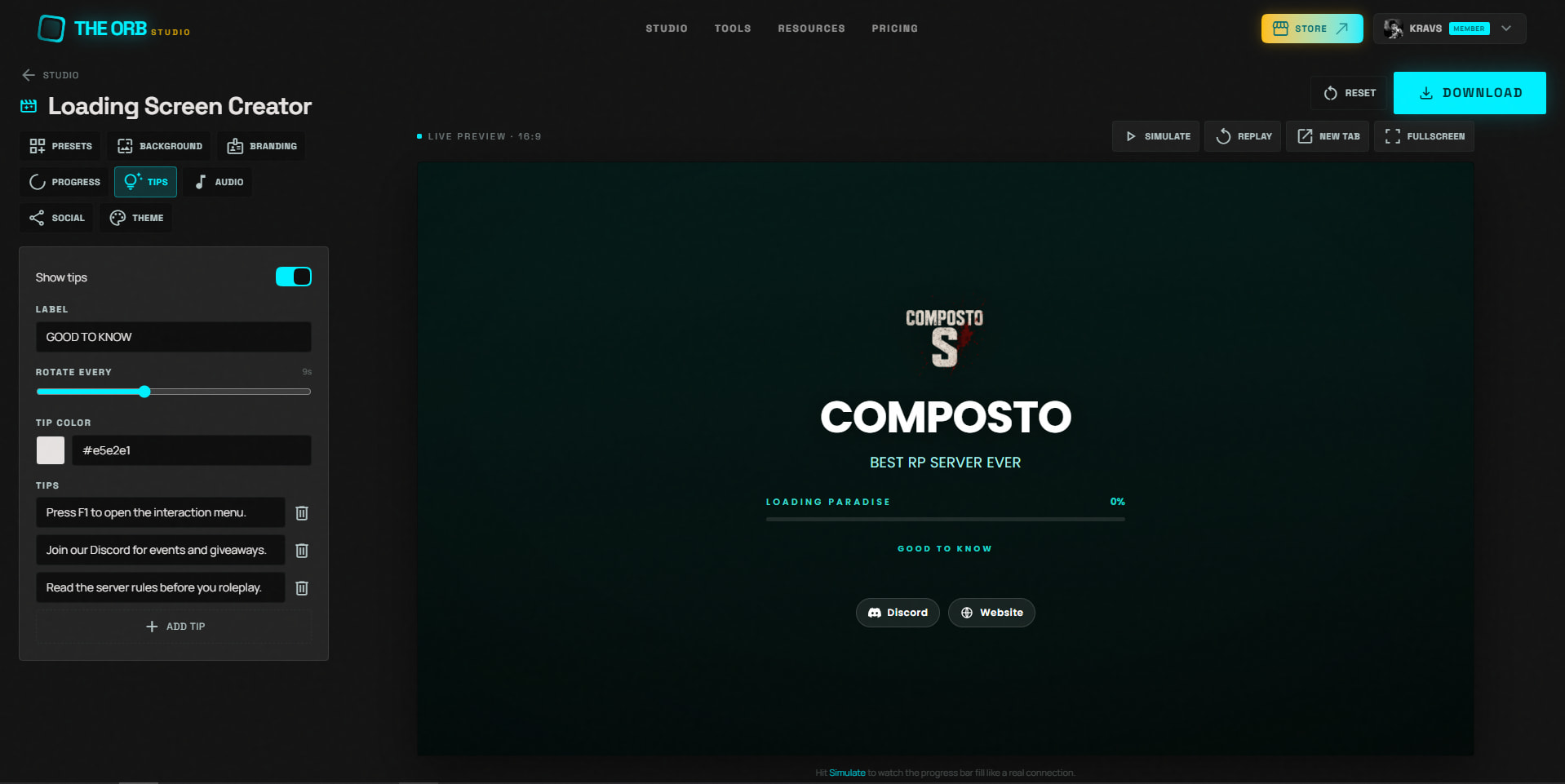
How it works 
- Open the tool in your browser
- Pick a preset or start from scratch
- Drop in your background, logo and music
- Preview it full screen until it looks right
- Export and drop the folder into your server
The whole thing takes a couple of minutes.
On privacy
Everything runs locally in your browser. Your assets are packaged client side and
nothing gets uploaded to any server. The tool never sees your files.
Free
No subscription, no watermark, no card. If you run into a bug or want a feature added, our Discord is the fastest way to reach us.
| Code is accessible | Yes, the exported resource is plain HTML, CSS and JS |
|---|---|
| Subscription-based | No |
| Lines (approximately) | ~400 in the exported resource, varies with configuration |
| Requirements | None |
| Support | Yes, via Discord |
