Scoreboard System
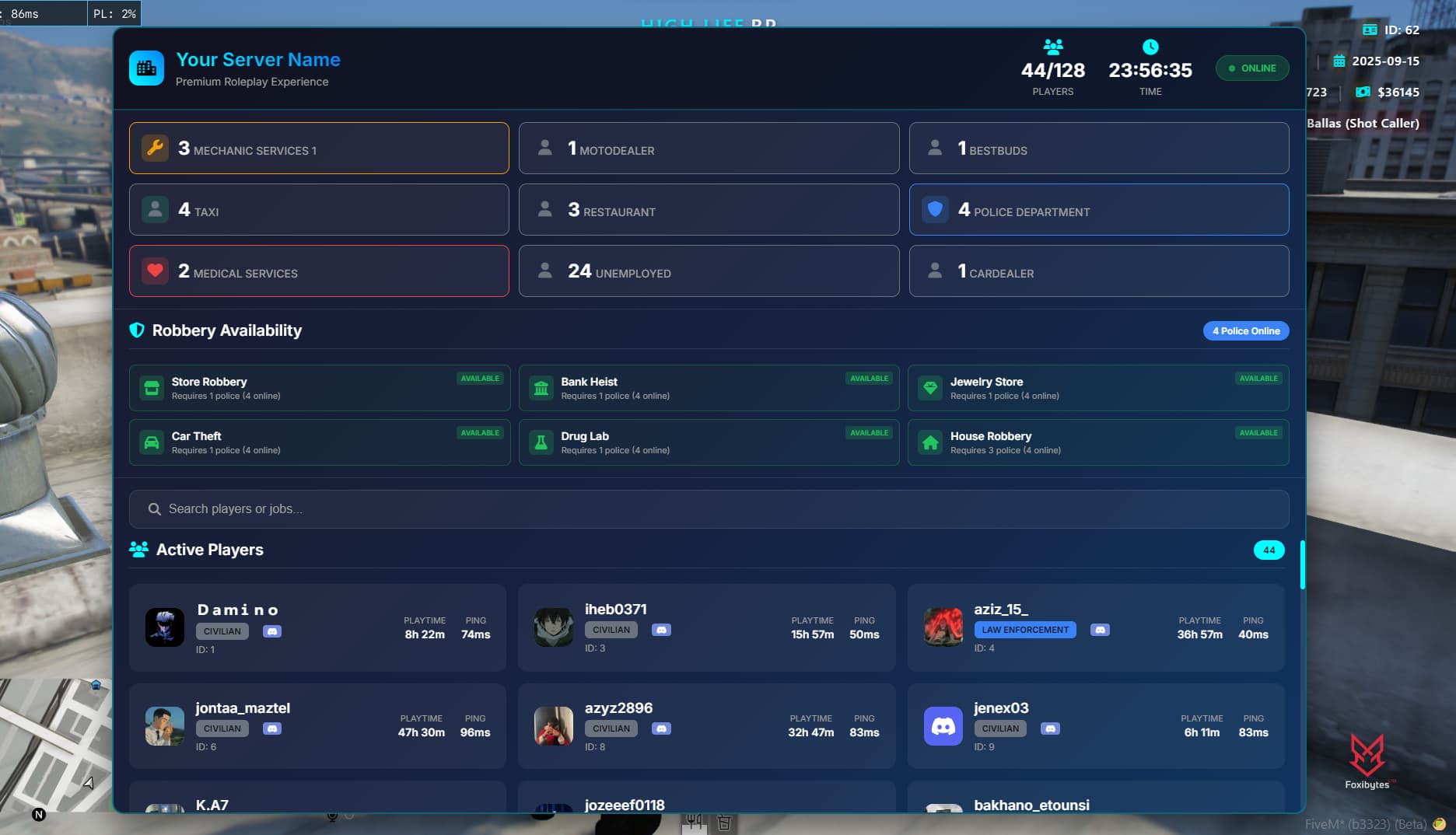
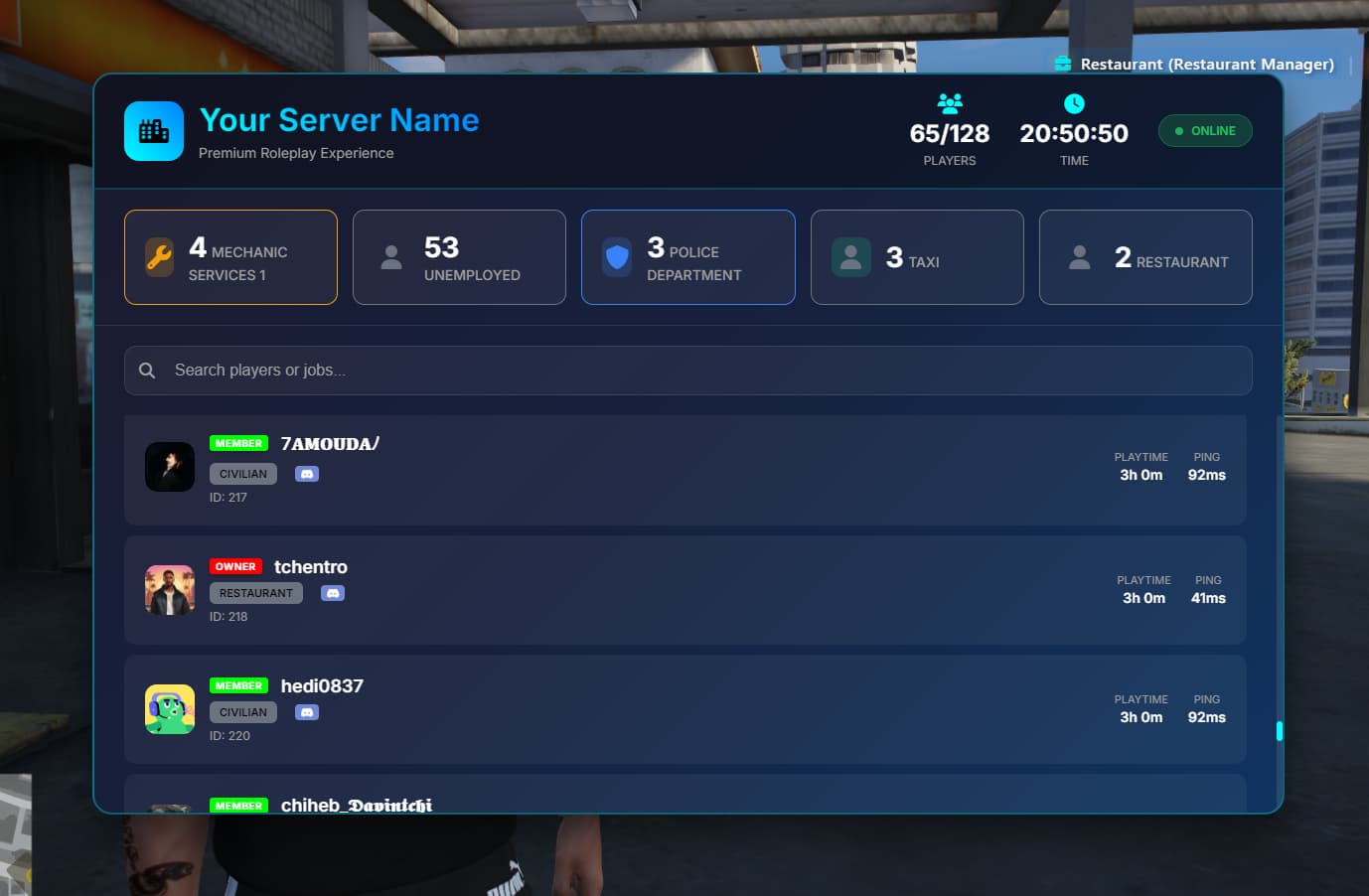
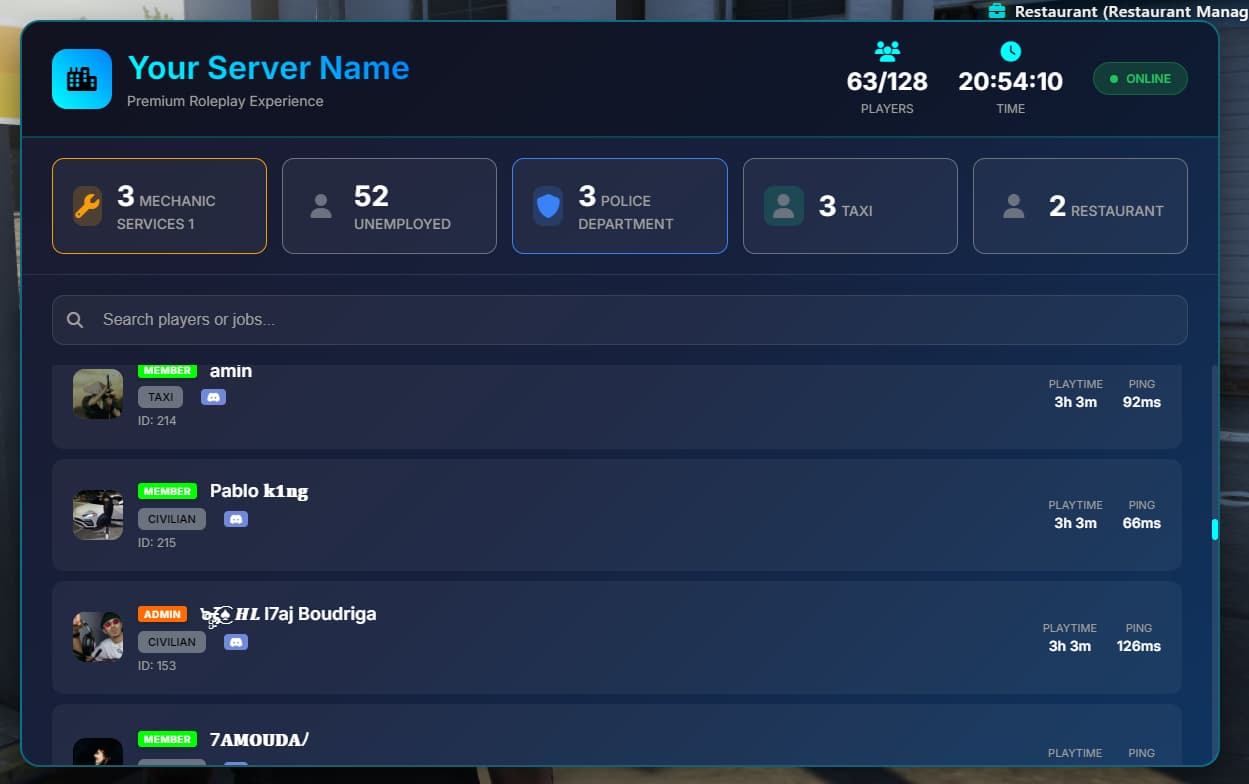
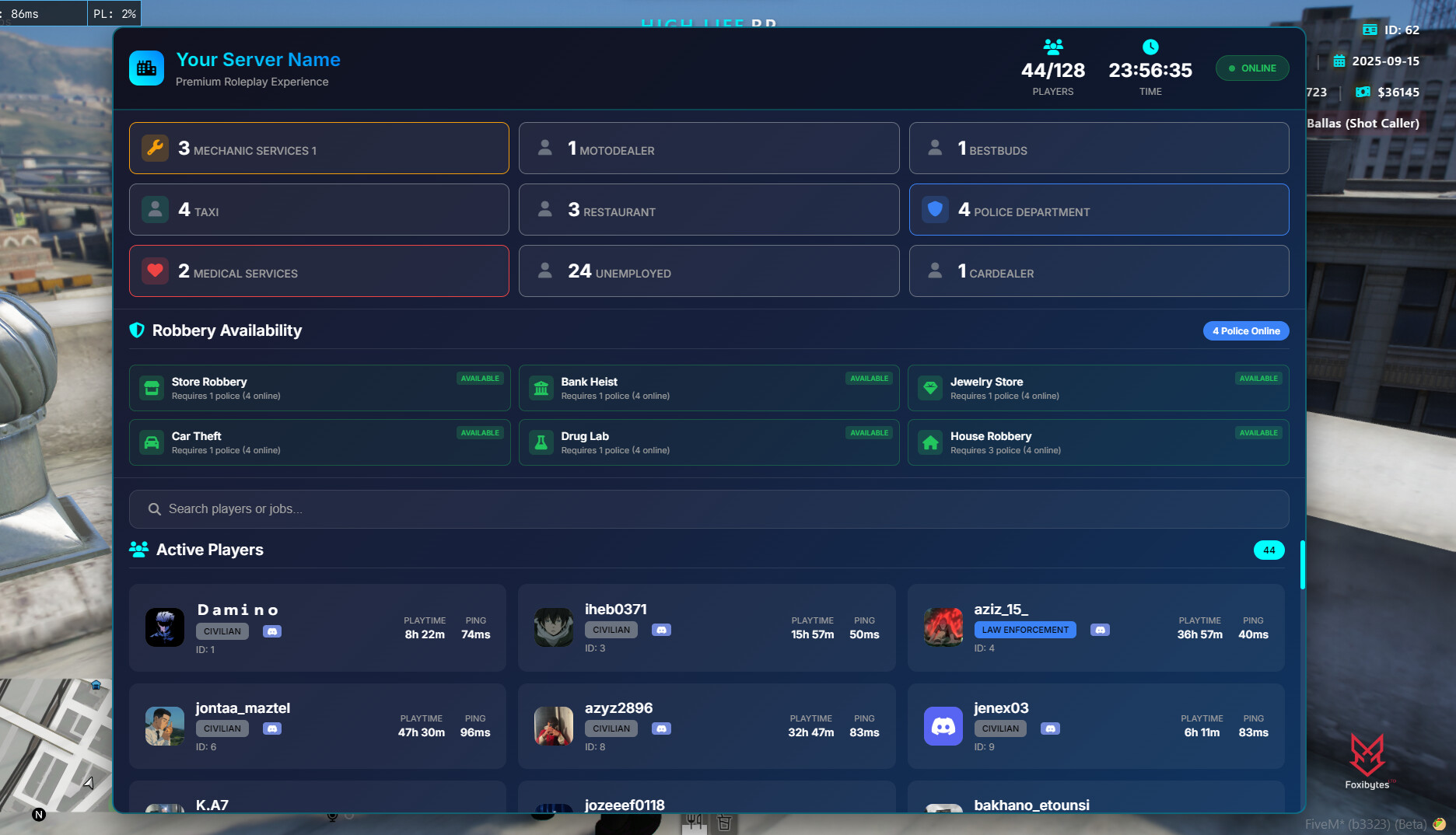
A high performance, secure, and feature rich scoreboard system designed for FiveM servers. Built with modern security practices, optimized performance, and comprehensive Discord integration.

Features
Core Functionality
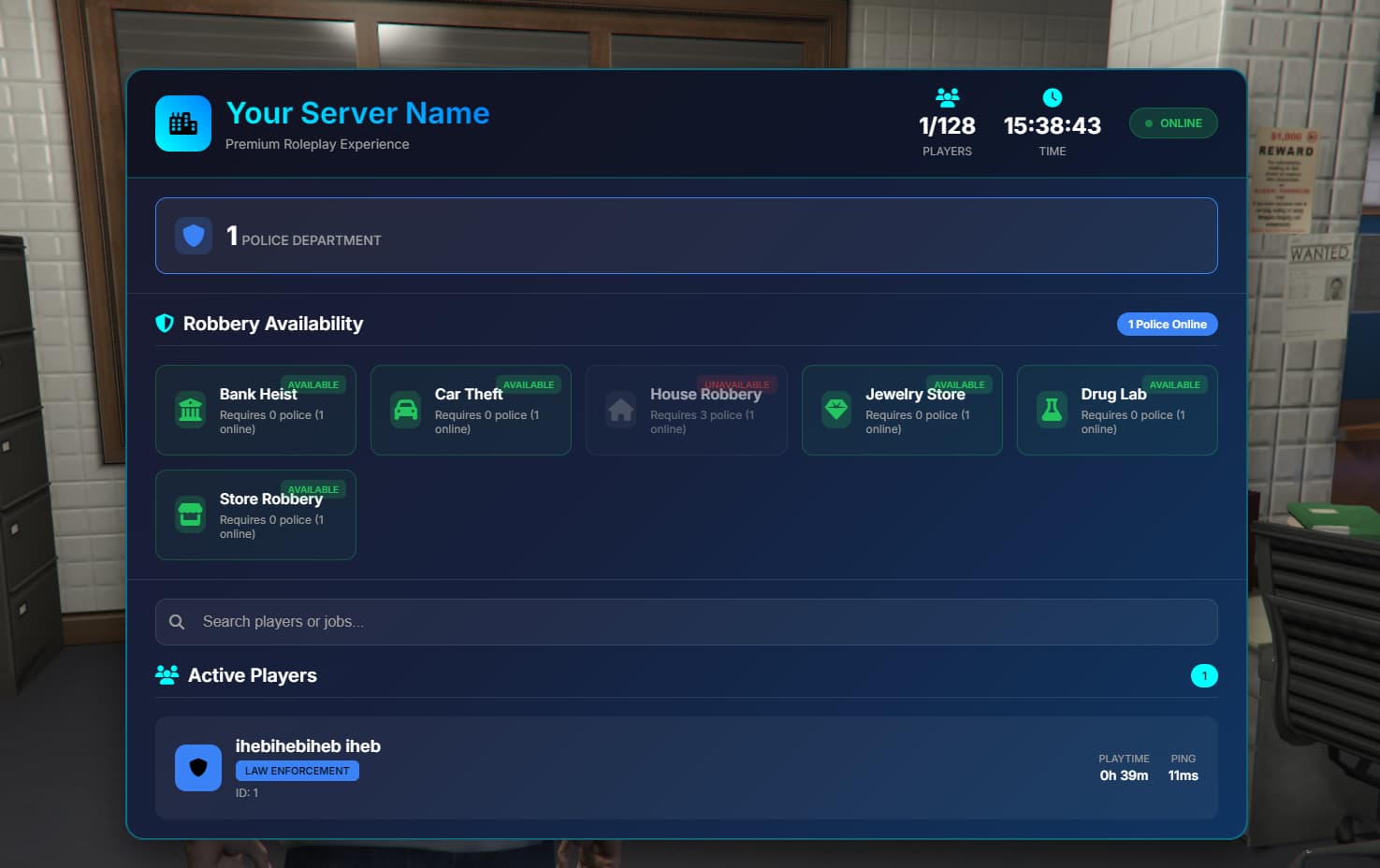
- Real-time player info jobs, ID, playtime, Discord avatar
- Job statistics with custom configuration
- Playtime tracking QBCore only
- Responsive UI with modern design
- Multi-framework support QBCore, ESX, Standalone
Security
- OWASP Top 10 compliance
- Input validation and sanitization
- Rate limiting protection
Performance
- Optimized for 128+ players
- Async Discord integration
- Intelligent caching system
- Background data fetching
- Memory efficient design
Discord Integration
- Live Discord usernames and avatars
- Role mapping (custom role → display name)
- High-quality avatars (128px)
- Real-time role updates
- Guild member detection
Download and Preview
Download
support
YouTube Preview
Supported Frameworks
Make your RP server elite today
Framework
- QBCore
- ESX
- Standalone
Installation
1. Download & Install
# Download the resource
# Place in your resources folder
# Add to server.cfg
ensure scoreboard
2. Framework Configuration
The system automatically detects your framework, but you can manually configure it
-- config.lua
Config.Framework = 'auto' -- 'auto', 'qb-core', 'esx', 'standalone'
Config.FrameworkName = 'QBCore' -- Display name for the framework
3. Discord Setup Optional
Step 1Create Discord Bot
- Go to Discord Developer Portal
- Create a new application
- Go to “Bot” section and create a bot
- Copy the bot token
- Invite bot to your server with these permissions
Read MessagesView Server MembersRead Message History
Step 2 Configure Server
Add to your server.cfg
# Discord Bot Token
set scoreboard_discord_token "YOUR_DISCORD_BOT_TOKEN"
# Discord Guild/Server ID
set scoreboard_discord_guild "YOUR_DISCORD_GUILD_ID"
# Discord Role Mappings (format: roleId:name:color,roleId:name:color)
set scoreboard_discord_roles "1386639665674588231:Owner:#FF0000,1386639679201214535:Admin:#FF6B00,1387158762837643396:VIP:#FFD700,1355217621749858524:Member:#00FF00"
Step 3 Get Discord IDs
- Enable Developer Mode in Discord (User Settings → Advanced → Developer Mode)
- Server ID Right-click server name → “Copy Server ID”
- Role IDs Right-click role → “Copy Role ID”
4. Configuration Example
-- config.lua
Config = {}
-- Framework Configuration
Config.Framework = 'auto' -- Auto-detect framework
Config.FrameworkName = 'QBCore' -- Display name
-- Scoreboard Configuration
Config.MaxPlayers = 128
Config.RefreshTime = 5000 -- Refresh every 5 seconds
Config.Debug = false -- Enable debug output
-- Job Configuration
Config.Jobs = {
['police'] = {
label = 'Police Department',
color = '#3B82F6',
icon = 'shield'
},
['ambulance'] = {
label = 'Medical Services',
color = '#EF4444',
icon = 'heart'
},
['mechanic'] = {
label = 'Mechanic Services',
color = '#F59E0B',
icon = 'wrench'
}
}


-- Server Information
Config.ServerInfo = {
name = 'Your Server Name',
description = 'Premium Roleplay Experience'
}
-- Discord Configuration
Config.Discord = {
enabled = true,
botToken = GetConvar('scoreboard_discord_token', ''),
guildId = GetConvar('scoreboard_discord_guild', ''),
showAvatars = true,
showRoles = true,
cacheTime = 300000 -- Cache for 5 minutes
}
Usage
Opening the Scoreboard
- Default Key
F1configurable in client - Search Type to filter players by name or job
- Close
ESCkey or close button
Customization
Adding Custom Jobs
Config.Jobs = {
['customjob'] = {
label = 'Custom Job Name',
color = '#FF6B00',
icon = 'star'
}
}
Customizing Server Info
Config.ServerInfo = {
name = 'My Awesome Server',
description = 'The best roleplay experience'
}
Discord Role Colors
Use hex color codes
#FF0000- Red#00FF00- Green#0000FF- Blue#FFD700- Gold#FF6B00- Orange
Troubleshooting
Common Issues
Scoreboard Not Opening
# Check console for errors
# Verify framework is running
# Check resource is started ensure scoreboard
Performance Issues
-- Disable debug mode
Config.Debug = false
-- Increase refresh time
Config.RefreshTime = 10000 -- 10 seconds
-- Reduce max players
Config.MaxPlayers = 64
Framework Detection Issues
-- Manually set framework
Config.Framework = 'qb-core' -- or 'esx', 'standalone'
-- Enable debug to see detection
Config.Debug = true
Debug Mode
Enable debug mode to see detailed logs
Config.Debug = true
Console output will show
- Framework detection
- Discord API calls
- Player data processing
- Error messages
Performance Optimization
For Large Servers 100+ players
-- Increase refresh time
Config.RefreshTime = 10000
-- Disable debug
Config.Debug = false
-- Optimize Discord cache
Config.Discord.cacheTime = 600000 -- 10 minutes
For Small Servers 50 players
-- Faster refresh
Config.RefreshTime = 3000
-- Enable debug if needed
Config.Debug = true
Security Features
- Input Validation All user inputs are validated and sanitized
- Discord ID Validation Proper format checking
Support
Getting Help
- Check Console Look for error messages
- Enable Debug Set
Config.Debug = true - Verify Setup Check Discord bot permissions
- Test Framework Ensure framework is detected
Common Solutions
- Restart Resource
restart scoreboard - Check Permissions Verify Discord bot access
- Update Framework Ensure latest version
Changelog
Version 2.0.0
 Multi-framework support QBCore, ESX, Standalone
- Automatic framework detection
- Enhanced Discord integration
- Improved performance optimization
- Better error handling
- Security improvements
Version 1.0.0
- QBCore support
- Basic Discord integration
- Job statistics
- Playtime tracking
Credits
Need help? Check the troubleshooting section or enable debug mode for detailed logs.
 soon
soon