Just wait for a fix, it should be fixed in a few updates.
1 Like
I sure hope there will be a fix for this, I’ve noticed that FiveM is opening the Rockstar Game launcher even tho I have it open, no reason it should do that at all. That’s why it’s not starting up.
1 Like
Any update regarding this ISSUE
Hi @Onfroy1,
I also have this problem, I think its because of the new update of FiveM, I’m also a Window 7 Ultimate user so I hope it will work as soon as possible. In my case, after I try to launch FiveM, it always shows this https://imgur.com/NcReRpm. I don’t know what is this but I hope it would be fix.
1 Like
Not related at all. It in fact should ‘do so’ on first startup as it bundles its own launcher version.
Check @LvnFjrdo, exact the same problem as me, is it not related that every W7 user get the same problem? I guess I gotta buy myself a new computer with W10 then, even tho GTA is running smooth but FiveM won’t even start up. I appreciate you did what you could to try solve it tho. big ups.
1 Like
it seems to me like the rockstar launcher that it opens is bugged… and because it’s bugged it doesn’t let us connect with our rockstar account.
2 Likes
The R* launcher doesn’t start for me, just fivem as it would normally, but simply refuses to launch. So defo a fivem issue.
4 Likes
how much time u need to fix this problem
Yeah can we get an ETA on this post there is atleast 600 of us with this problem.
eta on the fix update?
It will takes the time it needs, technically windows 7 is not supported officially any more by FiveM, so we just gonna have to wait. And assuming that the dev that has 7 is working, outside of FiveM too, probably gonna be online either friday evening or the week-end.
Windows 7 is fixed , clean cache and let’s go ! 
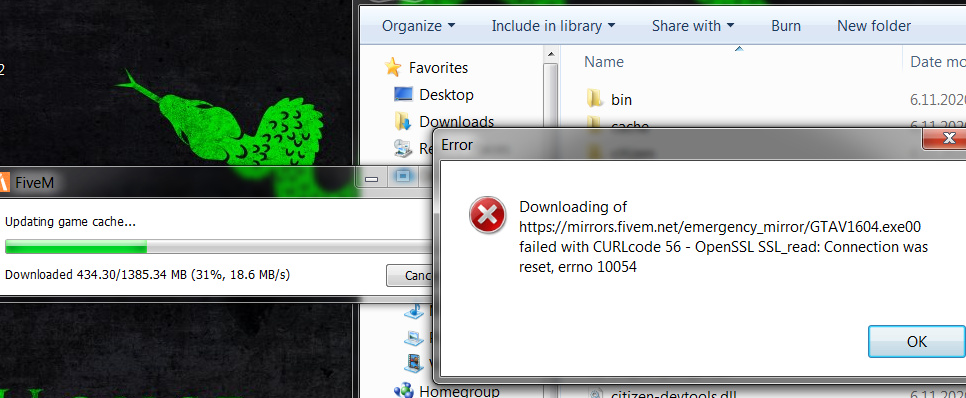
not fixed to me
Also, if not all you have to do is reinstall both GTAV and Fivem. And BOOM!!
1 Like
you sure?
yu sure?
Fixed for me too. If you have an issue and it actually gives you an error code, then this is a different issue and need to open a new topic or check for other recent topics.
Also it is useless to reinstall when issues are happening if you changed nothing in your folders. The best way is to wait a bit that more updates show up, and if after a few updates, there is still an issue, you can start cleaning and reinstalling stuff. I’m still running on my FiveReborn folder with my originals mods.