GTA V version? 1.0.2215.0
Up to date? Yes
Legit or Pirate copy? Legit
Steam/CD/Social Club? Social Club
Windows version? Windows 10 Home 10.0.18363
Did you try to delete caches.xml and try again? Yes
Error screenshot (if any)
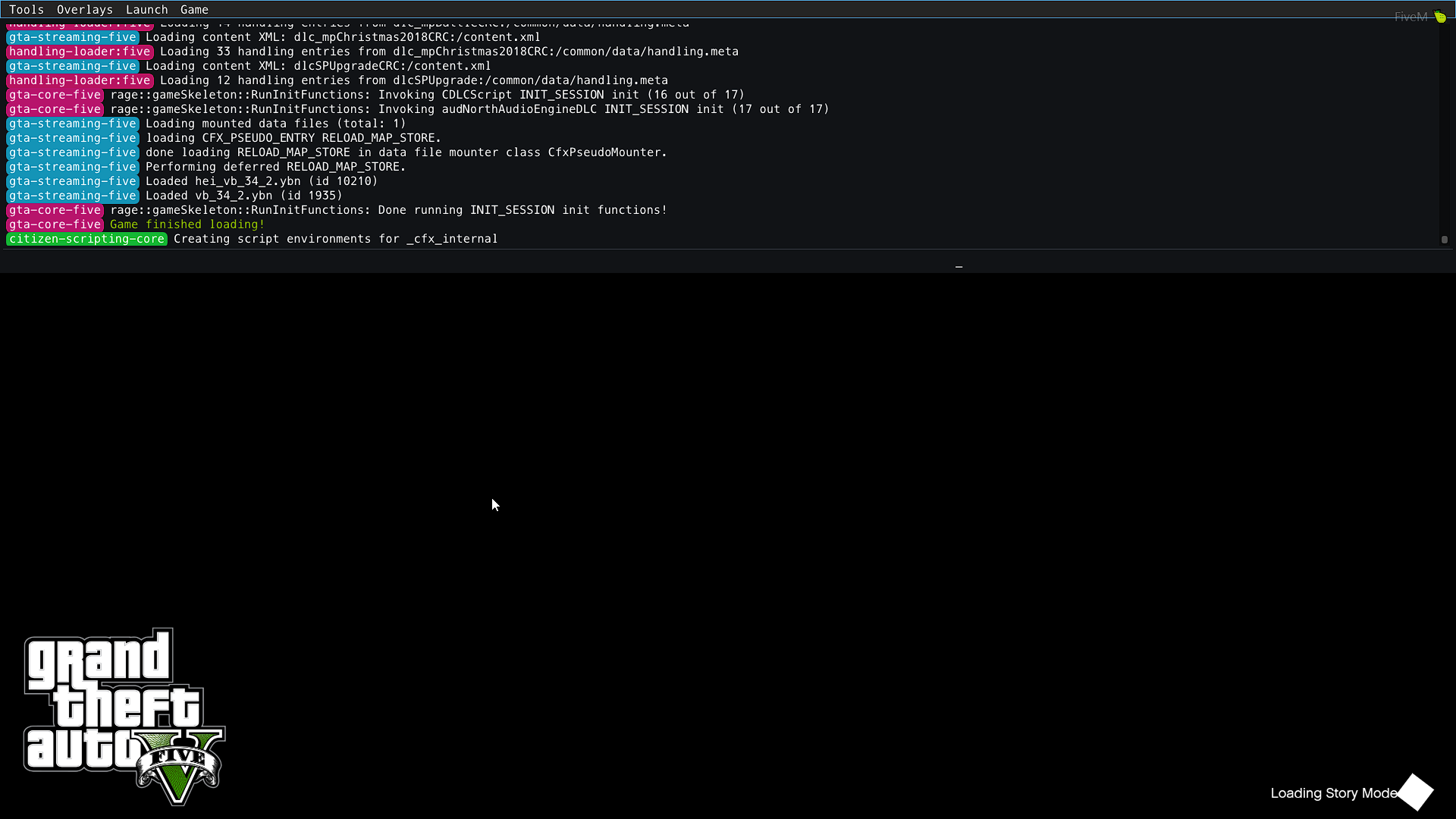
System specifications
Intel i5-7500 @3.40ghz
Radeon RX470 GPU
Asus H110m-k
Kingston 8gb RAM
What did you do to get this issue? Launched Story Mode for the first time, loading went fine initially, but eventually got stuck. It just keeps saying “Loading Story Mode” in the bottom right. The gta loading screen “slideshow” usually shows 1-3 different pictures before eventually turning black. When pressing F8 I can see that it always ends up being stuck at "Creating Script Enviroments for_cfx_internal
No matter how many times I launch it the same thing happens. I haven’t launched story mode in FiveM before.
What server did you get this issue on?
Story mode
CitizenFX crash zip file No crash
CitizenFX.log file
CitizenFX_log_2021-02-21T173530.log (83.3 KB)
.dmp files/report IDs
Also add what you already tried so far.
I’ve had no issues with starting FiveM in multiplayer, only story mode.
If I press F8 and go to launch>SP>Gta 5 it launches fine, but the problem is that when I do the same thing but choose Story Mode instead it won’t launch (and I need story mode for the mods I’m using)
When I launch Story Mode from Rockstar GTA V it works, but my GTA V has an issue (might be related to my hardware) that causes it to be EXTREMELY laggy, FiveM does not have this issue when I play. (I don’t believe there is a connection between the lag and FiveM Story Mode not launching, as FiveM multiplayer works fine.
Removed and installed both GTA V and FiveM completely. Tried copying my GTA V savegame to CitizenFX folder in Saved Games.
Might be irrelevant, but GTA V installation is on an external SSD with FiveM being on my local disc.
Tried putting FiveM.exe in the GTA V root folder and launching it from there, no change.
