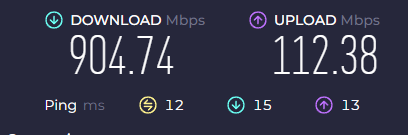
What is the issue you’re having?
Everytime i try to log into any fivem server it crashes due my ‘‘internet’’ - i will add a picture of my internet speed as well.
reliable network event overflow
client failed to connect (RARELY, 1-2 times at somepoint)
timed out - with some numbers and symbols
get stuck in character creation (i can move around and spend money but not create it) and then it crashes to one of these errors above
What have you tried already to fix the issue?
clean caches. crash
flushed DNS
reinstall game and Fivem
disabled windows antivirus and firewall
removed Fivem app from ‘‘let it go through’’ in firewall and adding it back in
running it as administrator
selecting windows 8 in ‘‘more options’’ to launch it
updating BIOS and pc drivers
updating Ethernet drivers
enabled secure boot in BIOS and disabled it
made new windows account
system restored it back to as much as i could
lovered graphics
reseting router
switching disk installation path (from D disk to C)
i just didnt rebooted my PC because it’s brand new one and i think it’s useless to do so since it’s ‘‘network’’ issue
What server did you get this issue on?
every single one of them
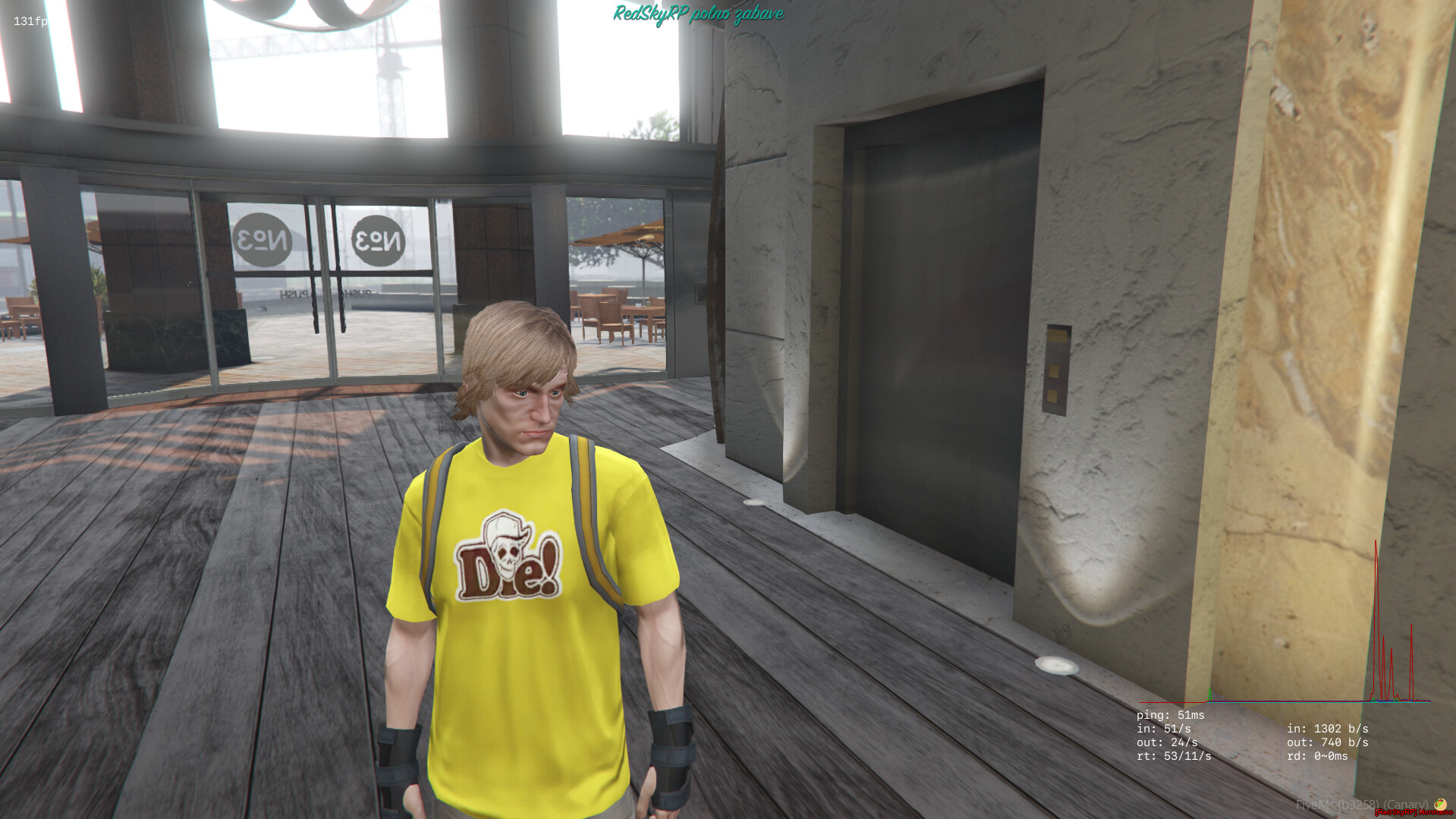
Error screenshot(s)
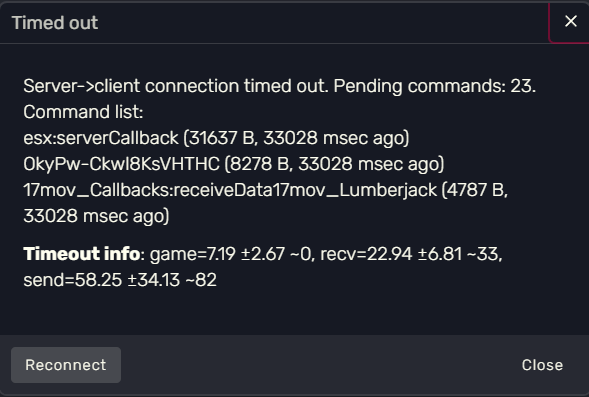
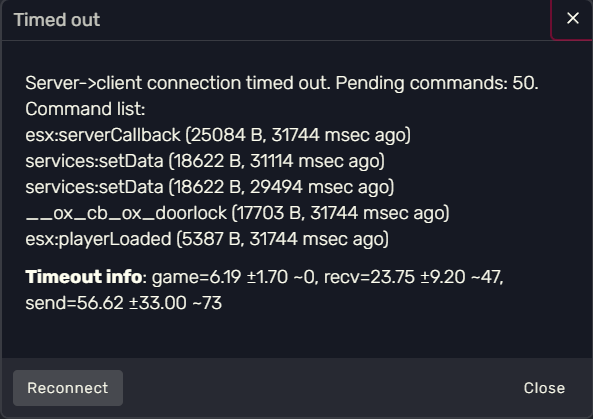

Windows version
Windows 11 PRO
System specifications
GIGABYTE B650 Eagle AX AM5 - motherboard
Ryzen 7 7800x3D . processor
32gb 6000mh/z - ram
asus 1060 6gb - graphics card (aware to expect some bottlenecking but everything else works just fine)
1tb samsung 980 PRO NVMe SSD - for windows (GTA V and Fivem currently installed here)
2 tb samsung 870 QVO SSD sata 6G - for games and apps
Corsair RM850e 850W - power supply
DirectX 12
Antivirus software
Windows defender only and firewall
Log files
CitizenFX_log_2025-02-10T055423.log (72.7 KB)
CitizenFX_log_2025-02-10T055407.log (73 KB)
CitizenFX_log_2025-02-10T055316.log (72.8 KB)
CitizenFX_log_2025-02-10T210623.log (892 KB)
CitizenFX_log_2025-02-10T210107.log (5.1 MB)
CitizenFX_log_2025-02-10T055247.log (74 KB)
CitizenFX_log_2025-02-09T003604.log (2 MB)
CitizenFX_log_2025-02-09T130219.log (1.57 MB)
CitizenFX_log_2025-02-10T055036.log (1.6 MB)
CitizenFX_log_2025-02-09T130037.log (2.59 MB)
Additional comments
For ‘‘CitizenFX crash zip file (‘Save information’ on a crash)’’ i never get option to save it. Maybe you could tell me where i can locate it?