GTA V version: Current
Up to date: Yes
Legit or Pirate copy:*Legit
Purchased where - Steam
Windows version: 10
Did you try to delete caches.xml (not cache/!) and try again? Yes
System specifications: AMD Ryzen 7 2700, 16gb of ram, GTX 2070 super
CitizenFX crash zip file (‘Save information’ on a crash): Check below
logs/CitizenFX_log files: Check below
.dmp files/report IDs: don’t know where to find it
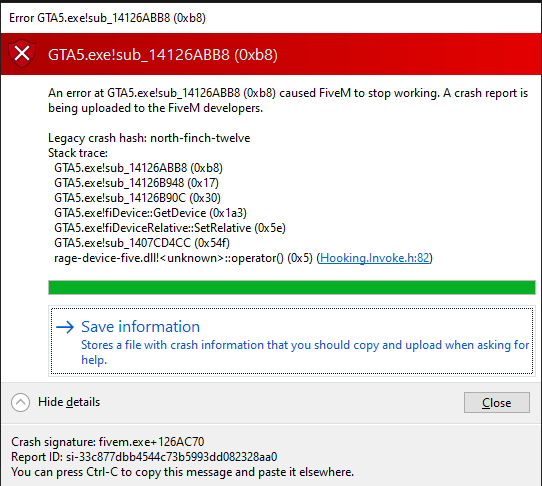
CfxCrashDump_2021_03_12_02_36_15.zip (1.0 MB)
If you can’t start the game at all
GTA V folder screenshot:
GTA V/update/x64/dlcpacks screenshot:
Filepath to FiveM folder:
FiveM client folder screenshot:
Which antivirus/firewall software are you using?
Did you try to disable/uninstall your Anti-virus?
Important parts
What is the issue you’re having?
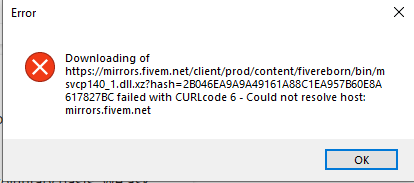
I cannot run FiveM
What are you trying to do?
Run FiveM
What have you tried already to fix the issue?
Adding a file called CitizenFX.ini
Error screenshot (if any):
What did you do to get this issue?
Unknown (I guess launch the app)
What server did you get this issue on?
N/A
Additional comments
Update: Also tried uninstalling and re installing the game and FiveM and this error is now showing