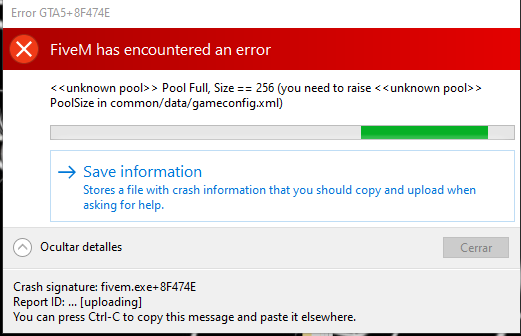
GTA V version? 1.50
Up to date? Yep!
Legit or Pirate copy? Legit
Steam/CD/Social Club? Epic Games
Windows version? W10
Did you try to delete caches.xml and try again? Yep
Error screenshot (if any) 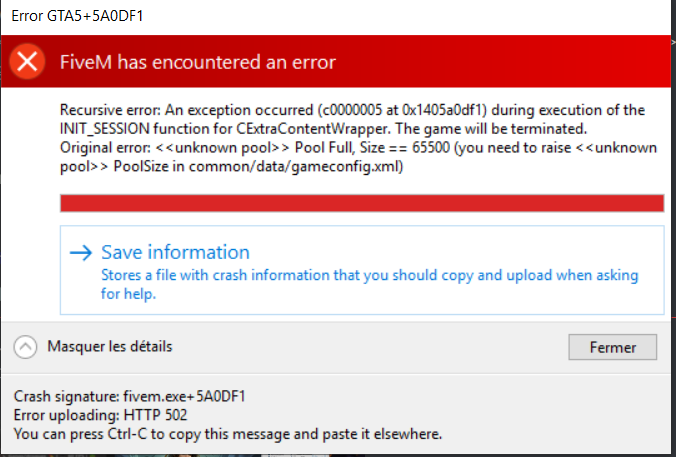
System specifications Nope
What did you do to get this issue? Absolutely nothing, just joining the server “GTALife RP” on FiveM
What server did you get this issue on? GTALife RP
CitizenFX crash zip file Can’t find it… But it’s not a big deal
CitizenFX.log file CitizenFX_log_2020-05-30T125849.log (83.9 KB)
.dmp files/report IDs Can’t find it too…
If an issue with starting:
GTA V folder screenshot
GTA V/update/x64/dlcpacks screenshot
Filepath to FiveM folder
FiveM client folder screenshot
Which antivirus/firewall software are you using?
Did you try to disable/uninstall your Anti-virus?
Also add what you already tried so far.
Hey ! So yesterday I got this problem and I would like to correct it to anybody getting it too, since I couldn’t really find anything really usable here.
So I went in this “GTALife RP” Server and got this error. I saw the gameconfig.xml file and opened it in a text editor. I searched for the “65500” value and found the line <Item> <PoolName>TxdStore</PoolName> <PoolSize value="65500"/> </Item>
According to a friend recommendation, I upgraded the 65500 to 72250 and… It worked !
Now, the thing is that at every startup, I have to modify and overwrite this file so it can work. If I don’t do it, the value is 65500 by default.
How to save this value to always get it ?
Thanks