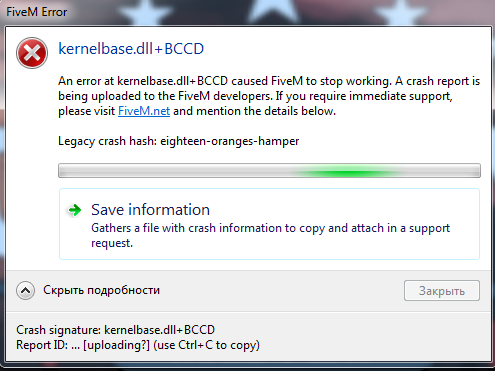
GTA V version: 1.0.231.0
Up to date: Yes
Legit or Pirate copy: Legit
Steam/CD/Social Club: Social Club
Windows version: Windows 10 Home
Did you try to delete caches.xml and try again: Yes
Error screenshot (if any): https://ibb.co/gypPwxk
System specifications:
Procesor: intel core i5-8400 @ 2.80Ghz 2.81Ghz
RAM: 8GB
Graphics card: Nvidia GTX 1060 3GB
what did you do to get this issue: i just moved my cursor for a bit and crashed randomly
What server did you get this issue on: none i just got this error on fivem menu
Report File: https://www.mediafire.com/file/lc45cwmgn33gzft/CfxCrashDump_2020_03_10_11_35_36.zip/file
We tried to delete Fivem and install again didn’t work, we tried to turn off the anti-virus software also didn’t work
Hello, this is a friendly reminder because this is your first time creating a topic (or it has been a while since your last topic) in this category.
Please note that most of the support is provided by the Cfx.re community on a voluntary basis. We ask you to be patient; there is no guarantee we have a solution to your problem(s). To avoid unnecessary/duplicate topics, please browse the forums before creating a topic.
To improve your chances of your issue(s) being solved, please provide as much information as possible about the issue(s) you are having. Also —whenever possible— please use the template given to you when creating a topic.
stop with medal.tv. i don t have this in my computer.
I managed to launch the fivem 2 times out of 1000 attempts and 15 times deleted and returned fivem! And once in a server, the lag game at 15 fps
[Content]
An error at kernelbase.dll+71F08 caused FiveM to stop working. A crash report is being uploaded to the FiveM developers. If you require immediate support, please visit FiveM.net and mention the details below.