FiveM Immediately crashing after opening, even after new install

IF YOU DO NOT FILL THIS OUT, YOUR TOPIC WILL BE UNLISTED AND CLOSED

To receive support, please fill out the following template, and remove this top text.


Environment questions

GTA V version: 1.0.2545.0.1
Up to date: Yes
Legit or Pirate copy: Legit
Purchased where - Steam/Rockstar Launcher/Epic:+ Epic
Windows version: Yes
Did you try to delete content_index.xml and try again? Yes
System specifications:
CitizenFX crash zip file (‘Save information’ on a crash):
[Window Title]
Error GTA5_b2545.exe!sub_14135A738 (0x48)

[Main Instruction]
GTA5_b2545.exe!sub_14135A738 (0x48)

[Content]
An error at GTA5_b2545.exe!sub_14135A738 (0x48) caused FiveM to stop working. A crash report is being uploaded to the FiveM developers.

Legacy crash hash: five-south-social
Stack trace:
GTA5_b2545.exe!sub_14135A738 (0x48)
GTA5_b2545.exe!sub_141351040 (0x62)
GTA5_b2545.exe!sub_14135B6A4 (0xa6)
GTA5_b2545.exe!sub_14050CDF8 (0xa52)
GTA5_b2545.exe!sub_1400172D4 (0x38)
GTA5_b2545.exe!CApp::InitGTA (0x12)
GTA5_b2545.exe!sub_1415E8D28 (0xe3)

[^] Hide details [Save information] [Close]

[Expanded Information]
Crash signature: GTA5_b2545.exe+135A780
Report ID: … [uploading]
You can press Ctrl-C to copy this message and paste it elsewhere.
logs/CitizenFX_log files:
.dmp files/report IDs:

If you can’t start the game at all

GTA V folder screenshot:
GTA V/update/x64/dlcpacks screenshot:
Filepath to FiveM folder:
FiveM client folder screenshot:
Which antivirus/firewall software are you using?
Did you try to disable/uninstall your Anti-virus?

Important parts

What is the issue you’re having? FiveM is opening, then immediately crashing, resulting in the error shown above

What are you trying to do? Start FiveM

What have you tried already to fix the issue? I have completely uninstalled and reinstalled FiveM and GTAV, it did not resolve the issue

Error screenshot (if any):
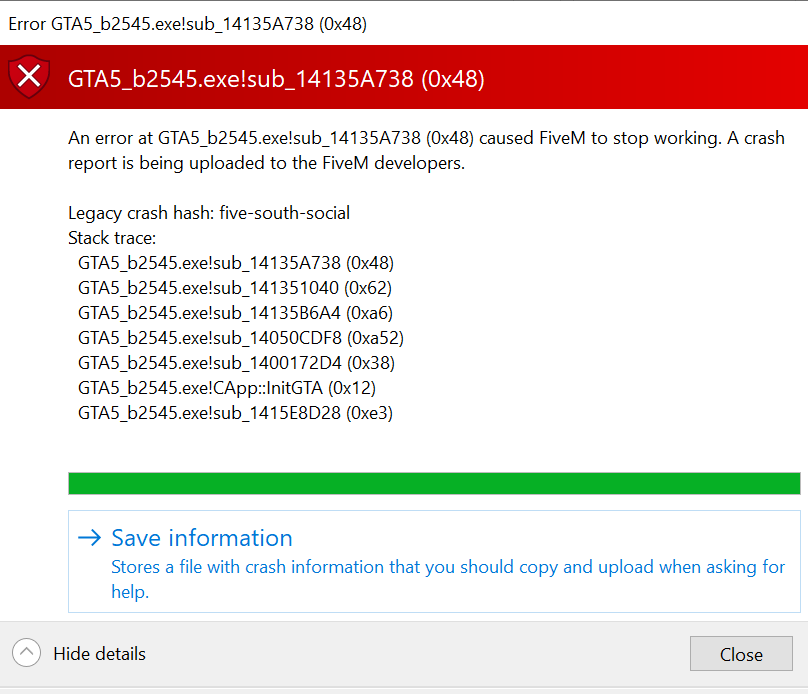
What did you do to get this issue? FiveM froze my computer while playing, i force-quit the game, and was unable to open fivem again without getting the error after fivem opens

What server did you get this issue on? Be specific and name some, ‘all of them’ by itself isn’t useful!
NewBeginnings RP

Additional comments

1 Like

Hello, this is a friendly reminder because this is your first time creating a topic (or it has been a while since your last topic) in this category.

Please note that most of the support is provided by the Cfx.re community on a voluntary basis. We ask you to be patient; there is no guarantee we have a solution to your problem(s). To avoid unnecessary/duplicate topics, please browse the forums before creating a topic.

To improve your chances of your issue(s) being solved, please provide as much information as possible about the issue(s) you are having. Also —whenever possible— please use the template given to you when creating a topic.

Thanks for keeping these forums tidy!
:mascot:

Have you tried verifying your GTA V game files?

This can be a few things, but some solutions found in my server from our community:

  • Having the game on a SSD

  • Making sure your hard drives aren’t full (storage)

  • Making FiveM a priority in your task manager

  • Making sure nothing is restricting FiveM on your PC

  • Making sure the game is up to date and verifying game files

Not sure if this will help your problem, but worth a try!

i posted this exact same issue and error nearly a week ago and still no answer. not much we can do im afraid… i’ve tried everything with no luck.

Yes, i have uninstalled FiveM and GTAV, reinstalled them both, and verified my game files

-The game is running from my SSD
-I have plenty of storage available
-FiveM is a priority in my task manager and there is nothing restricting the games
-I have uninstalled and reinstalled both programs (fivem and gtav) and verified the game files

Unfortunately despite all that, I’m running into the same error

Hello! thank you for the response

-The game is running from my SSD
-I have plenty of storage available
-FiveM is a priority in my task manager and there is nothing restricting the games
-I have uninstalled and reinstalled both programs (fivem and gtav) and verified the game files

Unfortunately despite all that, I’m running into the same error/the same error message. Im not sure what i could have done differently

Thats unfortunate, I’m not really sure what is going on or what i can do to get it working again

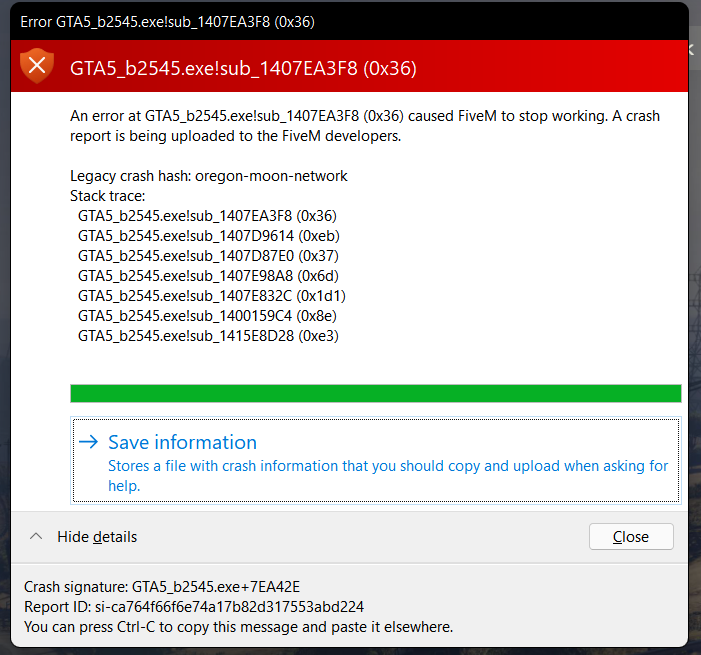
Im now having an almost identical issue with the error codes being slightly different

Don’t hijack an existing topic claiming you have ‘the same issue’ (especially when you actually don’t).

Different people, different topics. Even if it’s ‘the same’ or ‘almost identical’.