IF YOU DO NOT FILL THIS OUT, YOUR TOPIC WILL BE UNLISTED AND CLOSED
To receive support, please fill out the following template, and remove this top text.
GTA V version? Latest version 1.0.1868.4.4
Up to date? Yes
Legit or Pirate copy? Legit on Epic Games Store
Steam/CD/Social Club? Social Club
Windows version? Windows 10 Pro
Did you try to delete caches.xml and try again? Where is it?
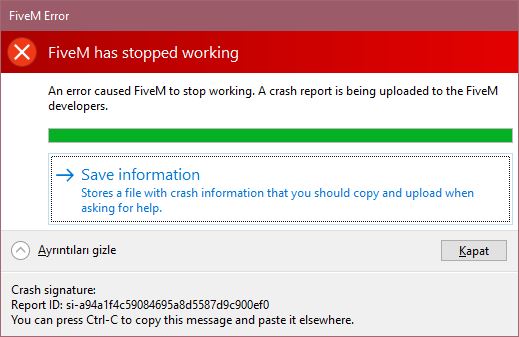
Error screenshot (if any) https://hizliresim.com/vL5PRV/!FİVEM HATA|519x337
System specifications 64 bit 8GB Ram İntel Core İ5-6600K
What did you do to get this issue? I just clicked on the app and it gave such error when opening.
What server did you get this issue on? I couldn’t log in to any server because it didn’t open
CitizenFX crash zip file CfxCrashDump_2020_05_15_17_36_37.zip (14.2 KB)
CitizenFX.log file [ 0] [ DumpServer] 2700/ DumpServer is active and waiting.
[ 0] [ FiveM] MainThrd/ — BEGIN LOGGING AT Fri May 15 17:10:10 2020 —
[ 47] [ FiveM] 14024/ Detected NVIDIA Node, attempting to query ShadowPlay status…
[ 204] [ FiveM] MainThrd/ CitizenFX Steam child starting - command line: “E:\ROLEPLAY\FiveM\FiveM.exe”
[ 219] [ FiveM] MainThrd/ hello from “E:\ROLEPLAY\FiveM\FiveM.exe”
[ 407] [ FiveM] MainThrd/ Got ros:legit process - pid 12632
[ 532] [ ROSLauncher] MainThrd/ hello from “E:\ROLEPLAY\FiveM\FiveM.app\cache\subprocess\FiveM_ROSLauncher” ros:legit --parent_pid=4060 “C:\program files\rockstar games\launcher\launcher.exe”
[ 657] [ ROSLauncher] MainThrd/ VerifyRetailOwnership: Running legitimacy NUI.
[ 672] [ ROSLauncher] MainThrd/ RunLegitimacyNui: Initializing CEF.
[ 719] [ ROSLauncher] CrBrowserMain/ RunLegitimacyNui: Initialized CEF.
[ 985] [ AuthBrowser] MainThrd/ CitizenFX Steam child starting - command line: “E:\ROLEPLAY\FiveM\FiveM.app\cache\subprocess\FiveM_AuthBrowser” --type=gpu-process --field-trial-handle=1940,18016070092936317446,8026207868769865226,131072 --no-sandbox --locales-dir-path=“E:\ROLEPLAY\FiveM\FiveM.app\bin/cef/” --log-file=“E:\ROLEPLAY\FiveM\FiveM.app\cef.log” --resources-dir-path=“E:\ROLEPLAY\FiveM\FiveM.app\bin/cef/” --lang=en-US --gpu-preferences=KAAAAAAAAACAAwAAAQAAAAAAAAAAAGAAAAAAAAEAAAAIAAAAAAAAACgAAAAEAAAAIAAAAAAAAAAoAAAAAAAAADAAAAAAAAAAOAAAAAAAAAAQAAAAAAAAAAAAAAAFAAAAEAAAAAAAAAAAAAAABgAAABAAAAAAAAAAAQAAAAUAAAAQAAAAAAAAAAEAAAAGAAAA --use-gl=swiftshader-webgl --log-file=“E:\ROLEPLAY\FiveM\FiveM.app\cef.log” --service-request-channel-token=13381689404895626996 --mojo-platform-channel-handle=1992 /prefetch:2
[ 985] [ AuthBrowser] MainThrd/ CitizenFX Steam child starting - command line: “E:\ROLEPLAY\FiveM\FiveM.app\cache\subprocess\FiveM_AuthBrowser” --type=renderer --no-sandbox --log-file=“E:\ROLEPLAY\FiveM\FiveM.app\cef.log” --field-trial-handle=1940,18016070092936317446,8026207868769865226,131072 --disable-gpu-compositing --service-pipe-token=17922698494984112497 --lang=en-US --locales-dir-path=“E:\ROLEPLAY\FiveM\FiveM.app\bin/cef/” --log-file=“E:\ROLEPLAY\FiveM\FiveM.app\cef.log” --resources-dir-path=“E:\ROLEPLAY\FiveM\FiveM.app\bin/cef/” --disable-extensions --disable-pdf-extension --device-scale-factor=1 --num-raster-threads=2 --enable-main-frame-before-activation --service-request-channel-token=17922698494984112497 --renderer-client-id=3 --mojo-platform-channel-handle=2516 /prefetch:1
[ 47782] [ ROSLauncher] CrBrowserMain/ SimpleHandler::OnProcessMessageReceived: Processing NUI sign-in.
[ 47797] [ ROSLauncher] CrBrowserMain/ SimpleHandler::OnProcessMessageReceived: Processed NUI sign-in - closing all browsers.
[ 47797] [ ROSLauncher] CrBrowserMain/ RunLegitimacyNui: Shutting down CEF.
[ 47813] [ ROSLauncher] CrBrowserMain/ RunLegitimacyNui: Shut down CEF.
[ 47813] [ ROSLauncher] CrBrowserMain/ VerifyRetailOwnership: Returned from legitimacy NUI.
[ 47813] [ ROSLauncher] CrBrowserMain/ VerifyRetailOwnership: Caught machine hash details from NUI.
[ 47829] [ ROSLauncher] CrBrowserMain/ VerifyRetailOwnership: Going to call /ros/validate.
[ 48000] [ ROSLauncher] UV loop: tcp0/ LoginHandler2::HandleValidateRequest: ENTER
[ 48329] [ ROSLauncher] UV loop: tcp0/ LoginHandler2::HandleValidateRequest: Performing request.
[ 48625] [ ROSLauncher] 5128/ LoginHandler2::HandleValidateRequest::<lambda_3575ba0f9bef2c3f832af082f2aeb444>::operator (): Performed request.
[ 48641] [ ROSLauncher] CrBrowserMain/ VerifyRetailOwnership: Decrypting result.
[ 48641] [ ROSLauncher] CrBrowserMain/ VerifyRetailOwnership: Fetched and decrypted result from CPR.
[ 48657] [ ROSLauncher] CrBrowserMain/ VerifyRetailOwnership: Valid entitlement block.
[ 48657] [ ROSLauncher] CrBrowserMain/ VerifyRetailOwnership: Valid expiration date.
[ 48672] [ ROSLauncher] CrBrowserMain/ VerifyRetailOwnership: Valid account ID.
[ 48672] [ ROSLauncher] CrBrowserMain/ VerifyRetailOwnership: Found matching entitlement for 04541FB36991EF2C43B38659B204EC3B941649666404498FB2CAD04B29E64A33 - creating token.
[ 48875] [ ROSLauncher] CrBrowserMain/ VerifyRetailOwnership: Got a token and saved it.
[ 48891] [ FiveM] MainThrd/ Got ros:launcher process - pid 13512
[ 49079] [ ROSLauncher] MainThrd/ hello from “E:\ROLEPLAY\FiveM\FiveM.app\cache\subprocess\FiveM_ROSLauncher” ros:launcher --parent_pid=4060 “C:\program files\rockstar games\launcher\launcher.exe”
[ 49157] [ ROSLauncher] MainThrd/ launcher! “E:\ROLEPLAY\FiveM\FiveM.app\cache\subprocess\FiveM_ROSLauncher” ros:launcher --parent_pid=4060 “C:\program files\rockstar games\launcher\launcher.exe”
[ 49172] [ DumpServer] 1064/ Process crash captured. Crash dialog content:
[ 49172] [ DumpServer] 1064/ FiveM has stopped working
[ 49188] [ DumpServer] 1064/ An error caused FiveM to stop working. A crash report is being uploaded to the FiveM developers.
[ 54875] [ DumpServer] 1064/ Crash report service returned si-a94a1f4c59084695a8d5587d9c900ef0
.dmp files/report IDs eecb2e6b-579e-4501-ba21-1a909437c40b.dmp
If an issue with starting:
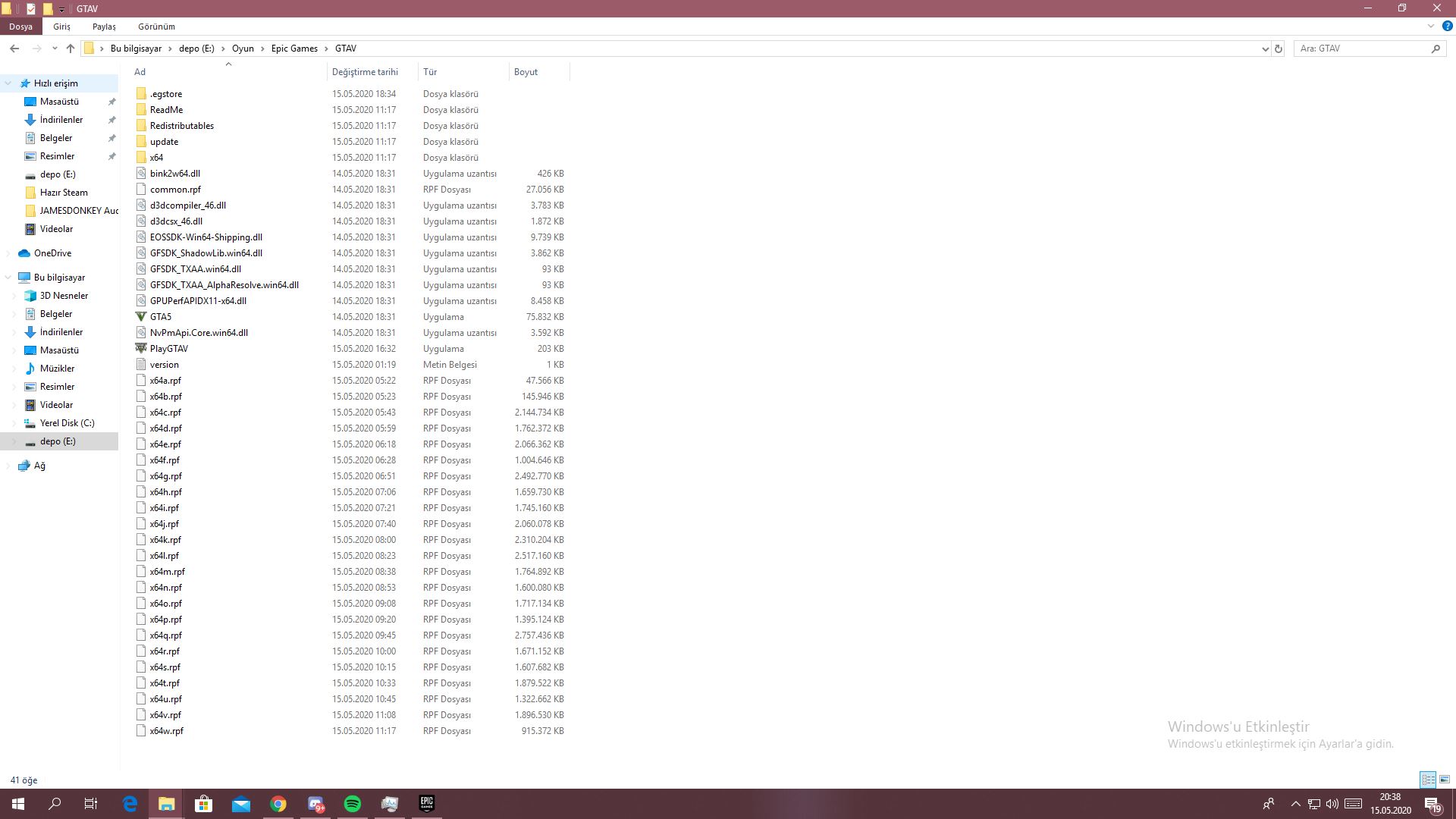
GTA V folder screenshot
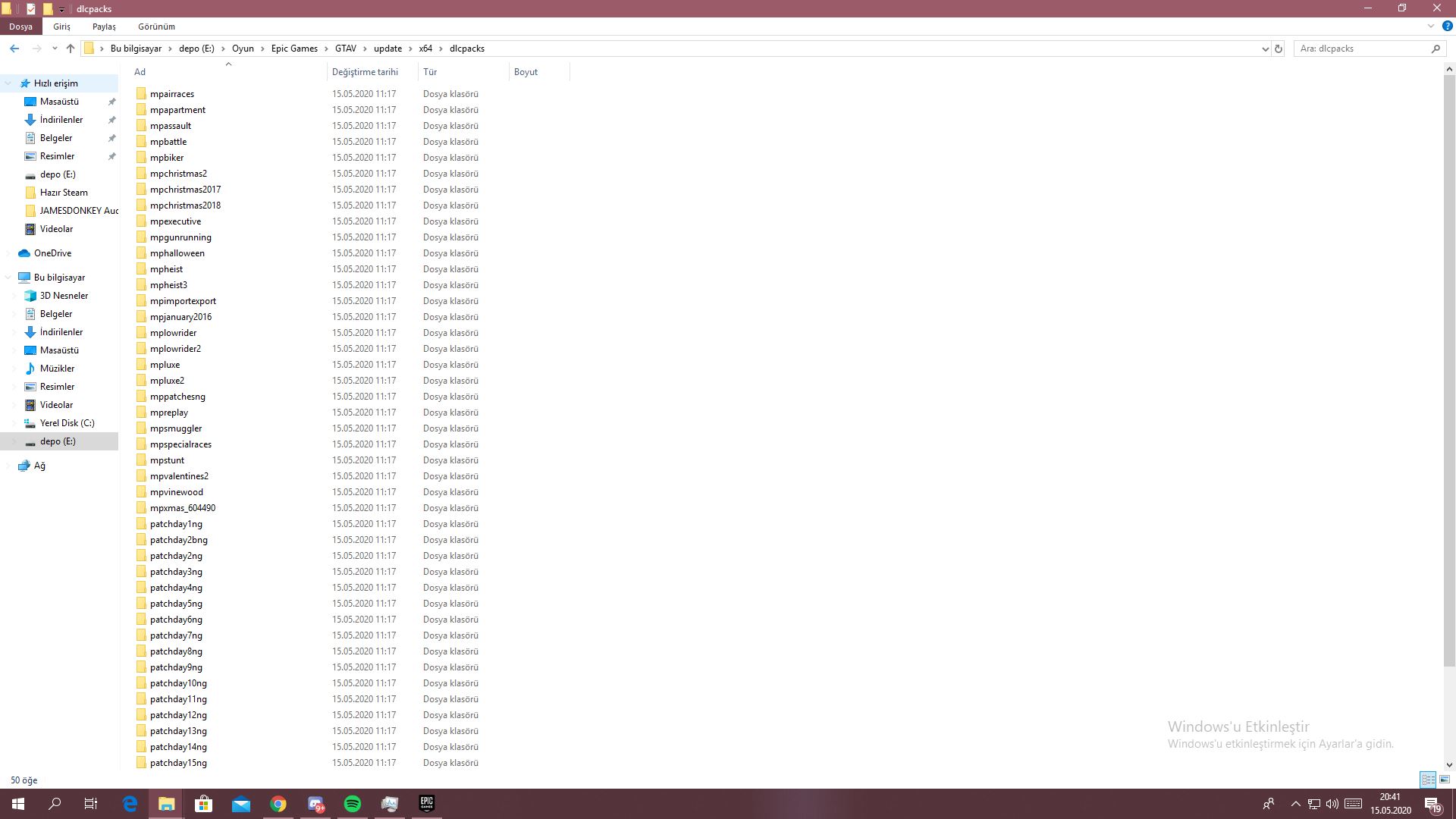
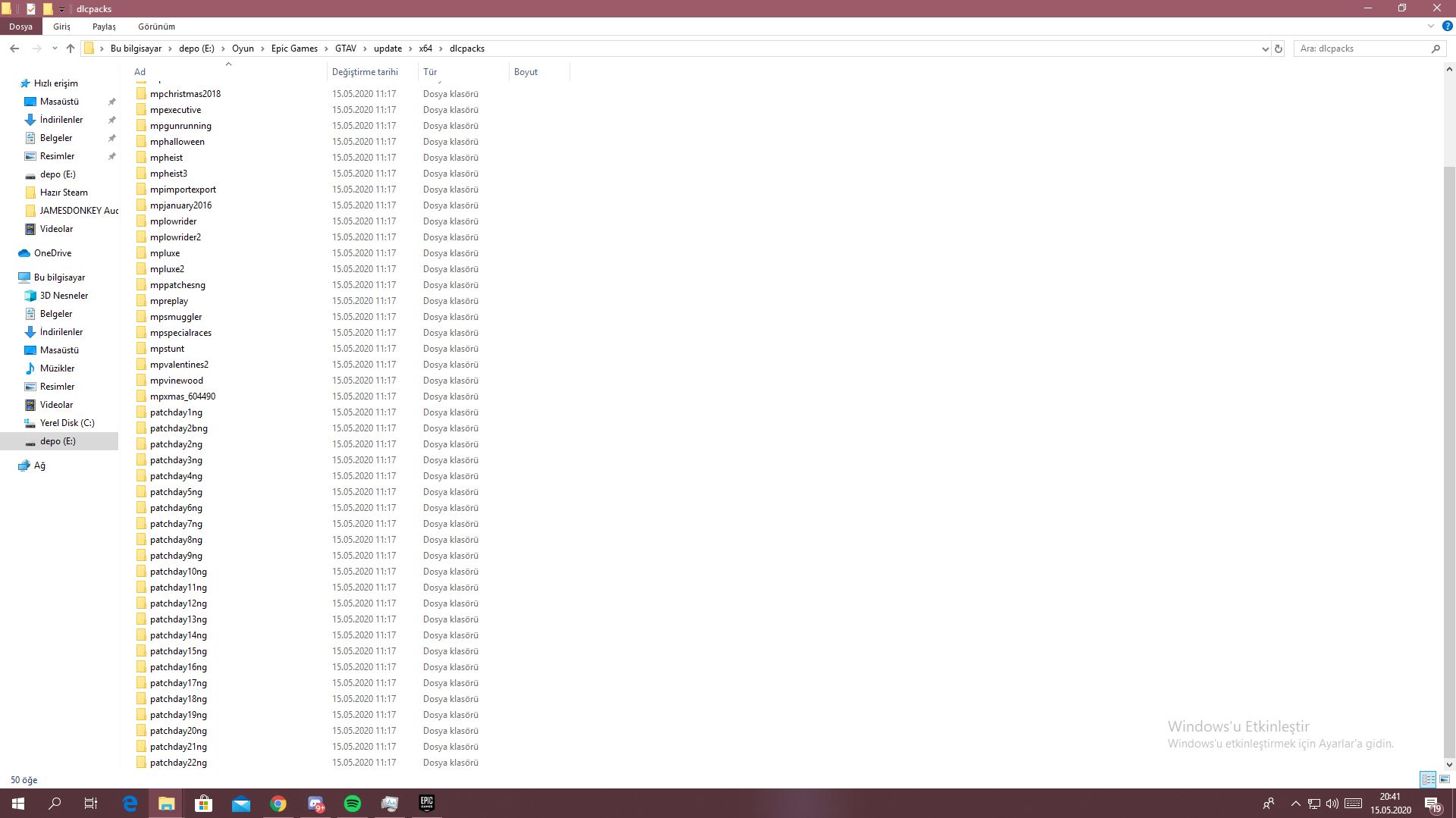
GTA V/update/x64/dlcpacks screenshot
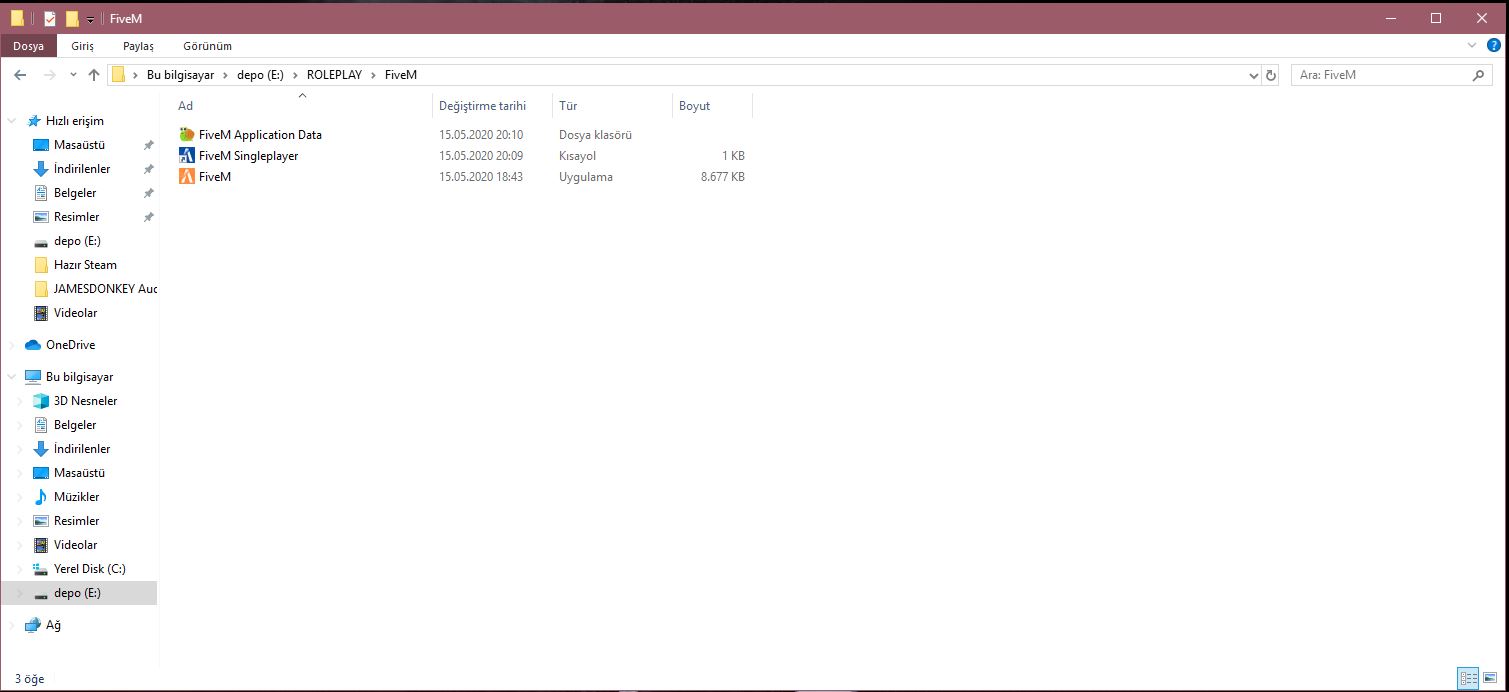
Filepath to FiveM folder E:\ROLEPLAY\FiveM (because there is no place in my c folder)
FiveM client folder screenshot
**Which antivirus/firewall software are you using?**normally windows defender but now closed
Did you try to disable/uninstall your Anti-virus? currently closed
Also add what you already tried so far. Delete and setup.