To receive support, please fill out the following template, and remove this top text.
GTA V version? Normal
Up to date? Yes
Legit or Pirate copy? Legit
Steam/CD/Social Club? Social Club
Windows version? 10 pro
Did you try to delete caches.xml and try again? yes
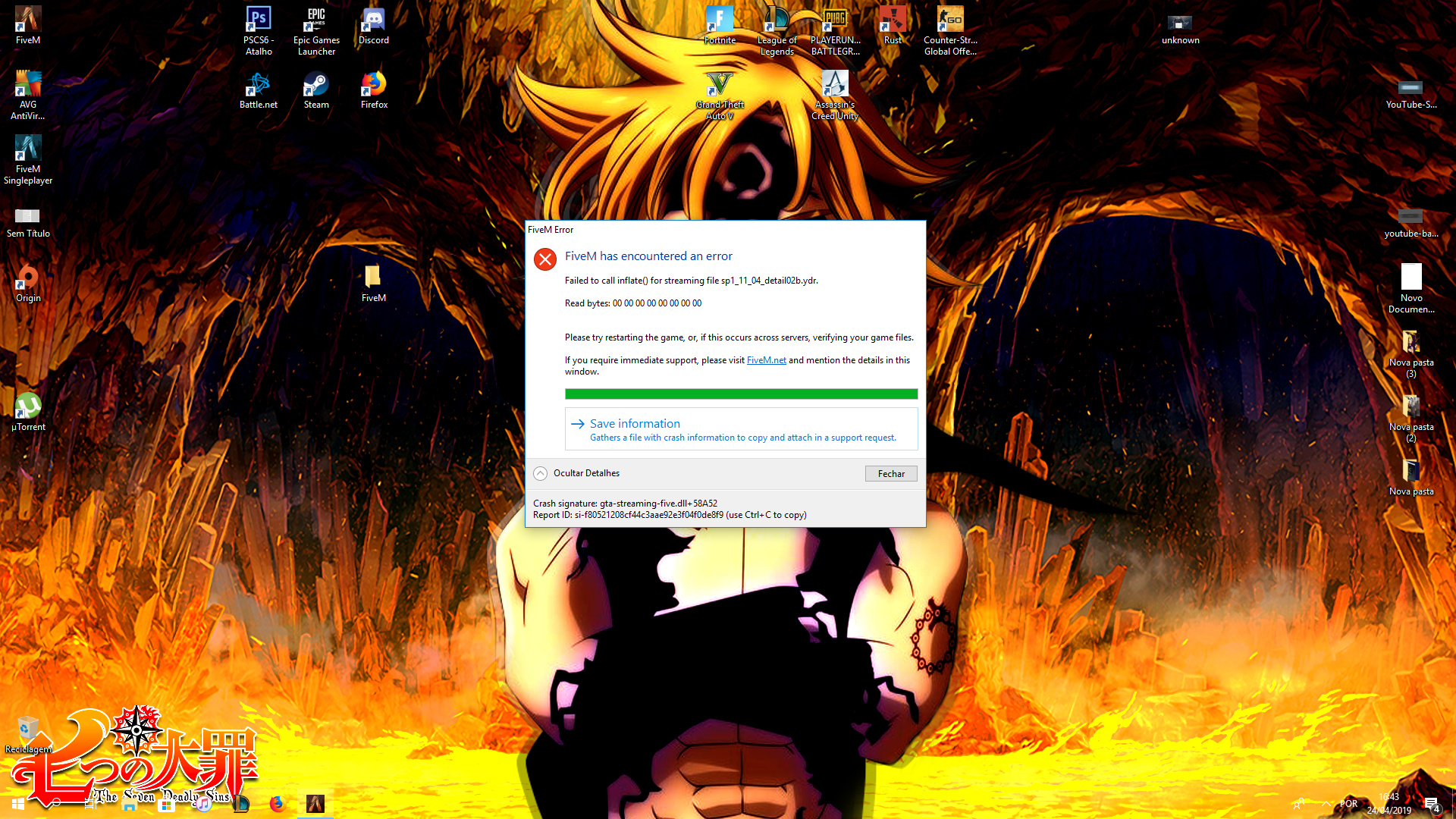
Error screenshot (if any)
System specifications
CPU: Intel Core i7 8700 3.20GHz
Motherboard: ROG STRIX Z370-H Gaming
RAM: 16,00GB Single-Channel DDR4 HyperX 2400MHZ
GPU: NVIDIA GeForce 1070ti
Storage: 1Tb
What did you do to get this issue? I don’t know, I just enter in server and 3 minutes ago i get this (screenshot)
What server did you get this issue on? I get this in 2 server, the first one, 131.196.199.104:30110, and second one: 185.113.141.59:30120
CitizenFX.log fileCfxCrashDump_2019_04_24_19_43_47.zip (1.0 MB)
.dmp files/report IDs
If an issue with starting:
GTA V folder screenshot
GTA V/update/x64/dlcpacks screenshot
Filepath to FiveM folder Desktop>Appdata>Local>FiveM
FiveM client folder screenshot
Did you try to disable/uninstall your Anti-virus? yes
Also add what you already tried so far.
unistalling fiveM, unistalling GTA V, deleting and checking cache, proxy, different account login.
