IF YOU DO NOT FILL THIS OUT, YOUR TOPIC WILL BE UNLISTED AND CLOSED
To receive support, please fill out the following template, and remove this top text.
Environment questions
GTA V version: GTA 5
Up to date: Latest Version
Legit or Pirate copy: Legit
Purchased where - Steam/Rockstar Launcher/Epic: Steam
Windows version: 10
Did you try to delete content_index.xml and try again? No
CitizenFX_log_2022-05-04T170136.log (1.2 MB)
CitizenFX crash zip file (‘Save information’ on a crash):
logs/CitizenFX_log files:
.dmp files/report IDs:
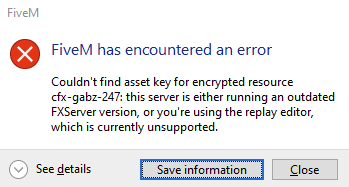
[Window Title] FiveM has encountered an error
FiveM
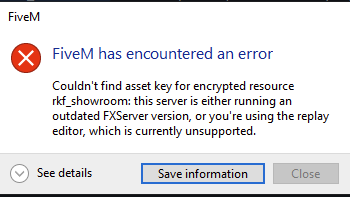
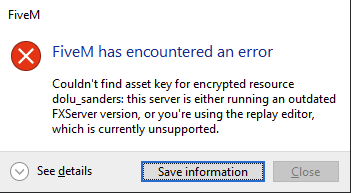
Couldn’t find asset key for encrypted resource cfx-gabz-247: this server is either running an outdated FXServer version, or you’re using the replay editor, which is currently unsupported.
Report ID: si-982e3d80c9e745e88a1d4ef4ad5ef436
If you can’t start the game at all
GTA V folder screenshot:
GTA V/update/x64/dlcpacks screenshot:
Filepath to FiveM folder:
FiveM client folder screenshot:
Which antivirus/firewall software are you using?
Did you try to disable/uninstall your Anti-virus?
Important parts
What is the issue you’re having?
Removing the maps still produces the error, just cycles to next map purchased from today.
What are you trying to do?
Tried removing all maps that encountered an error, issue persist and cycles to next available map.
What have you tried already to fix the issue?
Error screenshot (if any):
What did you do to get this issue?
What server did you get this issue on? Be specific and name some, ‘all of them’ by itself isn’t useful!
Just our server.
