CXA Freecam – Smooth, Cinematic & Fully Optimized Freecam System for FiveM
Built with performance and smoothness in mind, CXA Freecam offers a clean and cinematic camera experience with smart controls and secure usage.
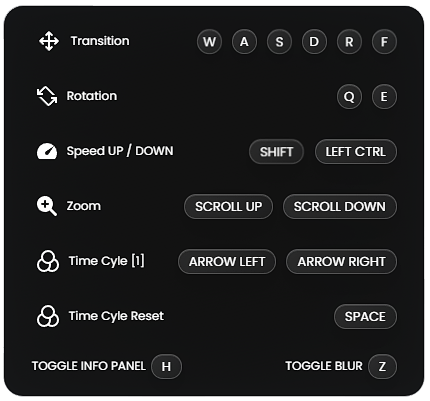
Smooth zoom & unzoom with cinematic transitions Free camera movement with tilt, speed control, and fluid animations Modern, minimal and blurred UI with subtle interaction animations Over 60+ built-in camera effects with instant reset Configurable camera distance limit with red zone warning Smart camera start position with seamless transitions Interface can be hidden for clean screenshots Blur effect can be disabled for better performance Restricted key actions while Freecam is active Prevents entering walls, vehicles, props, or entities Fully optimized with extremely low resmon usage Works flawlessly on all screen resolutions Comes with complete documentation covering every detail
Hello! We’re not 100% sure what you mean by “trailer”, but if you’re expecting something exactly like Rockstar Editor, we want to be fully honest this script is not meant to replace Rockstar Editor.
The main purpose of this freecam is to be used live during roleplay. It allows you to switch camera angles, apply effects, and watch ongoing RP scenes as if they were part of a movie. This is especially popular among roleplay streamers, as it provides cinematic views for their audience in real time, without stopping the RP.
At the time, there wasn’t a high-quality freecam on the market with a clean UI and well-structured code, so we aimed to fill that gap with this script.
Hope this clarifies things! If you have any other questions, feel free to ask
This update brings new integration features, major performance improvements, and extended customization options:
IsFreecamActive() Export Added – You can now detect if freecam is active and integrate it into your own systems to disable actions like crouch, hands up, or other animations. Major Blur Optimization – Blur resolution and performance have been fully improved; no more FPS drops while the menu is active. Custom Background After Blur – Instead of instantly removing the background when blur is disabled, a customizable background color now remains visible. CTRL Slow Down Added – In addition to speeding up, you can now slow down camera movement using CTRL. Full Locales Integration – All previously hardcoded texts are now fully connected to the locales system. Disable Key Option Added – Alongside Hold and Press modes, you can now completely disable the freecam key. Config-Based Zoom Level Limit Added - Based on community requests, you can now set a minimum and maximum zoom level directly from the config file, allowing better control and balance for your server.
You can download the latest version now via portal.cfx.re !
This update brings multiple improvements and new features based on community feedback:
Multi-Language Support – Now supports 20+ languages in addition to English & Turkish. Simplified Menu Events – FreecamMenuOpened & FreecamMenuClosed logic has been simplified for easier usage and integration. Custom Integration Support – Added a hasOpen function in config, allowing you to integrate your own systems and exports easily. Cinematic Mode Added – Enable cinematic black bars via /freecamcinematic command (configurable) or a keybind directly from the UI. Whitelist System – Added a whitelist system for freecam usage. When enabled, only specified users in the config can access freecam. Notification System – Freecam interactions and warnings are now sent as notifications. A configurable function is included to easily integrate with your own notification systems. UI Positioning – You can now position the freecam interface via config (left, right, top-center, or bottom-center). For the old default layout, keep it set to right. Usage Conditions via Config – You can now define detailed conditions directly in the config file, such as disabling freecam while on foot, while driving, as a vehicle passenger, during ragdoll or falling, or while swimming in water.
You can download the latest version now via portal.cfx.re !
 CXA Freecam – Smooth, Cinematic & Fully Optimized Freecam System for FiveM
 Smooth zoom & unzoom with cinematic transitions
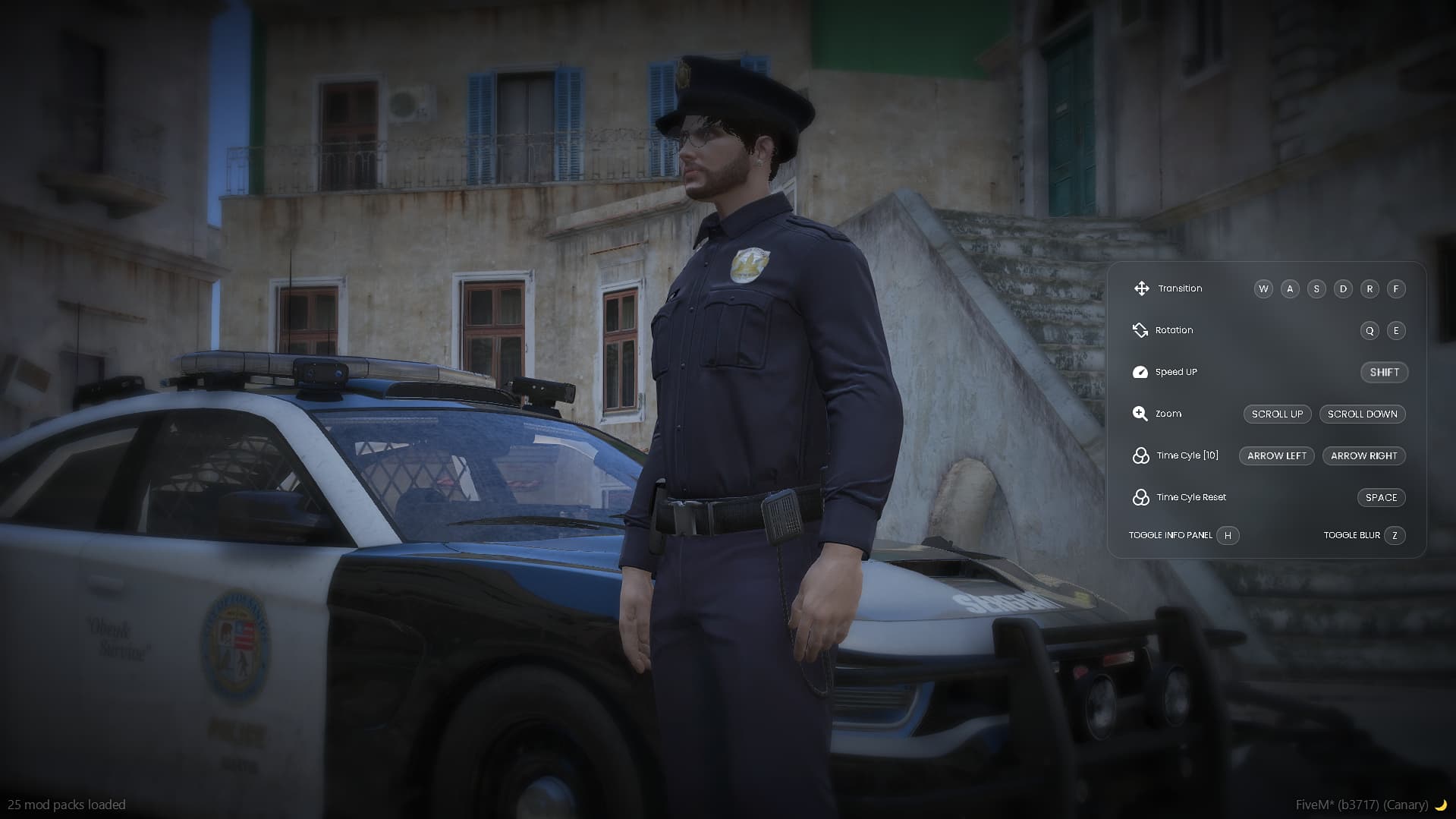
 In-Game Photos:
 Purchase Here:
 https://cxa.tebex.io
 Setup & Configuration:
 Preview Video:
 Need Support?


 CXA Freecam – Update Log

 IsFreecamActive() Export Added – You can now detect if freecam is active and integrate it into your own systems to disable actions like crouch, hands up, or other animations.
 You can download the latest version now via