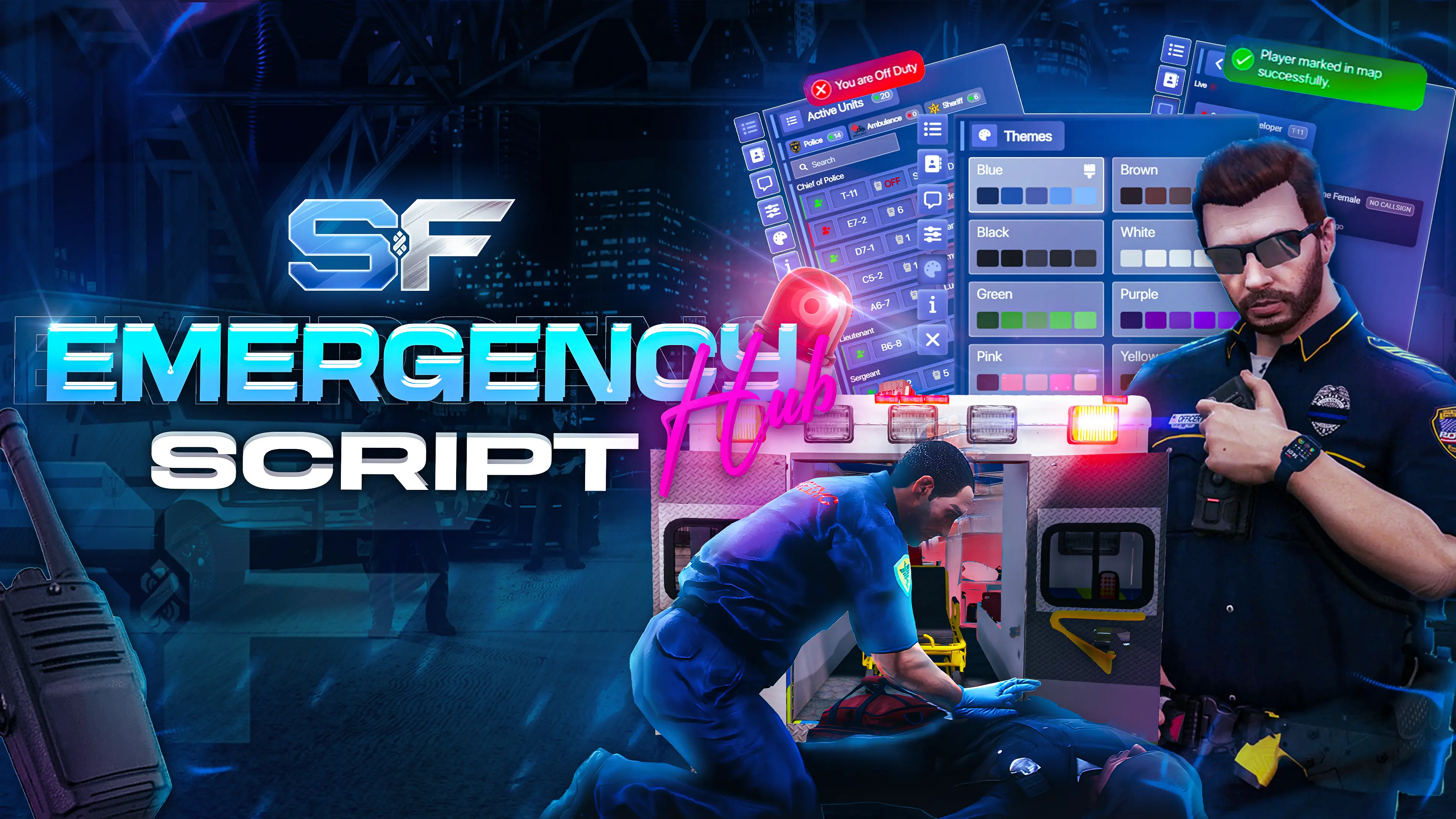
FiveM Emergency Hub is a powerful multi-job emergency command system for Police, EMS, and all emergency roles, supporting QBCore, ESX Legacy, Qbox, and custom frameworks with real-time UI and communication.
Designed for serious FiveM roleplay servers that need real-time coordination, control, and performance.
Showcase
Purchase Link
Tebex: https://soufstore.net/product/emergency-hub
This script is protected by FiveM’s Asset Escrow.
Features (TL;DR)
 Home Page: Centralized dashboard showing all groups and members with real-time status updates.
 Groups Navigation: Quickly switch between job groups with live member counts and job identities.
 Member Search: Instantly locate members by full name within the active group.
 Members List: Members are automatically sorted by rank and displayed with full operational details.
 Radio Integration: Live radio channel display with real-time speaking indicators.
 Vehicle Status: Displays each member’s current vehicle type and active siren state.
 Player Options: Personal control panel for managing identity, visibility, and duty state.
 Call Sign: Assign or update your call sign directly from the interface.
 Duty Toggle: Seamlessly switch between on-duty and off-duty states.
 Invisible Mode: Temporarily hide your presence while remaining active in the system.
 Hide Off-Duty Members: Filter the list to display only active on-duty members.
 Group Chat System: Job-based real-time communication with unread tracking.
 Group Chat Cards: Overview cards showing job activity, unread messages, and last chat updates.
 Real-Time Messaging: Instant message delivery without refresh or delay.
 Message Actions: Copy messages or delete your own messages directly.
 Cross-Job Messages: Messages retain job identity with clear visual distinction.
- Chat Header: Quick access to job info, online count, fullscreen toggle, and navigation.
 Unread Message Indicator: Navigation icons display unread message counts at all times.
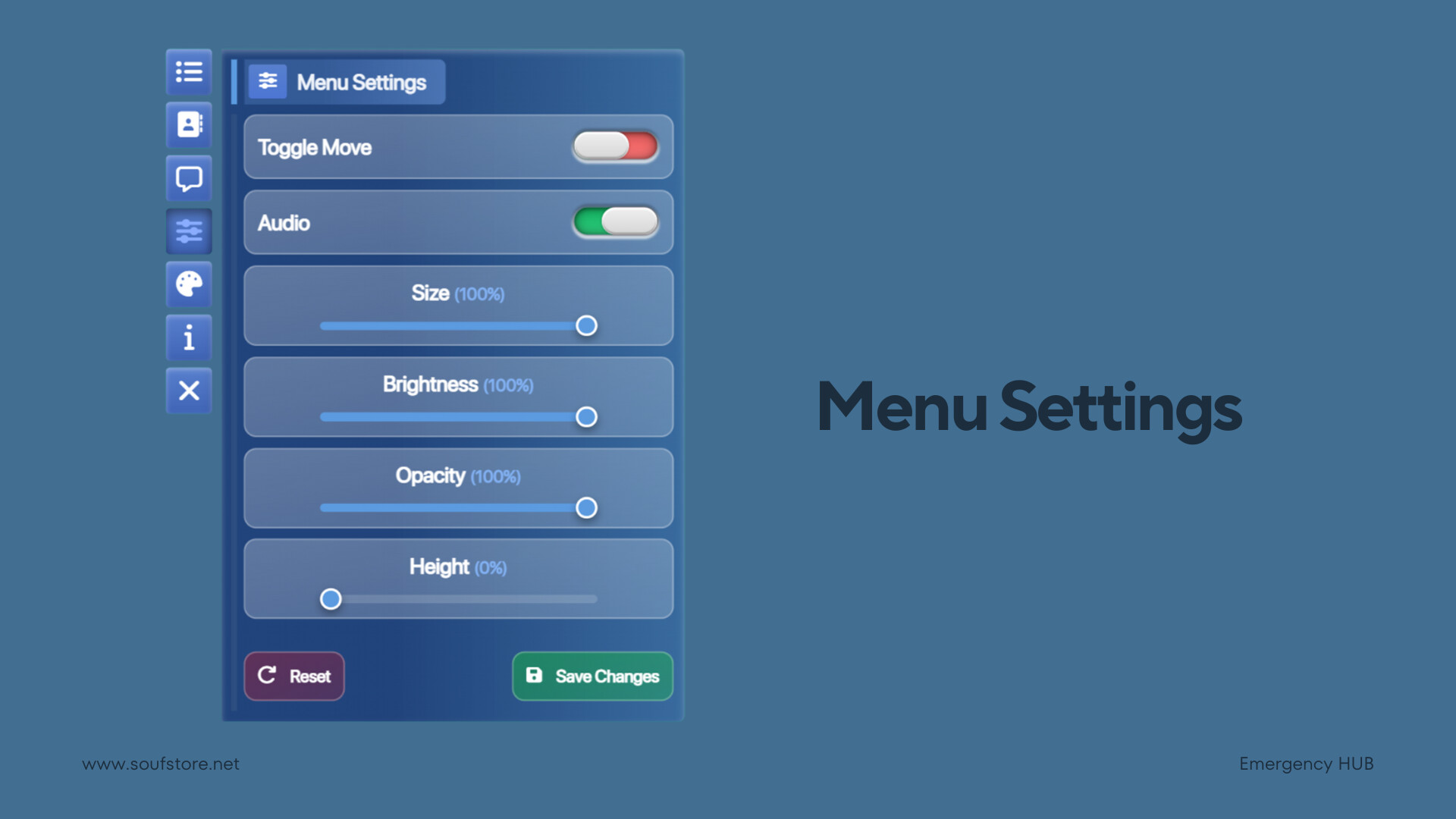
- Menu Settings: Full control over menu behavior, appearance, and interaction.
 Draggable Menu: Move the entire UI freely anywhere on the screen.
 Audio Control: Toggle UI sounds with optional global enforcement.
 UI Sliders: Adjust size, brightness, opacity, and menu height in real time.
 Save / Reset: Save custom settings instantly or restore defaults.
 Keyboard Controls: Operate the menu entirely by keyboard when the cursor is hidden.
 Keyboard Scrolling: Scroll member lists smoothly using arrow keys.
- Keyboard Page Switching: Navigate between group lists using left and right arrows.
 Themes System: Instantly apply predefined UI color themes.
 Universal Job Support: Fully compatible with any job.
 Supported Languages: Full multilingual support with built-in translations (English / Arabic / French / Spanish / German / Portuguese / Chinese / Polish / Dutch / Italian / Russian / Turkish / Swedish).
- Discord Webhook Logs: Sends structured logs and events directly to Discord via webhooks for easy monitoring.
- Framework Support: Compatible with major FiveM frameworks and flexible enough for custom integrations.
- QBCore.
- Qbox.
- ESX Legacy.
- Supports custom frameworks for developers with Lua experience.
Dependencies
- OneSync Infinity
- ox_lib
- (Optional) QBCore, Qbox or ESX Legacy
Features details with images:
🏠 Home Page Overview
Header
- Displays the total number of groups and the total number of members across all groups.
- A navigation bar listing all available groups.
- Each group entry includes:
- Group logo
- Job label
- Total number of members in the group
- A search input that allows searching for a specific member by full name.
- Displays all members sorted from highest to lowest rank.
- Each member is shown in a dedicated slot containing:
- Duty status
- Call sign
- Radio channel
- Full name
- Current vehicle
- The radio channel is interactive.
- Indicates live radio activity when a member is actively speaking.
- Displays the member’s current vehicle type.
- Supports siren status when applicable.
- Supported vehicle types:
- On foot (walk)
- Car
- Bicycle
- Motorcycle
- Train
- Boat
- Helicopter
- Airplane


💬 Group Chat
- The group chat system can be enabled or disabled per job via configuration.
- Supports job-based group communication.
- Members can chat only within their assigned job group (e.g. Police, Sheriff, Ambulance).
- Each group card displays:
- Job logo
- Job name (label)
- Total number of active job group members
- Number of unread messages
- Last message preview:
- Sender full name
- Message content
- Messages are received live without refreshing the page.
- Each message includes:
- Sender status (On Duty / Off Duty / Offline)
- Sender full name
- Sender call sign
- Message timestamp (time ago)
- Action buttons:
- Copy message
- Delete message (visible only to the message sender)
- If a message is sent from a member outside the current job group:
- The sender’s original job name is shown at the top of the message
- The message is styled using the job’s color
- The chat header includes:
- Button to maximize / minimize the chat UI
- Job group label
- Total number of online job group members
- Job logo
- Button to return to the main group chat list
- The chat icon in the navigation bar displays the number of unread messages

⚙️ Menu Settings
- Toggle option to enable menu movement.
- Allows dragging the full menu anywhere on the screen.
- Toggle to enable or disable sound effects (click, open, close, etc.).
- Audio can be force-disabled for all users via configuration.
- Adjust menu size using a slider.
- Increase or decrease brightness using a slider.
- Increase or decrease opacity using a slider.
- Adjust menu height to display more members in the main page list.
- Save button to store all changes.
- Reset button to restore all settings to default values.

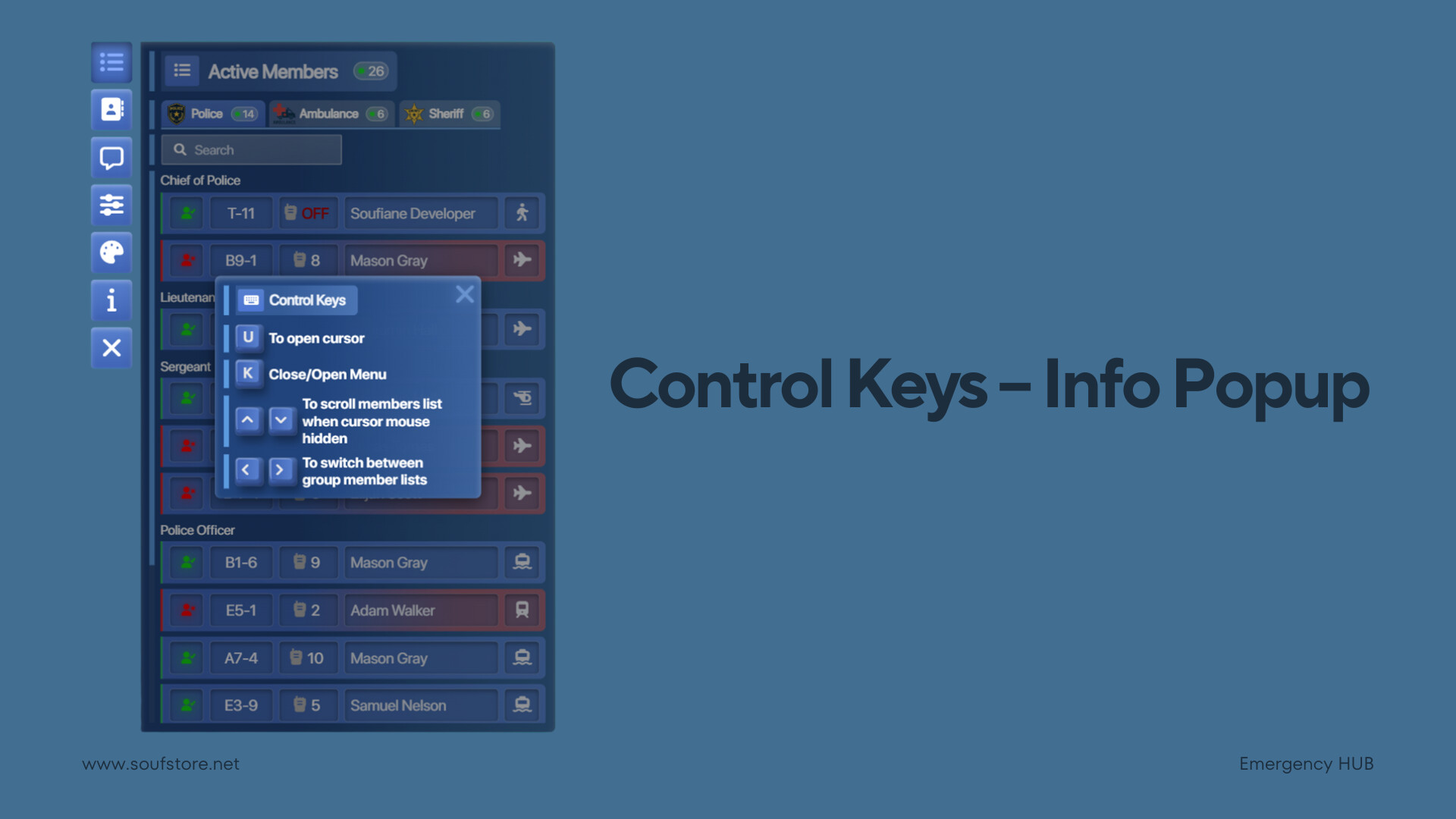
ℹ️ Control Keys – Info Popup
This popup explains how to control and navigate the menu when the mouse cursor is hidden.
Cursor & Menu
- Press U to show the cursor.
- Press K to open or close the menu.
- When the cursor is hidden:
- Use ↑ / ↓ arrow keys to scroll the members list smoothly.
- Use ← / → arrow keys to switch between group member lists.
This system allows easier navigation, faster scrolling, and quick page switching without needing to show the mouse cursor.
Purchase Link
Tebex: https://soufstore.net/product/emergency-hub
This script is protected by FiveM’s Asset Escrow.
| Code is accessible | Yes |
| Subscription-based | Yes |
| Lines (approximately) | +6000 |
| Requirements | ox_lib |
| Support | Yes |
 ]keep it up and also waiting for more restaurant jobs ![
]keep it up and also waiting for more restaurant jobs  ]
]