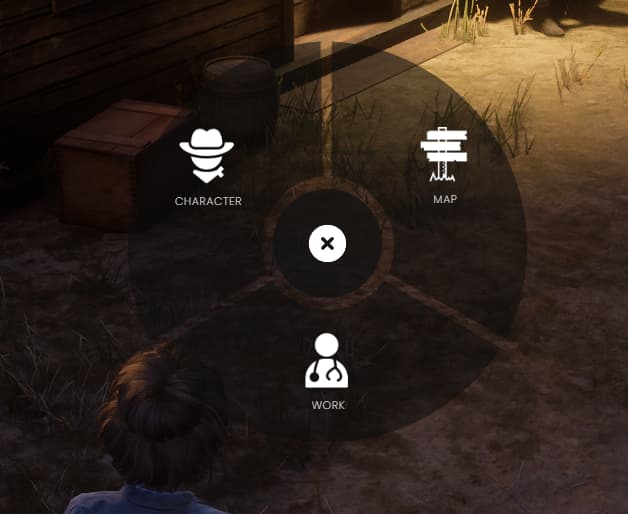
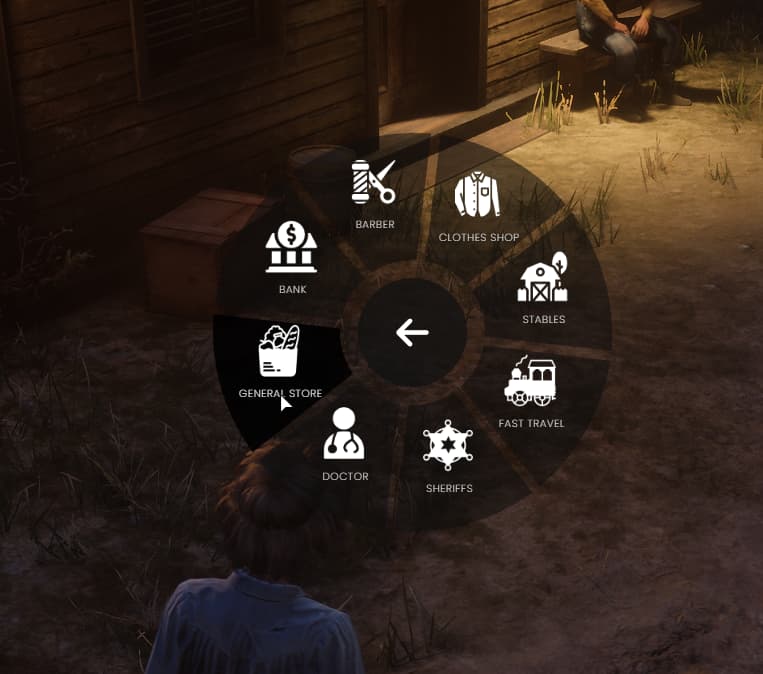
A radial menu for redm, allows easier interactions for players.
Script Features
Select walking styles build in to change and update on server side for VORP.
Add Items to show only for specific jobs.
Add items from other scripts dynamically.
Get nearby locations via GPS Waypoint
Adding and Removing Dynamically
exports[‘ez_radialmenu’]:RemoveOption(MenuItemId)

exports[‘ez_radialmenu’]:AddOption(
  {
    id = ‘custommenuitem’,
    title = ‘Custom Menu Item’,
    icon = ‘address-card’,
    type = ‘client’,
    event = ‘name_event’, ← Event name that opens the menu
    shouldClose = true
  },
  nil
)
the AGPL 3.0 license requires proper attribution, which typically includes:
1. The original author’s name.
2. A clear mention that the project is based on or derived from the original work.
3. A link to the original project repository to ensure transparency and credit.
Simply mentioning my name without linking back to the original project does not satisfy the attribution requirements of the AGPL 3.0 license.
triggering your events and using your resource as a dependency needs attribution now?
When none of your direct code is in any of his and he’s just calling your events?
Oh ok, I’ll be sure to archive this.
He is not using my resource, he is using a copy of it without using same license and without clear attribution to the original author, this goes against the license rules! if you have not read them before then please go and read them…
Idk what you are talking about LOL.
He put his 3d_waypoint script as dependency for this script,
and that one is a copy of my bln_3d_waypoint ! he took without comply to the original license rules. This is the issue and all the story my bud!
Yes there are no emotes. It was put there as an example to open your emote menu using a command.
However its not hard to make it run emotes. Should not be difficult, if you list emotes in a table with dictionary and animation name, then just pass the name you give it as the key in the table you define as an argument within an event you can define which runs the animation.
If you have any issues where you cannot make it work, just put them here with any error messages you may get and include your framework you are using, with a copy of the radial menu you are trying to run.
Yeah, im just clueless at how to add them i guess. I attempted but just not sure.
Using vorp core.
The map section in the radial didn’t work either but guess you have to set that up as well.
Trust me i tried, i just don’t understand it at all with adding them in the format given and no the map section doesn’t do anything at all with vorp. Not sure if you need something else to go with it to make it work.
-- Adding waypoint, Change if you want coords = {x = 0, y = 0, z = 0}
Config.AddWaypoint = function (coords)
    blip = false
    SetWaypointOff()
    Wait(100)
    ClearGpsMultiRoute()
    StartGpsMultiRoute(`COLOR_RED`, true, true)
    AddPointToGpsMultiRoute(coords.x, coords.y, coords.z)
    SetGpsMultiRouteRender(true)
    blip = true
    Citizen.CreateThread(function()
        while blip do
            Wait(0)
            local distance = #(GetEntityCoords(PlayerPedId()) - coords)
            if distance < 5 or IsWaypointActive() then
                blip = false
                ClearGpsMultiRoute()
                SetGpsMultiRouteRender(false)
            end
        end
    end)
end
It uses this function to add waypoint. If you have another script which is using GPS multiroute, as many do, it is probably clearing it, but that should only happen when you are doing something like a job. If a script in your server is constantly clearing it, its an issue.
Yeah not sure. It opens and all but they do absolutely nothing. I have a new basic vorp server with the regular vorp scripts, no additional waypoint stuff or scripts.
I am having the same issue. The radial menu opens, but none of the buttons do anything. I have gone through the config and updated/entered with my commands where applicable, but no luck
As inferred before the script shows examples on how to run commands and events. It does not provide implementation of the commands used. They are default vorp commands for clothing (in vorp character) and the emote menu you must link to an external script.
 Radial Menu