Hi,
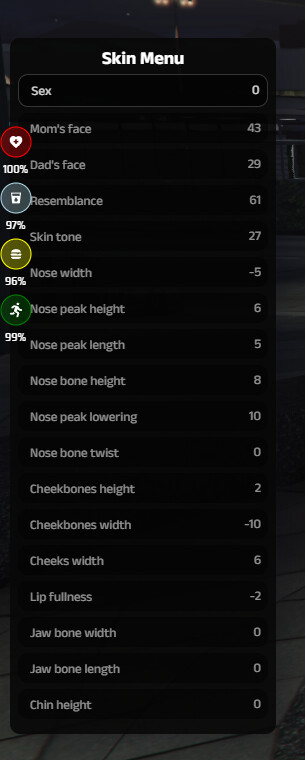
i’m using cui_character, a custom character creator and it’s working fine but the game is triggering the Skin Menu from ESX right after i have created a new char.
If i just close the menu it will reset my skin to default.
I’ve have tried to uncomment the TriggerEvent but it seems to be required for spawning my char visible and with skin. If i uncomment the TriggerEvent, my char will remain invisible.
I’m pretty sure, esx_multichar is interpreting something wrong at this part of the client\main.lua
	RegisterNetEvent('esx:playerLoaded')
	AddEventHandler('esx:playerLoaded', function(playerData, isNew, skin)
		local spawn = playerData.coords or Config.Spawn
		if isNew or not skin or #skin == 1 then
			print("DEBUG: is new")
			local finished = false
			skin = Config.Default[playerData.sex]
			skin.sex = playerData.sex == "m" and 0 or 1
			local model = skin.sex == 0 and mp_m_freemode_01 or mp_f_freemode_01
			RequestModel(model)
			while not HasModelLoaded(model) do
				RequestModel(model)
				Wait(0)
			end
			SetPlayerModel(PlayerId(), model)
			SetModelAsNoLongerNeeded(model)
			TriggerEvent('skinchanger:loadSkin', skin, function()
				local playerPed = PlayerPedId()
				SetPedAoBlobRendering(playerPed, true)
				ResetEntityAlpha(playerPed)
				TriggerEvent('esx_skin:openSaveableMenu', function()
					finished = true end, function() finished = true
				end)
			end)
			repeat Wait(200) until finished
		end

		SetCamActive(cam, false)
		RenderScriptCams(false, false, 0, true, true)
		cam = nil
		local playerPed = PlayerPedId()
		FreezeEntityPosition(playerPed, true)
		SetEntityCoordsNoOffset(playerPed, spawn.x, spawn.y, spawn.z, false, false, false, true)
		SetEntityHeading(playerPed, spawn.heading)
		if not isNew then TriggerEvent('skinchanger:loadSkin', skin or Characters[spawned].skin)
		end
		Wait(400)
		print(isNew)
		DoScreenFadeIn(400)
		TriggerServerEvent('esx:onPlayerSpawn')
		TriggerEvent('esx:onPlayerSpawn')
		TriggerEvent('playerSpawned')
		TriggerEvent('esx:restoreLoadout')
		Characters, hidePlayers = {}, false
	end)
Please help