WNT MDT v1.0.0
WNT MDT is a configurable Mobile Data Terminal for FiveM servers. It supports QBCore, Qbox, ESX, and Standalone ACE and provides citizen, vehicle, phone, weapon, report, offense, wanted-status, and optional billing tools through a tablet interface.
The default configuration uses LSPD and DOJ, but these are not mandatory. Job names, department labels, logos, commands, access grades, and other settings can be changed to adapt the MDT to sheriff departments, government departments, security units, medical departments, or other custom server jobs.
Framework, job, grade, item ownership, and protected MDT actions are validated server-side.
Preview https://youtu.be/Np6WX91mvIQ?si=LbmMJR8ZomN5eRFd
Supported frameworks
-
QBCore
-
Qbox
-
ESX
-
Standalone with ACE permissions
-
Automatic framework detection
-
Manual framework selection
-
Optional framework fallback for mixed or migrated databases
-
Qbox multi-job support
Framework selection is configurable:
Config.Framework = 'auto'
Available values:
auto
qb
qbox
esx
standalone
Configurable departments
WNT MDT includes two separately configurable department profiles.
The included default profiles use Police and DOJ, but server owners can change:
-
Framework job names
-
Department labels
-
Department logos
-
Opening commands
-
Minimum access grades
-
Feature-specific permission grades
Example configuration for a sheriff department:
Config.PoliceJob = 'pbso'
Config.PoliceLabel = 'PBSO'
Config.PoliceLogo = 'pbso.png'
Custom square PNG logos can be placed in the resource’s nui folder and selected through config.lua.
Access methods
The MDT can be opened through configurable commands or a usable inventory item.
Default commands:
/wmdt
/dmdt
Item configuration:
Config.EnableItem = true
Config.RequireItem = false
Config.ItemName = 'wmdt'
When Config.RequireItem is enabled, the server checks item ownership before opening the MDT and before protected MDT actions are performed.
The package includes:
-
QBCore item setup
-
Qbox and ox_inventory item setup
-
ESX item setup
-
Tablet inventory image
-
Configurable tablet animation
-
Configurable tablet prop, bone, position, and rotation
Standalone servers can control access through:
Config.StandaloneAce = 'wntmdt.use'
Search system
Authorized users can search for:
-
Citizens by name
-
Citizens by Citizen ID or framework identifier
-
Registered vehicles by license plate
-
Citizens by phone number
-
Registered weapons by serial number
-
Reports by report number, suspect, or officer
Search and report limits can be changed:
Config.SearchLimit = 25
Config.ReportLimit = 60
Framework player and vehicle table names are configurable for servers using custom database structures.
Additional phone-table searches can also be configured. Default lookup structures are included for commonly used tables such as:
-
phone_phones -
phone_numbers -
gksphone_settings -
qs_phone_numbers
Citizen records
Citizen profiles combine available framework information with MDT records, including:
-
Identity information
-
Phone information
-
Registered vehicles
-
Registered weapons
-
Criminal records
-
Active wanted status
-
Associated reports
-
Billing records when billing is enabled
The information displayed depends on the selected framework, database structure, and enabled integrations.
Report system
Authorized users can:
-
Select a suspect
-
Enter incident details
-
Record evidence information
-
Add multiple offenses
-
Add additional penalties
-
Automatically calculate fines
-
Automatically calculate community service
-
Automatically calculate jail time
-
Search the report archive
-
View detailed reports
-
Delete reports with the required grade
-
Rate reports
-
View the officer rating leaderboard
-
Reset ratings with the required grade
Report rating, report deletion, and rating reset use separate configurable grade requirements.
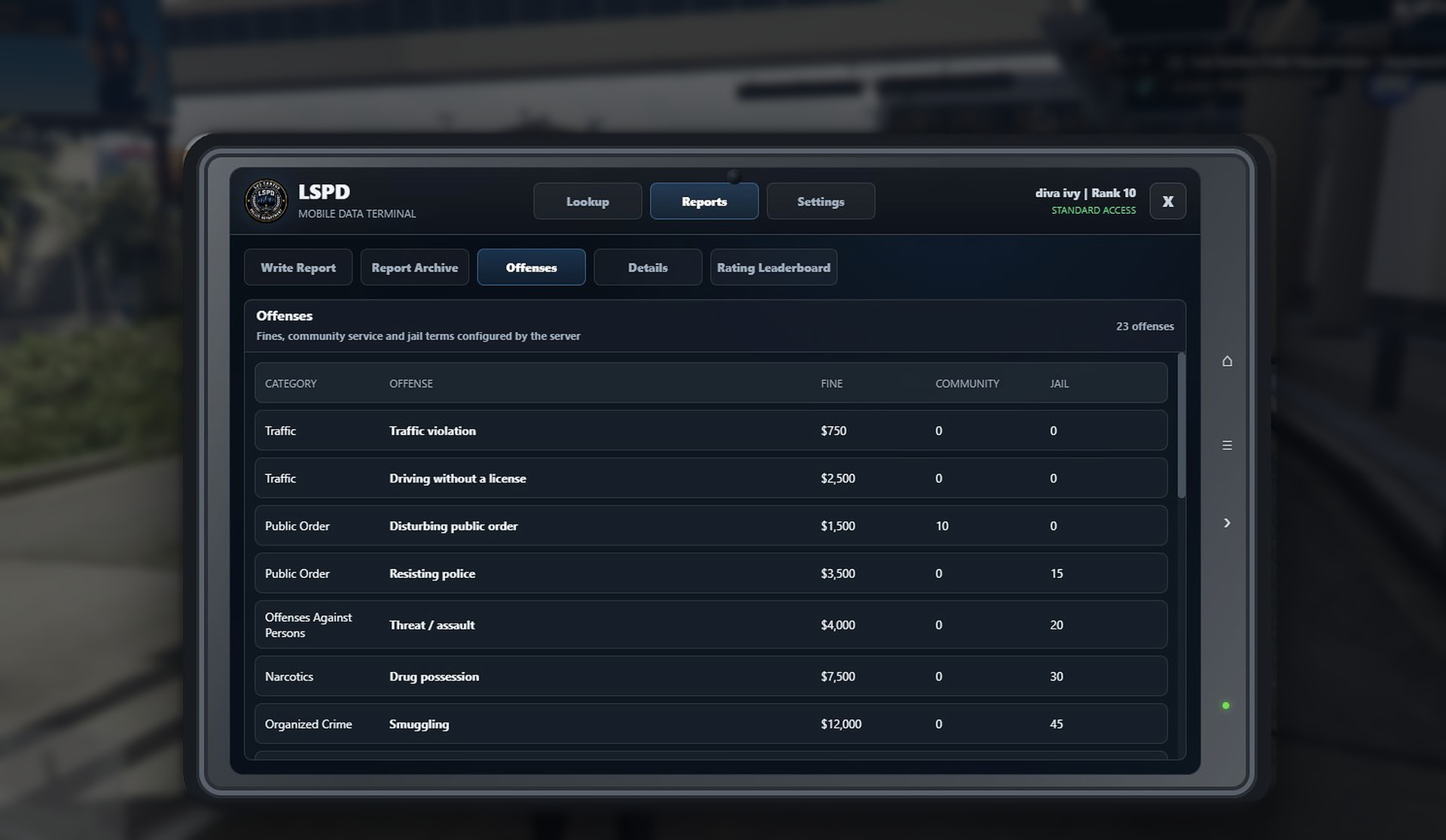
Offenses and penalties
Offenses are configured through Config.Offenses.
Each offense can contain:
-
Category
-
Offense name
-
Fine
-
Community service
-
Jail time
-
Custom note
-
Localization keys
Additional consequences can be configured separately through Config.ExtraPenalties.
The included configuration contains editable examples for:
-
Traffic
-
Public order
-
Offenses against persons
-
Narcotics
-
Organized crime
-
Serious crime
-
Weapons
-
Theft
-
Society
-
State offenses
-
Other custom categories
All included offenses, values, categories, and additional penalties can be edited by the server owner.

Wanted status
Authorized users can:
-
Mark a citizen as wanted
-
Enter a custom reason
-
Select the wanted duration
-
View the wanted warning on the citizen profile
-
Clear an active wanted status
Default and maximum durations are configurable:
Config.DefaultWantedMinutes = 60
Config.MaxWantedMinutes = 10080
Expired wanted records are handled automatically.
Weapon registration
Authorized grades can:
-
Register a weapon serial number
-
Enter the weapon name or model
-
Assign the weapon to a citizen
-
Add registration notes
-
Search for the registered owner by serial number
The required grade can be changed:
Config.WeaponLicenseMinGrade = 15
Optional billing system
A complete billing module is included but disabled by default:
Config.EnableBilling = false
When enabled, authorized users can:
-
Create invoices with custom reasons and amounts
-
View paid and unpaid invoices
-
Delete unpaid invoices with the required grade
-
Process payments through supported framework banking systems
-
Use billing exports for external integrations
-
Send optional invoice notifications through LB Phone and a compatible
wfaturaapplication
Billing creation and deletion have separate grade requirements.
When billing is disabled, its tab and related functionality are hidden. Existing billing records are preserved.
LB Phone notification settings:
Config.BillingPhoneResource = 'lb-phone'
Config.BillingPhoneApp = 'wfatura'
Config.BillingPhoneNotify = false
LB Phone and wfatura are optional and are only required when phone billing notifications are used.
Configurable permissions
Separate grade settings are available for:
-
Primary department access
-
Secondary department access
-
Report rating
-
Report deletion
-
Rating reset
-
Weapon registration
-
Invoice creation
-
Unpaid invoice deletion
Grade checks use:
player grade >= configured minimum grade
Languages
Five languages are included:
-
English
-
Turkish
-
German
-
French
-
Spanish
Localization is included for Lua messages, the NUI interface, offenses, categories, and notes.
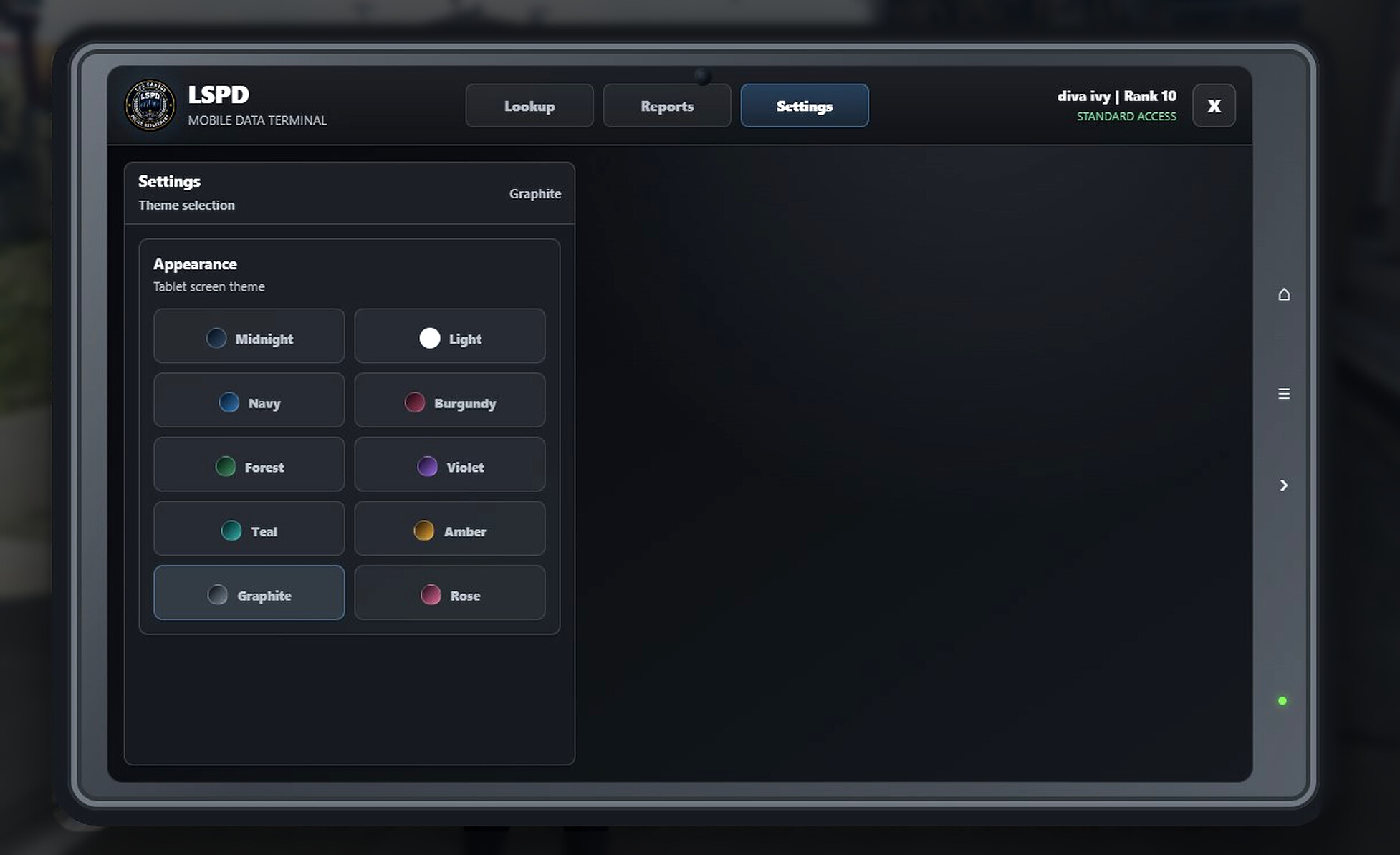
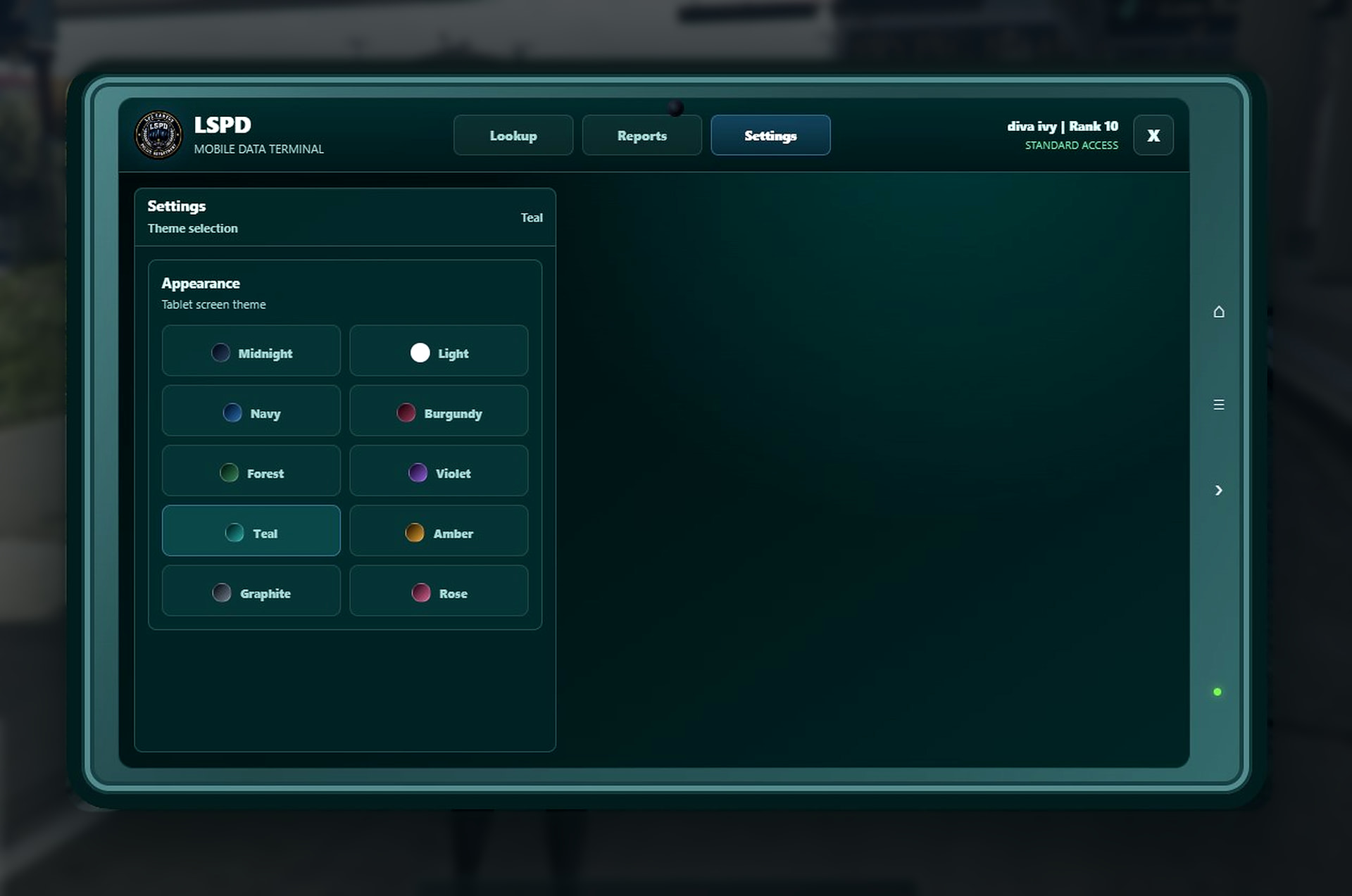
Themes
Ten interface themes are included:
-
Midnight
-
Light
-
Navy
-
Burgundy
-
Forest
-
Violet
-
Teal
-
Amber
-
Graphite
-
Rose
The default theme can be selected in the configuration:
Config.DefaultTheme = 'midnight'
Each player’s selected theme is stored locally.
Database and installation
WNT MDT uses oxmysql.
Required MDT tables can be created automatically:
Config.AutoCreateTables = true
For manual installation, an install.sql file is included.
The following database table names can be changed for custom server structures:
-
QBCore players
-
QBCore vehicles
-
Qbox players
-
Qbox vehicles
-
ESX users
-
ESX vehicles
The package includes installation documentation in:
-
English
-
Turkish
-
German
-
French
-
Spanish
Performance
Tested using the FiveM Resource Monitor:
-
MDT closed/idle: 0.00 ms
-
MDT open and in use: 0.01 ms
-
Client memory usage during testing: approximately 483–505 KiB
-
NUI memory displayed while open: approximately 16 KiB
Performance can vary slightly depending on the framework, server configuration, database, and enabled integrations.


Requirements
-
Current FiveM FXServer artifact
-
oxmysql -
QBCore, Qbox, ESX, or Standalone ACE
-
A compatible inventory resource only when item access is used
-
LB Phone and a compatible
wfaturaapplication only when optional phone invoice notifications are enabled
Download
WNT MDT is immediately available as a Tebex package delivered through FiveM Asset Escrow:
https://wnt.tebex.io/package/7584029
Joining Discord is not required to download, install, or run the resource.
Support
Support is available through this release topic or the WNT Development Discord:
| Code is accessible | No — configuration and localization files are accessible |
| Subscription-based | No |
| Lines (approximately) | ~5,327 |
| Requirements & dependencies | oxmysql; QBCore, Qbox, ESX, or Standalone ACE |
| Support | Yes |

