Error code on QB server with new mechanic script i tried to use

Error code on QB server with new mechanic script i tried to use. I have watched few videos and as much as i can understand i have to make table my myself, as someone who is completely new to scripts and fivem overall then i have no idea how to do it or if it is even the right thing to do, i also can not find the kaves_mechanics i only have kaves_mechanic.

[ script:oxmysql] Error: kaves_mechanic was unable to execute a query!
[ script:oxmysql] Query: SELECT * FROM kaves_mechanics
[ script:oxmysql]
[ script:oxmysql] Table ‘qbcoreframework_2d5fae.kaves_mechanics’ doesn’t exist

Hi! In your script doesn’t exist a file with extension .sql?

link to install XAMPP and HeidiSQL

So, first step is open XAMPP Control Panel then start “Apache” and “MySQL”
image
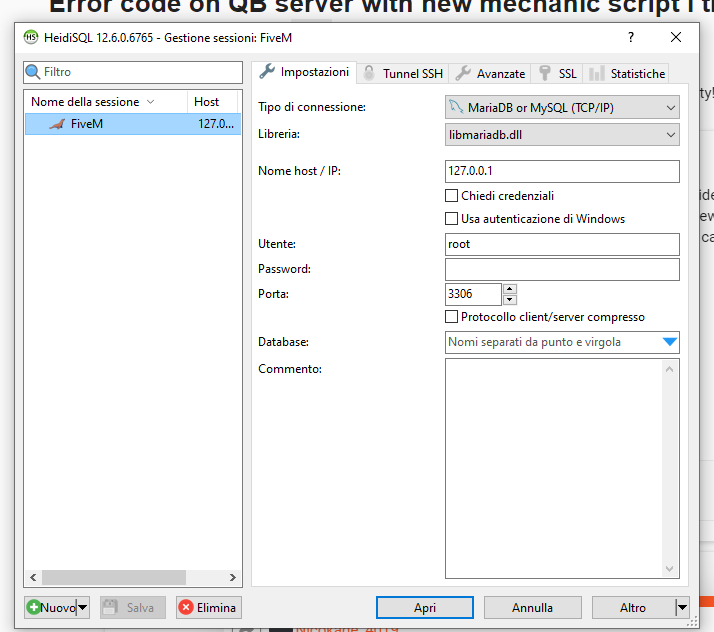
second step is start HeidiSQL without touching configurations and click on “open”


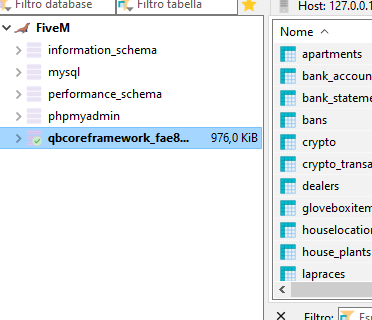
third step is to access the database via HeidiSQL, access the section where the server name is written and finally create the required table
image

SQL Error

Error

[ script:oxmysql] Error: kaves_mechanic was unable to execute a query!
[ script:oxmysql] Query: SELECT * FROM kaves_mechanics
[ script:oxmysql] 
[ script:oxmysql] Table ‘qbcoreframework_2d5fae.kaves_mechanics’ doesn’t exist

To fix this you need to run the query the script creator gives you in the files.

The file extension should be named .sql


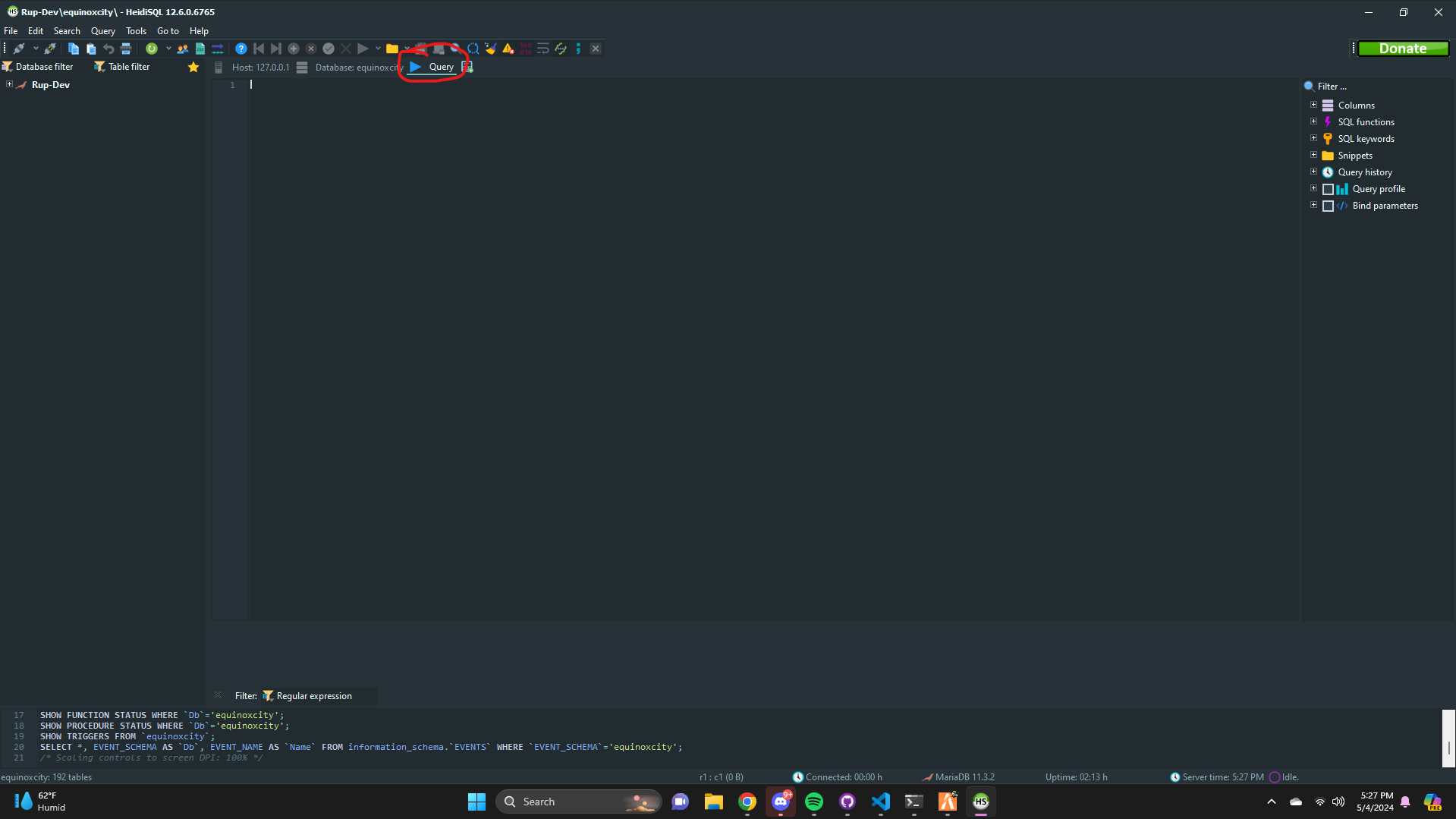
Go into Heidi Sql

Copy and paste your .sql file into query which I circled in red for you.


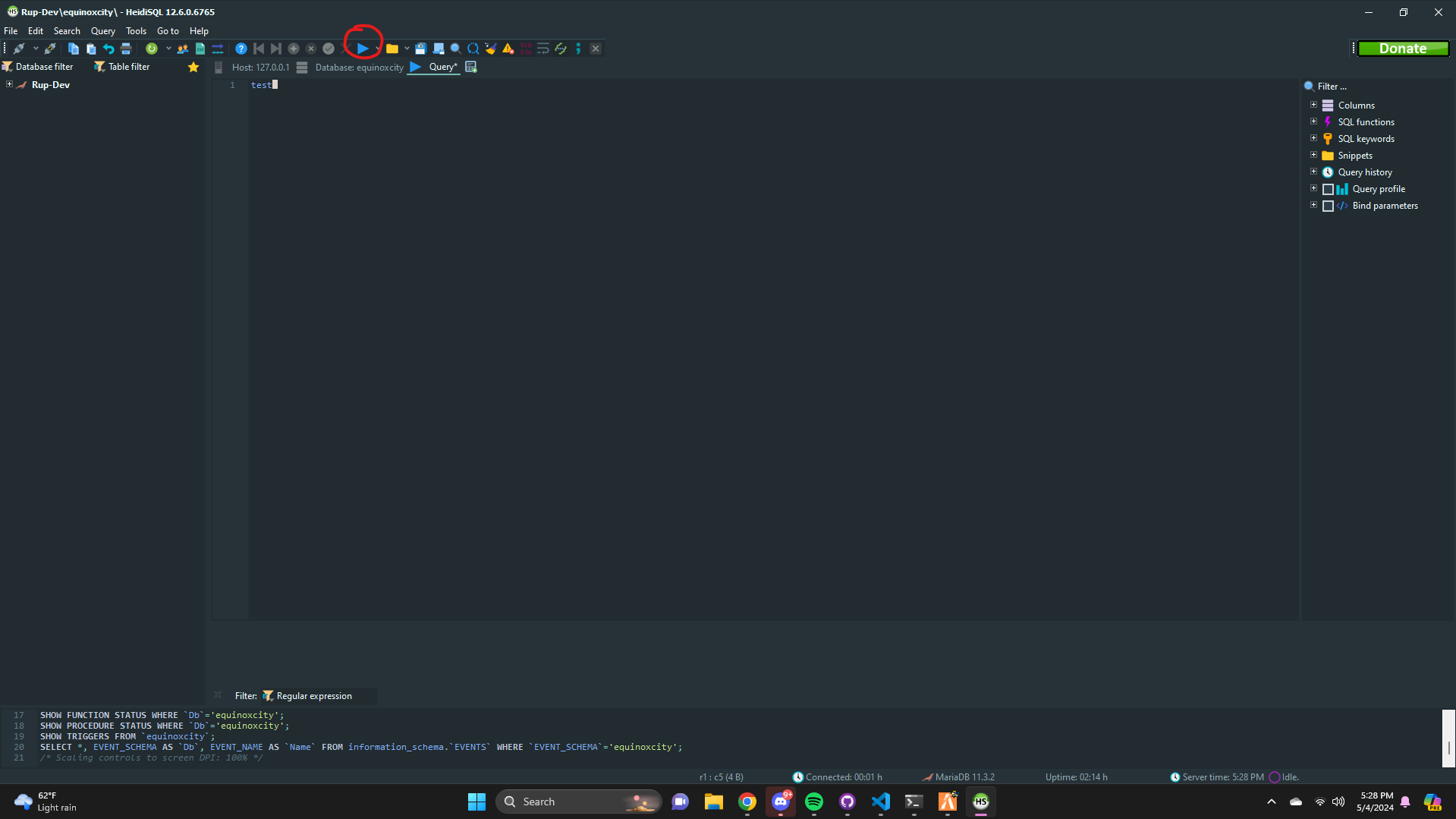
Once you paste the query in there this should light up

Click on the run button and it will run the query and add the table for you.


Links
MariaDBWhy MariaDB?
Xampp – If you want… read link above
Heidi SQLWhat is Heidi?

This topic was automatically closed 30 days after the last reply. New replies are no longer allowed.