Emergency radio V2

Cosmos In-Game emergency radio

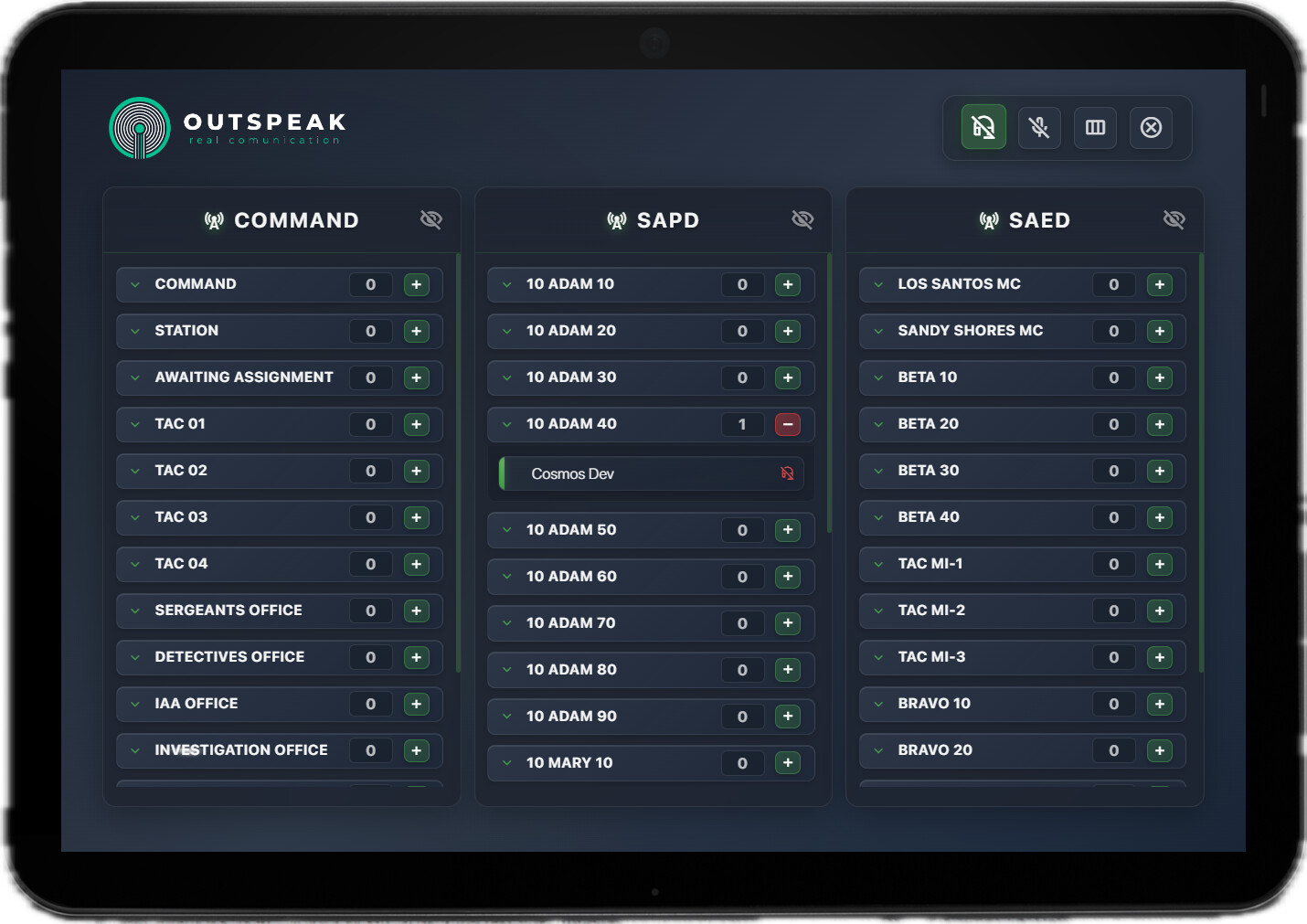
Upgrade your server’s roleplay and tactical coordination with cs-speak, a professional and fully customizableradio/communication script. Designed as a sleek, interactive tablet, it delivers an unparalleled user experience and advanced features that go beyond standard voice systems.


Key Features & Unmatched Customization

cs-speak gives your players total control over their communication environment, ensuring an organized and immersive experience:

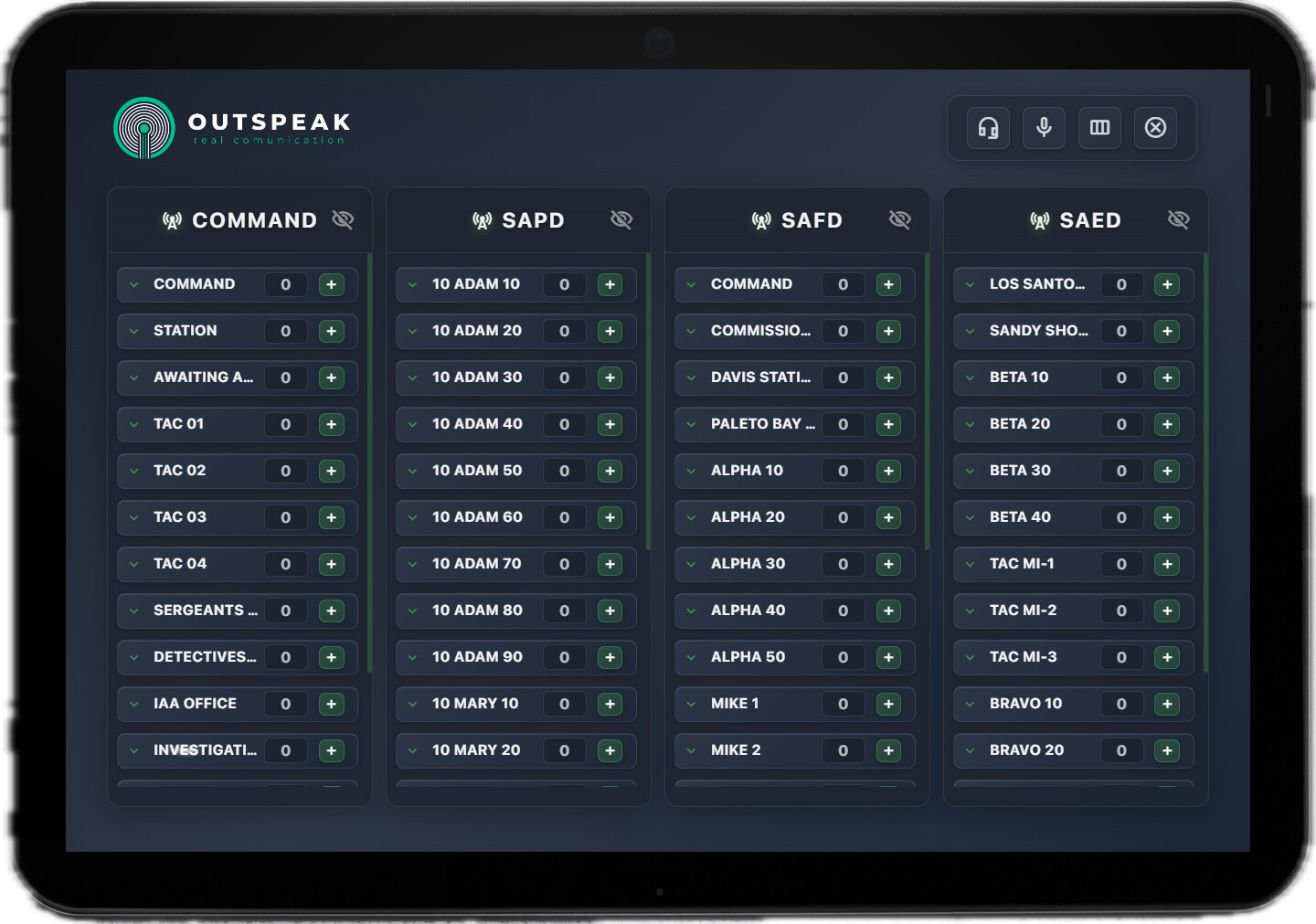
  • Interactive Tablet UI: A modern, clean, and user-friendly tablet interface for immersive gameplay.

  • Total Layout Control:

    • Customizable Columns: Deactivate channel categories you don’t need! Keep your screen clutter-free and focused on what matters.
    • Minimizable Channels: Minimize specific channels to save screen space without disconnecting, maintaining a tidy UI.
  • Advanced Audio Management:

    • Mute & Deafen Functionality: Control your microphone and speaker output with clear on-screen indicators visible to both you and other users.
    • Status Toggling: Switch your presence between Available (:green_circle:) and Busy (:red_circle:). This status is clearly displayed on your user cell for improved team coordination.
  • Tactical Communication Tools:

    • Cross-Channel Whispers: Enjoy the popular “whisper” functionality, allowing private, tactical communication between different channels, similar to TeamSpeak 3 (TS3).
    • User Drag-and-Drop (Permissions Required): With configured permissions, authorized users can drag and drop other users between channels, making squad management and quick meetings effortless.

Seamless Framework Compatibility

cs-speak is built for maximum compatibility, ensuring a smooth fit regardless of your server’s setup:

  • :white_check_mark: Major Framework Support: Fully compatible with QBOX, ESX, and QBCORE.
  • :white_check_mark: Standalone Ready: Running a custom or non-framework server? cs-speak works perfectly in Standalonemode with no external framework dependencies required!
Buy here!

Tebex Link: ESCROWED

Tebex Link: NO-ESCROWED

Docs Link DOCUMENTATION HERE!

Code is accessible Yes (no-escrowed version)
Subscription-based No
Lines (approximately) +1100
Requirements pma-voice (included)
Support Yes

Is there any plans for a preview?

Specifically on Cross-Channel Whispers, Intersted to see how it works as PMA (Natively) doesn’t support multi channel radios at the same time

Looks so cool, is there a testserver? or atleast a video?

SIncerely
Beans

It’s possible! PMA works by using arrays of net IDs as the listened-to players. If we add the net IDs from the other channel to the target array, we’re merging the targets of both channels. That’s how whispers are created. You can also create new whispers in the config file.

DEFAULT WHISPERS CONFIG FILE:

Config.Whispers = {

    ["common-commands"] = {
        ["keybind"] = {
            ["name"] = "[Whisper] [PD/ED] freq. Mandos",
            ["defaultkey"] = ""
        },
        ["channels"] = {
            "msapd_mando",
            "msafd_mandoem",
            "saed_lsmedical",
            "saed_ssmedical"
        }
    },

    --[[ SAPD ]]--

    ["sapd-commands"] = {
        ["keybind"] = {
            ["name"] = "[Whisper] [SAPD] freq. Tac-Mando",
            ["defaultkey"] = ""
        },
        ["channels"] = {
            "msapd_mando",
            "msapd_tac01",
            "msapd_tac02",
            "msapd_tac03",
            "msapd_tac04"
        }
    },

    ["sapd-comi"] = {
        ["keybind"] = {
            ["name"] = "[Whisper] [SAPD] comi. <-> Mando",
            ["defaultkey"] = ""
        },
        ["channels"] = {
            "msapd_mando",
            "msapd_comisaria"
        }
    },

    ["sapd-all"] = {
        ["keybind"] = {
            ["name"] = "[Whisper] [SAPD] freq. all SAPD",
            ["defaultkey"] = ""
        },
        ["channels"] = { }
    },

    ["sapd-awaiting"] = {
        ["keybind"] = {
            ["name"] = "[Whisper] [SAPD] Mando -> asig.",
            ["defaultkey"] = ""
        },
        ["channels"] = {
            "msapd_awaiting",
            "msapd_mando"
        }
    },

    --[[ SAED ]]--

    ["saed-all"] = { 
        ["keybind"] = {
            ["name"] = "[Whisper] [SAED] freq. all SAED",
            ["defaultkey"] = ""
        },
        ["channels"] = { }
    },

    ["saed-depmando"] = { 
        ["keybind"] = {
            ["name"] = "[Whisper] [SAED] dep. <-> mando",
            ["defaultkey"] = ""
        },
        ["channels"] = { 
            "msafd_mandoem",
            "msafd_davisstation",
            "msafd_paletobay",
            "saed_lsmedical",
            "saed_ssmedical"
        }
    },

    ["safd-stations"] = { 
        ["keybind"] = {
            ["name"] = "[Whisper] [SAED] freq. all SAFD",
            ["defaultkey"] = ""
        },
        ["channels"] = { }
    },

    ["sams-stations"] = { 
        ["keybind"] = {
            ["name"] = "[Whisper] [SAED] freq. all SAMS",
            ["defaultkey"] = ""
        },
        ["channels"] = { }
    }
}

I got this preview before the update was even finished. I’ll post a full preview with all the new features in this post soon :sweat_smile:

Hey, that doesnt really show the features tbf, im missing the whole point with the whisper system and how you managed it in PMA lol

I think this still doesn’t really explain it, What i think everyone is looking for is can you hear and reply to both channels

For example, Can i connect to both channel 1 and 2 at the same time. Hearing any transmissions on either 1 or 2 and then also having a keybind to broadcast on channel 1 or channel 2 indipendently

The channel hearing option isn’t implemented by default; you can configure it using whispers. This means that if someone speaks to you, you can reply by sending a general message to all frequencies in that category (if you keep the default settings, but you can change them as well), or you can create a two-way whisper. For example, if you use the X key to communicate from channel A to channel B, those on channel B can communicate with channel A using the same key (X). Regarding the preview, I’m not exactly sure what you want me to show you; it’s a whisper feature where you can speak to channels you’ve configured while on another channel.

But I don’t know what to show you; they’re keybinds that allow you to communicate using all the pre-configured frequencies while on another channel. I have a screenshot of the keybind configuration in the comic. Could you please show an example of whispering in the video?

Ohhh so you can go into channels but also stay in yours?

You can’t literally be on multiple frequencies, but you can communicate with them using keybinds. However, your user will NOT appear as connected to that other frequency, only to your own.

The best script, :100:

1 Like