Delete this i found solution

To receive support, please fill out the following template, and remove this top text.

GTA V version?
Newest
Up to date?
Yep
Legit or Pirate copy?
Legit
Steam/CD/Social Club?

  • Steam*
    Windows version?
    Windows 10
    Did you try to delete caches.xml and try again?
    No
    Error screenshot (if any)
    image
    System specifications
    4GB RX 580, AMD Ryzen 2300X and 8gb Memory.
    What did you do to get this issue?
    Nothing, just started the game up like i do everyday…
    What server did you get this issue on?
    All i have joined
    CitizenFX.log file
    CfxCrashDump_2019_11_19_14_22_16.zip (1.1 MB)
    .dmp files/report IDs
    ?? :thinking:
    If an issue with starting:
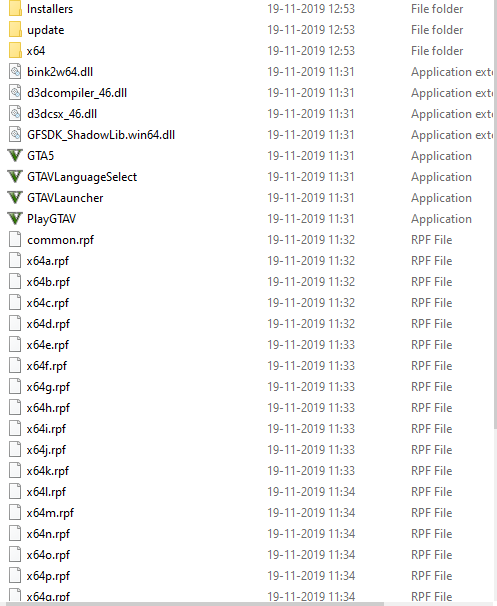
    GTA V folder screenshot

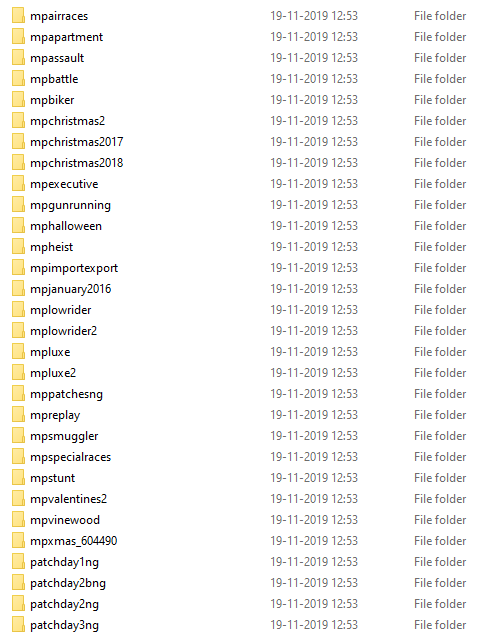
    GTA V/update/x64/dlcpacks screenshot

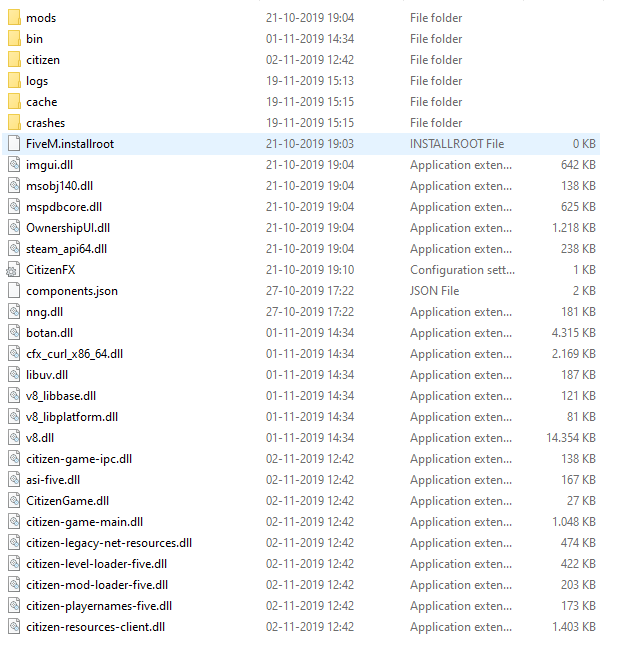
    Filepath to FiveM folder
    C:\Users(CENSOREDSINCEITSMYIRLNAME)\AppData\Local\FiveM\FiveM.app
    FiveM client folder screenshot

    Did you try to disable/uninstall your Anti-virus?
    Yep, still didn’t work…

Also add what you already tried so far.

  1. Updating Windows
  2. Reinstalling GTA V
  3. Disabling Anti-Virus
  4. Deleting everything in AppData → Local → Temp
  5. Restarting my pc 2 times

Hello, this is a friendly reminder because this is your first time creating a topic (or it has been a while since your last topic) in this category.

Please note that most of the support is provided by the FiveM community on a voluntary basis. We ask you to be patient; there is no guarantee we have a solution to your problem(s). To avoid unnecessary/duplicate topics, please browse the forums before creating a topic.

To improve your chances of your issue(s) being solved, please provide as much information as possible about the issue(s) you are having. Also —whenever possible— please use the template given to you when creating a topic.

Thanks for keeping these forums tidy!
:mascot:

Please try to join one of the vanilla servers. With next to no resources. alternatively what server was you trying to join?

Also try deleting your cache folder in your FiveM Application data folder and then allow it to redownload

I tried it now and still doesn’t work.
Servers iam trying to Join is Carolina State RP #2 - #6

okay please try the deleting of your cache folder then start fivem and try again.

I did that before and it didn’t fix it :confused:

looking at your log it is happening while doing file overwrites for EUP. try joining a non EUP server and send your log then please.

How do i see if a server is non EUP

a vanilla server is normally good, or try the IV / Liberty City server something like that. Most RP servers have EUP so do not join one that RP in the name.
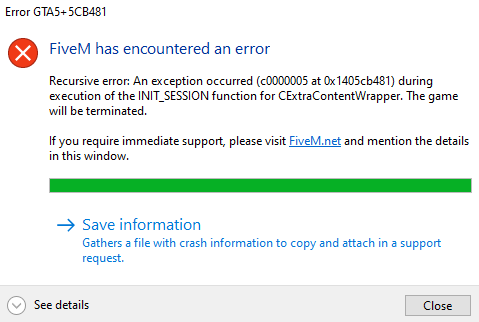
Just tried still the same Error message

please upload the latest .log file. The one just after trying to join the vanilla server.

CitizenFX_log_2019-11-19T173700.log (352.2 KB)

I’ve had problems with EUP earlier too so my customized characters look weird mixed up sometimes, if that works?

This topic was automatically closed 30 days after the last reply. New replies are no longer allowed.