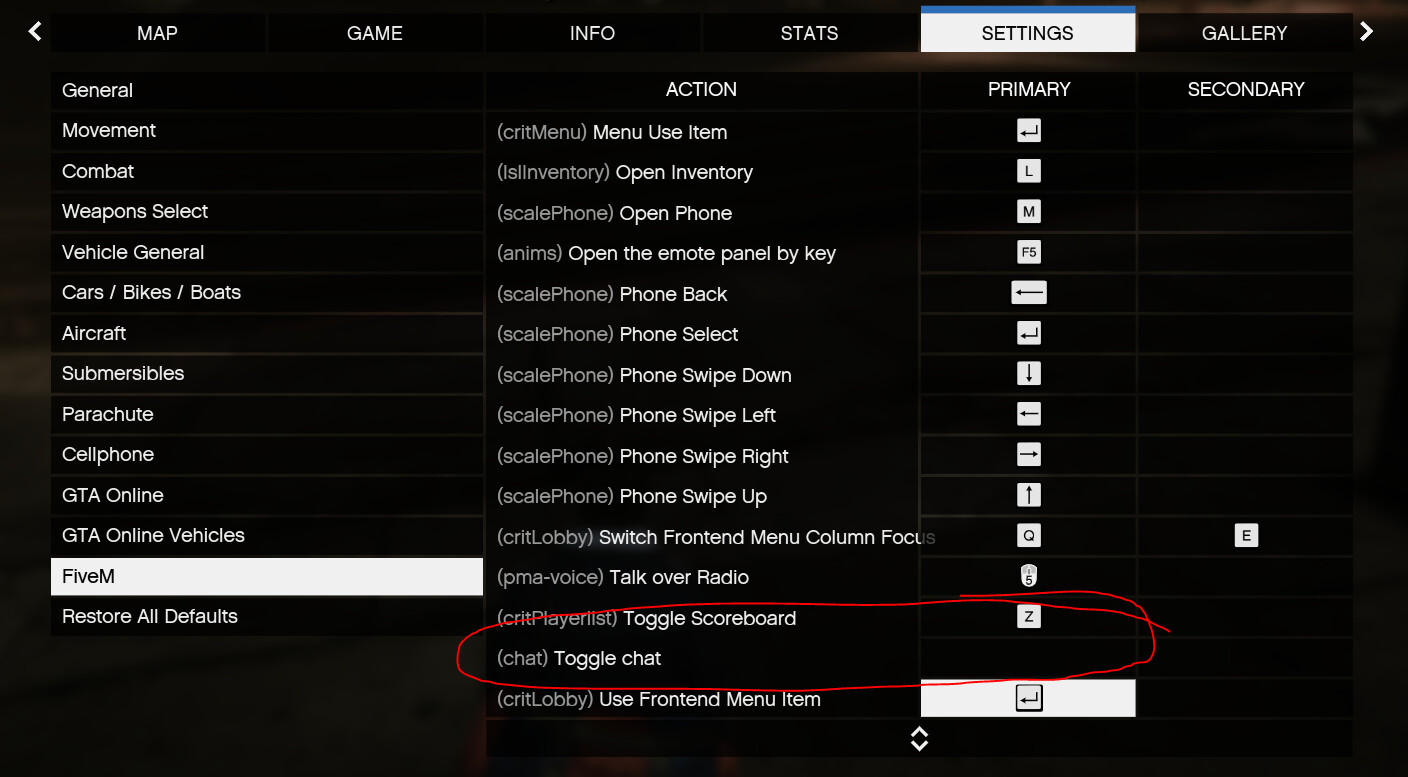
can someone explain to me, how i can deactivate the hide function from the standard chat box?
I ask because it has the same key (L) how my carlock system and i can’t change the key
I’ve upload you a video where you can see what i mean.
Hi there, this is a really simple fix and I’ll go over how to do it:
Go to citizen > system_resources > chat > cl_chat.lua
Go to line 238 where you will see this:
local CHAT_HIDE_STATES = {
  SHOW_WHEN_ACTIVE = 0,
  ALWAYS_SHOW = 1,
  ALWAYS_HIDE = 2
}

local kvpEntry = GetResourceKvpString('hideState')
local chatHideState = kvpEntry and tonumber(kvpEntry) or CHAT_HIDE_STATES.SHOW_WHEN_ACTIVE
local isFirstHide = true
if RegisterKeyMapping then
	RegisterKeyMapping('toggleChat', 'Toggle chat', 'keyboard', 'l')
end

RegisterCommand('toggleChat', function(source, args, rawCommand)
  if not args[1] then
    if chatHideState == CHAT_HIDE_STATES.SHOW_WHEN_ACTIVE then
      chatHideState = CHAT_HIDE_STATES.ALWAYS_SHOW
    elseif chatHideState == CHAT_HIDE_STATES.ALWAYS_SHOW then
      chatHideState = CHAT_HIDE_STATES.ALWAYS_HIDE
    elseif chatHideState == CHAT_HIDE_STATES.ALWAYS_HIDE then
      chatHideState = CHAT_HIDE_STATES.SHOW_WHEN_ACTIVE
    end
  else
    if args[1] == "visible" then
      chatHideState = CHAT_HIDE_STATES.ALWAYS_SHOW
    elseif args[1] == "hidden" then
      chatHideState = CHAT_HIDE_STATES.ALWAYS_HIDE
    elseif args[1] == "whenactive" then
      chatHideState = CHAT_HIDE_STATES.SHOW_WHEN_ACTIVE
    end
  end
  isFirstHide = false
  SetResourceKvp('hideState', tostring(chatHideState))
end, false)
Replace it with this:
local CHAT_HIDE_STATES = {
  SHOW_WHEN_ACTIVE = 0,
  ALWAYS_SHOW = 1,
  ALWAYS_HIDE = 2
}

local chatHideState = 0
local isFirstHide = true
That will cause your chat to be hidden when not in use and not require players to unbind the command. If you want to set it be permanently shown, just change chatHideState to 1 instead of 0.
This should fix this, but let me know if you’re having trouble. Cheers!