IF YOU DO NOT FILL THIS OUT, YOUR TOPIC WILL BE UNLISTED AND CLOSED
To receive support, please fill out the following template, and remove this top text.
GTA V version? 1.0.22.15.0
Up to date? Yes
Legit or Pirate copy? Legit
Steam/CD/Social Club? Social Club
Windows version? Windows 10
Did you try to delete caches.xml and try again? I can’t do that because I can’t install it.
Error screenshot (if any)
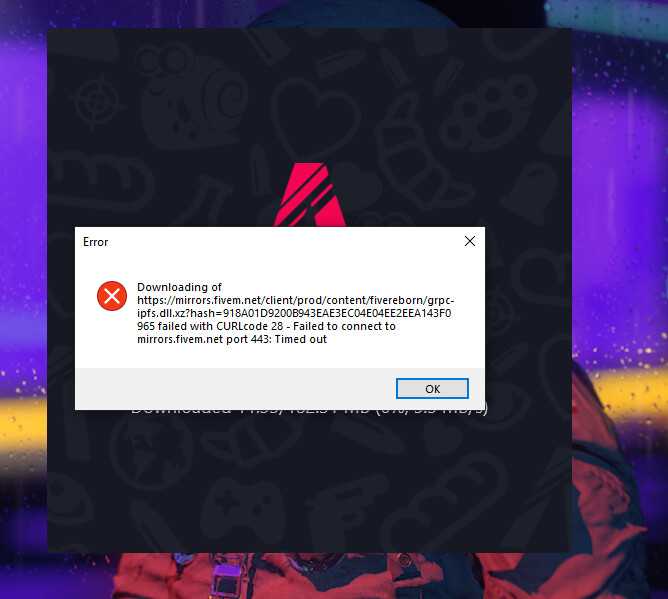
System specifications Intel i5-10400F - 8GB Memory - NVIDIA GeForce GTX 1650 4GB - 240GB SSD + 1TB HDD
What did you do to get this issue? I uninstalled it because my character wasn’t loading in a server.
What server did you get this issue on? GTA online RP
CitizenFX crash zip file dont have
CitizenFX.log file dont have
.dmp files/report IDs dont have
If an issue with starting:
GTA V folder screenshot
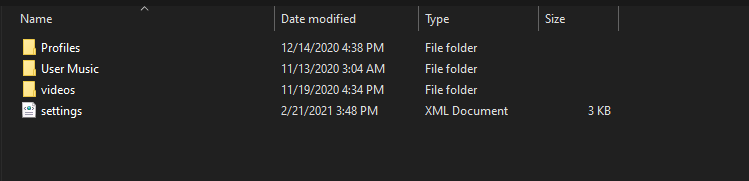
GTA V/update/x64/dlcpacks screenshot
Filepath to FiveM folder
FiveM client folder screenshot
Which antivirus/firewall software are you using? im not using one
Did you try to disable/uninstall your Anti-virus? yes
Also add what you already tried so far. I tried uninstalling gta, deleting fivem and any files of fivem, tried youtube. but all that didn’t work.
