Crowe Storage brings flexible character storage to VORP servers with assigned player-owned inventories, preset job storage, linked preset locations, shared player access, admin-managed locations, storage upgrades, and a modern Crowe storage interface for moving items between inventory and storage. It is built for roleplay servers that need personal storage, shared organizational storage, and staff-managed inventory locations while keeping permissions and transfers validated on the server.
Buy on Tebex Here


Key Features
-
Player-Owned Storages: Managed storage records can be assigned directly to a character ID.
-
Preset Job & Organization Storages: Configure shared storages for jobs, societies, and other groups.
-
Linked Preset Locations: Multiple configured locations can open the same shared inventory.
-
Shared Player Access: Owners can add or remove specific online players by in-county ID.
-
Admin Job Rules: Admins can allow access by job with all grades or specific grade lists.
-
Capacity Upgrades & Renaming: Owners can upgrade capacity and rename their assigned storages.
-
Live Storage Updates: Name, capacity, and weight changes update in the open UI after successful actions.
-
Optional Weapon Storage: Supports weapon storage with metadata preservation.
-
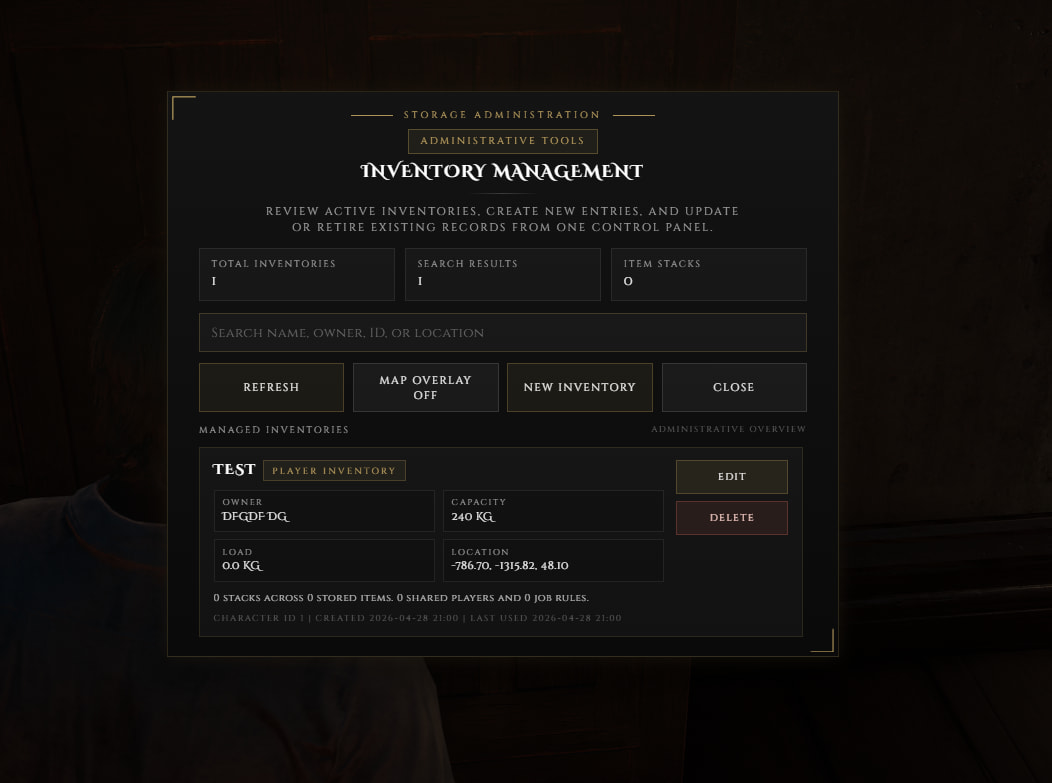
Admin Storage Panel: Staff can create, edit, delete, and inspect managed storage records with
/crowestorage. -
Map Overlay & Blip Refresh: Managed storage blips can be shown on demand and refresh after admin changes.
-
Server-Side Validation: Access, transfers, renames, upgrades, and sharing actions are validated on the server.
Installation & Requirements
Requirements:
-
vorp_core -
vorp_inventory -
oxmysql -
crowe_libs(recommended) -
crowe_notification(optional)
Setup:
-
Place
crowe_storagein your RedM resources folder. -
Run
install.sqlin your database. -
Configure
config.luafor your server. -
Ensure dependencies start before this resource.
-
Add
ensure crowe_storageto yourserver.cfg.
Commands & Defaults
| Setting | Details |
|---|---|
| Admin Command | /crowestorage opens the storage administration panel |
| Default Capacity | 200 |
| Upgrade Slots Per Tier | 20 |
| Base Upgrade Price | $100 with a 10% multiplier per gained tier |
| Default Access Radius | 2.0 |
| Example Job Rules | police all, doctor 0,1,2, sheriff 3,4 |
| Preset Storage Example | Linked evidence/storage locations with sheriff job access |
Technical Information
| Feature | Details |
|---|---|
| Code Access | Partial (config.lua, README.md, locales, and install.sql) |
| Subscription | No (One-time purchase) |
| Frameworks | VORP |
| Performance | Focused interaction radius and server-validated storage actions keep usage lightweight |
| Support | Available via Discord |