What is the issue you’re having?
Hello,
I own GTA V on Rockstar Games and have been trying to run FiveM, but every time I launch it I get this error:
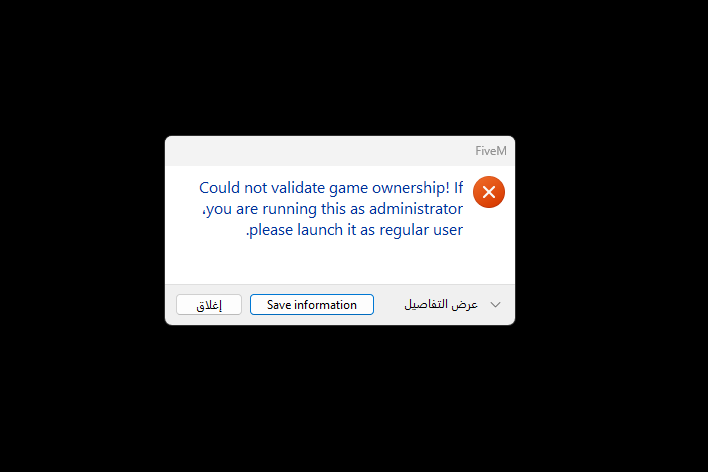
“Could not validate game ownership! If you are running this as administrator, please launch it as regular user.”
Things I’ve already tried:
- Running FiveM and Rockstar Launcher as a regular user (not admin)
- Deleting the cache, DigitalEntitlements, and other temp folders
- Verifying and reinstalling GTA V through Rockstar Launcher
- Reinstalling FiveM completely (multiple times)
- Trying several different Rockstar accounts (same result)
- Fully formatting Windows multiple times
The issue happens on every account I try, even after reinstalling everything.
Report ID: si-614d6830cb914f1195292134c6ad4450
It looks like this might be related to the Machine Hash or system identifier not being validated correctly after reinstalling.
Logs are attached.
Please help me fix this ownership validation issue — I can’t run FiveM at all.
Thank you.
What have you tried already to fix the issue?
[FIXED] Could not validate game ownership (Rockstar version)
Hey everyone,
I had the same issue for days:
“Could not validate game ownership! If you are running this as administrator, please launch it as regular user.”
I tried everything — reinstalling GTA V, FiveM, deleting cache, repairing Rockstar, even formatting Windows — nothing worked.
Here’s what finally fixed it for me:
 Changed my Windows language and region (e.g. from something else to English (United States) or Saudi Arabia).
Switched to a different network (Wi-Fi or hotspot), or just disconnected and reconnected my internet.
After doing that, FiveM immediately verified my Rockstar ownership and launched without errors.
What server did you get this issue on?
[Window Title] FiveM [Main Instruction] FiveM has stopped working [Content] An error caused FiveM to stop working. A crash report is being uploaded to the FiveM developers. Stack trace: FiveM.exe!MapRedirectedFilename (0xd3) (CitizenGame.cpp:262) [إغلاق] [Save information] [^] إخفاء التفاصيل [Expanded Information] Crash signature: Report ID: si-48738ac41e294759ba78d5d7d12b3a4c You can press Ctrl-C to copy this message and paste it elsewhere.
Error screenshot(s)
Windows version
WINDOWS 11
System specifications
 PC Specs:
CPU: AMD Ryzen 5 5600X
GPU: AMD Radeon RX 5600 XT (6GB)
RAM: 16GB DDR4
Storage: 1TB SSD
OS: Windows 11 Pro (64-bit)
DirectX: 12 Ultimate
FiveM Build: Latest (as of Oct 2025)
Antivirus software
Yes
