What is the issue you’re having?
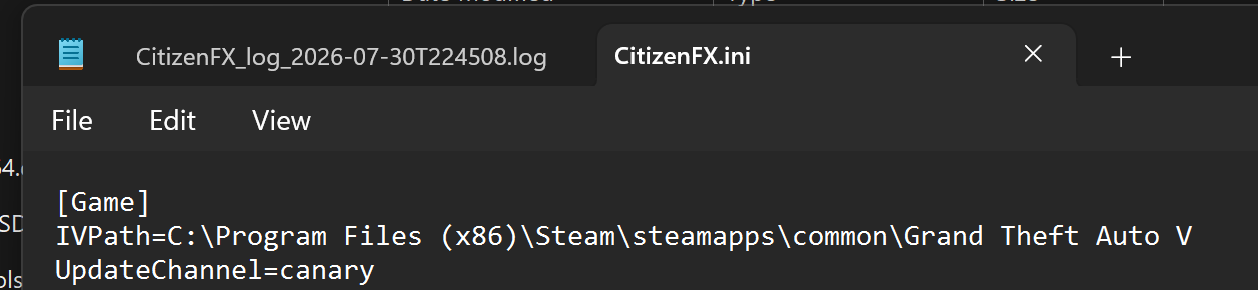
FiveM shows could not validate game ownership even though Steam and Rockstar Games launchers successfully validate my GTA5 ownership i’m on Windows 11 with Steam version GTA5 I reinstalled 5M and Rockstar Games launcher verified files confirmed non admin cleared cleared cache checked time settings and logs show successful entitlement validation right before the error.
What have you tried already to fix the issue?
I have already tried the following:
reinstalled 5M
reinstalled Rockstar games launcher
verify GTA5 files to steam
clear the 5M cache
confirm 5M steam and Rockstar are not running as administrator
signed out and back into steam and Rockstar games launcher
restarted my PC multiple times
confirmed windows date time and time zone are set correctly and auto updating
confirmed steam detects and launches GTA 5 successfully
confirmed Rockstar Games Launcher launches GTA5 successfully
reviewed five in logs showing successful entitlement validation before the ownership error
searched the CFX .D forums where multiple users report the same issue without a working fix.
What server did you get this issue on?
Single-player gta v
Windows version
Window 11 Home, Version 25H2 OS Build2600.8875
System specifications
Device name Q2This
Processor Intel(R) Core™ Ultra 9 275HX (2.70 GHz)
Installed RAM 32.0 GB (31.4 GB usable)
Graphics card NVIDIA GeForce RTX 5070 Laptop GPU (8 GB)
Intel(R) Graphics (128 MB)
Storage 245 GB of 477 GB used
Device ID 58C166CF-6E50-496E-8F22-7763F56AD998
Product ID 00342-22947-94300-AAOEM
System type 64-bit operating system, x64-based processor
Pen and touch No pen or touch input is available for this display
Antivirus software
Windows Security
CitizenFX crash zip file (‘Save information’ on a crash)
0b9980cb-6fa5-4a47-ad08-951d1d0cbf18.dmp (539 KB)
Log files
CitizenFX_log_2026-07-30T232158.log (3.22 KB)
Additional comments
logs shows successful entitlement validation before the ownership error.
I’ve tried reinstalling the verified files confirmed non admin checked time settings and searched the Cfx.E forums but found no working fix.