What is the issue you’re having?
GTA V version? Steam
Up to date? Yes
Legit or Pirate copy? Legit
Steam/CD/Social Club? CrystallineRPG
Did you try to delete content_index.xml and try again? Yes
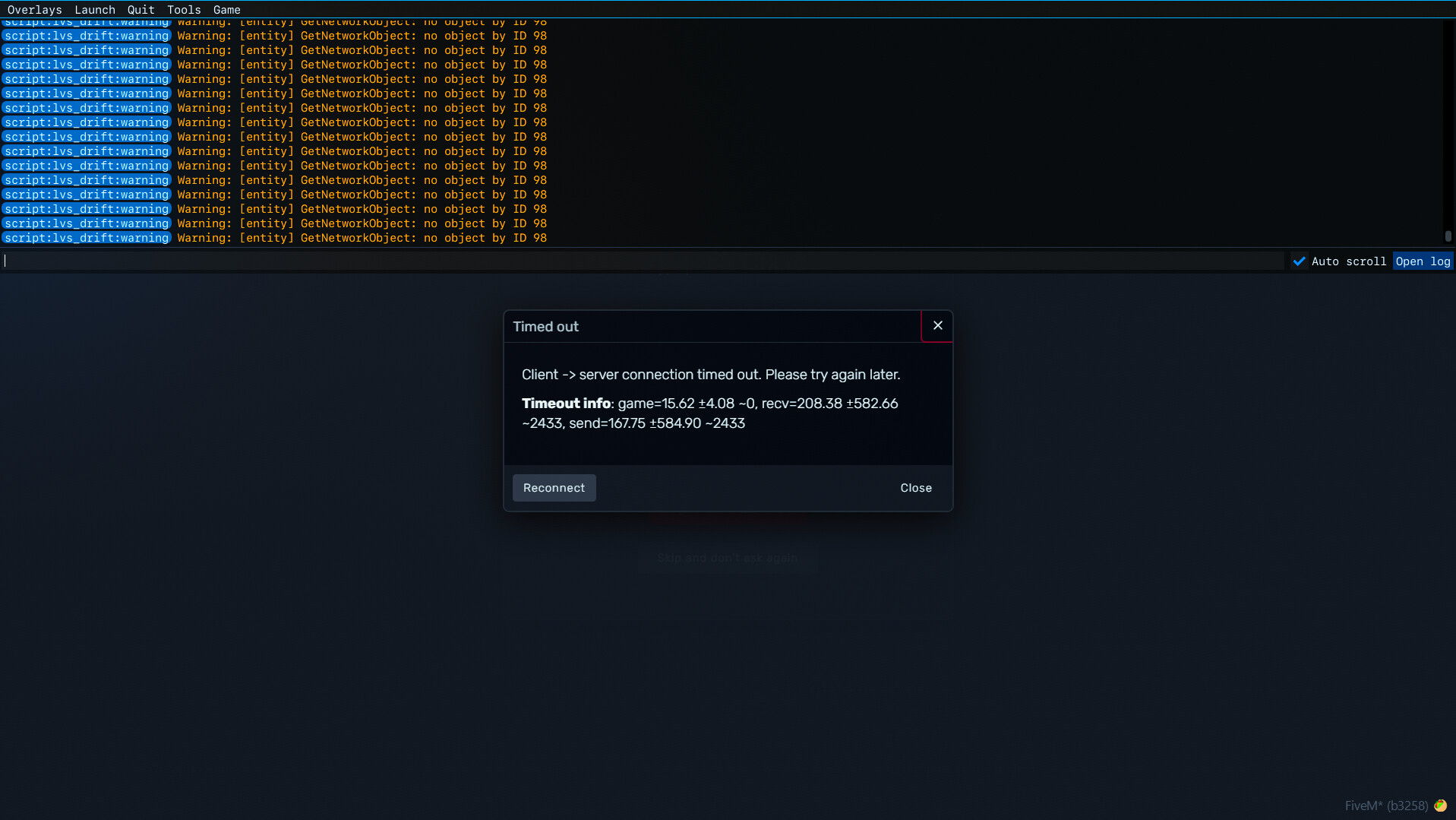
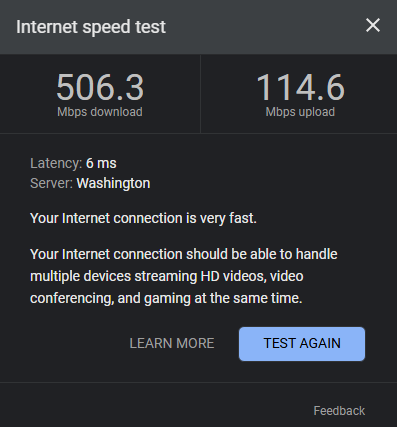
I was offline for a week and came back to play in my regular server, Cyberlux RP. FiveM had to update some files, so I let it do that and logged in just fine. First, I loaded in as a Ped, restarted and was invisible. Had to give myself the character create menu to fix that. Opened my menu/map and it kept closing itself. After the 3rd or 4th time I got a timeout error (which makes no sense - ISP speed is included in the screenshots). When closing the timeout error, I immediately get the CFX Login screen again - this has happened every time so far. A few times I get told the Auth isnt working but trying again goes through. I kept trying to stay in the server and check things before getting the timeout but it was the same result with some sessions lasting a few seconds longer. Same issue that the menu/map gave me happened when pulling out my phone. Kept noticing my microphone icon turn red with the line randomly and then I would get that [mumble] error you see in the screenshot and a timeout and a login. Server owner switched phones with me to see if that was the issue, but the phone worked fine.
So far the repeating issue is the microphone suddenly not working - mumble error - timeout - login.
There was a recent Elgato update (WaveXLR) but it was working before this issue just fine. Contacting support just ends up with them telling us to make a post so here I am.
What have you tried already to fix the issue?
Reinstalled FiveM completely x2 (yes in the same location as GTAV). Went into the FiveM test server and some MLO preview servers and had the same issues. Also tried doing it live in a Discord call and noticed my connection drop into the red and my voice chat get choppy when starting FiveM, which never happened before. Disabled Firewall and Anti Virus separately, still got the error. Server owner tried disabling some things like housing and it worked for longer than a few seconds but could barely talk and still eventually timed out. Reset modem and router. Brute force (constant relogging). Just finished clearing DigitalEntitlements just to be sure - same problem but faster so yay.
– I just tried opening RockStar by itself and ALSO got a timeout from the login screen, which has never happened before so maybe it’s them??
– Another add: tried opening the base game alone and suddenly Battleye has an update???
– Reinstalled both GTAV Legacy (Steam) and FiveM. Still had the update to FiveM files which I screenshotted this time and also got a new screenshot of a larger tiemout error message with more details.
What server did you get this issue on?
CyberluxRP, FiveM test server, Hane Mods Showcase
Error screenshot(s)





Windows version
Windows 11 Home 24H2
System specifications
13th Gen Intel(R) Core™ i7-13700KF 3.40 GHz
Installed RAM 32.0 GB (31.8 GB usable)
64-bit operating system, x64-based processor
Antivirus software
Windows Defender
Log files
CitizenFX_log_2025-05-28T164522.log (2.43 MB)
Additional comments
I’m tired of this, Grandpa.
