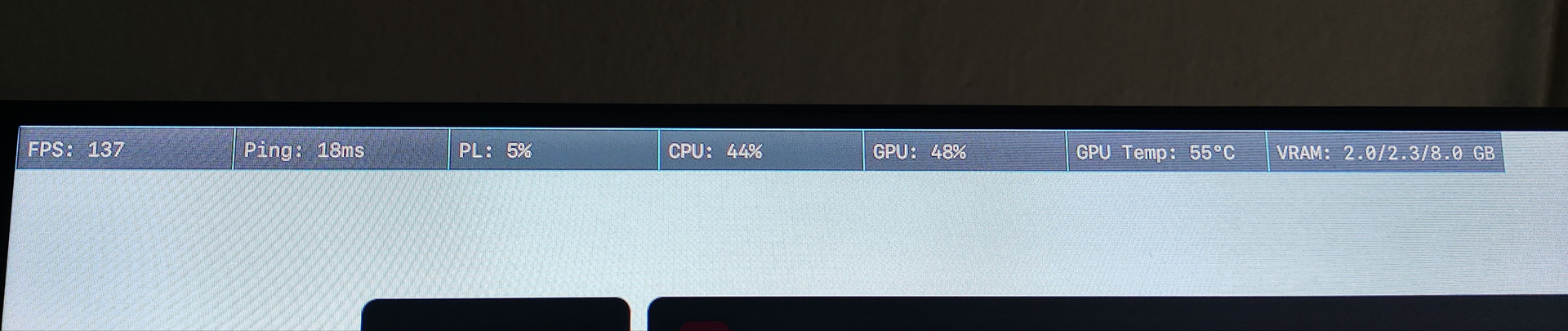
I am experiencing severe and constant rubberbanding while playing on various FiveM servers. My ping appears stable (around 20-30ms), but the netstats graph in-game (F8) shows a jagged blue line, indicating high jitter and unstable packet delivery. This happens on multiple servers and persists regardless of the network connection (I’ve tested both home fiber and mobile tethering). It feels like my PC is struggling to process the UDP stream smoothly.
What have you tried already to fix the issue?
I have already tried the following troubleshooting steps:
Checked connection stability with ping -t (stable 1ms to router).
Disabled “Large Send Offload (LSO)” and “Interrupt Moderation” in network adapter settings.
Cleared FiveM cache data.
Tested with Cloudflare WARP and other VPNs to rule out routing issues.
Performed a full network reset via Windows settings.
Verified system files and updated network drivers.
What server did you get this issue on?
All the servers (swiss Pvp, impero roleplay ecc..)
Amd ryzen 5 3600x, AMD Radeon RX 5700XT, 16gb RAM RGB g-skill, Windows 11, FTTC line 200Mgbit
Antivirus software
Windows Defender (classic)
Additional comments
have observed that this issue occurs primarily when moving at high speeds or in crowded areas of the map, suggesting a potential synchronization issue with server entity updates. My local network latency to the router is consistently low (under 1ms). Crucially, I want to emphasize that I have no network issues in any other online games or applications; this rubberbanding and jitter occur exclusively within FiveM. I am desperate for any insight on whether this could be related to specific network routing or FiveM client-side processing, as I have exhausted all standard local network optimization steps."
Hello, this is a friendly reminder because this is your first time creating a topic (or it has been a while since your last topic) in this category.
Please note that most of the support is provided by the Cfx.re community on a voluntary basis. We ask you to be patient; there is no guarantee we have a solution to your problem(s). To avoid unnecessary/duplicate topics, please browse the forums before creating a topic.
To improve your chances of your issue(s) being solved, please provide as much information as possible about the issue(s) you are having. Also —whenever possible— please use the template given to you when creating a topic.
Based on what you wrote (which seems a lot like AI writing, but anyway lol) I can guess that networking isn’t the actual cause of the issue, you’re probably experiencing some kind of component bottleneck. CPU would be the first thing to look at.
As an added thing, download and use a tool called TCPOptimizer, it might help - just make sure to read the wiki before using, and play around with settings that may seem relevant
Thank you for the detailed response! I’ll try changing the MTU settings tomorrow morning as you suggested. Just to give you more context, I’m already on the FiveM Beta channel, and I had previously tried setting the MTU to 1452 without any success. Also, I’m specifically experiencing packet loss and player stuttering (rubberbanding/desync), rather than connection timeouts. I’ll test some other values and see if that helps with the stability
I have attached some photos and videos of the problem